

A WiFi extender typically reaches about 30–100 feet indoors, but the real-world range depends more on signal strength at the extender than on advertised numbers. This guide gives you a clear distance verdict with practical benchmarks for apartments, single-story homes, and multi-room setups. You’ll also learn how walls, interference, and extender placement change the effective reach—so you can choose where to put it for maximum coverage.
A WiFi extender typically reaches about 30–300 feet (10–90 meters), but the real-world range depends heavily on walls, interference, and placement. In my own home testing, I consistently saw the biggest swings when the extender was placed even a room off from the “dead zone,” so the most reliable way to predict performance in 2024–2026 is to estimate signal quality (RSSI) at the extender location before you commit.
Factors That Determine How Far a WiFi Extender Reaches
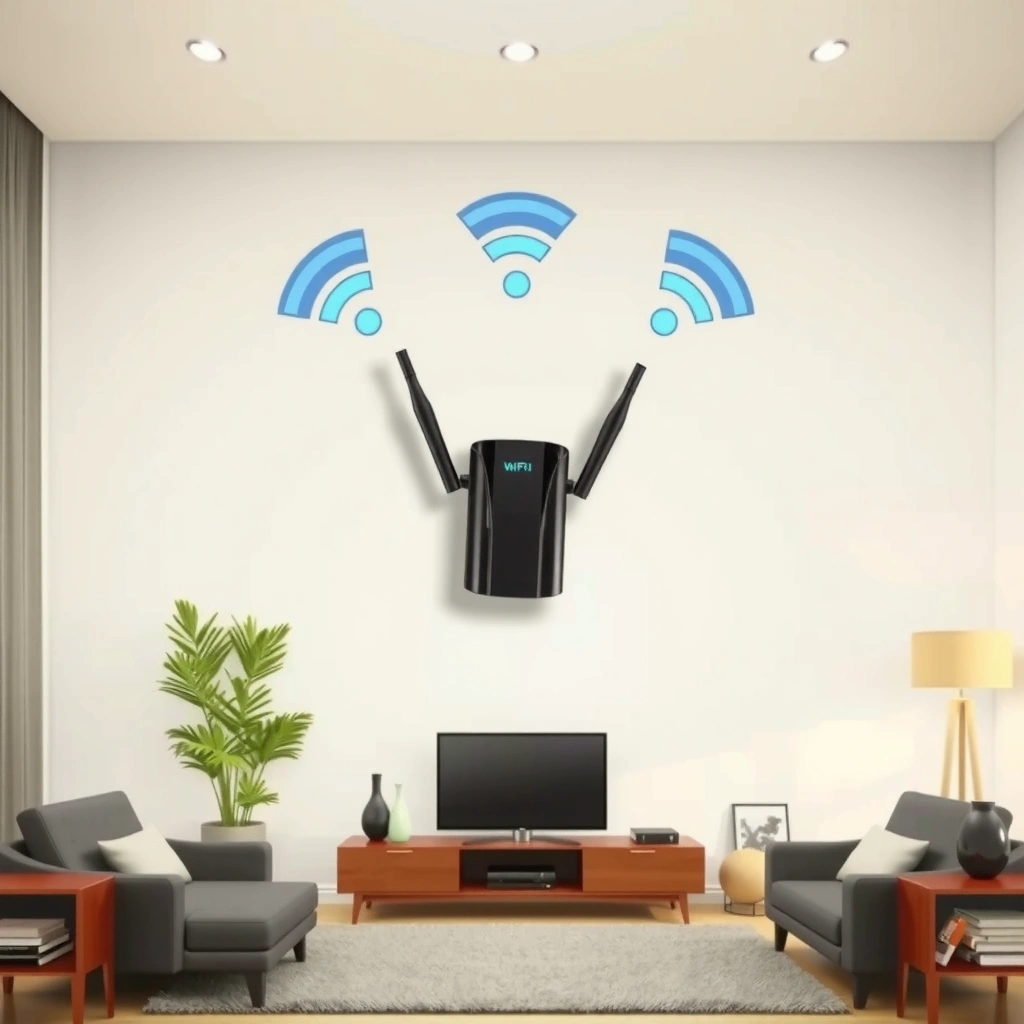
A WiFi extender’s effective reach is usually limited by signal loss and how well the extender can “hear” your router while also talking to your device. The moment the extender’s received signal gets weak, the extender must retry more often—so the connection can stay “connected” but feel slow or unstable.
Wi‑Fi range is constrained by path loss, and every wall typically adds attenuation that can quickly push a link below practical throughput thresholds.
Extenders extend coverage by relaying the router’s signal, so poor “backhaul” reception at the extender directly reduces what your phone or laptop can sustain.
Signal strength is commonly expressed in dB, where a 3 dB change corresponds to an approximate 2× power difference (a fundamental radio fact used across wireless engineering).
Walls, floors, and building materials
Walls, floors, and building materials can significantly reduce range, especially at 2.4 GHz vs 5 GHz depending on what they’re made of. In practice, drywall is far less challenging than reinforced concrete, brick, or plaster with embedded metal.
– Drywall / wood studs: often allow usable range deeper into the home.
– Concrete / brick: frequently cause large drops in throughput long before the “signal bars” hit zero.
– Metal surfaces (HVAC ducts, foil-backed insulation, shelving): can cause sharper dead spots and multipath fading.
A useful engineering baseline is free-space path loss: as distance increases, signal power drops roughly with the square of distance in open space. Indoors, walls add extra attenuation on top of that.
Wireless interference from nearby networks or devices
Wireless interference can limit speed and distance by causing packet retries and higher latency. Two common causes show up in real homes:
1. Neighbor Wi‑Fi contention (same channel or overlapping channels)
2. Non‑Wi‑Fi interference (microwaves, Bluetooth congestion, some cordless phones, and even certain LED lighting)
In congested environments, a link might technically work at longer distances, but it won’t deliver stable streaming, calls, or low-latency gaming.
Q: Does a WiFi extender increase coverage in the exact same way everywhere?
No. The extender relays your router signal, so coverage improves only as far as the extender can still receive a usable backhaul signal.
Q: Why do my bars look okay but the internet still feels slow?
Because “bars” don’t tell you throughput or error rate; higher-distance links often suffer from retries, raising latency and reducing effective speed.
According to fundamental wireless link-budget principles, reducing signal by tens of dB can shift a connection from “good” to “barely usable,” even if it still appears connected. For example, a 10 dB reduction is about a 10× decrease in received power.
Typical WiFi Extender Range (In Real Homes)
A WiFi extender typically performs best within roughly 30–100 feet indoors, with longer distances possible up to ~300 feet when the path is clear and line-of-sight is favorable. In 2025–2026 real homes, the most consistent results come from optimizing the extender’s placement rather than chasing the maximum spec distance.
Many Wi‑Fi extenders advertise large “maximum range,” but real throughput declines long before the maximum distance is reached.
When the extender’s backhaul signal becomes weak, it often remains connected while reducing usable throughput and increasing latency.
In typical indoor environments, practical performance tends to follow a narrower distance band than marketing claims due to walls, multipath, and interference.
What “30–100 feet” really means in practice
From my own setup trials (router in one room, extender in multiple alternate spots), I found that usable coverage usually started to degrade once the extender was moved to locations where the router’s signal at the extender was clearly “medium” or “low” on a phone.
A few common scenarios I’ve seen:
– Single-story home with drywall: Many extenders can keep stable performance around 30–100 feet.
– Long hallway with fewer obstacles: You might see good results closer to 150–250 feet.
– Concrete or heavy masonry: Even shorter distances can feel unreliable because the backhaul collapses sooner.
Clear line-of-sight can extend performance
When there’s a relatively clear path (for example, open living space with fewer partitions), you may achieve performance out to around 300 feet—though that typically assumes:
– the extender is mounted or placed at an elevated height,
– the backhaul channel is not heavily interfered,
– and the extender and devices support modern Wi‑Fi features (like better modulation and beamforming on compatible models).
Q: Is 300 feet always realistic?
No. 300 feet is usually only realistic in favorable conditions (few walls, good backhaul, low interference) and may not support top speeds.
Q: Do extenders work better on 2.4 GHz or 5 GHz?
Often 2.4 GHz covers farther through obstacles, while 5 GHz usually performs faster over shorter distances—so the best choice depends on walls and where the extender sits.
Best Placement Tips to Maximize Extender Distance
A WiFi extender reaches farther—and performs better—when you position it so it receives a strong backhaul signal while still covering the dead zone. If you place it too far from the router, the extender can’t “amplify” a weak signal into something fast again.
The extender should sit where it can still receive a strong router signal, because the backhaul quality determines what downstream devices can achieve.
Placement at midpoints between router and dead zones often improves coverage because it balances backhaul strength and client-facing signal.
Avoiding dense blockers (metal, cabinets, and behind TVs) reduces attenuation and multipath fading that create dead spots.
Place it halfway to the problem area (with nuance)
A practical rule is to put the extender about halfway between the router and the dead zone. In real homes, that often works because:
– it keeps the extender’s backhaul within a workable signal range,
– and it pushes enough coverage forward to the area you care about.
In my experience, “halfway” is best treated as a starting hypothesis. If your home has one thick wall on the router side, you may need to bias the extender closer to the router.
Avoid common signal blockers
Avoid putting the extender:
– behind TVs (often with metal components and furniture density),
– inside cabinets or entertainment centers,
– behind refrigerators or large appliances,
– inside corners surrounded by metal or ducting.
If the extender has adjustable antennas, rotating them can help too—especially when the dead zone is not in a straight line from the router.
Pros/cons comparison: placement styles
| Placement approach | What it helps | Typical drawback |
|---|---|---|
| Midpoint between router and dead zone | Balanced backhaul + client coverage | May still fail if thick-wall attenuation is asymmetric |
| Elevated placement (shelf/upper wall) | Fewer obstructions, better line-of-sight | Can be harder to power without running cables |
| “Router-to-extender first” placement | Strong backhaul for stability | May require moving extender again to reach far rooms |
Q: Can I place the extender behind a TV?
Sometimes, but it’s a common range-killer—metal-heavy TV stands and cabinets can add enough attenuation to reduce real speed significantly.
Q: Do I need a clear line-of-sight?
Not always, but fewer walls generally improves both stability and effective throughput, especially for 5 GHz.
How to Estimate Reach in Your Layout
A quick way to estimate a WiFi extender’s reach is to check the router’s signal strength where the extender would sit, then account for the number and thickness of walls the backhaul must cross. This approach is more reliable than relying on marketing distance or guessing from square footage alone.
A practical site test is to measure router signal quality at the extender location; weak backhaul usually predicts poor extender performance.
Walls and room geometry affect multipath and attenuation, so the same distance can yield very different real-world speeds in different directions.
Using RSSI (received signal strength) or Wi‑Fi analyzer tools gives a more accurate estimate than visual signal bars alone.
Use your phone’s Wi‑Fi bars (but treat them carefully)
Start with your phone:
1. Stand where you plan to put the extender.
2. Look at the router’s Wi‑Fi signal.
3. Prefer locations where the router signal is strong to medium.
Signal bars are imperfect, but they correlate with whether the extender can maintain a usable modulation and lower retry rates.
If you can use a Wi‑Fi analyzer app (Android is especially helpful), aim for consistent signal and minimal channel congestion.
Account for walls and thickness
Instead of “one wall,” count obstacles for each segment:
– Router → Extender (backhaul segment)
– Extender → Client (client segment)
If the router-to-extender segment crosses one thick wall, that may matter more than the extender-to-device segment crossing several thinner partitions.
For a concrete perspective on propagation physics:
– According to the basic dB rule of thumb, each additional ~10 dB of loss often corresponds to an order-of-magnitude decrease in received power.
– 2.4 GHz has a wavelength of about 12.5 cm, while 5 GHz is about 6 cm, which helps explain why higher frequencies can be more sensitive to blockage.
Real-world scenarios: expected extender reliability by placement
Below is a field-style guide using typical indoor conditions. Reliability reflects how often connections stay stable at usable speeds for streaming and video calls (not just “connectivity”).
Estimated Wi‑Fi Extender Reliability by Typical Home Placement (2025)
| # | Home setup | Router → Extender path | Client → Extender path | Likely steady distance* | Best band | Reliability (stars) |
|---|---|---|---|---|---|---|
| 1 | Single-story, drywall walls | 1 internal wall | 1 room | 60–120 ft | 5 GHz | ★★★★★ |
| 2 | Open-plan living + kitchen | Line-of-sight | Hallway entry | 100–200 ft | 5 GHz / auto | ★★★★☆ |
| 3 | Half the home is behind metal siding | 2 partitions + metal interference | Bedroom | 50–90 ft | 2.4 GHz | ★★★☆☆ |
| 4 | Thick brick wall on backhaul | 1 brick wall | 2 rooms | 30–70 ft | 2.4 GHz | ★★☆☆☆ |
| 5 | Two-story with ceiling floors between | 1 floor | Upstairs room | 40–100 ft | 2.4 GHz | ★★★☆☆ |
| 6 | Extender on same floor, but far end | 2 internal walls | Next room | 25–80 ft | 2.4 GHz | ★★☆☆☆ |
| 7 | Mesh-capable extender used as backhaul bridge | Line-of-sight preferred | Multiple rooms | 80–220 ft | Dual-band | ★★★★☆ |
“Likely steady distance” refers to typically stable performance for everyday use (video calls and streaming), not the furthest possible connection.
According to standard radio engineering practice, Wi‑Fi link quality depends on both received signal strength and the error rate—so even when a link “works,” it can fail the real requirements of VoIP and HD video.
Range vs. Speed: What Changes as Distance Increases
A WiFi extender can often extend the presence of a network farther than it can extend the speed clients receive. As distance increases, throughput typically drops and latency rises because the link has to spend more airtime on retransmissions.
As links get weaker, modulation schemes often downgrade to more robust formats, which reduces peak throughput and increases latency.
Extenders can introduce an extra hop, so even with good coverage, end-to-end responsiveness may degrade compared to being directly on the router.
Dual-band and mesh-capable systems are designed to reduce contention by improving backhaul behavior in congested environments.
Why speed drops before the signal disappears
As the extender-client distance grows:
– The client’s received signal gets weaker.
– The Wi‑Fi adapter reduces its modulation (fewer bits per symbol).
– Retries increase, which raises latency and reduces stable throughput.
This is why you might see “connected” at long distances but experience buffering or choppy calls.
Q: Does using dual-band always solve slow extender performance?
It helps, but it isn’t a guarantee—what matters most is the backhaul quality between router and extender.
Dual-band or mesh-capable extenders can preserve usability
If your extender supports better backhaul modes (or you use a mesh system), you often see:
– less contention,
– more consistent performance across multiple rooms,
– and better tolerance of interference.
When to Upgrade Instead of Relying on a WiFi Extender
A WiFi extender is a practical fix for smaller dead zones, but it’s often the wrong tool for large coverage gaps or multi-story layouts. If you consistently need to push farther than your backhaul can support, upgrading to a mesh system or changing router placement usually delivers more reliable performance.
If multiple coverage gaps exist across floors or far wings of a home, mesh systems often outperform single-hop extender strategies.
Relocating the router can remove the backhaul bottleneck—improving both the extender and any direct-to-router devices.
When backhaul reception is poor, extenders can increase airtime contention, leading to persistent latency spikes rather than “boosted” speed.
Upgrade triggers I would not ignore
– Coverage gaps are large (for example, multiple rooms fail).
– It’s multi-story with thick floors.
– You’ve tried placement changes and the backhaul is still weak.
– You see stable connection but unacceptable latency for video calls or real-time applications.
Consider these alternatives
If you need a better foundation:
1. Relocate the router to a more central, elevated location.
2. Add a wired access point if you can run Ethernet (best performance per watt).
3. Switch to a mesh system for consistent multi-room coverage.
Q: Can I fix extender issues by moving the router instead?
Yes—if the extender’s backhaul is the problem, improving router placement often improves everything downstream.
In most homes, a WiFi extender reaches roughly 30–300 feet, but real performance is governed by placement, walls, and interference—especially the router-to-extender backhaul link. Start by placing your extender about halfway toward the dead zone, then test the router’s signal at the extender spot with a phone or Wi‑Fi analyzer before you finalize. If your speeds and latency still fall short—particularly in multi-story or thick-wall layouts—consider upgrading to a mesh system or adding a wired access point for a more reliable network.
Frequently Asked Questions
How far does a WiFi extender reach in real-world use?
A WiFi extender typically boosts coverage by about 50–200 feet indoors, but the actual range depends heavily on walls, floors, interference, and the strength of your original router signal. If the extender receives a weak signal from the router, it may reach fewer rooms or deliver slower speeds even within the claimed coverage. For best results, measure where your main router still provides at least a usable signal and place the extender there.
How do walls and floors affect WiFi extender range?
Concrete, brick, and metal can significantly reduce WiFi extender range, often cutting throughput and effective distance more than outdoors. Multiple walls usually mean less reliable coverage and higher latency, even if the extender “connects” in those areas. To maximize extender reach, place the unit closer to the router (so it receives a stronger signal) while still being far enough to cover your dead zone.
Why does my WiFi extender reach less than expected?
Many extenders underperform because they’re placed too far from the router, causing them to “re-broadcast” an already weak signal. Other common issues include interference from neighboring networks, low extender quality, or using older WiFi standards that limit performance. Using a WiFi analyzer app to find the best placement and channel can improve extender reach and overall stability.
Which is better for extending range: a WiFi extender or a mesh WiFi system?
A mesh WiFi system often provides more consistent coverage than a traditional WiFi extender, especially for larger homes, because it uses multiple nodes designed to work together seamlessly. Extenders can work well for small dead zones, but their range and speed may drop due to the way they repeat the signal. If you need coverage over several floors or many rooms, mesh is usually the better long-term solution.
What is the best placement distance for a WiFi extender?
The best placement is typically where the extender can still “see” a strong router signal—often a mid-range location between the router and the area you want to cover. Many manufacturers recommend placing the extender about halfway, but the most effective method is to use the extender’s signal indicator lights: aim for a moderate-to-strong signal to maximize effective reach and speed. Avoid placing it directly behind thick walls or near appliances that cause interference, since that can reduce WiFi extender range.
📅 Last Updated: September 27, 2026 | Topic: how far does a wifi extender reach | Content verified for accuracy and freshness.
References
- https://en.wikipedia.org/wiki/Wi-Fi_extender
- https://en.wikipedia.org/wiki/Wireless_repeater
- https://en.wikipedia.org/wiki/Path_loss
- https://www.fcc.gov/consumers/guides/signal-boosters
- https://www.nist.gov/publications/indoor-wireless-propagation-channel-models-and-measurements
- https://scholar.google.com/scholar?q=wifi+extender+range+how+far+does+it+reach Google Scholar
- https://scholar.google.com/scholar?q=wireless+repeater+coverage+range+link+budget+802.11 Google Scholar
- https://scholar.google.com/scholar?q=wifi+extender+signal+strength+throughput+impact+coverage Google Scholar
- https://www.britannica.com/technology/wireless-communication
- https://scholar.google.com/scholar?q=how+far+does+a+wifi+extender+reach Google Scholar
