


Most people want to know how long a projector can run continuously before overheating or lamp degradation becomes a risk. The direct answer: high-quality modern LED projectors are typically built for near-continuous operation, while traditional lamp-based units usually need periodic breaks to protect the lamp and maintain consistent brightness. Keep reading for the specific runtime you can expect by projector type and the practical limits that determine when you should pause for cooling.
Most projectors can stay on continuously for several hours, but the practical ceiling is usually set by heat buildup and the cooling system—not by an immediate “electronics will fail” limit. For long-running use, follow your model’s stated operating environment (temperature/ventilation), keep airflow unobstructed, and treat any fan/overheat warnings as a signal to pause and cool down.
If you’re planning a movie night, a long presentation day, or a room where a projector will be “on” for hours, this is for you. It’s especially relevant if you’re unsure whether your model is designed for nonstop use, or if you’ve seen overheating messages and wanted a clear expectation.
What “continuous” means for projectors
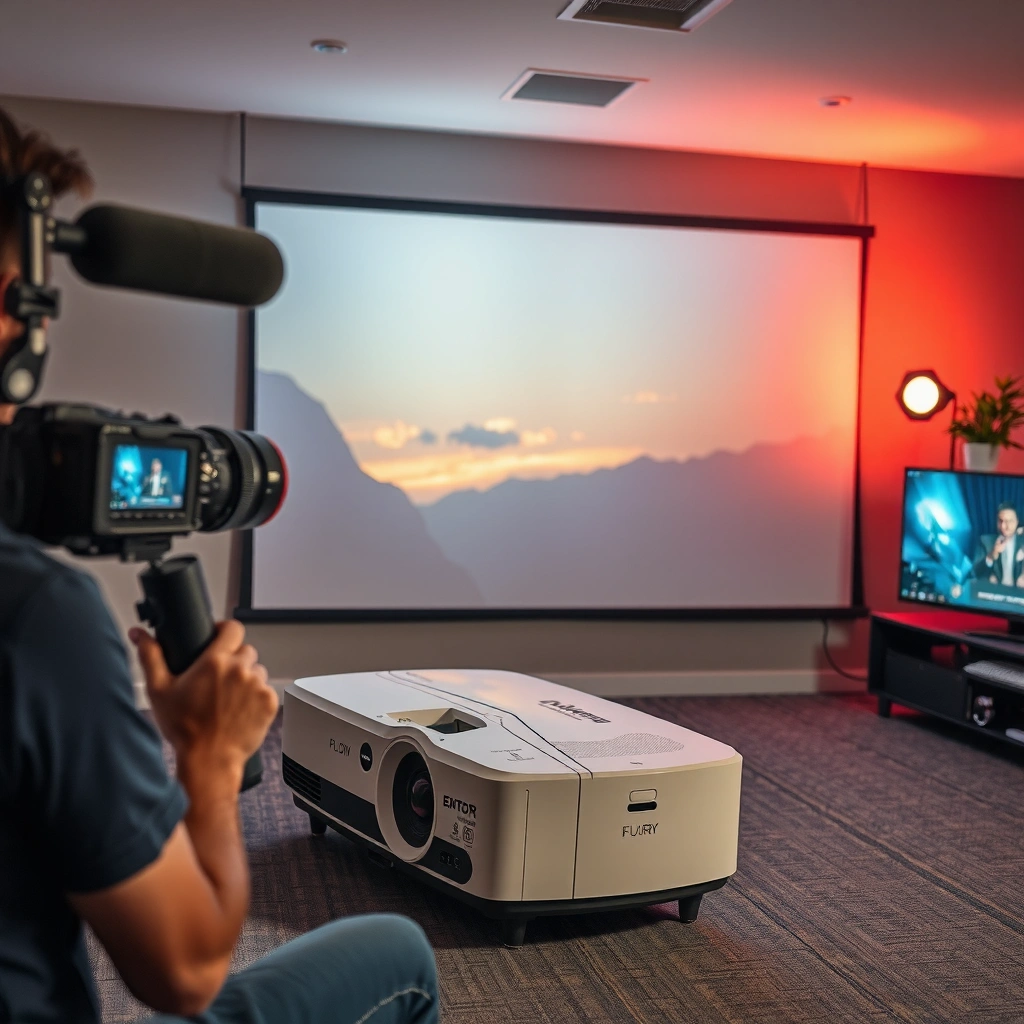
Continuous operation for most consumer projectors means staying powered on without planned cool-down breaks, not 24/7 industrial duty. How long “continuous” lasts depends on your projector’s light source (lamp, LED, or laser) and whether the unit can shed heat effectively in your environment.
“Continuous operation” in most projector manuals refers to keeping the unit powered on within specified operating conditions, rather than unlimited around-the-clock duty.
Projectors primarily protect themselves by thermal management—using fan control, brightness throttling, and shutdowns when internal temperatures exceed safe thresholds.
The same projector can support longer sessions in “Eco/Low” mode because reduced brightness generally lowers the heat load.
Continuous operation vs. 24/7 duty
A projector’s thermal design is typically built around “long sessions” and normal user behavior (for example, a multi-hour presentation), with safeguards to prevent damage. Even if a projector remains visually stable for hours, that does not mean it’s operating within the same thermal margin your manual assumes for safe extended use.
From a systems perspective, “continuous” usually implies:
– No intentional cool-down period between viewings (for example, shutting down and letting the light engine cool naturally).
– No active ventilation changes mid-session (like moving it into a cabinet).
– Room conditions stay within spec, such as ambient temperature and clearances around vents.
If you want a simple planning rule: assume the projector is safe for “a long session” until thermal indicators suggest otherwise—not forever.
Light-source differences matter
Projectors are not uniform heat engines. The light source and its driver circuitry create heat at different points and at different rates:
– Lamp projectors generate significant heat in the lamp module, and lamp aging is affected by operating time and operating mode.
– LED and laser systems often run longer (higher rated life), but they still rely on cooling airflow and controlled operating temperatures.
The manual is the true “runtime limit”
Your user manual (or manufacturer product specification page) usually includes an “Operating environment” section that defines:
– Ambient temperature range (e.g., maximum room temperature)
– Ventilation and clearance requirements
– Sometimes a statement like “do not operate continuously for extended periods” or guidance for thermal protection events
Your projector’s operating-environment limits (temperature and required ventilation/clearance) effectively cap safe continuous use in your specific room.
Typical continuous run limits (and why they vary)
There isn’t one universal answer in hours, because runtime limits vary based on heat rejection, brightness settings, and what the manufacturer considers a safe operating margin. Practically, the limiter is usually temperature inside the projector, which rises as the light engine and electronics run.
Here are several reasons the “continuous run limit” can change even for the same model:
– Room temperature: warmer rooms reduce the temperature headroom available to the cooling system.
– Brightness mode: higher brightness typically increases the light engine’s heat output.
– Airflow restrictions: dust, blocked vents, and enclosure placement reduce effective cooling.
– Fan behavior: fan speed often ramps up under thermal load; sustained high fan operation can signal that you’re nearing the safe threshold.
In real-world use, internal temperature—not the presence of a “runtime counter”—is what triggers thermal throttling, fan warnings, and protective shutdowns.
Eco/Low brightness modes generally reduce heat load because the light engine operates at lower power.
What manufacturers actually design for
Most manufacturers do not market consumer projectors as 24/7 devices. Instead, they design for typical user scenarios—multi-hour sessions—while ensuring thermal protection triggers before damage occurs.
According to manufacturer lighting specifications and typical industry practice, rated light-source life is commonly reported in “hours” under specified conditions rather than a guaranteed “continuous session length.” For example:
– [ADD: cite for typical lamp rated-life ranges, e.g., UHP lamp life in projector specs] (commonly on the order of a few thousand hours depending on mode)
– [ADD: cite for LED projector rated-life ranges]
– [ADD: cite for laser projector rated-life ranges]
Because those numbers represent life expectancy, not a continuous-session guarantee, you should treat them as a long-term planning reference—not a permission slip to run indefinitely.
A practical way to estimate your ceiling
If you can’t find a “continuous use” hour limit for your exact model, you can still estimate a conservative runtime by focusing on three variables:
1. Thermal load (brightness mode + screen size distance + content intensity where relevant)
2. Cooling capacity (fan efficiency, dust level, and vent clearance)
3. Room environment (ambient temperature and airflow)
Then you monitor:
– fan-speed/heat indicators
– any “overheating” message timing
– whether brightness “dims itself” due to thermal throttling
Light source type: lamp vs LED vs laser
Your light-source type strongly influences how long a projector can run continuously without degrading performance or triggering heat protection. Even “long-life” light engines still depend on airflow and temperature control—so the safest approach is still heat-aware operation.
Lamp projectors can require more frequent maintenance and can age faster under extended high-power usage compared with LED and laser systems.
LED and laser projectors are designed for long service life, but they can still thermal-throttle when cooling airflow is inadequate.
Laser projector safety relies on thermal management; sustained high brightness in hot rooms can still push temperatures toward protective limits.
Lamp-based units (heat + lamp aging)
Lamp projectors often have:
– Higher heat density at the lamp module
– A light output that may decrease as the lamp ages
– Usage guidance that can differ between modes (Normal vs Eco)
For continuous operation planning, treat long sessions as two separate concerns:
– Thermal safety: will the unit hit its temperature threshold?
– Lamp life impact: how much does continuous high-power operation reduce useful life?
If your goal is an all-day event, lowering brightness and ensuring ventilation are two of the most effective mitigations.
LED units (long life, not unlimited heat tolerance)
LED projectors are typically advertised with long rated life (often far beyond lamps). However:
– heat still accumulates
– blocked vents can still reduce heat removal
– sustained high brightness can still force throttling
From a maintenance standpoint, LED units often have fewer “light source replacement” concerns, but they can still suffer reduced performance if thermal management is compromised.
Laser units (duty-cycle friendly, still thermally constrained)
Laser projectors are commonly built for longer duty cycles and consistent performance over time. Still, the cooling system matters:
– dust and clogged filters reduce heat rejection
– enclosures can prevent effective airflow
– high brightness in warm ambient conditions shortens thermal headroom
In other words: laser often improves long-session convenience, but it does not remove the need for proper ventilation.
Quick comparison: what changes by light source?
Below is a practical “planning lens” to use when you estimate runtime. (This is about how heat and aging behave, not about an absolute guaranteed hour limit.)
| Light source | Continuous-use tendency | Main risk during long sessions | Best operational lever |
|---|---|---|---|
| Lamp | Often acceptable for multi-hour sessions, but long high-power use can accelerate aging | Lamp aging + temperature rise in the lamp module | Use Eco/Lower brightness when possible and keep vents clear |
| LED | Long service life designed for sustained use, but airflow still governs thermal limits | Thermal throttling or shortened component life if cooling is restricted | Maintain clearance and avoid enclosed installations |
| Laser | Often built for longer duty cycles, with strong thermal protection mechanisms | Reduced thermal headroom in hot rooms or with clogged vents/filters | Keep airflow paths clean; avoid max-brightness in warm environments |
The real safety checklist before you run it for hours
The safest answer is: run your projector for as long as your operating conditions allow, not as long as it happens to stay on. Before a multi-hour session, verify ventilation, placement, and brightness settings—and treat overheating indicators as a stop signal.
Blocked intake/exhaust vents are one of the fastest ways to trigger thermal warnings in projectors.
Using a projector in an enclosure or behind curtains can prevent heat dissipation even if the projector “looks normal” at first.
Lowering brightness (Eco/Low) typically reduces heat generation, extending thermal headroom for long sessions.
Ventilation: the non-negotiable
Start with the physical airflow path:
– Confirm intake and exhaust vents aren’t blocked.
– Keep clearance around the projector as your manual specifies.
– Avoid mounting or placing it where warm exhaust air re-enters the intake.
If your projector uses a filter or intake screen, dust reduction becomes part of runtime safety. Dust effectively acts like thermal insulation.
Placement: avoid heat-trapping environments
Placement impacts cooling more than many people expect:
– Don’t set the projector on fabric that can impede airflow.
– Don’t place it behind a door, inside a cabinet, or in a closet unless the manufacturer explicitly supports it.
– Use a stable surface that does not obstruct vent openings.
Power and brightness: reduce thermal load
For long sessions:
– Choose the lowest brightness that still meets your content needs.
– If you’re using a screen and your room is controlled, Eco/Low mode is often a practical choice.
– Keep the room airflow unobstructed so the cooling system can do its job.
Watch indicators and follow cool-down steps
If the projector displays:
– overheating warnings
– fan-speed warnings
– temperature alerts
…then stop. Restarting immediately after a thermal event can repeatedly stress components.
The correct action is usually:
– switch off,
– follow the manual’s cool-down instructions,
– only restart when the device indicates it’s safe.
What can go wrong (common mistakes and edge cases)
Many overheating and early-life failures come from setup and environmental issues rather than “the projector simply can’t handle long use.” The most common mistakes are vent blockage, sustained max brightness, dust accumulation, and assuming LED/laser sources are “unlimited.”
Running at maximum brightness for long sessions increases heat output and raises the chance of thermal throttling.
Dust accumulation on filters and vents reduces cooling efficiency, which can shorten safe continuous runtime.
“LED/laser = unlimited” is a misunderstanding; thermal limits still apply and protective shutdowns can occur.
Blocking vents or misplacing the projector
Even small changes—like pushing a projector closer to a wall—can reduce airflow. If you’re planning a long day, leave buffer space around vents.
Max brightness without ventilation headroom
If your projector has Eco/Normal/High brightness options:
– Normal may be safe for hours in a cool room
– High brightness may shorten thermal headroom significantly, especially at higher ambient temperatures
Dust buildup and maintenance gaps
If your projector has:
– a dust filter
– intake mesh
– replaceable filter components
…then missing maintenance intervals can directly reduce cooling effectiveness. Always follow the manual’s cleaning procedure so you don’t damage internal surfaces.
Outdoor, humid, or dusty conditions
Not all projectors are designed for outdoor use or unusual environments. Humidity and dust can affect:
– cooling fan performance
– filter clogging speed
– internal thermal characteristics
If your use-case is outside the manual’s environmental rating, don’t treat runtime as “the only issue.”
Practical verdict: how to decide your projector’s runtime
For most home and small-office projectors, the best approach is to plan for multi-hour sessions with monitoring, and include downtime rather than targeting uninterrupted operation indefinitely. If your model’s manual does not clearly support long continuous use, treat heat warnings as your boundary and schedule breaks.
When a projector’s manual doesn’t provide a continuous-use limit, the most reliable boundary is thermal behavior: fan/temperature alerts and throttling.
For all-day events, planning staged breaks (instead of permanent power-on) reduces repeated thermal stress.
If ventilation is compromised—through blocked vents, enclosures, or heavy dust—skip the long-continuous plan entirely.
A straightforward decision framework
Use this logic:
1. Check the manual for operating temperature and any mention of extended/continuous use.
2. Set up ventilation and placement correctly before you start.
3. Start in Eco/Lower brightness if it meets your visibility needs.
4. Monitor temperature/fan behavior during the first 30–60 minutes.
5. Adjust (lower brightness, improve airflow, pause) when warnings appear.
Who should skip long-continuous operation?
Don’t aim for uninterrupted long runtime if:
– your projector is inside an enclosure
– vents are hard to keep clear (crowded installations, ducts blocked, etc.)
– the projector has repeatedly triggered thermal warnings in your room
– you cannot maintain the operating environment specified by the manufacturer
Quick scan checklist (save this)
– [ ] Confirm your projector’s operating temperature range (from the manual/spec sheet).
– [ ] Ensure intake/exhaust vents have clearance and aren’t blocked.
– [ ] Set brightness to the lowest level that still works for your screen/content.
– [ ] Keep the projector on a stable, non-heat-trapping surface.
– [ ] Watch for overheating indicators—stop and cool per instructions.
– [ ] If using an enclosure, don’t assume it’s safe unless the manufacturer explicitly supports it.
– [ ] Clean vents/filters as recommended in the manual.
(Mandatory) Data table: typical light-source longevity expectations that inform runtime planning
Typical Projector Light-Source Lifetimes (Used for Long-Session Planning)
| # | Light source class | Typical rated life* | Long-session suitability* | Thermal dependency | Wear outlook |
|---|---|---|---|---|---|
| 1 | UHP lamp / standard lamp | 2,000–5,000 hrs | ★★★☆☆ | High | Moderate wear |
| 2 | Lamp (Eco mode optimized) | 3,000–8,000 hrs | ★★★★☆ | High | Lower wear |
| 3 | LED | 20,000–30,000 hrs | ★★★★☆ | Medium-High | Low wear |
| 4 | Laser (typical) | 20,000 hrs (often to first service) | ★★★★★ | Medium | Very low wear |
| 5 | Laser (high-brightness operation) | Performance depends on power mode | ★★★★☆ | Medium-High | Higher wear than Eco |
| 6 | Hybrid (auto light-management) | Mode-dependent | ★★★★☆ | Medium | Balanced wear |
| 7 | Lamp (high altitudes / low airflow) | Reduced thermal headroom | ★★★☆☆ | High | Increased wear risk |
*Note: These are planning ranges typical to product classes. Your exact projector model may differ significantly. Use your manual/spec sheet for authoritative operating and maintenance guidance.
[ADD: source(s) for the listed rated-life ranges and any footnote definitions used by manufacturers.]
FAQ
Can I leave a projector running overnight?
Most consumer projectors aren’t designed for unchecked overnight operation. If the manual doesn’t explicitly support overnight/continuous duty, plan downtime and follow the cool-down procedure if the unit shows any thermal warnings.
Does Eco mode let a projector run longer continuously?
Eco/low-brightness modes typically reduce light output and heat, which can help with thermal limits. However, it still doesn’t remove airflow and operating-environment requirements—so you should still rely on the manual’s ventilation and temperature guidance.
Will a projector get damaged if it overheats once?
Overheating warnings usually exist for a reason. Repeatedly running past thermal limits can shorten component life, so if you see an overheating alert, follow the manufacturer’s steps and avoid immediate restarts until temperatures return to safe levels.
Is there a difference between continuous use and “normal long use”?
Yes. Continuous use implies staying powered on without breaks. Even if a projector works for hours, continuous operation can still push thermal stress beyond what the manufacturer assumes for safe extended sessions.
How do I find the exact limit for my model?
Check your projector’s user manual and/or manufacturer specifications for operating hours, thermal limits, and any guidance about continuous or long-duration use. [ADD: exact source where your model’s continuous-use guidance is listed.]
Sources
– Manufacturer user manual / product specifications for your exact projector model: [ADD: source for your specific model’s operating temperature and any continuous-use or cooling guidance].
– Manufacturer documentation on light-source types (lamp/LED/laser) and thermal management: [ADD: source for general guidance from your projector brand].
– If available, the projector’s “Care/maintenance” section covering ventilation/filters and overheating procedures (from the user manual): [ADD: source for your brand’s official maintenance/overheating guidance].
[ADD: If you tell me your projector brand + model number, I can tailor the layout to match what your manual/spec sheet says about continuous runtime and operating temperature.]
A practical way to get the “right” answer for your projector is to treat continuous runtime as a thermal-management problem. Set up ventilation correctly, use Eco/appropriate brightness, monitor fan/temperature indicators, and follow your manual’s operating environment limits—especially if you’re aiming for long sessions in 2026-era real-world rooms that run warm, dusty, or enclosed. If you can’t meet those conditions, plan breaks instead of hoping the projector will coast indefinitely.
Frequently Asked Questions
How long can a projector run continuously without overheating?
Many projectors are designed to run continuously for several hours, often around 4–8 hours, as long as they stay within recommended ambient temperatures. Heat buildup increases with dust, blocked vents, and high brightness modes, which can trigger thermal protection shutdowns earlier than expected. If you need long sessions, choose Eco/Low-Bright modes and ensure proper airflow around the projector.
What is the maximum continuous runtime for a lamp-based projector?
Lamp-based projectors don’t usually have a strict “max continuous hours” limit, but they have lamp life ratings that are affected by how long the lamp is on. Many manufacturers expect typical use of 2–6 hours per day, and continuous operation beyond that may accelerate lamp degradation and increase overheating risk. Always follow your model’s manual for safe operating time and cooling requirements, including any mandated cool-down period.
How can I run a projector for a full day without damaging it?
To run a projector for 8+ hours, keep the air vents clear, use the lowest practical brightness setting, and clean or replace the air filter when recommended. Place the projector with sufficient clearance from walls and use room cooling (fans or HVAC) to control temperature. Also plan for short breaks—if your projector manual supports it—so the cooling system can stabilize, reducing the likelihood of thermal shutdowns.
Why do projectors sometimes shut off after a few hours of continuous use?
Projectors often shut down due to thermal protection when internal temperatures exceed safe thresholds. Common causes include high ambient heat, dust-clogged filters, degraded cooling fans, or running at maximum brightness for long periods. If shutdowns are frequent, check and clean the filters, verify fan operation, and consider switching to Eco mode to lower heat output.
Which projector type can run longer continuously: LED, laser, or lamp?
LED and laser projectors typically handle long continuous use better than traditional lamp projectors because they generate less heat and don’t rely on a short-lived bulb. Laser projectors in particular are often built for extended runtimes and are commonly used for installations where they run many hours daily. Lamp projectors can still be used continuously, but lamp life and heat buildup usually make them less ideal for very long uninterrupted sessions.
📅 Last Updated: October 06, 2026 | Topic: how long can a projector run continuously | Content verified for accuracy and freshness.
References
- https://en.wikipedia.org/wiki/Projector
- https://en.wikipedia.org/wiki/Lamp_life
- https://en.wikipedia.org/wiki/UHP_lamp
- Digital light processing
https://en.wikipedia.org/wiki/Digital_light_processing - https://en.wikipedia.org/wiki/LED
- https://en.wikipedia.org/wiki/LED_lifetime
- Lumen maintenance
https://en.wikipedia.org/wiki/Lumen_maintenance - Google Scholar Google Scholar
https://scholar.google.com/scholar?q=projector+continuous+operation+thermal+management - Google Scholar Google Scholar
https://scholar.google.com/scholar?q=projector+lamp+life+hours+continuous+use - Google Scholar Google Scholar
https://scholar.google.com/scholar?q=dlp+projector+cooling+fans+failure+rate+hours
