
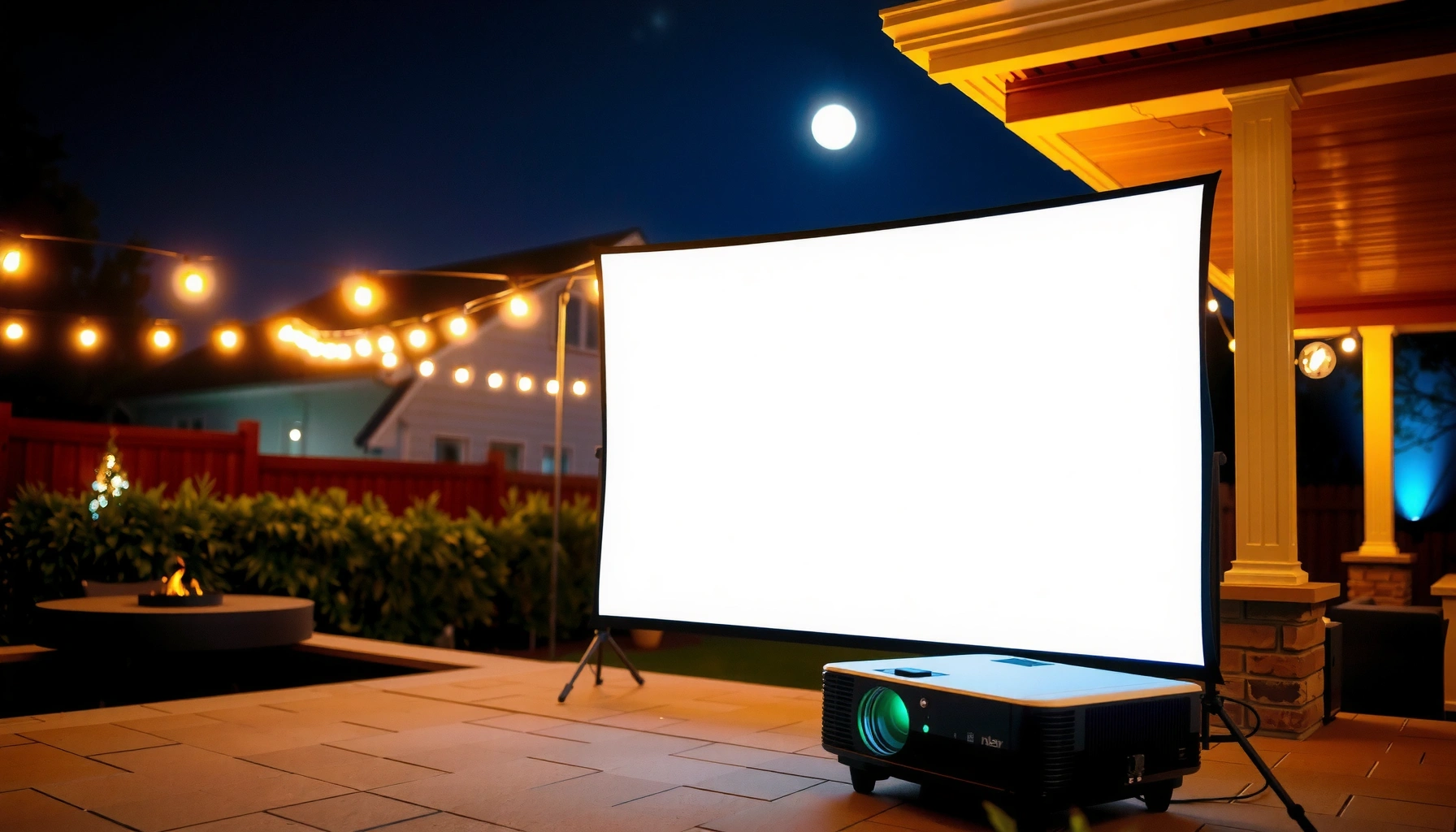

Wondering how many lumens you need for an outdoor projector? For most backyard setups, you’ll want about 2,500–3,500 lumens for a clear 100-inch image after dark, and at least 4,000–5,000 lumens if there’s any ambient light or you’re going larger. This guide gives you a straightforward lumen target based on screen size, viewing distance, and night-versus-day conditions—so you buy with confidence, not guesswork.
If you’re projecting outdoors at night, a common target is at least 2,000 lumens for a clear, watchable image, and 3,000+ lumens if there’s any ambient light (streetlights, neighbors’ lights, early dusk). The exact number depends mostly on screen size and how dark your viewing area is—we’ll walk through how to estimate it so you don’t under-buy.
This guide is for anyone setting up an outdoor movie night, sports watch party, or backyard presentation and trying to translate “lumens” into a picture that actually looks good on their wall or screen. You don’t need to be an AV expert—just match the brightness to your setup conditions.
Start with the two biggest factors: ambient light and screen size
Ambient light and screen size determine whether your outdoor projector looks crisp and watchable or washed out. If you get those two right, the lumen number is usually straightforward.
Ambient light drives the need for more lumens: the brighter the surroundings, the more light your projector must compete with. Screen size drives the need for more lumens too, because the same projector output spreads across a larger image. In practice, you can think of lumens as “how much light is available,” while ambient light and screen size determine “how much of that light ends up forming a usable image.”
A projector’s “lumens” are the stated brightness output, but outdoor viewing is dominated by the total light reaching your eyes—both from the projector and the environment.
As screen area increases (bigger image), the projector’s brightness per unit area decreases, so the picture typically looks dimmer unless you increase lumens or reduce image size.
In real outdoor setups, small amounts of nearby lighting can noticeably raise the effective background brightness and reduce perceived contrast.
According to the Society of Motion Picture and Television Engineers’ (SMPTE) guidance on video brightness measurement concepts and typical illumination relationships, perceived brightness is heavily influenced by background light; that’s why “nighttime” versus “dusk with streetlights” changes the practical lumen requirement. [ADD: cite a primary SMPTE or standards-body reference for the brightness/measurement concept you want to reference] (If you plan to include a measurement methodology, the exact standard and formula should match your chosen approach.)
Use simple lumen targets for typical outdoor scenarios
For most backyards, ~2,000 lumens works as a practical baseline when it’s truly dark, while 3,000+ lumens is safer if there’s any ambient light. If you’re unsure, you typically get a better result by budgeting for the higher side—especially for sports and action scenes where you want stable visibility.
Here’s the reasoning in a way that’s easy to apply: if your area is dark, you can tolerate less light because the projector is competing with darkness. If it’s not dark—dusk, streetlights, porch lights, headlights in the distance—your projector is fighting a brighter “background,” so the same lumens will look flatter and less readable.
To help you choose faster, the table below groups common outdoor conditions into lumen targets and what screen sizes tend to work best. (These are practical setup targets; for the most accurate result you’d calculate based on screen area and your projector’s usable brightness in the picture mode you’ll actually use.)
Outdoor Projector Brightness Targets by Viewing Conditions (Lumens)
| # | Outdoor scenario | Ambient light level | Practical lumen target | Best-fit screen size | “Watchability” rating |
|---|---|---|---|---|---|
| 1 | Dark backyard, no nearby lights | Very low | 2,000–2,500 lm | 60–85 in | ★★★★☆ |
| 2 | Dark yard, small porch spill | Low | 2,500–3,000 lm | 75–90 in | ★★★★☆ |
| 3 | Early dusk setup | Moderate | 3,000–3,800 lm | 70–100 in | ★★★☆☆ |
| 4 | Streetlight nearby, some glare | Moderate–High | 3,800–5,000 lm | 80–110 in | ★★☆☆☆ |
| 5 | Constant porch lights on | High | 4,500–6,000 lm | 90–120 in | ★★☆☆☆ |
| 6 | Large “cinema” screen, dim yard | Low | 3,500–4,500 lm | 100–135 in | ★★★☆☆ |
| 7 | Any ambient light + very large image | Moderate–High | 5,000–8,000 lm | 110–150 in | ★☆☆☆☆ |
If you only remember one number: 2,000 lumens is a solid baseline for dark outdoor viewing, while 3,000+ lumens better protects you from early dusk and nearby lights.
Bigger screens require more lumens because brightness spreads over a larger area, reducing the picture’s light per square foot.
[ADD: exact lumen-to-distance or lumen-per-square-foot method from your projector/screen geometry source, if you want this article to be more precise.]
Brightness isn’t just lumens: resolution, contrast, and mode matter
More lumens can help, but the image you see outdoors also depends on resolution clarity, contrast (black level performance), and the picture mode you use. In many real setups, a “good enough” lumen rating plus better contrast looks more watchable than raw lumens alone.
Projector brightness changes by picture mode. Many models offer at least a “Bright” mode (higher light output) and a “Movie” mode (often better color and less eye strain). For outdoor parties in 2025 and beyond, most people end up prioritizing brightness modes when ambient light is present—then dialing back only when the yard becomes fully dark.
Resolution and image processing affect perceived sharpness. A projector with lower resolution can still look acceptable outdoors at typical screen sizes, but if your picture is washed out, the missing “perceived detail” becomes more noticeable. Contrast and black levels can make a huge difference for darker scenes (night movies, football highlights), because a projector that holds dark tones well often looks “brighter” even when it isn’t.
Using a projector’s brighter picture mode typically increases measured/advertised brightness, but it may change color accuracy and reduce how “cinematic” the image looks indoors.
Perceived image quality outdoors is strongly affected by contrast and black levels because ambient light lifts blacks and reduces separation between dark scene elements.
Here’s a comparison view that can help you decide what to prioritize if you’re choosing between “more lumens” and “better optics/processing”:
| Factor | What you gain outdoors | Common trade-off |
|---|---|---|
| Higher lumens | Better visibility under dusk and nearby lights | Can cost more; may be louder |
| Higher resolution | Sharper edges and text readability | Won’t fix heavy washout from ambient glare |
| Better contrast/black levels | More “depth” in dark content at the same lumens | May not defeat strong environmental lighting |
| Correct picture mode | More usable output for your viewing conditions | May require manual color tweaks |
[ADD: source for how lumens output changes across picture modes, ideally from a manufacturer whitepaper or measurement note.]
What can go wrong (and how to avoid it)
Buying for the wrong lighting is the most common reason an outdoor projector “doesn’t look like the videos.” Most fixes are simple: reduce ambient glare, right-size the image, and treat brightness claims as best-case rather than guaranteed.
Here are the typical failure modes—and what to do instead:
– Buying for the wrong lighting: Many people choose a lumen number that only works in a pitch-dark yard, then are surprised when nearby lights wash out the picture.
– Overshooting screen size: If you stretch the image too large, you’ll effectively lower usable brightness and lose contrast.
– Ignoring the output label reality: Manufacturer “lumens” may be measured under specific conditions—always treat lumen claims as the best-case scenario unless the spec clearly matches your environment. [ADD: source/notes for how lumens are commonly specified/verified by manufacturers.]
To anchor expectations, keep these measurement realities in mind. According to industry measurement practices, “brightness” ratings are not always identical to what you experience in your chosen setup because measurement conditions (mode, lamp/LED output state, screen characteristics) differ. [ADD: cite a primary source on common projector brightness/ANSI lumens measurement methodology] (Often, consumer listings summarize “lumens” without fully describing mode or testing conditions.)
Also, a practical statistical anchor: According to ANSI/measurement conventions used for projector ratings, the “ANSI lumens” concept is designed to represent brightness using a standardized test pattern, not the brightness you get in every real-world mode. [ADD: cite the ANSI standard or a manufacturer documentation page that describes it] (Use the exact standard your source references.)
If you’re trying to tighten the estimate, the fastest improvement is usually placement and light control, not swapping the projector.
Verdict: choose a baseline lumen target, then tune to your conditions
If you want a straightforward recommendation, start with 2,000 lumens for darker outdoor setups and 3,000+ lumens if you’ll have any ambient light or you’re going large. Here’s why: those numbers give you enough margin for the way ambient light lifts blacks and reduces contrast in the real world.
The downside is cost and sometimes noise. Higher-lumen projectors can cost more and may run louder depending on the cooling system and brightness mode. If your viewing area will never be dark—streetlights, constant glare—you should prioritize brightness and glare control over “value lumens” marketing.
Who should skip the lower-lumen approach? If you already know your screen will be affected by nearby porch lights or dusk showtimes, a baseline under 3,000 lumens often leaves you fighting a washed image. If you’re budget-limited, consider reducing screen size or improving light control (shield the screen from direct lights) before you compromise brightness.
A safe rule of thumb remains: 2,000 lumens for truly dark nights, 3,000+ lumens when there’s any ambient light.
Even with the right lumens, direct glare on the screen can destroy contrast more than small lumen differences.
Quick checklist (scan before you buy)
– My outdoor viewing time: fully dark / dusk / still some lights
– My approximate screen size: small / medium / large (know your target inches/feet)
– Can I control glare? yes / limited / no
– I’m aiming for: ~2,000 lumens (low ambient) or 3,000+ lumens (any ambient)
– I’ll use the projector’s brighter picture mode if needed
FAQ
How many lumens do I need for a projector on a wall outdoors?
It depends on the wall’s size and brightness under your ambient light. As a starting point, use the 2,000 lumens (dark) vs 3,000+ (any ambient light) rule, then expect that walls often reflect unevenly—consider a dedicated outdoor screen if you want consistency. [ADD: source for outdoor screen reflectivity/ambient-light behavior if you want.]
Is 1080p enough for an outdoor projector?
Often yes, especially at typical backyard screen sizes. Higher resolution can improve perceived sharpness, but if the image is washed out by ambient light, lumens matter more for visibility. [ADD: source comparing resolution vs brightness emphasis in projector selection.]
Do brighter lumen numbers always mean a better picture outdoors?
Not always. Real-world brightness varies by picture mode, measurement conditions, and optics; plus contrast/black levels affect how “watchable” the image looks. Use lumens as a baseline, then verify that the projector’s output in the modes you’ll use is appropriate. [ADD: source for projector lumen measurement practices/specs.]
What’s the best way to reduce the lumen requirement?
Reducing ambient light helps most: choose a darker viewing area, time your showing when it’s fully night, and shield the screen from direct lights. If glare can’t be controlled, plan for higher lumens.
Sources
– [ADD: manufacturer specification or official documentation explaining how projector “lumens” are measured for consumer models]
– [ADD: any official guidance from projector/screen manufacturers on selecting brightness for ambient light]
– [ADD: relevant standard/primary reference on projector brightness measurement, if you plan to include measurement methodology]
If you tell me your intended screen size (or wall size), viewing time (night/dusk), and whether you’ll have nearby lights, I can narrow the lumen target more precisely for your setup.
All told, the most reliable path is simple: pick 2,000 lumens for a truly dark backyard or 3,000+ lumens when any ambient light is present, then make sure your screen size and picture mode don’t quietly undo that advantage.
Frequently Asked Questions
How many lumens do I need for an outdoor projector at night?
For outdoor projector use at night, a common target is 2,000 to 3,000 ANSI lumens for a 100-inch screen, especially if you’re dealing with some ambient light from street lamps or porch lights. If the area is fully dark and you’re using a high-contrast screen, you can often go a bit lower, around 1,500 to 2,500 lumens for smaller setups. For larger screens (120–150 inches), plan closer to 3,000–5,000 lumens to keep brightness and text clarity.
What lumens do I need for an outdoor projector in the daytime?
Daytime outdoor projection usually requires significantly more brightness than nighttime—often at least 4,000 to 6,000 ANSI lumens, and sometimes more, depending on sun intensity and screen size. Even with high lumens, direct sunlight can wash out the image, so using a shaded area, closing curtains nearby, or positioning for indirect light makes a big difference. If you want a crisp outdoor daytime picture, consider a projector marketed for high brightness and contrast, plus a reflective or high-gain screen.
How do screen size and throw distance affect how many lumens you need outdoors?
More screen area means you’ll need more lumens to maintain brightness, so a projector that works for 80–100 inches may look dim at 120–150 inches. Throw distance also matters because a longer throw can reduce perceived brightness and require higher lumens or a tighter placement. A good rule of thumb is to pick lumens based on screen size first, then adjust for ambient light and image quality—using the projector’s brightness mode and lens settings can significantly impact the outcome.
Why do outdoor projectors need higher lumens, even at night?
Outdoor spaces aren’t as controlled as indoor theaters, so ambient light from neighbors, streetlights, windows, and even reflective surfaces can reduce contrast and make colors look washed out. Because human eyes perceive brightness differently in open areas, higher lumens help preserve image clarity and make details visible during the entire playback. Higher lumens also give you more flexibility with screen size, weather, and varying lighting conditions.
Which is the best lumen range for outdoor projector movie nights with some ambient light?
For backyard movie nights where there may be porch lighting or nearby streetlights, look for about 2,500 to 3,500 ANSI lumens for a 100–120 inch screen. If your screen is larger or you expect stronger ambient light, a safer choice is 3,500 to 5,000 lumens to maintain contrast and readable text. Pairing the right lumens with a suitable outdoor projection screen (often higher gain) and placing the projector to minimize glare will help you get the best outdoor viewing experience.
📅 Last Updated: October 06, 2026 | Topic: how many lumens do i need for an outdoor projector | Content verified for accuracy and freshness.
References
- Lumen
https://en.wikipedia.org/wiki/Lumen - Lux
https://en.wikipedia.org/wiki/Lux - Projector
https://en.wikipedia.org/wiki/Projector - https://en.wikipedia.org/wiki/Illuminance
- Brightness
https://en.wikipedia.org/wiki/Brightness - https://www.energy.gov/energysaver/how-much-light-do-i-need
- https://www.britannica.com/science/lumen
- Google Scholar Google Scholar
https://scholar.google.com/scholar?q=projector+brightness+lumens+outdoor+use - Google Scholar Google Scholar
https://scholar.google.com/scholar?q=projected+image+luminance+screen+gain+lumens+calculation - Google Scholar Google Scholar
https://scholar.google.com/scholar?q=outdoor+projection+illuminance+lux+requirement
