
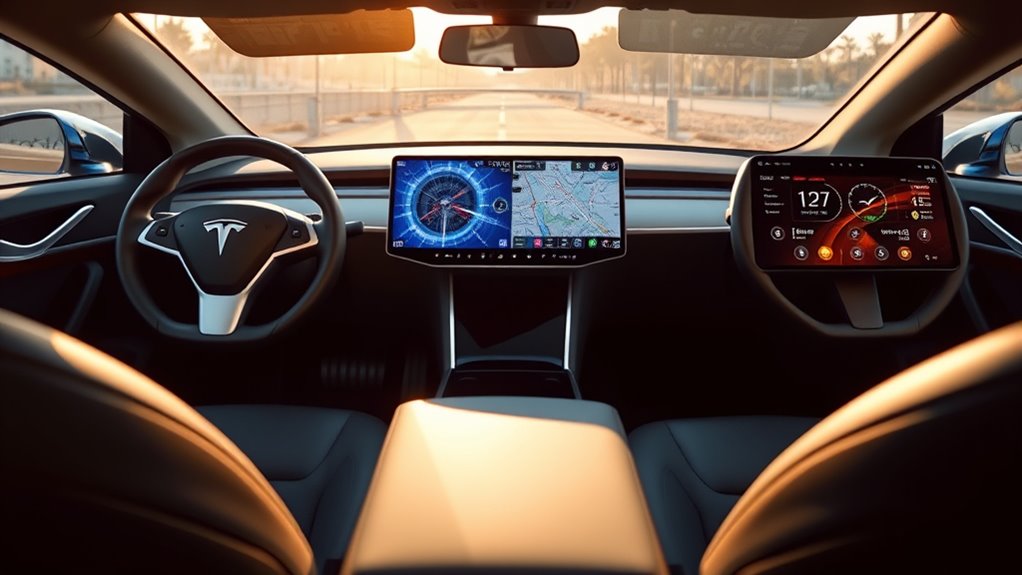

Tesla’s display technology stands out in the EV market with its large, intuitive touchscreen interface and seamless software integration. Unlike competitors, Tesla prioritizes minimalism and user experience, allowing for easy customization and smooth navigation. Over-the-air updates keep features current and engaging, enhancing usability. Other EVs, while featuring large screens, often lack the same innovative spirit and responsiveness. If you explore further, you’ll discover more about how these differences impact user experiences and future trends in display technology.
Overview of Tesla’s Display Technology
When you immerse yourself in Tesla’s display technology, you’ll find a blend of innovation and functionality that sets it apart in the automotive industry. Tesla’s commitment to display innovations is evident in its large touchscreen interfaces, which centralize controls and information. This design choice enhances user engagement, allowing drivers to interact seamlessly with navigation, entertainment, and vehicle settings. Unlike traditional dashboards, Tesla’s minimalistic approach reduces clutter, promoting a focus on the driving experience. The high-resolution screens offer vibrant imagery, which not only looks stunning but also improves readability in various lighting conditions. With over-the-air updates, Tesla continuously improves its display features, ensuring that your driving experience remains cutting-edge and engaging, embodying the freedom that comes with advanced technology.
User Interface Design and Usability
When you interact with Tesla’s touchscreen, you’ll notice how intuitive the navigation feels, making it easy to access features without a steep learning curve. The customization options allow you to tailor the interface to your preferences, enhancing your driving experience. This blend of usability and personalization sets Tesla’s user interface apart in the automotive landscape.
Intuitive Touchscreen Navigation
Although many vehicles now incorporate touchscreen interfaces, Tesla’s approach to intuitive navigation sets it apart by prioritizing user experience. With its focus on intuitive controls, the Tesla interface allows you to interact seamlessly, creating a sense of freedom as you drive. You won’t find yourself fumbling through complex menus; instead, everything feels natural and accessible.
| Feature | Tesla | Competitors |
|---|---|---|
| Touch Response | Instant and smooth | Often laggy |
| Menu Layout | Minimalistic and clear | Cluttered |
| Voice Commands | Highly responsive | Limited functionality |
| Customization | Adaptive to usage | Static options |
With Tesla, you’re not just driving; you’re engaging with a system designed to enhance your journey, making every road feel like an open invitation.
Customization Options Available
Tesla offers a range of customization options that empower drivers to tailor their user interface experience to their preferences. With display personalization features, you can adjust everything from theme colors to the layout of your dashboard. This flexibility allows you to prioritize the information that matters most to you, enhancing usability and comfort. You can also set up driver profiles, ensuring your settings are automatically applied every time you enter your vehicle. Whether it’s rearranging apps or choosing your preferred navigation style, these options cater to user preferences, making your driving experience uniquely yours. This level of customization isn’t just about aesthetics; it’s about creating an environment that reflects your individuality and enhances your freedom on the road.
Screen Size and Layout Comparisons
When comparing Tesla’s central touchscreen design to competitor display configurations, you’ll notice distinct differences in layout and functionality. Each manufacturer approaches screen size variations with unique philosophies that impact user experience and accessibility. Understanding these nuances can help you appreciate how Tesla sets itself apart in the domain of automotive displays.
Tesla’s Central Touchscreen Design
While many automakers are still relying on traditional dashboard layouts, the central touchscreen design in Tesla vehicles stands out as a hallmark of modern automotive technology. This innovative interface not only enhances aesthetics but also addresses central interface challenges through thoughtful user feedback integration. You’ll appreciate the seamless access to controls and information, allowing for a more liberating driving experience.
- 15-inch diagonal display offers expansive visibility
- Minimalist design reduces clutter and distractions
- Customizable interface fits individual preferences
- Real-time software updates keep features fresh
- Intuitive gestures enhance user interaction
Tesla’s approach redefines how you interact with your vehicle, making it a striking choice for those seeking freedom and innovation on the road.
Competitor Display Configurations
How do other automakers stack up against Tesla’s impressive display technology? While Tesla boasts a sleek, centralized touchscreen with high display resolution, competitors like Ford and Volkswagen are enhancing their game. Ford’s Mach-E features an impressive portrait-oriented screen that offers vibrant colors and responsive touch capabilities, though its display durability often falls short under harsh conditions. Meanwhile, Volkswagen’s ID.4 presents a more traditional layout with multiple screens, providing a familiar interface but lacking the seamless integration that Tesla users enjoy. As you explore these options, consider how each vehicle balances innovative technology with practical usability, all while endeavoring to keep you connected and free on the road.
Screen Size Variations
Screen size plays an essential role in the overall user experience of in-car displays, and Tesla’s offerings set a high standard. With their unique screen aspect ratios and high-resolution displays, Tesla vehicles provide a spacious interface that enhances usability. When comparing Tesla’s screens to competitors, you’ll notice significant resolution differences that contribute to clarity and detail.
- Tesla’s Model S features a 17-inch touchscreen.
- The Model 3 sports a 15-inch display.
- Rivals like the Ford Mustang Mach-E use a 15.5-inch screen.
- The Volkswagen ID.4 has a 10-inch dashboard display.
- Some competitors offer multiple smaller screens for various functions.
In this landscape, Tesla’s larger, high-res offerings create an immersive driving experience that few can match.
Touchscreen Functionality and Responsiveness
As you interact with Tesla’s touchscreen, you’ll quickly notice its intuitive design and impressive responsiveness, which set it apart from many competitors. The responsive design guarantees that every swipe and tap feels fluid, making it easy to navigate through various features. With exceptional touch sensitivity, the screen reacts almost instantaneously, creating a seamless experience whether you’re adjusting climate controls or accessing navigation. Unlike some EVs that can lag or feel clunky, Tesla’s interface invites you to explore without hesitation. This level of responsiveness not only enhances usability but also reinforces the sense of freedom that comes with driving a Tesla. In a world where technology should empower, their touchscreen truly delivers, allowing you to focus on the road ahead.
Integration of Software Features and Updates
Tesla’s commitment to innovation extends beyond its touchscreen’s responsiveness; it’s also evident in the seamless integration of software features and regular updates. You’re not just getting a car; you’re experiencing a constantly evolving platform. With each software enhancement, Tesla guarantees that your driving experience stays fresh and relevant, unlike many traditional vehicles stuck with outdated systems. You’ll appreciate how feature updates can introduce new functionalities without needing to visit a dealership.
- Over-the-air (OTA) updates for instant access to improvements
- Enhanced Autopilot features that evolve with software
- User-customizable settings for personalized driving
- New entertainment options added seamlessly
- Regular performance improvements for increased efficiency
This level of integration offers you freedom and flexibility like never before.
Graphics and Visualization Quality
In the domain of modern automotive technology, graphics and visualization quality play a pivotal role in enhancing the driving experience. Tesla’s display performance stands out with its impressive visual clarity, making every detail on the screen pop. The intuitive interface allows you to interact seamlessly, providing real-time data and navigation that’s easy to read at a glance.
Here’s a quick comparison of key aspects:
| Feature | Tesla |
|---|---|
| Display Resolution | 2200 x 1300 |
| Refresh Rate | 60Hz |
| Touch Sensitivity | Highly Responsive |
| Night Mode | Adaptive Brightness |
With this exceptional graphics quality, you’ll find that driving a Tesla isn’t just about getting from point A to B; it’s about enjoying the journey.
Competitor Displays: A Comparative Analysis
While Tesla’s display technology sets a high bar for graphics and visualization quality, it’s important to evaluate how its competitors stack up in this arena. Many EV manufacturers are making significant strides with their own display innovations, each bringing unique features to the table.
- Ford’s Mustang Mach-E offers a large, responsive touchscreen with intuitive controls.
- Rivian’s R1T boasts a dual-screen setup, enhancing driver and passenger engagement.
- Volkswagen’s ID.4 integrates a minimalist interface with voice command capabilities.
- Hyundai’s Ioniq 5 features a curved display that adds a modern touch to functionality.
- Lucid Motors emphasizes a high-resolution screen with customizable layouts.
These competitor features reflect a growing trend toward user-centric designs, making your driving experience more interactive and enjoyable.
Real-World User Experiences and Feedback
How do real-world users perceive the display technology in their electric vehicles? When you explore user feedback, it’s clear that experiences vary widely. Tesla owners often rave about the seamless integration of their displays, noting how intuitive controls enhance their driving freedom. Many appreciate the minimalist design, which reduces distractions while providing essential information at a glance. However, some report occasional software glitches, affecting their overall satisfaction. In contrast, other EV brands may offer more traditional interfaces, which some find comforting but less innovative. Ultimately, real-world experiences reveal that while Tesla’s display technology impresses many with its cutting-edge features, it’s not without its quirks. Balancing innovation and reliability remains an essential factor for users seeking the best driving experience.
Future Trends in EV Display Technology
As technology continues to evolve, the future of EV display systems is poised for exciting advancements that will enhance user interaction and vehicle functionality. You can expect a significant display evolution, integrating augmented reality to transform how you experience driving. Future innovations will likely focus on creating more intuitive digital dashboards, offering real-time data and personalized settings.
- Augmented reality navigation for enhanced driving guidance
- Interactive features that adapt to your preferences
- Voice commands for hands-free control
- Multi-screen setups for a more immersive experience
- Seamless integration with smart devices
These trends promise to make your driving experience not only safer but also more engaging, giving you the freedom to focus on the road ahead.
Frequently Asked Questions
How Does Tesla’s Display Technology Impact Driving Safety?
Tesla’s display technology minimizes driver distraction through an intuitive interface usability. By prioritizing essential information and reducing clutter, you can focus more on the road, enhancing safety while enjoying the freedom of electric driving.
Are Tesla Displays Customizable for Different User Preferences?
Did you know nearly 70% of Tesla owners enjoy customizing their driving experience? You can create user profiles with unique display themes, allowing you to tailor the interface to your preferences, enhancing both comfort and usability.
What Are the Maintenance Requirements for Tesla’s Display Systems?
Maintaining Tesla’s display systems involves regular display cleaning to prevent smudges and guarantee clarity. You’ll also need to keep up with software updates, enhancing functionality and performance, assuring your experience remains seamless and enjoyable.
Can Tesla’s Display Technology Be Retrofitted to Older Models?
You can’t directly retrofit Tesla’s display technology to older models. However, some display upgrades may enhance touchscreen compatibility. Exploring aftermarket options could provide you with improved features, but always check for warranty implications before proceeding.
How Do Environmental Factors Affect Tesla’s Display Performance?
You wouldn’t believe how sunlight glare can transform your driving experience! Extreme temperatures can also challenge Tesla’s display performance, affecting visibility and responsiveness. It’s essential to take into account these factors for an ideal driving journey.
