
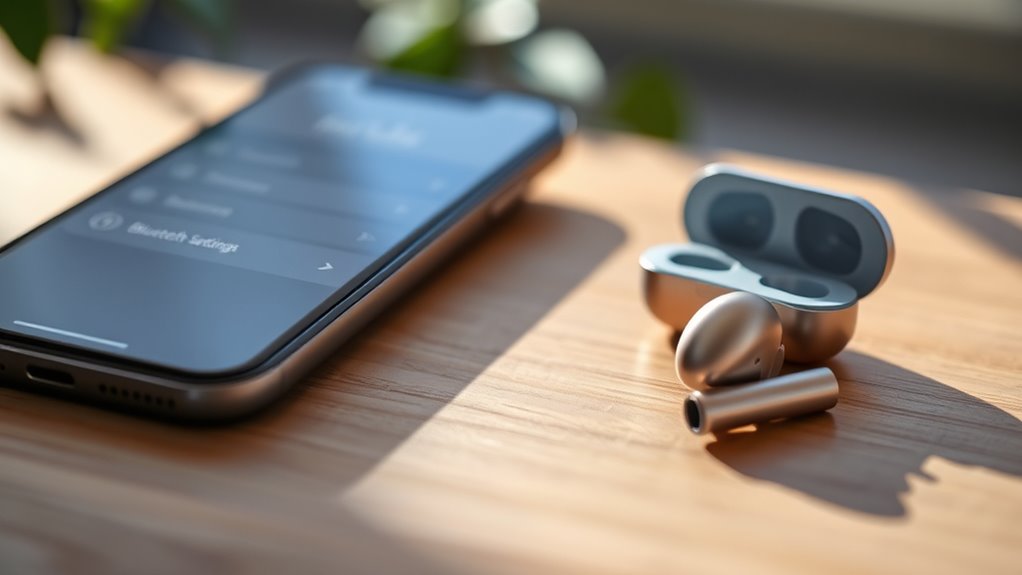

To connect earbuds to your iPhone, first check if they’re wired or wireless. For wired earbuds, plug them into the Lightning port or use a Lightning adapter. For wireless earbuds, make certain they’re charged and in pairing mode, then go to Settings > Bluetooth, turn on Bluetooth, and select your earbuds from the list. Once connected, you’ll enhance your audio experience. If you’re curious about troubleshooting and optimizing sound, there’s more to explore!
Types of Earbuds Compatible With Iphone
When it comes to connecting earbuds to your iPhone, there are three main types you should know about: wired, Bluetooth, and true wireless earbuds. Wired earbuds plug directly into your device, offering a straightforward connection. However, for those who crave more freedom, Bluetooth earbuds provide the flexibility of wireless listening. With Bluetooth compatibility, you can easily connect to numerous earbud brands like Apple, Bose, or Sony. True wireless earbuds take it a step further by eliminating any cords, allowing for even greater mobility. They often come with features like touch controls and noise cancellation, enhancing your listening experience. Whether you prefer the simplicity of wired or the convenience of Bluetooth, there’s an option that fits your lifestyle perfectly.
Connecting Wired Earbuds to Your Iphone
To connect wired earbuds to your iPhone, first check their compatibility to guarantee they work with your device. If they feature a Lightning connector, simply plug them into the Lightning port. You’re all set to enjoy your music or take calls with ease!
Check Earbuds Compatibility
Before you attempt to connect your wired earbuds to your iPhone, it’s important to verify they’re compatible. Start by checking the earbud specifications, which should include a standard 3.5mm jack if you’re using older models. If your iPhone lacks a headphone port, you’ll need an adapter to bridge the connection. Next, consult a compatibility checklist to confirm your earbuds work with your specific iPhone model. This checklist guarantees that you won’t run into issues with sound quality or functionality. Additionally, consider the impedance and sensitivity ratings of your earbuds, as these factors can affect performance. By taking the time to confirm compatibility, you can enjoy your music and calls without any interruptions.
Plug Into Lightning Port
Connecting your wired earbuds to an iPhone is straightforward, especially if your model features a Lightning port. Start by locating the Lightning port at the bottom of your device. Take your wired earbuds, which can come in various earbud types, such as those with a built-in microphone or remote control. Simply plug the Lightning connector of your earbuds directly into the port. If your earbuds have a standard 3.5mm jack instead, you’ll need a Lightning adapter to connect them. Once connected, you’re ready to enjoy your favorite music or take calls without any hassle. Just remember to check the compatibility of your earbuds and adapter to verify everything works seamlessly. Enjoy the freedom of wired audio!
Pairing Wireless Earbuds With Your Iphone
Pairing wireless earbuds with your iPhone is a straightforward process that can enhance your listening experience. First, make sure your earbuds are charged and in pairing mode—often indicated by a flashing light. Next, open your iPhone’s Bluetooth settings by accessing Settings > Bluetooth. Turn Bluetooth on if it’s off. Your iPhone will start searching for available devices. Look for your earbuds in the list and tap on them to connect. You’ll know they’re paired when you see “Connected” next to their name. Remember, different earbuds might have unique pairing techniques, so always check the user manual if you encounter any issues. Once connected, enjoy the freedom of wireless listening!
Troubleshooting Common Connection Issues
While using wireless earbuds can greatly enhance your audio experience, you might occasionally face connection issues. If you’re encountering frustrating audio lag or connection interference, here are a few steps you can take to troubleshoot:
Using wireless earbuds can elevate your listening experience, but connection issues may arise. Troubleshoot for seamless audio enjoyment.
- Check Bluetooth Settings: Verify your earbuds are connected in the Bluetooth settings on your iPhone.
- Reduce Distance: Move closer to your iPhone, as physical barriers can cause interference.
- Reset Earbuds: Sometimes, resetting your earbuds can resolve connectivity problems.
If these steps don’t help, try disconnecting and reconnecting your earbuds or restarting your iPhone. Remember, keeping your earbuds and device updated can also prevent future issues. Enjoy your audio freedom without interruptions!
Adjusting Audio Settings for Optimal Sound
To get the best sound from your earbuds, you might want to tweak some audio settings on your iPhone. Adjusting the equalizer settings can enhance your listening experience, while configuring the volume limit helps protect your hearing. Let’s explore how to make these adjustments for ideal sound quality.
Equalizer Settings Adjustments
Adjusting the equalizer settings on your iPhone can considerably enhance your listening experience, especially when using earbuds. By tweaking these settings, you can better tailor the sound to your preferences. Here’s how to optimize your audio:
- Explore equalizer presets: Your iPhone offers various built-in presets like Rock, Jazz, or Classical, which can quickly adjust sound profiles.
- Customize your settings: For a more personalized experience, you can manually adjust frequencies to highlight bass or treble.
- Test different profiles: Try switching between presets while playing your favorite tracks to find what sounds best.
With these adjustments, you’ll be able to access the full potential of your earbuds and enjoy your music as it was meant to be heard.
Volume Limit Configuration
After fine-tuning your equalizer settings, the next step in optimizing your audio experience is configuring the volume limit on your iPhone. This feature helps protect your hearing while ensuring you get the most out of your earbuds. To adjust the volume settings, go to Settings, then Music, and select Volume Limit. Here, you can set a maximum volume level that suits your preferences. This way, you can maintain sound balance without risking damage to your ears. Remember, finding that sweet spot in volume not only enhances your listening experience but also gives you the freedom to enjoy your favorite tunes safely. Take a moment to customize this setting, and let your audio experience shine.
Using Earbuds for Phone Calls
While using earbuds for phone calls can enhance your audio experience, it’s essential to guarantee they’re properly connected to your iPhone. When you’re on a call, the quality of your earbuds can notably impact phone call clarity and microphone quality. Here are a few tips to ensure you get the best performance:
- Choose earbuds with a quality microphone: This helps your voice come through clearly.
- Test the connection before important calls: Make sure your earbuds are connected and functioning well.
- Adjust your volume settings: Find a comfortable level that guarantees you can hear the other person without straining.
Managing Battery Life for Wireless Earbuds
Using earbuds for phone calls is just one way to enjoy their capabilities, but managing battery life is critical for maximizing their use. To keep your wireless earbuds running longer, adopt some effective battery saving tips. First, lower the volume when possible, as higher settings consume more power. Additionally, consider turning off features like noise cancellation when you don’t need them. Establish good charging habits by ensuring your earbuds are charged regularly, ideally before they drop below 20%. Avoid leaving them plugged in overnight, as this can degrade battery health over time. Finally, store your earbuds in their case when not in use, as this can help preserve battery life and keep them ready for your next call or music session.
Cleaning and Maintaining Your Earbuds
Although you might not think about it often, keeping your earbuds clean and well-maintained is essential for peak performance and longevity. Practicing good earbud hygiene not only enhances sound quality but also guarantees comfort during use. Here are some simple maintenance tips to follow:
Maintaining clean earbuds is crucial for optimal sound quality and comfort during use.
- Wipe down regularly: Use a soft, dry cloth to clean the exterior and silicone tips.
- Avoid moisture: Keep your earbuds away from water and sweat, as this can damage the internal components.
- Store properly: Use a case to protect your earbuds from dust and physical damage when not in use.
Exploring Advanced Features of Wireless Earbuds
As you immerse yourself in the world of wireless earbuds, you’ll discover a range of advanced features that can greatly enhance your listening experience. One of the standout features is noise cancellation, which lets you enjoy your music without distractions from the outside world. Whether you’re commuting or working in a busy café, this feature can create a peaceful audio environment.
Additionally, touch controls functionality allows you to manage your listening effortlessly. You can play, pause, skip tracks, or answer calls with just a tap, giving you the freedom to stay connected without fumbling with your device. By exploring these advanced features, you’ll reveal the full potential of your wireless earbuds, transforming how you enjoy audio on the go.
Frequently Asked Questions
Can I Use Earbuds With My Ipad or Mac?
Yes, you can use earbuds with your iPad or Mac. Both devices support Bluetooth and wired connections, ensuring your earbuds are compatible. Just pair or plug them in for seamless audio enjoyment wherever you are.
How Do I Reset My Wireless Earbuds?
Resetting your wireless earbuds can feel like launching a rocket! Follow the resetting procedures in the manual, and if issues persist, try troubleshooting tips like clearing the pairing list or charging fully. Enjoy the freedom of sound!
Are Third-Party Earbuds Safe to Use With Iphone?
Yes, third-party earbuds can be safe to use with your iPhone. Just check for earbud compatibility to guarantee they work well. Quality brands often provide excellent sound quality, enhancing your listening experience without compromising safety.
Do Earbuds Work With Older Iphone Models?
Yes, earbuds work with older iPhone models. While earbud compatibility varies, many provide decent sound quality. Just remember, not all models deliver the same experience, so choose wisely for that freedom in your listening.
Can I Share Audio Between Two Pairs of Earbuds?
Yes, you can share audio between two pairs of earbuds using audio sharing and dual connectivity features on compatible devices. Just make certain both pairs are connected and follow the instructions to set up the audio sharing feature.
