
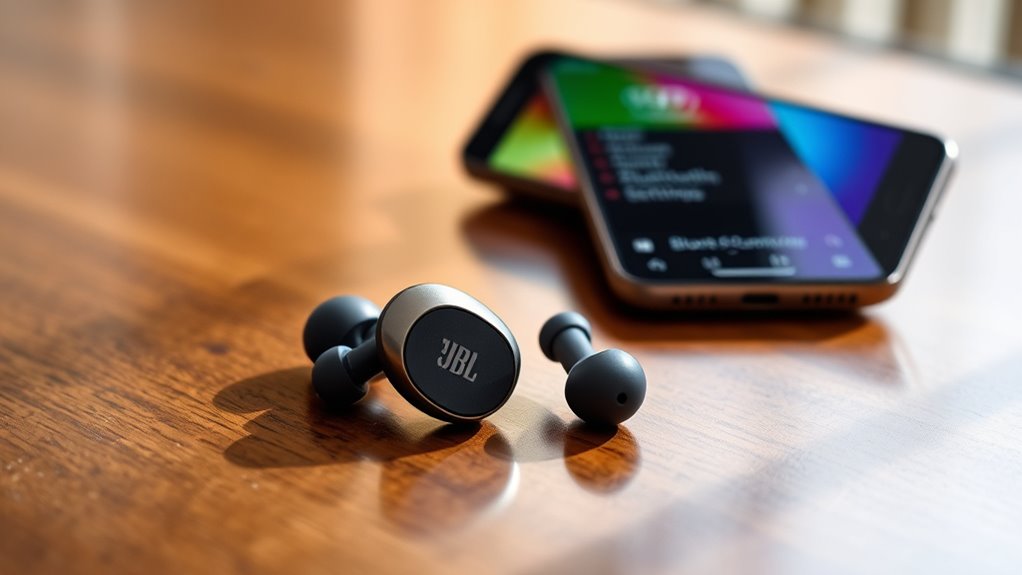

To connect your JBL Bluetooth earbuds, make sure they’re charged and in pairing mode (look for a blinking light). Turn on Bluetooth on your device by accessing its settings. Once activated, find your JBL earbuds in the list of available devices and select them to pair. Keep your earbuds close to the device during this process. After connecting, you can enjoy your music and calls seamlessly. Learn more about maximizing your earbuds’ features and functionality.
Understanding Your JBL Bluetooth Earbuds
When you first get your JBL Bluetooth earbuds, it’s essential to understand their features and functions. These earbuds offer impressive sound quality, comfort, and the freedom to move without tangled wires. Familiarize yourself with the earbud controls; they typically include buttons for play, pause, volume adjustment, and track skipping. The intuitive design makes it easy to manage your music and calls without needing to reach for your device. Many JBL features, like noise cancellation or voice assistant integration, enhance your listening experience. By mastering these controls and features, you’ll enjoy a seamless audio experience and maximize the potential of your JBL earbuds, allowing you to embrace your freedom while on the go.
Preparing Your Device for Connection
Before you can enjoy your JBL Bluetooth earbuds, it’s important to prepare your device for a smooth connection. First, check the device compatibility; make sure your phone, tablet, or computer supports Bluetooth technology. You can usually find this information in the device’s settings or user manual. Next, verify your audio settings are optimized for Bluetooth use. Go to your device’s sound settings and adjust the output device to Bluetooth if necessary. This helps prevent any issues with audio quality once you’re connected. Additionally, it’s a good idea to remove any previous Bluetooth connections that might interfere. By taking these steps, you’ll set yourself up for a seamless and enjoyable listening experience.
Turning on Your JBL Earbuds
To turn on your JBL earbuds, simply press and hold the power button for a few seconds until you see the LED indicator light up. This light will confirm that your earbuds are powered on and ready for use. If you’re having trouble, make sure the earbuds are charged; a low battery can prevent them from turning on. Once activated, the earbud indicators will help you understand the current status, whether it’s connected, charging, or in pairing mode. Remember, knowing these indicators is key to a smooth experience. With your earbuds powered on, you’re one step closer to enjoying your favorite music or podcasts wirelessly. So, press that power button and embrace the freedom of wireless audio!
Activating Bluetooth on Your Device
Activating Bluetooth on your device is a straightforward process, and it’s crucial for connecting your JBL earbuds. First, locate the Bluetooth settings on your device. This is usually found in the settings menu, often under “Connections” or “Wireless & Networks.” Once there, toggle the Bluetooth option to turn it on. You’ll see your device searching for available connections. Confirm your JBL earbuds are powered on and in pairing mode for them to appear in the list. It’s important to check device compatibility, as some older devices may not support newer Bluetooth versions. Keeping your device’s software updated can also enhance connectivity. Once Bluetooth is activated, you’re ready for the next step in connecting your JBL earbuds effortlessly.
Pairing Your JBL Earbuds With Your Device
Once your Bluetooth is activated, pairing your JBL earbuds with your device is a simple process. First, make sure your earbuds are charged and in pairing mode. You can usually do this by pressing and holding the power button until you see a blinking light. Next, go to your device’s Bluetooth settings and look for your JBL earbuds in the available devices list. Select them to establish the connection.
| Earbud Features | Connection Tips |
|---|---|
| Long battery life | Keep earbuds close to device |
| Comfortable fit | Turn off other Bluetooth devices |
| Sweatproof design | Restart device if issues |
| Touch controls | Update device software |
| Noise cancellation | Reset earbuds if needed |
Enjoy your music freedom!
Confirming the Connection
After you’ve paired your JBL earbuds with your device, confirming the connection is essential to guarantee everything is functioning properly. Start by checking the Bluetooth settings on your device to confirm your earbuds appear as connected. This is your connection verification step. You should also listen for any audio cues from the earbuds, indicating a successful link. If you notice any dropouts or interruptions, it’s wise to assess the signal strength. Move closer to your device to see if the connection improves, as obstacles can weaken the signal. Once you’re confident the connection is stable, you’re all set to enjoy your music or calls without interruptions. Embrace the freedom that comes with wireless listening!
Troubleshooting Common Connection Issues
Even with a confirmed connection, you might run into some common issues while using your JBL Bluetooth earbuds. If you’re experiencing choppy audio or disconnections, check your connection range. Verify your device is within the ideal distance, usually around 30 feet. If the problem persists, try resetting your earbuds. To do this, turn them off, then hold the power button for about 10 seconds until you see the LED light flash. This can help clear any glitches. Also, make sure there aren’t multiple devices connected, as this can interfere with the connection. Keeping your earbuds and device updated can further enhance connectivity. Don’t let connection issues hold you back from enjoying your music!
Enjoying Your Music and Calls
Once your JBL Bluetooth earbuds are paired, you can enjoy high-quality audio for your favorite tracks and calls. These earbuds come equipped with features that enhance sound clarity and manage calls seamlessly. Let’s explore how to make the most of your listening experience.
Pairing Process Simplified
Connecting your JBL Bluetooth earbuds is a straightforward process that lets you enjoy your favorite music and take calls with ease. Start by ensuring your earbuds are charged and in pairing mode—usually indicated by a flashing light. On your device, go to Bluetooth settings and search for available devices. Select your JBL earbuds from the list. If prompted, confirm the connection. For an even smoother experience, remember these pairing tips: keep your earbuds close to your device and avoid interference from other electronics. Once connected, you can switch between connection methods, such as using voice assistants or managing calls directly through the earbuds. Enjoy the freedom of wireless sound as you immerse yourself in your favorite tunes or important conversations!
Audio Quality Features
After you’ve paired your JBL Bluetooth earbuds, the real enjoyment begins with their impressive audio quality features. You’ll appreciate the exceptional sound quality, designed to elevate your music experience. Whether you’re into deep bass or crisp highs, these earbuds deliver remarkable audio performance that makes every note resonate.
Here’s a quick overview of key audio features:
| Feature | Description |
|---|---|
| Bass Boost | Enhances low frequencies |
| Noise Isolation | Blocks external sounds |
| Custom EQ Settings | Tailors sound to your preference |
With these features, you’re free to immerse yourself in your favorite tracks or podcasts without distractions. Enjoy the clarity and richness of sound that JBL earbuds provide, making each listening session truly enjoyable.
Call Management Tips
While enjoying your favorite music, managing calls seamlessly with your JBL Bluetooth earbuds is essential for keeping you connected. To enhance your experience, familiarize yourself with the call handling features available. Most JBL earbuds allow you to answer or decline calls with a simple tap. You can also use voice commands to make calls hands-free, ensuring you stay focused on what matters. Just activate your voice assistant and let it do the work for you. Remember to keep your earbuds charged for ideal performance, as low battery can affect call quality. By utilizing these tips, you’ll enjoy a smooth shift between music and calls, giving you the freedom to stay in touch without missing a beat.
Frequently Asked Questions
How Long Is the Battery Life of JBL Bluetooth Earbuds?
JBL Bluetooth earbuds typically offer impressive battery longevity, lasting around 6 to 10 hours on a single charge. With a quick charging time, you can easily enjoy your music without long waiting periods.
Can I Use JBL Earbuds While Charging?
You can’t use JBL earbuds while they’re charging. This limitation guarantees ideal battery performance, so you won’t experience interruptions. Consider your charging options to enjoy uninterrupted listening once they’re fully powered up again.
Are JBL Bluetooth Earbuds Water-Resistant?
Yes, JBL Bluetooth earbuds often come with water resistance features. They’ve undergone durability testing, ensuring they withstand sweat and light rain. So, you can enjoy your freedom without worrying about getting them wet.
How Do I Reset My JBL Bluetooth Earbuds?
To reset your JBL Bluetooth earbuds, try these resetting techniques: press and hold the power button for about 10 seconds. If that doesn’t work, follow the troubleshooting steps in the user manual for further assistance.
Can I Connect JBL Earbuds to Multiple Devices Simultaneously?
No, you can’t connect JBL earbuds to multiple devices simultaneously. They support multi-device connectivity, but only one device can play audio at a time. You’ll need to switch between devices through Bluetooth pairing.
