
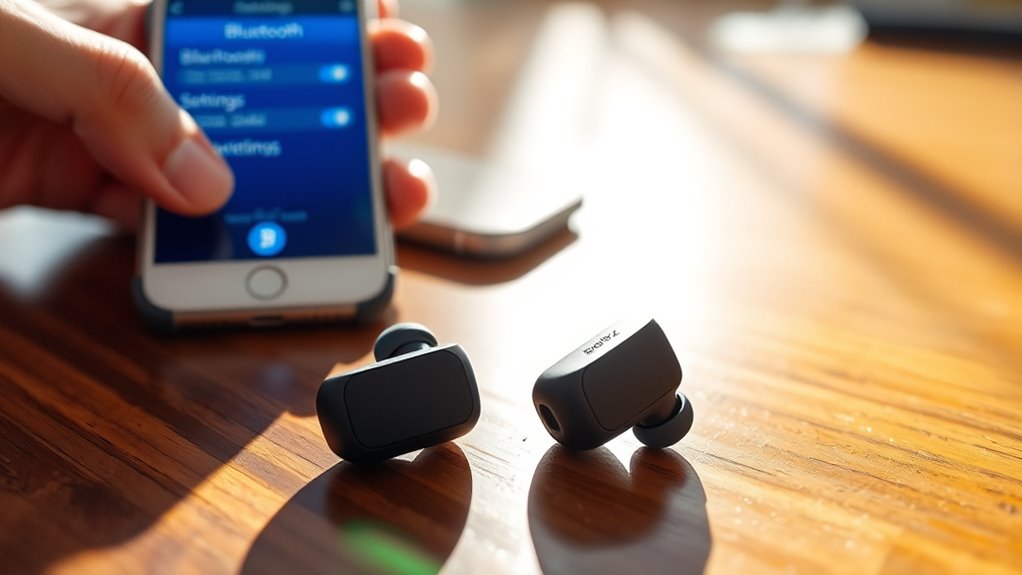

To connect your Shokz earbuds, first, make sure your device has Bluetooth enabled and is compatible. Power on your earbuds by holding the power button until you hear a tone. Now, put them in pairing mode by pressing the multi-function button again until a tone sounds. On your device, search for available Bluetooth connections and select your Shokz earbuds. You’ll hear a confirmation tone once they’re successfully connected. Keep going to explore more helpful tips!
Understanding Your Shokz Earbuds
To get the most out of your Shokz earbuds, it’s important to understand their unique features. These earbuds are designed to provide exceptional sound quality while keeping you aware of your surroundings. The open-ear design lets you enjoy music or podcasts without blocking external noise, giving you the freedom to stay connected to your environment. Additionally, Shokz earbuds often include features like bone conduction technology, which delivers sound through your cheekbones for a more immersive experience. You’ll also appreciate the lightweight build, ensuring comfort during extended use. With intuitive controls, you can easily manage your audio, making them perfect for workouts or daily commutes. Embrace the freedom of sound without sacrificing awareness with your Shokz earbuds.
Preparing Your Device for Connection
Before diving into the connection process, make sure your device is ready to pair with your Shokz earbuds. First, check device compatibility to verify your device supports Bluetooth connectivity. Next, navigate to your Bluetooth settings to enable Bluetooth, if it’s not already on. Here’s a quick checklist to help you prepare:
| Step | Action |
|---|---|
| Check Compatibility | Confirm your device supports Bluetooth. |
| Enable Bluetooth | Go to settings and turn on Bluetooth. |
| Discover Devices | Search for available Bluetooth devices. |
| Clear Old Connections | Disconnect from previously paired devices. |
| Update Software | Verify your device software is current. |
With these steps, your device will be primed for a seamless connection with your Shokz earbuds. Enjoy the freedom of wireless listening!
Turning on Your Shokz Earbuds
To turn on your Shokz earbuds, first locate the power button, which is typically found on the side or back of the device. Once you’ve found it, press and hold the button for a few seconds until you see the indicator light flash. This simple sequence will power up your earbuds and get them ready for connection.
Locate Power Button
Finding the power button on your Shokz earbuds is a simple yet essential step to get them up and running. Knowing the button location will make it easier for you to access key power functions. Here are some quick tips to help you out:
- Check the side: The power button is usually located on one of the earbud sides.
- Look for a raised button: It often has a tactile surface for easy identification.
- Identify the symbol: You’ll typically see a power icon next to the button.
- Feel for the click: Pressing it should give you a noticeable response.
- Use your manual: If you’re unsure, refer to the user guide for specific details.
With these tips, you’ll be well on your way to enjoying your Shokz earbuds!
Power On Sequence
Turning on your Shokz earbuds is a straightforward process that sets you up for an immersive audio experience. To power them on, simply press and hold the power button for a few seconds. You’ll feel a gentle vibration, and the battery indicators will light up, confirming that they’re active. If the battery indicators flash red, it’s time to charge them up for uninterrupted listening. Once powered on, your earbuds will automatically enter pairing mode, allowing you to connect effortlessly to your device. If you’re ever unsure about the battery level, just press the power button briefly, and the indicators will provide a quick status update. Enjoy the freedom of wireless sound with just a simple touch!
Activating Pairing Mode on Shokz Earbuds
Activating pairing mode on your Shokz earbuds is a straightforward process that takes just a few seconds. Here’s how to get started with the pairing process:
- Power on your earbuds by pressing the multi-function button.
- Hold the button for a few seconds until you hear a tone.
- Check your Bluetooth settings on your device to find available devices.
- Select your Shokz earbuds from the list to initiate pairing.
- Wait for the connection confirmation tone indicating a successful connection.
Once you’re in pairing mode, enjoy the freedom of wireless audio. With these simple steps, you’ll be ready to experience your favorite tunes without the hassle of wires.
Connecting to a Smartphone
How can you quickly connect your Shokz earbuds to your smartphone? First, verify your smartphone is compatible with Bluetooth devices. Open your smartphone’s Bluetooth settings, usually found in the settings menu. Turn on Bluetooth if it’s not already activated. Next, with your Shokz earbuds in pairing mode, look for their name in the list of available devices. Tap it to connect. You’ll know it’s successful when you hear a confirmation tone in the earbuds. If you encounter any issues, make certain your earbuds are charged and within range. Once connected, enjoy the freedom of wireless listening! It’s that simple—your Shokz earbuds and smartphone are now ready for an immersive audio experience.
Connecting to a Tablet
Connecting your Shokz earbuds to a tablet is a straightforward process that takes just a few moments. Here’s how to enjoy enhanced audio quality with your device:
- Confirm your tablet’s Bluetooth is turned on.
- Put your Shokz earbuds in pairing mode, usually by holding the power button.
- Look for your earbuds in the tablet’s Bluetooth settings.
- Select the earbuds to connect; you’ll see a confirmation once it’s successful.
- Enjoy your favorite content with impressive tablet compatibility!
Once connected, you’ll experience freedom like never before, allowing you to move around while enjoying crisp sound. With your Shokz earbuds, you’re set to elevate your audio experiences effortlessly, whether watching shows or listening to music.
Connecting to a Computer
If you’ve successfully paired your Shokz earbuds with a tablet, you’ll find connecting them to a computer just as simple. First, make certain your computer has Bluetooth compatibility enabled. On your computer, go to the Bluetooth settings and search for available devices. Put your Shokz earbuds in pairing mode—usually done by pressing and holding the power button. Your earbuds should appear in the list of devices; select them to connect. Once paired, you’ll enjoy exceptional audio quality for music, video calls, or gaming. Adjust your computer’s sound settings if needed to make sure the audio output is directed to your Shokz earbuds. With these easy steps, you’re ready to experience wireless freedom!
Troubleshooting Connection Issues
While enjoying your Shokz earbuds, you may occasionally run into connection issues. Don’t worry; there are simple fixes to troubleshoot these problems.
Encountering connection issues with your Shokz earbuds? Simple troubleshooting steps can help you get back to enjoying your music.
- Check Bluetooth compatibility with your device.
- Confirm your earbuds are in pairing mode.
- Restart both your earbuds and the device.
- Move away from potential device interference, like microwaves or other electronics.
- Update your device’s software to the latest version.
Frequently Asked Questions
Can I Use Shokz Earbuds With Multiple Devices Simultaneously?
No, you can’t use Shokz earbuds with multiple devices simultaneously. They support multi-device pairing, but only connect to one device at a time, ensuring audio stability. You’ll need to switch devices manually when needed.
How Do I Reset My Shokz Earbuds?
Resetting your Shokz earbuds is as simple as flipping a switch. Just hold the power button for ten seconds until you see the light flash. Follow troubleshooting tips if issues persist, and enjoy seamless listening!
Are Shokz Earbuds Water-Resistant?
Yes, Shokz earbuds have sweat resistance and some models feature waterproof capabilities. They’re designed for active lifestyles, so you can enjoy your workouts without worrying about moisture—just be sure to check the specific model’s details!
What Is the Battery Life of Shokz Earbuds?
Shokz earbuds typically offer impressive battery performance, lasting up to 10 hours on a single charge. To maximize usage, it’s best to fully charge them before long sessions and keep them stored in a case when not in use.
Can I Use Voice Assistants With Shokz Earbuds?
Yes, you can use voice assistants with your Shokz earbuds. Their seamless assistant compatibility lets you access a world of freedom through voice command, allowing you to navigate life’s symphony hands-free and effortlessly.
