
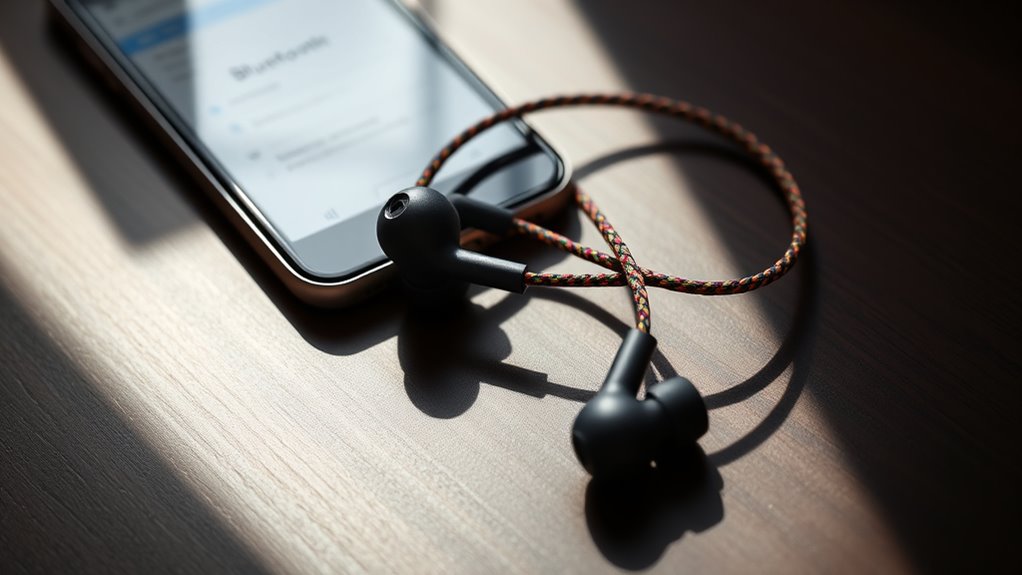

To connect your Skullcandy earbuds, first check their compatibility with your device and make sure Bluetooth is turned on. Power on your earbuds by holding the power button until you see a light indicator flash. Then, go to your device’s Bluetooth settings and select your earbuds from the menu. Follow the prompts for pairing, and you’ll be all set. If you encounter any issues, there are troubleshooting steps available to help you out.
Checking Compatibility With Your Device
Before you plunge into connecting your Skullcandy earbuds, have you checked if they’re compatible with your device? A quick compatibility check can save you time and frustration. Start by reviewing your device specifications—most devices, like smartphones and tablets, support Bluetooth connections. Make sure your earbuds are within range and that your device’s Bluetooth is turned on. If you’re using a computer, check for any required updates or compatibility issues specific to your operating system. Sometimes, certain features of your earbuds may only work with specific devices. By ensuring compatibility first, you’ll enjoy seamless audio freedom without the hassle of connection issues. So, take that moment to verify, and you’ll be ready to rock your tunes in no time!
Charging Your Skullcandy Earbuds
To keep your Skullcandy earbuds performing at their best, regular charging is essential. You’ve got a couple of charging methods to choose from, including using the provided USB cable or a compatible charging dock. Simply connect your earbuds to a power source, and you’re good to go.
Watch for the battery indicators on your earbuds; they’ll let you know when it’s time to charge. A solid light typically means they’re charging, while a flashing light indicates low battery. Make it a habit to charge your earbuds after use, so you’re always ready for your next adventure. With proper care, you’ll enjoy the freedom of uninterrupted audio bliss wherever you roam.
Powering On Your Earbuds
Once you’ve charged your Skullcandy earbuds, powering them on is a breeze. Simply locate the power button on your earbuds; it’s usually on the side or the center of the control panel. Press and hold the power button for a couple of seconds until you see a light indicator flash. This light signals that your earbuds are now powered on and ready to use. Enjoy the various earbud features, such as noise isolation and touch controls, that enhance your listening experience. If you’re using wireless models, they’ll be even more convenient for your on-the-go lifestyle. Just a quick press, and you’re all set to immerse yourself in your favorite tunes without missing a beat.
Activating Bluetooth on Your Device
Activating Bluetooth on your device is crucial for connecting your Skullcandy earbuds. Depending on your device, there are several Bluetooth activation methods to take into account. First, verify your device is compatible with your earbuds by performing device compatibility checks. Here’s a quick guide to help you activate Bluetooth:
| Device Type | Activation Method | Notes |
|---|---|---|
| Android | Settings > Bluetooth | Toggle to “On” |
| iPhone | Settings > Bluetooth | Tap toggle to enable |
| Windows PC | Settings > Devices | Click “Bluetooth” > “On” |
Once Bluetooth is activated, you’re ready to connect your earbuds. Enjoy the freedom of wireless listening!
Pairing Your Earbuds With Your Device
Before you can enjoy your favorite tunes, you’ll need to pair your Skullcandy earbuds with your device. Depending on your device compatibility, there are a few pairing methods you can use. Here’s how to do it:
- Turn on your earbuds by pressing the power button.
- Activate Bluetooth on your device if you haven’t already.
- Select your earbuds from the Bluetooth menu.
- Follow any prompts that may appear for a seamless connection.
- Enjoy your music once paired!
Make sure your device is compatible with your earbuds for a smooth experience. Each device may have different steps, but generally, these methods should get you connected in no time. Enjoy your newfound freedom!
Confirming the Connection
Now that your Skullcandy earbuds are paired, it’s time to verify the connection. Check your Bluetooth settings to ascertain they’re listed as connected, and verify the pairing status. Finally, test the audio output to make certain everything is working properly.
Check Bluetooth Settings
Once your Skullcandy earbuds are in pairing mode, it’s essential to check your device’s Bluetooth settings to confirm the connection. Start by ensuring your device’s Bluetooth is turned on and that it’s compatible with your earbuds. Here’s what to look for:
- Go to your device settings.
- Open the Bluetooth menu.
- Look for your Skullcandy earbuds in the list of available devices.
- Check if they’re connected or select them to connect.
- Make sure your earbuds are within range for ideal Bluetooth compatibility.
Verify Pairing Status
After checking your Bluetooth settings, it’s important to verify the pairing status of your Skullcandy earbuds to guarantee they’re connected properly. Look for pairing confirmation on your device; this might appear as a notification or an icon indicating a successful connection. You’ll also want to check the connection indicators on your earbuds. Most Skullcandy models feature LED lights that signal their status: a steady light usually means they’re connected, while flashing lights can indicate they’re still trying to pair. If you don’t see the expected indicators, you may need to re-pair your earbuds. Ensuring the pairing status is accurate allows you to enjoy your audio without interruptions, giving you the freedom to immerse yourself in your music.
Test Audio Output
Testing the audio output is essential to verify that your Skullcandy earbuds are properly connected. This step guarantees you’re enjoying the best audio quality and can make any necessary sound adjustments. Here’s how to check your earbuds:
- Play your favorite song or audio clip.
- Listen for any interruptions or distortions in sound.
- Adjust the volume to see if it responds correctly.
- Test different audio sources to verify compatibility.
- Check for a balanced sound in both earbuds.
Troubleshooting Connection Issues
Troubleshooting connection issues with your Skullcandy earbuds can often be resolved by following a few simple steps. First, try resetting your earbuds by holding the power button for ten seconds. This can clear any interference issues that may be causing the connection problem. If you’re still having trouble, check if your device is within range and not connected to other Bluetooth devices.
| Step | Action |
|---|---|
| 1 | Reset your earbuds |
| 2 | Confirm Bluetooth is enabled |
| 3 | Move closer to your device |
| 4 | Disconnect other Bluetooth devices |
Using Touch Controls and Features
Once you’ve resolved any connection issues with your Skullcandy earbuds, you can take full advantage of their touch controls and features. These earbuds offer intuitive touch gestures that let you manage your listening experience with ease. Here are some feature shortcuts to explore:
- Play/Pause: Double-tap to control playback.
- Skip Tracks: Swipe forward to advance a song.
- Volume Control: Swipe up or down to adjust volume levels.
- Voice Assistant: Triple-tap to activate your voice assistant.
- Answer/End Calls: Double-tap to manage incoming calls.
Maintaining Your Earbuds for Optimal Performance
To keep your Skullcandy earbuds performing at their best, it’s essential to adopt some simple maintenance habits. Regular cleaning, proper storage, and battery care can greatly extend their lifespan and sound quality. Let’s explore these key practices to guarantee you get the most out of your earbuds.
Regular Cleaning Techniques
Regular cleaning is essential for maintaining your Skullcandy earbuds and ensuring peak performance. Neglecting earbud maintenance can lead to buildup that affects sound quality and hygiene. Here are some effective cleaning techniques to keep your earbuds in top shape:
- Use a microfiber cloth to wipe down the exterior.
- Gently remove ear tips and rinse them with warm water.
- Apply a small amount of mild soap to clean the ear tips.
- Use a soft brush to remove dust and debris from the speaker mesh.
- Avoid harsh cleaning products, as they can damage your earbuds.
Proper Storage Practices
Even with regular cleaning, how you store your Skullcandy earbuds can greatly impact their longevity and performance. To guarantee safe storage, always place your earbuds in a protective case when not in use. Travel cases are ideal for keeping them secure and tangle-free, especially on the go. Avoid tossing them in your bag without protection, as this can lead to damage or tangled wires. If you’re storing them for an extended period, make sure they’re dry and away from extreme temperatures. Finally, remember to keep the charging case nearby, as it offers an extra layer of protection. By following these simple storage practices, you’ll help maintain your earbuds’ performance and extend their lifespan.
Battery Care Tips
While you might enjoy using your Skullcandy earbuds daily, proper battery care is essential for maintaining their performance and longevity. By following a few simple tips, you can guarantee effective battery lifespan management and ideal charging practices.
- Avoid letting the battery completely drain before charging.
- Charge your earbuds in a cool, dry place to prevent overheating.
- Use the original charging cable for best results.
- Unplug the charger once fully charged to prevent overcharging.
- Store your earbuds in their case when not in use.
Frequently Asked Questions
Can I Use Skullcandy Earbuds With Multiple Devices Simultaneously?
You can’t use Skullcandy earbuds with multiple devices simultaneously. They typically support multi-device connectivity, but only one connection works at a time, ensuring ideal audio quality. Switch devices manually for the best experience.
How Do I Reset My Skullcandy Earbuds?
About 30% of users face earbud troubleshooting issues. To reset your Skullcandy earbuds, hold the power button for 10 seconds until they flash red and blue, restoring them to factory settings. Enjoy!
What Is the Battery Life of Skullcandy Earbuds?
The battery life of Skullcandy earbuds typically ranges from 3 to 10 hours, depending on the model. Charging time is usually around 1 to 2 hours, ensuring you can enjoy your music without interruption.
Are Skullcandy Earbuds Water-Resistant or Sweat-Proof?
Skullcandy earbuds typically offer sweat resistance, making them suitable for workouts. However, they’re not fully waterproof. Always check specific models for detailed waterproof features to guarantee they meet your needs for active use.
Can I Use My Skullcandy Earbuds While Charging?
You can’t use your Skullcandy earbuds while charging; it’s not safe. Using them during charging may lead to overheating or damage. For ideal performance and safety, unplug them before enjoying your music.
