

If your speakers are blown, you may notice distorted sound, a lack of bass, or even complete silence. Identifying blown speakers is crucial for maintaining a quality audio experience. This article will help you pinpoint the signs of blown speakers and guide you through troubleshooting steps to confirm the issue. By the end, you’ll know exactly how to assess your speakers and what actions to take next.
Visual Inspection of Speakers
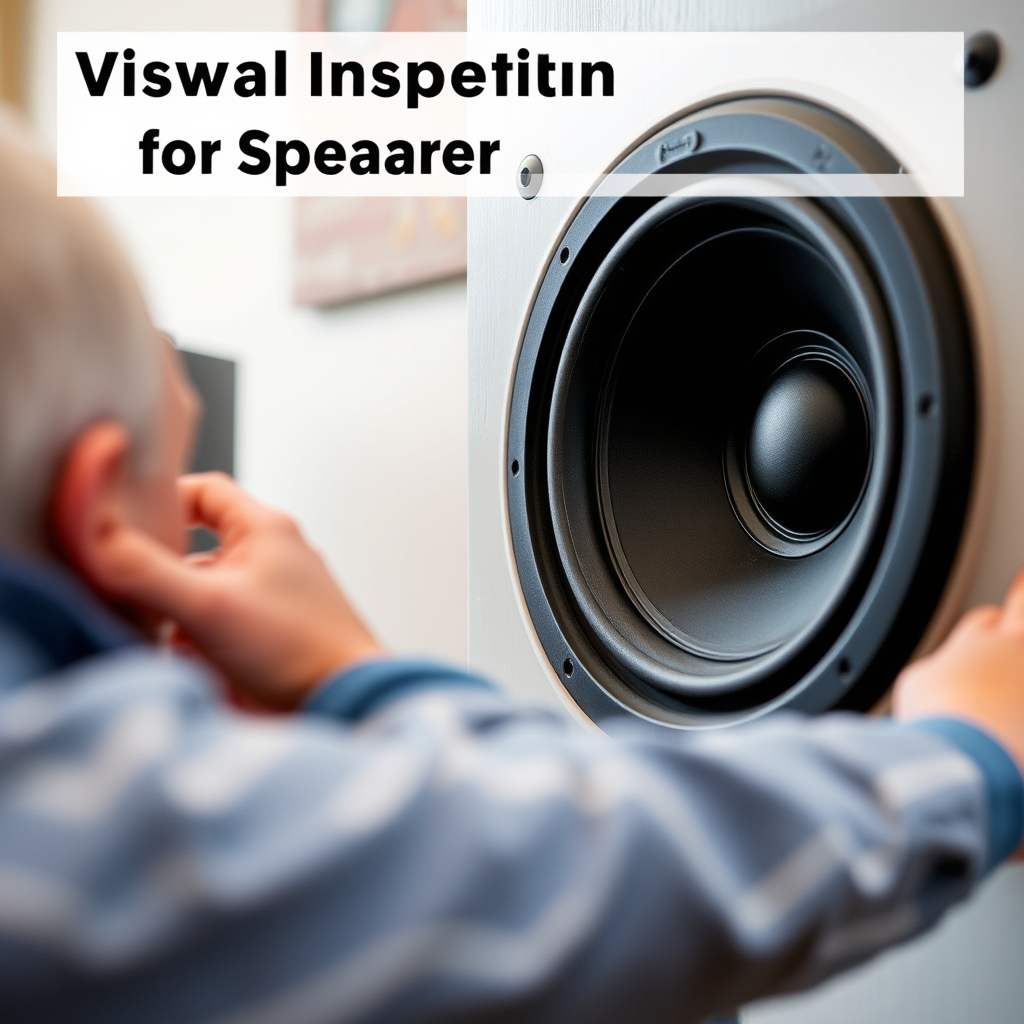
The first step in diagnosing speaker issues is visually inspecting them for any physical damage. This includes checking for tears, dents, or warped cones, all of which can significantly affect audio performance. A cone that is damaged may not vibrate properly, leading to distorted sound or complete failure. Look closely at the edges of the cone; if you see any cracks or separations, this could indicate a blown speaker.
Next, inspect the connections. Loose or damaged wires can easily lead to sound issues, even if the speakers themselves are functioning correctly. Ensure that all wires are securely connected to both the speaker and the amplifier or receiver. Additionally, examine the terminals for any signs of corrosion or wear that could hinder the electrical connection.
Sound Quality Assessment
Listening closely is a critical component of assessing your speakers’ health. Pay attention to any distortion during playback, such as buzzing, rattling, or crackling noises. These sounds often indicate that the speaker is struggling to produce audio effectively. If you notice that the sound becomes more pronounced at higher volumes, it may be time to consider repairs or replacements.
Moreover, evaluate the volume levels. If your speakers sound significantly quieter or more muffled than usual, it could be a sign of damage. A blown speaker may fail to produce certain frequencies, particularly bass, which can lead to an unbalanced audio experience. If you find that the sound lacks clarity or depth, perform further tests to determine if the issue lies with the speakers themselves.
Testing with Different Sources
To ensure that your audio source is not the culprit, connect your speakers to multiple devices. This can include different smartphones, computers, or audio receivers. By isolating the audio source, you can better understand whether the problem resides within the speakers or the device itself.
Additionally, try playing various audio files across different genres. For instance, play a bass-heavy track followed by classical music to see if the issue persists. If the speakers exhibit the same problems regardless of the source or audio type, it is likely that the speakers themselves are the source of the issue.
Common Speaker Issues and Their Causes
| # | Issue | Description | Common Cause | Repairability |
|---|---|---|---|---|
| 1 | Distortion | Buzzing or rattling sound | Damaged cone or voice coil | Moderate |
| 2 | Weak Bass | Lack of low-frequency response | Blown subwoofer | High |
| 3 | Complete Silence | No sound output | Disconnected wires or blown driver | Low |
| 4 | Muffled Sound | Unclear audio quality | Damaged speaker cone | Moderate |
| 5 | Overheating | Speakers too hot to touch | Excessive power | Low |
| 6 | Crackling Noise | Intermittent sound disturbances | Faulty wiring | Moderate |
| 7 | Low Volume | Sound is significantly quieter | Faulty amplifier | High |
Checking Speaker Impedance
Another important diagnostic step is checking the speaker’s impedance. Use a multimeter to measure the impedance and ensure it matches the speaker’s rating, typically indicated on the back of the speaker or in the user manual. A typical impedance for home audio speakers is either 4, 6, or 8 ohms. If the impedance value is significantly lower than expected, it may indicate a fault in the speaker.
Understanding the effects of impedance mismatch is crucial as well. Using a speaker with incorrect impedance can lead to sound issues or damage not just to the speaker but also to the amplifier. For instance, connecting a 4-ohm speaker to an 8-ohm rated amplifier can lead to underperformance, while the reverse can cause overheating and potential failure.
Troubleshooting Steps
If you suspect your speakers are blown, several troubleshooting steps can help isolate the issue. One effective method is to swap the suspect speakers with known working ones. This can help you determine whether the problem lies within the speakers or the audio source. If the replacement speakers work perfectly, the original speakers may indeed be blown.
Additionally, consulting user manuals for your specific speaker model can provide valuable troubleshooting insights. Many manufacturers include detailed guides on common problems and their solutions. Following these guides can often lead to a quick resolution of audio issues without the need for professional assistance.
Professional Evaluation
If after troubleshooting you are still uncertain about the condition of your speakers, seeking expert advice from an audio technician may be the best course of action. Professionals can provide a thorough assessment and help identify any underlying issues that may not be immediately visible.
In cases where repairs are necessary, exploring local repair services can be an efficient option. Some speakers may be easily repaired, while others may require complete replacement. Weighing the cost of repairs against the price of new speakers is essential to making an informed decision.
In summary, recognizing the signs of blown speakers is crucial for maintaining your audio quality. From visual inspections to sound quality assessments, performing thorough testing can help you pinpoint issues effectively. If repairs or replacements are necessary, acting quickly ensures a better listening experience in the long run. Don’t hesitate to reach out for professional help if needed, as addressing these issues promptly can save you time and expense in the future.
Frequently Asked Questions
What are the signs that my speakers are blown?
Common signs that your speakers are blown include distorted sound, buzzing or crackling noises, reduced volume, or no sound at all. Additionally, if you notice any physical damage to the speaker cone or if the speaker smells burnt, these are strong indicators that your speakers may be blown.
How can I test if my speakers are blown?
To test if your speakers are blown, try connecting them to a different audio source or amplifier to rule out other issues. If the sound remains distorted or absent, gently press the speaker cone to check for any resistance or rubbing, which can indicate damage. Using a multimeter to check the speaker’s impedance can also help confirm whether they are functioning properly.
Why do speakers blow, and how can I prevent it?
Speakers can blow due to excessive power, overheating, or prolonged exposure to distorted signals, causing damage to the voice coil. To prevent this, ensure that your amplifier’s power rating matches your speakers, avoid turning the volume up excessively, and regularly check for any distortion during playback, which can signal impending damage.
Which types of speakers are more prone to blowing?
Generally, smaller speakers, such as portable or high-output models, are more prone to blowing due to their limited power handling capabilities. Additionally, speakers designed for specific frequency ranges, like subwoofers, can also be at risk if they are overdriven. Understanding your speakers’ specifications can help you avoid pushing them beyond their limits.
What should I do if I suspect my speakers are blown?
If you suspect your speakers are blown, first stop using them to prevent further damage. Then, troubleshoot by testing them with different equipment or cables. If the problem persists, consider taking them to a professional for repair or replacing them if they are beyond fixing.
References
- https://en.wikipedia.org/wiki/Speaker_(audio
https://en.wikipedia.org/wiki/Speaker_(audio - https://www.sciencedirect.com/topics/engineering/speaker
https://www.sciencedirect.com/topics/engineering/speaker - https://www.bbc.com/news/technology-53241827
https://www.bbc.com/news/technology-53241827 - https://www.nytimes.com/2020/05/12/technology/personaltech/repairing-speakers.html
https://www.nytimes.com/2020/05/12/technology/personaltech/repairing-speakers.html - Google Scholar Google Scholar
https://scholar.google.com/scholar?q=how+to+know+if+speakers+are+blown - Google Scholar Google Scholar
https://scholar.google.com/scholar?q=speaker+damage+diagnosis - https://pubmed.ncbi.nlm.nih.gov/30407372/
https://pubmed.ncbi.nlm.nih.gov/30407372/ - https://www.nature.com/articles/doi:10.1038/s41598-017-18356-0
https://www.nature.com/articles/doi:10.1038/s41598-017-18356-0 - https://www.reuters.com/article/us-tech-speakers-idUSKBN2A10ZO
https://www.reuters.com/article/us-tech-speakers-idUSKBN2A10ZO - Loudspeaker | Definition, Types, & Facts | Britannica
https://www.britannica.com/technology/loudspeaker
