
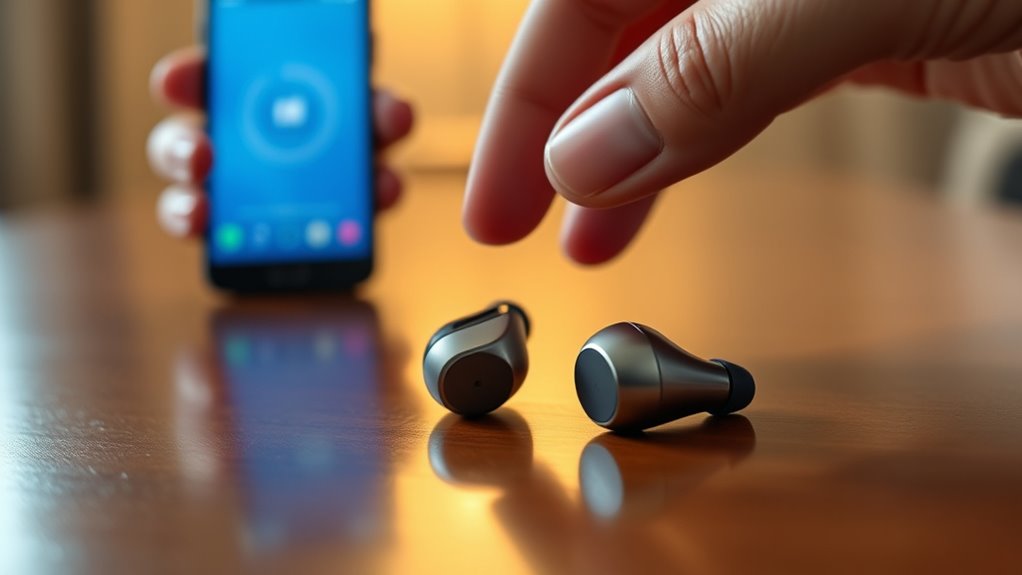

To pair your Anker Soundcore earbuds, make sure they’re fully charged and turned on by pressing the power button until the LED lights up. Then, hold the multifunction button on both earbuds until the LED indicators flash for pairing mode. On your device, enable Bluetooth and select your earbuds from the list of available devices. If you encounter issues, check charge levels or remove previous connections. Stick around to discover more tips for a seamless experience.
Understanding Your Anker Soundcore Earbuds
To effectively use your Anker Soundcore earbuds, it’s essential to understand their features and functionalities. These earbuds are designed with advanced technology that delivers impressive sound quality, guaranteeing you enjoy every note of your favorite tunes. With noise cancellation capabilities, you can immerse yourself in your audio without distractions, providing a liberating listening experience. The touch controls allow you to manage playback effortlessly, putting you in control without fumbling for your device. Battery life is another standout feature, offering hours of uninterrupted listening. Plus, their ergonomic design guarantees a comfortable fit, so you can wear them for extended periods without discomfort. Understanding these earbud features will elevate your audio experience and give you the freedom to enjoy music wherever you go.
Preparing Your Device for Pairing
Before diving into the pairing process, it’s crucial to verify your device is ready to connect with your Anker Soundcore earbuds. First, check for device compatibility; your earbuds work seamlessly with most smartphones, tablets, and computers equipped with Bluetooth. Next, navigate to your device’s Bluetooth settings. Confirm Bluetooth is enabled, as this allows your device to discover nearby audio devices. If your device has previously connected to other Bluetooth devices, it might be helpful to remove those connections to avoid interference. Once you’ve confirmed compatibility and adjusted your Bluetooth settings, you’re set for a smooth pairing experience. This preparation guarantees you can enjoy the freedom of wireless audio without unnecessary hiccups.
Turning on Your Anker Soundcore Earbuds
To turn on your Anker Soundcore earbuds, first, locate the power button on the device. Press and hold the button for a few seconds until you see the LED indicator light up. This visual cue confirms that your earbuds are powered on and ready for pairing.
Locate Power Button
Finding the power button on your Anker Soundcore earbuds is essential for getting them up and running. Typically, the power button is located on one of the earbuds, often marked with a symbol that represents power. Depending on the model, you may also find the power button embedded within the earbud features, ensuring a sleek design without compromising functionality. To make things easier, familiarize yourself with the layout of your specific model, as the power button location can vary slightly. Knowing where this button is will save you time and frustration, allowing you to quickly turn on your earbuds and enjoy your music or calls without delay. So, take a moment to locate it before diving into the pairing process!
Press and Hold
Press and hold the power button on your Anker Soundcore earbuds to turn them on. The press duration is essential; holding it for a few seconds activates the device. Once powered, your earbuds enter pairing modes, allowing you to connect seamlessly with your devices.
- Make sure your Bluetooth is enabled on your device.
- Locate the earbuds in your Bluetooth settings.
- Select the earbuds to initiate pairing.
- Confirm connection when prompted.
LED Indicator Signals
The LED indicator on your Anker Soundcore earbuds serves as an essential guide during the pairing process. Understanding the LED color meanings and indicator light behavior can greatly enhance your experience. When you first turn on your earbuds, a white light usually blinks, indicating they’re in pairing mode. If you see a steady blue light, it means a successful connection has been established. Conversely, a red light may signal low battery or a need for charging. If the light flashes alternately between red and blue, your earbuds are ready to pair. By paying attention to these signals, you’ll navigate the pairing process with ease and keep your earbuds functioning at their best, allowing you the freedom to enjoy your music without interruptions.
Initiating Pairing Mode
To initiate pairing mode on your Anker Soundcore earbuds, start by ensuring they’re fully charged. This step helps eliminate any potential connectivity issues later on. Once charged, follow these pairing tips to get started:
- Take the earbuds out of the charging case.
- Press and hold the multifunction button on both earbuds until you see the LED indicators flash.
- Release the buttons, and they’ll enter pairing mode.
- Check your device’s Bluetooth settings to find and connect to your earbuds.
Connecting to a Smartphone
Connecting your Anker Soundcore earbuds to a smartphone is a straightforward process that enhances your audio experience. First, verify your smartphone is compatible with Bluetooth devices. Open the settings on your smartphone and navigate to the Bluetooth section. Make sure Bluetooth is turned on. Your earbuds should appear in the list of available devices. Select your Anker Soundcore model to initiate the connection. Once paired, you’ll notice improved audio quality that elevates your music and calls. If you encounter any issues, try resetting the earbuds and repeating the process. With just a few taps, you’re free to enjoy your favorite tunes or podcasts without being tethered to your device. Enjoy the freedom that comes with wireless sound!
Connecting to a Tablet
To connect your Anker Soundcore earbuds to a tablet, you’ll first need to turn on Bluetooth in your device’s settings. Once Bluetooth is activated, look for your earbuds in the list of available devices and select them. This quick process guarantees you enjoy seamless audio on your tablet in no time.
Turn on Bluetooth
Before you can enjoy your Anker Soundcore earbuds with your tablet, you’ll need to guarantee that Bluetooth is activated. Here’s how to quickly access your Bluetooth settings:
- Open your tablet’s Settings app.
- Find and tap on Bluetooth to enter the Bluetooth settings menu.
- Toggle the Bluetooth switch to the On position.
- Wait for your tablet to search for nearby devices, ensuring earbuds compatibility.
With Bluetooth enabled, you’re one step closer to experiencing high-quality audio. This simple action sets the stage for a seamless connection, allowing you to enjoy your music, podcasts, or calls wirelessly. Keep your earbuds charged, and you’ll be ready to pair them in no time!
Select Earbuds Device
Once Bluetooth is activated, you can easily select your Anker Soundcore earbuds from your tablet’s available devices list. To guarantee seamless earbud compatibility, check your tablet’s device settings before connecting. Here’s a quick reference table for your convenience:
| Device Type | Connection Steps | Notes |
|---|---|---|
| Android Tablet | Open Bluetooth, select earbuds | Make sure they’re in pairing mode |
| iOS Tablet | Open Settings, tap Bluetooth, select earbuds | Confirm they’re charged |
| Windows Tablet | Open Bluetooth settings, pair earbuds | Update drivers if needed |
| Fire Tablet | Swipe down, tap Bluetooth, choose earbuds | Restart if not found |
| Samsung Tablet | Open Connections, select Bluetooth, choose earbuds | Keep devices close |
Once you’ve selected them, you’re ready to enjoy your audio experience!
Connecting to a Computer
Connecting your Anker Soundcore earbuds to a computer is a straightforward process that can enhance your audio experience. To guarantee successful pairing, follow these steps:
- Check for computer compatibility: Make sure your computer supports Bluetooth.
- Enable Bluetooth: Access the Bluetooth settings on your computer and turn it on.
- Pair your earbuds: Put your Soundcore earbuds in pairing mode, then select them from the list of available devices.
- Adjust audio settings: Once connected, navigate to your computer’s audio settings to set your earbuds as the default output device.
Troubleshooting Common Pairing Issues
Even when you’ve followed all the steps to pair your Anker Soundcore earbuds, you might still encounter some common issues. First, verify your earbuds are fully charged; low battery can disrupt pairing. If they won’t connect, delete them from your device’s Bluetooth list and try pairing again. Sometimes, interference from other devices can cause problems, so turning off adjacent Bluetooth gadgets may help. If you’re still facing issues, resetting your earbuds can resolve connectivity glitches; consult the user manual for specific instructions. Finally, verify your device’s software is up to date—outdated firmware can lead to compatibility issues. By following these troubleshooting tips, you’ll be back to enjoying your music in no time!
Tips for Maintaining Your Earbuds Connection
To guarantee a stable connection with your Anker Soundcore earbuds, it’s essential to adopt a few maintenance practices. Keeping your earbuds in top shape can enhance connection stability and extend their lifespan. Here are some tips to confirm peak performance:
To ensure optimal performance and connection stability, regular maintenance of your Anker Soundcore earbuds is key.
- Regularly charge your earbuds to maintain battery health, preventing unexpected disconnections.
- Keep the charging case clean to avoid dirt buildup, which can interfere with charging and connectivity.
- Update firmware through the Soundcore app for the latest connectivity improvements.
- Avoid interference from other devices by keeping your earbuds away from Wi-Fi routers and microwaves.
Frequently Asked Questions
Can I Connect Anker Soundcore Earbuds to Multiple Devices Simultaneously?
No, you can’t connect Anker Soundcore earbuds to multiple devices simultaneously for audio streaming. They support multi-device connectivity, but you’ll need to switch between devices manually for ideal performance and sound quality.
What Should I Do if My Earbuds Won’t Turn On?
If your earbuds won’t turn on, check for power issues first. Make sure they’re charged, clean the charging ports, and reset them if necessary. These earbud troubleshooting steps can help restore functionality and enhance your listening freedom.
How Do I Reset My Anker Soundcore Earbuds?
To reset your Anker Soundcore earbuds, hold the multifunction button for 10 seconds until the LED flashes red and blue. Isn’t proper earbud maintenance essential? Use these troubleshooting tips regularly to guarantee peak performance.
Are Anker Soundcore Earbuds Waterproof or Water-Resistant?
Anker Soundcore earbuds typically feature water-resistant ratings rather than being completely waterproof. This means they can withstand splashes and sweat, but you shouldn’t submerge them. Always check specific models for their exact waterproof features.
How Can I Check the Battery Level of My Earbuds?
To check your earbuds’ battery level, simply look for the battery indicator on the app or charging case. For ideal usage, follow smart charging tips to guarantee your earbuds stay powered and ready for adventure!
