
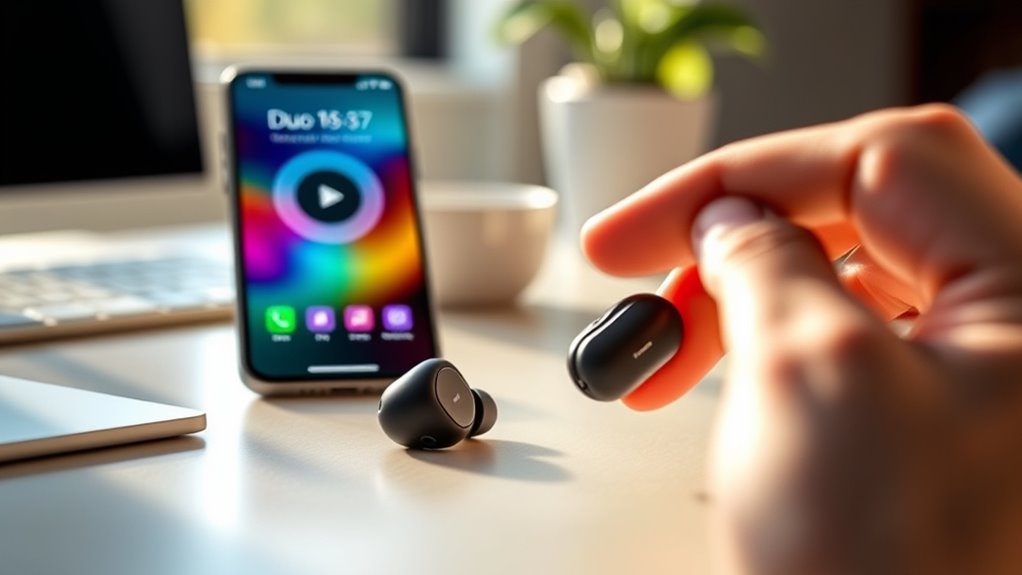

To pair your Duo 5.3 earbuds, first confirm they’re charged. Press and hold the power button on the right earbud until the LED blinks, indicating they’re in pairing mode. Then, enable Bluetooth on your device, search for available devices, and select “Duo 5.3” to connect. If you run into any issues, a quick reset or checking compatibility can help. There’s more insight available to enhance your experience further.
Unboxing Your Duo 5.3 Earbuds
Unboxing your Duo 5.3 earbuds is an exciting first step toward immersive audio experiences. As you peel away the packaging, you’ll discover a sleek design that’s not just visually appealing but also ergonomic for extended wear. The earbuds boast impressive features, including noise cancellation and touch controls, allowing you to tailor your listening experience on the go. You’ll appreciate the superior sound quality, delivering crisp highs and deep bass that make every song come alive. Each component, from the charging case to the various ear tips, is designed for comfort and convenience. Take a moment to explore everything included, ensuring you’re ready to enjoy seamless connectivity and rich audio that sets you free to immerse yourself in your favorite tracks.
Charging Your Earbuds
To keep your Duo 5.3 earbuds powered, it’s important to use the proper charging method. Make sure you’re familiar with the charging case and how to utilize it effectively. Additionally, pay attention to the battery indicator lights to monitor your earbuds’ charge level.
Proper Charging Method
Charging your Duo 5.3 earbuds properly is essential for maintaining their battery life and performance. To guarantee charging safety and extend your battery lifespan, follow these steps:
- Use the Original Charger: Stick to the charger that came with your earbuds to prevent damage and guarantee ideal charging.
- Avoid Overcharging: Once fully charged, unplug your earbuds to avoid overheating and unnecessary battery drain.
- Charge in a Cool, Dry Place: Heat can negatively impact your battery’s health, so choose a location that’s free from direct sunlight and humidity.
Charging Case Usage
Using the charging case is essential for keeping your Duo 5.3 earbuds ready for use. This compact accessory not only charges your earbuds but also protects them. Here are some key charging case features to keep in mind:
| Feature | Description | Maintenance Tip |
|---|---|---|
| Fast Charging | Quickly restores battery power | Clean contacts regularly |
| Portable Design | Easy to carry wherever you go | Store in a cool, dry place |
| Battery Backup | Provides extra charges on-the-go | Avoid overcharging |
To guarantee peak performance, practice proper charging case maintenance. Regularly check for debris and keep the case clean to sustain its longevity. Enjoy the freedom of always having your earbuds ready!
Battery Indicator Lights
After guaranteeing your Duo 5.3 earbuds are charged with the case, it’s important to monitor the battery indicator lights. These lights help you keep track of your earbuds’ battery life and guarantee you’re always ready to enjoy your music. Here’s what to look for:
- Solid Green Light: Indicates a full charge. You’re good to go!
- Flashing Yellow Light: Signals that your battery is running low. Time to recharge soon.
- Red Light: Means the battery is critically low. Charge your earbuds immediately to avoid interruption.
Understanding the indicator functionality will help you manage your listening time effectively and guarantee you stay connected without missing a beat. Keep an eye on those lights!
Turning On the Duo 5.3
To turn on your Duo 5.3 earbuds, first locate the power button, which is usually found on the side of the charging case. Before you power them on, make certain they’re fully charged to guarantee peak performance. Once they’re charged, a simple press of the button will activate them.
Power Button Location
Finding the power button on the Duo 5.3 earbuds is essential for getting started. Knowing the location and button functionality helps you access various power options effortlessly. Here’s how to find it:
- Locate the Earbud Body: The power button is on the outer side of the right earbud, clearly marked.
- Identify the Button: It’s a small, circular button, distinct from the volume controls, ensuring you don’t confuse them.
- Press and Hold: To turn on the earbuds, press and hold the button for a few seconds until you see a light indicator.
Once you’ve found the button, you’ll be ready to enjoy your Duo 5.3 earbuds and all the freedom they provide!
Charging Before Use
Before you can enjoy your Duo 5.3 earbuds, it’s important to charge them correctly. Proper charging not only guarantees peak performance but also helps maintain battery health. Generally, you should charge them for about 1-2 hours before your first use.
| Charging Duration | Battery Health |
|---|---|
| 1 hour | Good |
| 2 hours | Peak |
| Over 2 hours | Risk of damage |
Keep an eye on the charging indicator, and unplug them once fully charged. This practice will extend the life of your earbuds, giving you the freedom to enjoy your music longer without interruptions.
Activating Pairing Mode
Activating pairing mode is an essential step to connect your Duo 5.3 earbuds to your device. This process guarantees that your earbuds are discoverable and ready for a seamless connection. Here are some pairing techniques to follow:
- Power On: Press and hold the power button on your earbuds until you see a blinking LED light, indicating they’re in pairing mode.
- Select Device: Make sure your device’s Bluetooth is enabled and search for available devices to guarantee compatibility.
- Confirm Connection: Once you see the Duo 5.3 earbuds on your device’s list, select them to finalize the pairing process.
Connecting to a Smartphone
Connecting your Duo 5.3 earbuds to a smartphone is a straightforward process that enhances your audio experience. First, verify your smartphone is compatible with Bluetooth devices. Open your phone’s Bluetooth settings and make sure Bluetooth is turned on. With your Duo 5.3 earbuds in pairing mode, they should appear in the list of available devices. Select them to establish a connection.
Once connected, you’ll enjoy the freedom of wireless audio within the Bluetooth range, typically around 30 feet. This allows you to move freely while listening to your favorite music or taking calls. If you encounter any issues, double-check your smartphone’s Bluetooth settings and verify the earbuds are charged. Enjoy your listening experience!
Pairing With a Laptop
To pair your Duo 5.3 earbuds with a laptop, you’ll first need to prepare your device. Access the Bluetooth settings to guarantee it’s ready for pairing. Once that’s done, you can connect your earbuds effortlessly.
Preparing Your Laptop
Before you can start enjoying your Duo 5.3 earbuds with your laptop, you’ll need to verify your laptop is ready for pairing. First, check your laptop compatibility; confirm it supports Bluetooth. Next, verify your Bluetooth requirements; most modern laptops have built-in Bluetooth, but some may need an external adapter. Lastly, make certain your laptop’s operating system is updated to the latest version, as updates can enhance Bluetooth functionality.
- Confirm Bluetooth is enabled in your laptop settings.
- Ensure your earbuds are charged and in pairing mode.
- Prepare to disconnect any other Bluetooth devices to avoid interference.
Once you’ve completed these steps, you’ll be all set to pair your Duo 5.3 earbuds with your laptop seamlessly!
Bluetooth Settings Access
With your laptop prepared and ready, the next step involves accessing the Bluetooth settings to initiate pairing with your Duo 5.3 earbuds. First, check your laptop’s Bluetooth compatibility; make certain it’s turned on. On Windows, go to Settings > Devices > Bluetooth & other devices. For Mac, click the Apple menu, select System Preferences, and then Bluetooth. Once you’re in the Bluetooth settings, verify that device discovery is enabled. This allows your laptop to find your earbuds when they’re in pairing mode. If you’re using a Windows laptop, you might need to click “Add Bluetooth or other device.” For Mac, just look for your Duo 5.3 earbuds in the list. You’re now ready for the next step!
Connecting Duo 5.3
Connecting your Duo 5.3 earbuds to your laptop is a straightforward process that enhances your audio experience. With exceptional sound quality and impressive earbud features, you’re in for a treat. Follow these simple steps:
- Activate Bluetooth: Make sure your laptop’s Bluetooth is turned on. Check the settings to make certain it’s discoverable.
- Enter Pairing Mode: Press and hold the button on your Duo 5.3 earbuds until you see a blinking light, indicating they’re in pairing mode.
- Connect: Go to your laptop’s Bluetooth settings, find “Duo 5.3” in the list, and click “Connect.”
Once paired, enjoy crisp audio and the freedom of wireless listening, perfect for work or relaxation!
Syncing With a Tablet
To sync your Duo 5.3 earbuds with a tablet, start by ensuring that both devices are charged and within range of each other. Check your tablet’s settings for Bluetooth options. Enable Bluetooth, and look for “Duo 5.3” in the available devices list. Once you see it, tap to connect. After a successful pairing, you’ll enjoy impressive audio quality that enhances your listening experience. Keep in mind that your tablet’s compatibility plays a significant role in this process. If you encounter any issues, make sure your tablet’s software is up to date. By syncing your Duo 5.3 earbuds with your tablet, you’re free to enjoy your favorite music or podcasts without any hassle.
Troubleshooting Connection Issues
Even after successfully syncing your Duo 5.3 earbuds with your tablet, you might run into some connection issues. Don’t worry; you can troubleshoot these easily.
- Connection Reset: Try resetting your earbuds by turning them off, waiting a few seconds, and turning them back on. This will refresh the connection.
- Check Device Compatibility: Verify your tablet is compatible with the Duo 5.3. Sometimes, outdated software can cause connectivity problems.
- Re-pair the Earbuds: If you’re still having trouble, remove the earbuds from your Bluetooth settings and re-pair them. This often resolves lingering connection issues.
Customizing Audio Settings
When it comes to getting the most out of your Duo 5.3 earbuds, customizing audio settings can make a significant difference. Start by exploring the available sound profiles in your device’s settings. You’ll find options tailored for various genres, ensuring your music sounds just right. Don’t forget to enable audio enhancements, like equalizers, to fine-tune bass and treble according to your preferences. This level of customization lets you enjoy a personalized listening experience that fits your unique taste. Whether you’re into crisp highs or deep lows, adjusting these settings allows you the freedom to create the perfect ambiance. Make the most of your earbuds by taking the time to tweak these audio settings for a superior sound experience.
Maintaining Your Duo 5.3 Earbuds
Although your Duo 5.3 earbuds offer impressive sound quality, proper maintenance is crucial for keeping them in top condition. By following these earbud maintenance tips, you’ll guarantee they last longer and perform better:
- Regular Cleaning: Use a soft, dry cloth to wipe down the earbuds. For more thorough cleaning, use a slightly damp cloth, avoiding moisture in the speaker openings.
- Proper Storage: When not in use, store your earbuds in their case to protect them from dust and damage.
- Battery Care: Avoid letting the battery completely drain before charging. Keeping it between 20% and 80% can prolong its lifespan.
Frequently Asked Questions
Can I Use Duo 5.3 Earbuds While Exercising?
Yes, you can use Duo 5.3 earbuds while exercising. Their comfort helps you stay focused, enhancing your exercise motivation. Enjoy your workouts without distractions, and feel free to move confidently with these earbuds in place.
Are Duo 5.3 Earbuds Water-Resistant or Sweat-Proof?
The Duo 5.3 earbuds offer sweat protection and some level of water resistance, making them suitable for workouts. Just remember, while they’re designed for active use, avoid exposing them to heavy rain or submersion.
How Long Do Duo 5.3 Earbuds Last on a Full Charge?
Your Duo 5.3 earbuds last about 5-6 hours on a full charge. With proper battery maintenance and minimal charging time, you’ll enjoy uninterrupted music, giving you the freedom to roam without worries.
Can I Connect Duo 5.3 Earbuds to Multiple Devices Simultaneously?
No, you can’t connect Duo 5.3 earbuds to multiple devices simultaneously. They support Bluetooth pairing with one device at a time, so you’ll need to disconnect before connecting to another for seamless listening.
What Is the Warranty Period for Duo 5.3 Earbuds?
The warranty period for Duo 5.3 earbuds is typically one year. If they break, you’ll find warranty coverage includes replacement options, ensuring you stay connected without hassle, just like Jane did with her faulty pair.
