
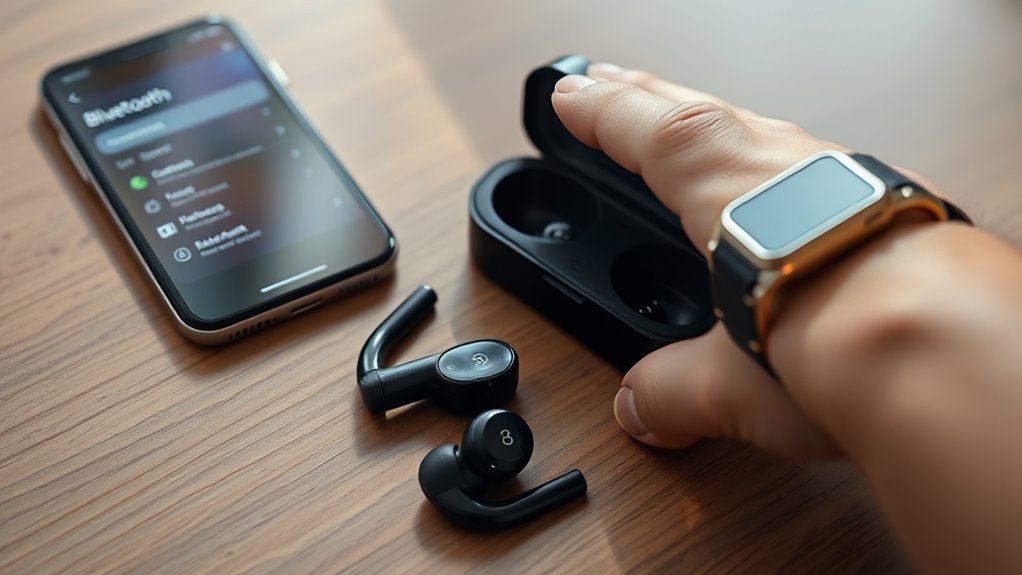

To pair your Skullcandy earbuds, first, verify they’re fully charged and your device’s Bluetooth is on. Turn on the earbuds by pressing the power button until the LED light flashes. Now, find your earbuds in your device’s Bluetooth settings and select them to connect. Once paired, play some audio to confirm the connection. If you face issues, troubleshooting steps are available to help you maintain a seamless audio experience. Explore additional tips to maximize your use!
Understanding Your Skullcandy Earbuds
Understanding your Skullcandy earbuds is essential for maximizing your listening experience. Skullcandy offers various earbud types, including wired, true wireless, and sport-focused designs. Each type caters to different preferences and lifestyles, ensuring you can find the perfect fit for your needs.
When it comes to sound quality, Skullcandy earbuds deliver impressive audio performance, with balanced bass and crisp highs. Knowing about the specific features of your earbud model can help you appreciate the sound quality even more. It’s important to explore any additional settings or enhancements that can fine-tune your listening experience. By familiarizing yourself with your earbuds, you’ll reveal their full potential, allowing you to enjoy your favorite music, podcasts, or audiobooks with the freedom you seek.
Preparing Your Device for Pairing
Before you can enjoy the rich sound of your Skullcandy earbuds, you’ll need to prepare your device for pairing. First, verify your device is compatible with the earbuds. Check your operating system and confirm it supports Bluetooth audio devices.
Here’s a quick reference table to help:
| Device Type | Operating System | Compatibility Status |
|---|---|---|
| Smartphone | iOS | Yes |
| Smartphone | Android | Yes |
| Laptop/PC | Windows 10 | Yes |
| Laptop/PC | macOS | Yes |
Once you’ve confirmed compatibility, turn on Bluetooth on your device. With these steps, you’re ready to plunge into the pairing process. Enjoy the freedom that comes with wireless listening!
Charging Your Earbuds Before Use
Before you start using your Skullcandy earbuds, it’s important to charge them fully. Plug them into a power source and watch for the charging indicator lights to confirm they’re charging properly. Once they’re fully charged, you’ll be ready to enjoy your music.
Initial Charging Instructions
To get the best performance from your Skullcandy earbuds, it’s essential to charge them fully before your first use. This guarantees that the initial battery is at its ideal level, providing you with the best sound experience. Here’s how to get started:
- Use the provided USB charging cable.
- Connect the other end to a compatible power source.
- Allow a charging duration of about 2-3 hours for a full charge.
- Look for any charging indicators on the device to confirm it’s charging.
Charging Indicator Lights
Charging indicator lights play an essential role in ensuring your Skullcandy earbuds are ready for use. These charging light indicators inform you about the battery status, helping you avoid unexpected interruptions during your music sessions. Here’s a quick reference table to understand what the lights mean:
| Indicator Light | Meaning |
|---|---|
| Solid Red | Charging in progress |
| Solid White | Fully charged |
| Flashing Red | Low battery |
| No Light | Not charging or powered off |
Turning On Your Skullcandy Earbuds
Once you’ve confirmed your Skullcandy earbuds are charged, turning them on is a simple process. Just follow these steps to enjoy excellent sound quality while keeping your earbud maintenance in check:
- Locate the power button on your earbuds.
- Press and hold the button for a few seconds until you see the indicator light turn on.
- Release the button once the light activates, signaling that your earbuds are powered on.
- If you’d like, check the sound quality by playing some music or a podcast.
That’s it! With your earbuds turned on, you’re ready to experience the freedom of wireless listening. Remember, proper earbud maintenance guarantees they perform at their best for longer.
Activating Pairing Mode
Activating pairing mode on your Skullcandy earbuds is essential for connecting them to your devices. To do this, simply hold down the power button until the LED light flashes, indicating they’re ready to pair. Remember, the pairing distance should be within 30 feet to guarantee ideal earbud compatibility.
Here’s a quick reference table to help you:
| Step | Action | Note |
|---|---|---|
| 1. Power On | Hold the power button | Wait for the LED flash |
| 2. Activate Pairing | Release after 5 seconds | LED will flash quickly |
| 3. Connect Device | Look for earbuds in settings | Make sure device is within range |
Follow these steps, and you’ll be enjoying your music in no time!
Connecting to Bluetooth on Your Device
After you’ve activated pairing mode on your Skullcandy earbuds, the next step is to connect them to your device via Bluetooth. Here’s how you can do it:
- Open your device settings.
- Confirm Bluetooth is enabled and check for Bluetooth compatibility.
- Look for available devices in the Bluetooth menu.
- Select your Skullcandy earbuds from the list.
Once you’ve done this, your device should establish a connection, allowing you to enjoy your music wirelessly. If you encounter any issues, make sure your earbuds are close to your device and that Bluetooth is turned on. With these simple steps, you’re ready to enjoy the freedom of wireless listening!
Selecting Your Skullcandy Earbuds From the List
When selecting your Skullcandy earbuds from the list, it’s important to evaluate the different models available and their key features. Think about your personal usage needs, whether it’s for workouts, casual listening, or travel. This way, you can find the perfect pair that suits your lifestyle.
Different Models Available
Choosing the right pair of Skullcandy earbuds can enhance your listening experience greatly. With different models available, each offering unique features, it’s essential to pick the one that fits your lifestyle. Here’s a quick look at some popular options:
- Indy ANC: Active Noise Cancellation for immersive sound.
- Push Ultra: Extended battery life with sweat resistance for workouts.
- Dime: Compact design with surprisingly rich audio quality.
- Crusher Evo: Adjustable sensory bass for a customizable experience.
Key Features Comparison
As you explore the various Skullcandy earbud models, understanding their key features will help you make an informed decision. Start with a sound quality comparison; some models offer enhanced bass and clarity, while others focus on a balanced audio experience. If you value immersive listening, look for earbuds that excel in sound fidelity. Next, consider the noise cancellation features. Active noise cancellation can greatly improve your listening experience by blocking out distractions, making it perfect for travel or busy environments. Additionally, assess battery life, comfort, and durability to guarantee you find the perfect fit for your lifestyle. By weighing these features, you’ll find the Skullcandy earbuds that best align with your needs and preferences.
Personal Usage Considerations
With a solid understanding of the key features of Skullcandy earbuds, it’s important to reflect on your personal usage considerations. Choosing the right pair can enhance your listening experience considerably. Here are some factors to think about:
- Sound Quality: Determine how much you value rich audio for music, podcasts, or movies.
- Comfort Fit: Consider how long you’ll wear them. A comfortable fit is vital for extended use.
- Activity Level: Think about whether you need them for workouts, commuting, or casual listening.
- Style Preferences: Decide if you lean towards a certain design or color that suits your personality.
Confirming the Connection
Once you’ve paired your Skullcandy earbuds with your device, it’s essential to confirm the connection to secure seamless audio playback. Start by checking your device’s Bluetooth settings to see if your earbuds are listed as connected. This is your first step for pairing confirmation. Next, play some audio to verify that sound is coming through the earbuds. If you can hear music or a podcast clearly, your connection verification is successful. You might also want to adjust the volume to make sure it’s to your liking. If you experience any audio dropouts or interruptions, it may indicate a connection issue, but that’s something to address later. Enjoy your newfound freedom of wireless sound!
Troubleshooting Connection Issues
Despite confirming your connection, you might still encounter issues with your Skullcandy earbuds. Here are some common issues and solutions to help you troubleshoot:
- Bluetooth not connecting: Verify your device’s Bluetooth is enabled and search for your earbuds again.
- Audio dropouts: Keep your device within range, ideally within 30 feet, to avoid interruptions.
- Poor sound quality: Check for debris in the earbud speakers and clean them gently.
- Resetting earbuds: If problems persist, try resetting your earbuds according to the user manual.
Taking these steps will often resolve your connection issues, allowing you to enjoy your earbuds without hassle. Don’t let minor hiccups hold you back from experiencing great sound!
Enjoying Your Music and Calls
Skullcandy earbuds are designed to enhance your listening experience, whether you’re enjoying your favorite playlist or taking an important call. With their advanced technology, you’ll notice exceptional music quality and call clarity that make every moment enjoyable.
Here’s a quick comparison to highlight their features:
| Feature | Benefits |
|---|---|
| Music Quality | Rich bass and clear highs |
| Call Clarity | Noise isolation for better conversations |
| Battery Life | Extended listening time |
| Comfort | Ergonomic design for all-day wear |
| Compatibility | Pairs with various devices effortlessly |
With Skullcandy earbuds, you’ll have the freedom to enjoy uninterrupted music and crystal-clear calls, all while staying connected to your world.
Frequently Asked Questions
Can I Use Skullcandy Earbuds With Multiple Devices Simultaneously?
You can’t use Skullcandy earbuds with multiple devices at once; isn’t that a twist? Their Bluetooth connectivity limits device compatibility, forcing you to choose which device to connect to. Enjoy the freedom of selection!
How Do I Reset My Skullcandy Earbuds to Factory Settings?
To reset your Skullcandy earbuds to factory settings, try holding the power button for 10 seconds until the LED flashes. Alternatively, consult the user manual for specific reset methods tailored to your model.
Are Skullcandy Earbuds Water-Resistant or Sweatproof?
Yes, many Skullcandy earbuds are sweatproof and have varying degrees of water resistance. However, it’s best to check the specific model’s specifications to guarantee they meet your needs for workouts or outdoor activities.
What Is the Battery Life of Skullcandy Earbuds?
You’ll find Skullcandy earbuds boast impressive battery performance, lasting up to 24 hours with the case. With a quick charging time, you can easily get back to enjoying your freedom without missing a beat.
Can I Use Voice Assistants With My Skullcandy Earbuds?
Yes, you can use voice assistants with your Skullcandy earbuds. They offer voice command features, ensuring voice assistant compatibility. Just connect them to your device, and you’ll enjoy hands-free control and convenience while listening.
