
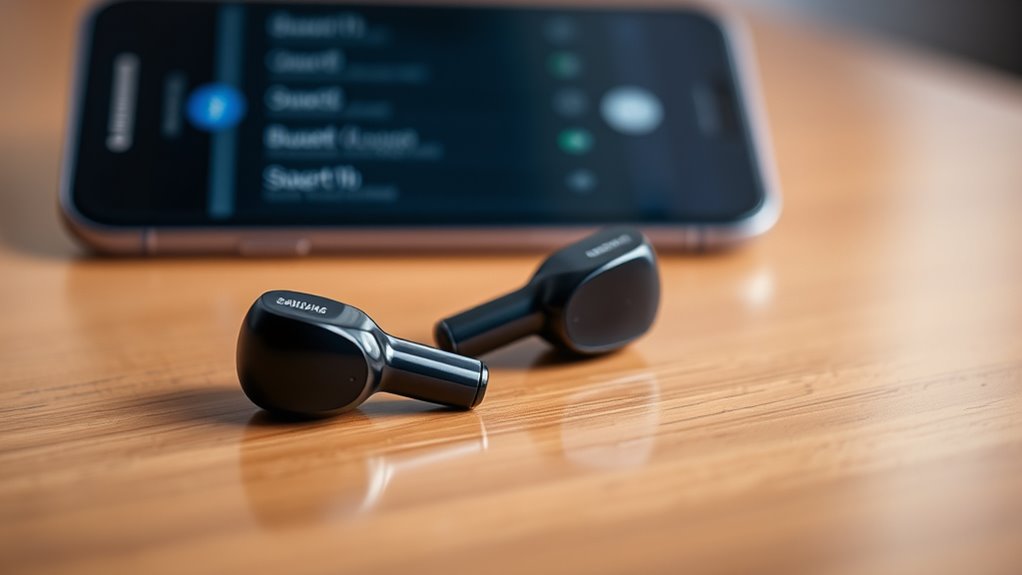

To put your Samsung earbuds into pairing mode, start by fully charging them and then remove them from the charging case, which automatically powers them on. Next, press and hold the touchpads on either earbud until you see an LED indicator signaling they’re ready to connect. Open your device’s Bluetooth settings, enable Bluetooth if it’s off, and select your earbuds from the list of available devices. There’s more you can do to guarantee a smooth connection experience.
Understanding Pairing Mode
Pairing mode is vital for connecting your Samsung earbuds to devices like smartphones or tablets. This feature uses specific pairing protocols, allowing your earbuds to recognize and establish a connection with compatible devices effortlessly. To enjoy the freedom of wireless listening, you need to verify your earbuds are in pairing mode whenever you want to connect them to a new device.
Understanding device compatibility is important, as not all devices support every pairing protocol. When your earbuds are in pairing mode, they broadcast a signal that compatible devices can detect. This process lets you enjoy high-quality audio without the hassle of cables. So, whether you’re streaming music or taking calls, getting into pairing mode is your first step toward a seamless audio experience.
Preparing Your Samsung Earbuds
Before connecting your Samsung earbuds to a device, you’ll want to make certain they’re ready for pairing. Start by fully charging your earbuds to guarantee peak performance. Check the earbud features, like touch controls and noise cancellation, to enhance your listening experience. Once charged, remove them from the charging case. This activates the earbuds, allowing you to enjoy superior sound quality. If you’ve previously connected them to another device, it’s a good idea to disconnect that device to avoid confusion. Your earbuds are now set to be paired with your new device. With these simple steps, you can effortlessly prepare your Samsung earbuds, giving you the freedom to enjoy your favorite music or podcasts wherever you go.
Activating Pairing Mode
To activate pairing mode on your Samsung earbuds, you’ll first need to set up the charging case properly. Once the earbuds are in the case, a simple button press will initiate the pairing process. After that, you can access your device’s Bluetooth settings to complete the connection.
Charging Case Setup
Once you’ve confirmed your Samsung earbuds are charged, activating pairing mode is a simple process that begins with the charging case. Start by opening the case, which not only protects your earbuds but also enhances their battery life with its built-in charging capabilities.
Here’s a quick overview of the charging case features:
| Feature | Description | Benefit |
|---|---|---|
| Battery Indicator | Shows battery level | Keeps you informed |
| Quick Charge | Fast charging capability | Saves you time |
| Portable Design | Compact and lightweight | Easy to carry anywhere |
| Magnetic Closure | Securely holds earbuds | Prevents accidental loss |
With the case open, your earbuds are ready for pairing—freedom awaits!
Earbuds Button Press
With the charging case open, you’ll need to activate pairing mode on your Samsung earbuds. This process is essential for connecting your earbuds to other devices seamlessly. Start by removing the earbuds from the case; they’ll automatically power on. Next, locate the touchpads on each earbud. A simple press and hold on either earbud for a few seconds will engage the earbuds button functions that activate pairing mode. You’ll notice a change in the LED indicator, confirming that your earbuds are ready to connect. Understanding pairing mode’s importance allows you to enjoy the freedom of wireless listening without hassle. Once your earbuds are in pairing mode, you’re all set to link them with your desired device. Happy listening!
Bluetooth Settings Access
Before you can connect your Samsung earbuds, you’ll need to access the Bluetooth settings on your device. This step is vital for ensuring Bluetooth compatibility and selecting the right device. Here’s how to get started:
- Open the Settings app on your device.
- Tap on Connections or Network & Internet.
- Select Bluetooth from the list.
- Make sure Bluetooth is turned on.
- Wait for your device to scan for available devices.
Once your earbuds are in pairing mode, they should appear in the list. Select them, and you’re one step closer to enjoying your music wirelessly. With these simple steps, you can freely connect your Samsung earbuds and immerse yourself in your favorite audio.
Connecting to Your Device
Now that your Samsung earbuds are in pairing mode, it’s time to connect them to your device. Start by accessing the Bluetooth settings on your smartphone or tablet. Once you find your earbuds in the available devices list, just select them to complete the pairing process.
Bluetooth Settings Access
To connect your Samsung earbuds to your device, you’ll first need to access the Bluetooth settings. Here’s how to do it smoothly:
- Open the Settings app on your device.
- Look for Bluetooth—it’s usually under “Connections” or “Network.”
- Toggle Bluetooth on if it’s not already enabled.
- Check device compatibility to verify your earbuds can connect.
- If you face issues, consider Bluetooth troubleshooting like restarting your device or resetting the earbuds.
With these steps, you’ll be all set to enjoy your favorite tunes wirelessly. Remember, keeping Bluetooth settings handy can save you time and effort when connecting your earbuds in the future!
Earbuds Pairing Process
Connecting your Samsung earbuds to your device is a straightforward process that takes just a few moments. First, verify your earbuds are charged and in pairing mode. Open the Bluetooth settings on your device, and look for your earbuds in the list of available devices. Tap on their name to initiate the connection. If prompted, confirm the pairing request. Once connected, you’ll enjoy seamless wireless audio, enhancing your listening experience. Keep in mind that earbud compatibility may vary depending on your device, so check for any specific requirements. With your Samsung earbuds paired, you can freely move around without worrying about tangled wires, making your audio experience truly liberating. Enjoy your music, podcasts, or calls hassle-free!
Troubleshooting Connection Issues
While it can be frustrating when your Samsung earbuds won’t connect, troubleshooting the issue can often be straightforward. Here are some steps you can take to resolve the problem:
- Verify your earbuds are charged and powered on.
- Check for interference issues from other devices nearby.
- Resetting earbuds can help; simply put them back in the case and hold the button.
- Make sure Bluetooth is enabled on your device.
- Forget the earbuds in your device’s Bluetooth settings and try reconnecting.
Tips for Maintaining Connection Stability
Maintaining a stable connection with your Samsung earbuds is essential for an ideal listening experience. To guarantee solid connection maintenance, keep your earbuds and the device they’re paired with within a reasonable distance—ideally, no more than 30 feet apart. Avoid obstacles like walls or metal objects that can interfere with signal strength. Regularly update your earbuds’ firmware to enhance performance and connectivity. If you’re experiencing issues, try resetting your earbuds, as this can often restore stable connectivity. Additionally, limit the number of connected devices in the vicinity, as too many signals can cause interference. By following these tips, you can enjoy uninterrupted audio and maximize your freedom while using your Samsung earbuds.
Frequently Asked Questions
Can I Pair Multiple Devices With My Samsung Earbuds?
You can pair multiple devices with your Samsung earbuds, as they support simultaneous connections. Notably, over 60% of users enjoy this flexibility, enhancing their experience across various device compatibilities during the seamless pairing process.
How Do I Reset My Samsung Earbuds?
To reset your Samsung earbuds, place them in the charging case, then press and hold the touch sensors for about seven seconds until the LED flashes. This restores factory settings, allowing you to start fresh.
Do Samsung Earbuds Work With Non-Samsung Devices?
Yes, Samsung earbuds work with non-Samsung devices, but you might experience some compatibility issues. Generally, the audio quality remains good, allowing you to enjoy your music and calls seamlessly across various brands.
What Is the Battery Life While in Pairing Mode?
While in pairing mode, Samsung earbuds typically have a reduced battery performance, lasting around 3 to 4 hours. The pairing duration can vary based on the device, so keep an eye on your battery level.
Can I Use My Samsung Earbuds While Charging?
You can’t use your Samsung earbuds while charging, which feels like an eternity! However, their efficient power management guarantees a quick charging time, so you’ll be back to enjoying your music in no time.
