
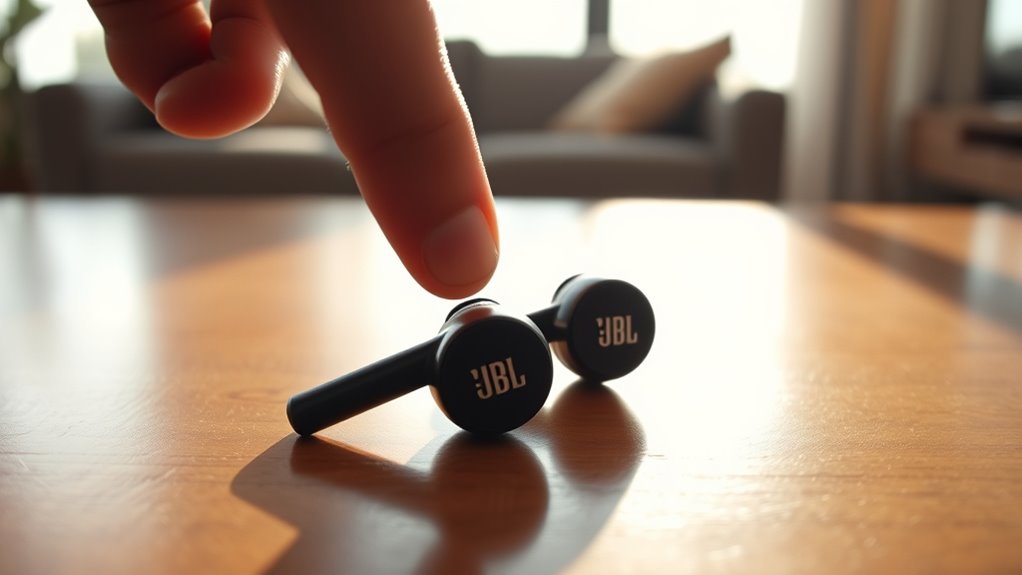

To turn off your JBL earbuds, simply press and hold the power button for a few seconds until you hear an audio cue or see the LED light change. You can also tap and hold the touch-sensitive area to power them down quickly. If you don’t use the earbuds for 20 minutes, they’ll automatically shut off to save battery. Want more tips on maximizing your earbuds’ performance? There’s more to explore!
Understanding Your JBL Earbuds
To get the most out of your JBL earbuds, it is essential to understand their features and functions. These earbuds boast advanced sound quality that enhances your listening experience, whether you’re jamming to music or catching up on podcasts. You’ll appreciate features like noise cancellation, which immerses you in sound, blocking out distractions. Additionally, many models offer customizable controls, letting you adjust settings to suit your preferences. You can expect long battery life, ensuring you stay connected and free to roam without constant recharging. Understanding these earbud features not only helps you maximize performance but also enhances your overall enjoyment, allowing you to truly embrace the freedom that high-quality audio provides. So, get familiar and enjoy every beat!
Identifying the Power Button
One key feature of your JBL earbuds is the power button, which is essential for turning them on and off. To locate the power button, check the earbuds’ casing, as it’s typically situated on one of the earbud stems or the charging case. Familiarizing yourself with the power button location is vital for easy access. The button functionality often includes powering the earbuds on, off, and even pairing them with devices. When you press and hold this button, it activates the earbuds, while a quick press usually places them in pairing mode. Understanding both the location and functionality of the power button guarantees you can effortlessly manage your listening experience without any hassle.
Turning Off JBL Earbuds: Step-by-Step
Turning off your JBL earbuds is simple, and you have a couple of options. You can manually power them off or let them shut off automatically after a period of inactivity. Here’s how to do both.
Manual Power Off
Although JBL earbuds are designed for convenience, knowing how to manually power them off can help save battery life when you’re not using them. To perform a manual shutdown, simply press and hold the power button on your earbuds for a few seconds until you hear an audible cue or see the indicator light turn off. This action guarantees that your earbuds aren’t consuming power unnecessarily, aiding in battery preservation. If your model has a touch-sensitive feature, a long press on the touch area might also trigger the shutdown. Remember, turning off your earbuds manually not only extends their usage time but also enhances your overall experience. Embrace the freedom of efficient power management!
Automatic Shut Off
When you’re done using your JBL earbuds, they can automatically shut off after a certain period of inactivity, which helps conserve battery life without any extra effort on your part. This automatic shut off feature is designed to kick in after about 20 minutes of not being used, ensuring your earbuds don’t waste energy. If you’re someone who values efficiency, this function offers peace of mind knowing your device is working for you. To make the most of this energy conservation feature, simply put your earbuds in their charging case when you’re finished listening. This way, they’ll power down and be ready for your next use, prolonging their lifespan while keeping your listening experience carefree.
Using the Touch Controls to Power Down
Powering down your JBL earbuds is a breeze with the touch controls. To do this, simply tap and hold the touch-sensitive area on the earbuds. This gesture activates the power-off function. Make sure you’re familiar with the specific control gestures for your model, as they can vary slightly. You’ll know it’s working when you see the LED light change or hear an audio cue. If you’re looking for a seamless way to disconnect, utilizing these touch sensitivity features gives you the freedom to power down quickly without fumbling around. Embrace the convenience of your JBL earbuds and enjoy the effortless experience they provide, whether you’re done listening or just taking a break.
Alternative Ways to Disconnect From Devices
If you need to disconnect your JBL earbuds from your device, there are a couple of easy alternatives. You can adjust your Bluetooth settings to unpair the earbuds or simply power them off manually. Both methods guarantee you won’t accidentally keep them connected when you don’t want to.
Bluetooth Settings Adjustment
Although turning off your JBL earbuds can be done directly on the device, adjusting your Bluetooth settings offers an alternative way to disconnect from paired devices. You can easily manage your Bluetooth connectivity through your smartphone or computer. Simply navigate to the Bluetooth settings and locate your JBL earbuds in the list of connected devices. From there, you can choose to disconnect or unpair them entirely. This method not only saves battery life but also guarantees that your earbuds maintain peak sound quality when reconnected. If you’re looking to switch devices or just want a break, adjusting your Bluetooth settings gives you the freedom to manage your listening experience effortlessly.
Manual Power Off
Disconnecting your JBL earbuds from devices isn’t limited to adjusting Bluetooth settings. If you prefer a straightforward approach, you can use the manual power option. Simply locate the power button on your earbuds, usually found on the side or the stem. Press and hold the power button for a few seconds until you hear a notification or see the LED light indicating that they’re off. This method guarantees your earbuds are completely powered down, giving you the freedom to store them without draining the battery. It’s perfect for when you don’t want to fiddle with your device settings. Using the manual power feature keeps your JBL earbuds ready for your next listening adventure, hassle-free!
Ensuring Your Earbuds Are off
To guarantee your JBL earbuds are off, it’s important to follow a few simple steps. First, make certain you’ve manually powered them down as previously discussed. Next, check the LED indicator light; it should be off. If it’s still lit, they aren’t completely turned off. For proper earbud maintenance, always store them in their case when not in use. This not only protects them but also makes sure they don’t accidentally power on. Good battery management is key to prolonging the life of your earbuds. By confirming they’re off, you prevent unnecessary battery drain. Regularly checking your earbuds will help you maintain peak performance and enjoy the freedom of listening without interruptions.
Charging Your JBL Earbuds
Charging your JBL earbuds is a straightforward process that guarantees they’re always ready for use. To start, plug the charging case into a power source using the provided USB cable. Check the battery indicators on the case to see the charging status. A solid light usually means they’re charging, while a flashing light indicates they’re nearly done. It’s best to use ideal charging techniques—don’t let them drain completely before recharging, as this can shorten battery life. Aim for keeping them between 20% and 80% charged. Once fully charged, the earbuds will provide hours of uninterrupted listening. By following these steps, you’ll guarantee your JBL earbuds are always primed for your next adventure.
Troubleshooting Power Issues
If your JBL earbuds aren’t powering on, there are a few simple steps you can take to troubleshoot the issue. First, check if they’re charged; connect them to a power source and let them charge for at least 15 minutes. If they still won’t turn on, try resetting them by holding the power button for 10 seconds. This often resolves power issues. Additionally, inspect the charging port for any debris or damage that might hinder connections. If you’ve paired them with a device, verify that Bluetooth is enabled and that the device is within range. By following these troubleshooting techniques, you’re likely to resolve any power issues and get back to enjoying your music.
Maintaining Battery Life for Longevity
To keep your JBL earbuds running strong, it’s crucial to maintain their battery life. Charge them regularly and properly, avoid exposing them to extreme temperatures, and take advantage of any power-saving features. By following these tips, you’ll guarantee your earbuds last longer and perform at their best.
Charge Regularly and Properly
Maintaining the battery life of your JBL earbuds is essential for ideal performance and longevity. To keep your earbuds functioning well, focus on their charging frequency. It’s best to charge them regularly, ideally when the battery dips below 20%. This practice helps maintain battery health and prevents deep discharge, which can shorten lifespan.
Always use the proper charger and avoid overcharging, as this can stress the battery. If you’re not using them for an extended period, consider charging them every few months to avoid complete depletion. By taking these simple steps, you’ll guarantee your JBL earbuds remain reliable, giving you the freedom to enjoy your favorite tunes whenever you want without worrying about battery issues.
Avoid Extreme Temperatures
Extreme temperatures can greatly impact the battery life of your JBL earbuds. High heat can lead to accelerated battery drain, while extreme cold may cause your earbuds to shut down unexpectedly. To avoid these temperature effects, it is crucial to take some environmental precautions. Don’t leave your earbuds in direct sunlight, like in a hot car, or expose them to freezing conditions. Instead, store them in a cool, dry place when not in use. Ideally, aim for a temperature range between 32°F and 95°F (0°C to 35°C) for peak performance. By being mindful of the environment your earbuds are in, you can help maintain their longevity and enjoy your music without interruptions. Protect your investment for the freedom you crave!
Use Power-Saving Features
Although you might be tempted to use your JBL earbuds continuously, utilizing power-saving features can greatly extend their battery life. By embracing smart power management, you can enhance energy efficiency and enjoy your music longer without interruptions.
Here’s a quick reference table for optimizing your earbuds’ settings:
| Feature | Benefit |
|---|---|
| Auto Power Off | Turns off when not in use |
| Low Power Mode | Reduces energy consumption |
| Volume Limiting | Prevents excessive battery use |
| Update Firmware | Improves overall efficiency |
Activating these features not only prolongs battery life but also allows you the freedom to enjoy your JBL earbuds without worrying about frequent recharging. Embrace power-saving options to maximize your listening experience!
Preparing Your Earbuds for Travel
When you’re getting ready to travel, it’s important to guarantee your JBL earbuds are prepared for the journey ahead. First, make sure to clean them to avoid any dirt buildup that could affect sound quality. Next, invest in some quality earbud storage—like a compact case—to keep them safe and tangle-free. Consider packing them as one of your travel essentials, so you can easily access them during flights or road trips. Before you leave, check the battery level and consider charging them fully to prevent interruptions. Finally, remember to turn them off when not in use to conserve battery life. With these steps, you’ll guarantee your JBL earbuds are ready to accompany you on your adventures.
Frequently Asked Questions
Can I Turn off JBL Earbuds Without the Power Button?
Yes, you can turn off JBL earbuds without the power button by utilizing Bluetooth features. Some JBL models allow automatic shutdown when disconnected from devices, while others may have touch controls for power management.
Do JBL Earbuds Automatically Turn off When Not in Use?
Yes, JBL earbuds do have a feature that allows for automatic shutoff when not in use. Ironically, they’re designed to save battery life, so you won’t have to worry about turning them off manually!
How Can I Reset My JBL Earbuds?
To reset your JBL earbuds, try holding the power button for about 10 seconds or use the reset methods specific to your model. This restores factory settings, helping resolve connectivity issues and improving performance.
What Should I Do if My JBL Earbuds Won’T Turn Off?
If your JBL earbuds won’t turn off, they might be plotting world domination! Check for battery issues or Bluetooth connectivity glitches. A reset could save the day, restoring your freedom from relentless earbud tyranny.
Will Turning off Earbuds Affect My Device Connection?
Turning off your earbuds won’t affect Bluetooth connectivity with your device directly, but it can help conserve device battery. Disconnecting helps prevent accidental usage and saves power, giving you more freedom throughout your day.
