
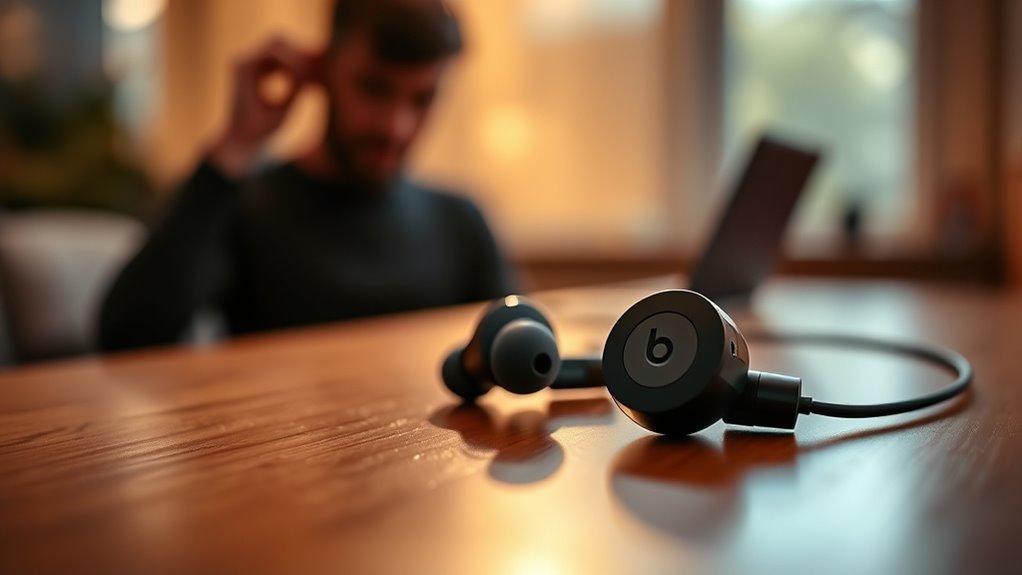

To use your Beats earbuds, start by pairing them with your device through Bluetooth. Turn on the earbuds and enable pairing mode, then select them from your device’s Bluetooth settings. Familiarize yourself with the controls, like tapping for play/pause and swiping for volume adjustments. Customize sound settings in your device’s audio settings for an enhanced experience. To maximize battery life, store them properly and avoid frequent charging to zero. There’s more to discover about optimizing and troubleshooting your earbuds.
Pairing Your Beats Earbuds With Devices
To get the most out of your Beats earbuds, you’ll first need to pair them with your device. Start by ensuring your device is compatible; Beats earbuds work well with most smartphones, tablets, and computers. There are a couple of pairing methods you can use. For Bluetooth devices, simply turn on your earbuds and put them in pairing mode. On your device, access Bluetooth settings and select your earbuds from the list. If you’re using an Apple device, you can use the one-tap connection feature for even easier pairing. Once connected, you’ll enjoy seamless audio freedom. Remember to keep your earbuds charged and within range for the best experience. Enjoy your music without limits!
Understanding the Controls and Features
Now that you’ve paired your Beats earbuds, it’s time to get familiar with their controls and features. Understanding the control buttons will help you manage your music and calls effortlessly. Plus, knowing how to use Bluetooth effectively guarantees a seamless connection with your devices.
Control Buttons Overview
While using Beats earbuds, understanding the control buttons is essential for maximizing your listening experience. The button functions and touch controls allow you to easily navigate your audio. Typically, a single tap plays or pauses your music, while double-tapping skips to the next track. For going back, a triple tap does the trick. To adjust the volume, swipe up or down on the touch-sensitive area. You can also activate voice assistants by pressing and holding the multifunction button. Familiarizing yourself with these controls not only enhances your freedom while listening but also guarantees smooth operation during workouts or commutes. Mastering these button functions lets you enjoy your music without fumbling, keeping you in the groove.
Bluetooth Pairing Process
Pairing your Beats earbuds with a device is a straightforward process that can be completed in just a few steps. Start by ensuring your earbuds are charged and in pairing mode; you can do this by holding the power button until the LED indicator flashes. On your device, go to the Bluetooth settings and search for available connections. Once you see your Beats earbuds listed, select them to establish a Bluetooth connection.
Make sure your device is compatible with the earbuds for seamless connectivity. After pairing, you’ll enjoy the freedom of wireless audio. Remember, if you experience any issues, turning off and on your Bluetooth can often resolve them. Enjoy your music without the hassle!
Customizing Sound Settings
To enhance your listening experience, customizing the sound settings on your Beats earbuds can make a significant difference. Start by accessing your device’s audio settings. You’ll find equalizer settings that let you tweak the bass, midrange, and treble to match your preferences. Take advantage of preset sound profiles, or create your own to suit different genres. Whether you love deep bass for hip-hop or a balanced sound for podcasts, adjusting these settings gives you full control. Additionally, remember to experiment with spatial audio features if available, as they can elevate your experience even further. Don’t hesitate to revisit these settings whenever you want a fresh sound or new vibe. Enjoy your music the way you love it!
Maximizing Battery Life
If you want to enjoy your Beats earbuds for as long as possible, maximizing battery life is essential. Start by using battery-saving features like auto-off, which turns off the earbuds when they’re not in use. Keep your volume at moderate levels, as higher volumes drain the battery faster. When it comes to charging tips, let your earbuds fully charge before using them, and avoid letting them drop to zero frequently, as this can reduce battery lifespan. Additionally, store them in a cool, dry place to prevent overheating. By implementing these strategies, you’ll keep your Beats earbuds powered up and ready to deliver the freedom of music wherever you go!
Troubleshooting Common Issues
If you’re facing connection problems or audio quality issues with your Beats earbuds, you’re not alone. Many users encounter these common challenges, but there are simple fixes you can try. Let’s explore how to troubleshoot these issues effectively.
Connection Problems
Although Beats earbuds are designed for seamless connectivity, users sometimes encounter connection problems that can be frustrating. If you’re facing issues, first check for Bluetooth interference. Things like walls, large furniture, or other electronic devices can disrupt the signal. Try moving closer to your device or eliminating potential obstacles.
If that doesn’t work, consider unpairing and then re-pairing your earbuds with your device. This often resolves minor connectivity glitches. Additionally, make sure your earbuds’ firmware is up-to-date, as updates can improve performance and fix bugs.
Finally, if you’re still having trouble, consult the Beats support page for specific connectivity solutions tailored to your model. Enjoy the freedom of your music without interruptions!
Audio Quality Issues
After resolving any connection issues, you might notice some audio quality problems that can detract from your listening experience. Common audio distortion causes include poor Bluetooth connectivity, low battery levels, or even external interference. If you’re experiencing distortion, try moving closer to your device or turning off other Bluetooth devices nearby.
Next, consider making frequency response adjustments through your device’s equalizer settings. Tweaking these settings can enhance bass or treble levels, tailoring the sound to your preference. Additionally, make sure your earbuds are clean and properly seated in your ears, as this can greatly impact audio quality. By addressing these factors, you’ll enjoy a more satisfying listening experience with your Beats earbuds.
Maintaining Your Beats Earbuds
To keep your Beats earbuds performing at their best, regular maintenance is crucial. Start with cleaning techniques: use a soft, lint-free cloth to wipe down the exterior, and a cotton swab for the ear tips and mesh. Avoid using harsh chemicals; a bit of water is often all you need. For the ear tips, consider removing them and washing them separately to remove any buildup.
When it comes to storage tips, always store your earbuds in their case to protect them from dust and damage. Avoid leaving them in hot or humid places, as this can affect battery life. By following these simple practices, you’ll guarantee your Beats earbuds remain in top shape, ready for your next adventure.
Frequently Asked Questions
Are Beats Earbuds Compatible With Non-Apple Devices?
Yes, Beats earbuds are compatible with non-Apple devices. Using Bluetooth connectivity, you can enjoy impressive audio performance, whether you’re on an Android phone or another device, giving you the freedom to listen anywhere.
Can I Use Beats Earbuds for Phone Calls?
Yes, you can use Beats earbuds for phone calls. Their microphone performance is generally good, providing decent phone call quality. Just guarantee they’re connected properly for the best experience during your conversations.
How Do I Reset My Beats Earbuds?
To reset your Beats earbuds, try the reset methods: hold the power button and volume down for 10 seconds. If that doesn’t work, check troubleshooting tips in the manual or online for further assistance.
What Is the Warranty Period for Beats Earbuds?
Beats earbuds typically come with a one-year warranty, covering manufacturer defects. Curiously, about 10% of users experience issues within this period. Always check warranty details to maximize your warranty coverage and enjoy your earbuds worry-free!
Are There Any Specific Care Instructions for Cleaning Beats Earbuds?
To clean your Beats earbuds, use soft cloths and gentle cleaning techniques. Avoid harsh chemicals. Regular maintenance tips include wiping after use and storing them in a case to keep them fresh and functional.
