
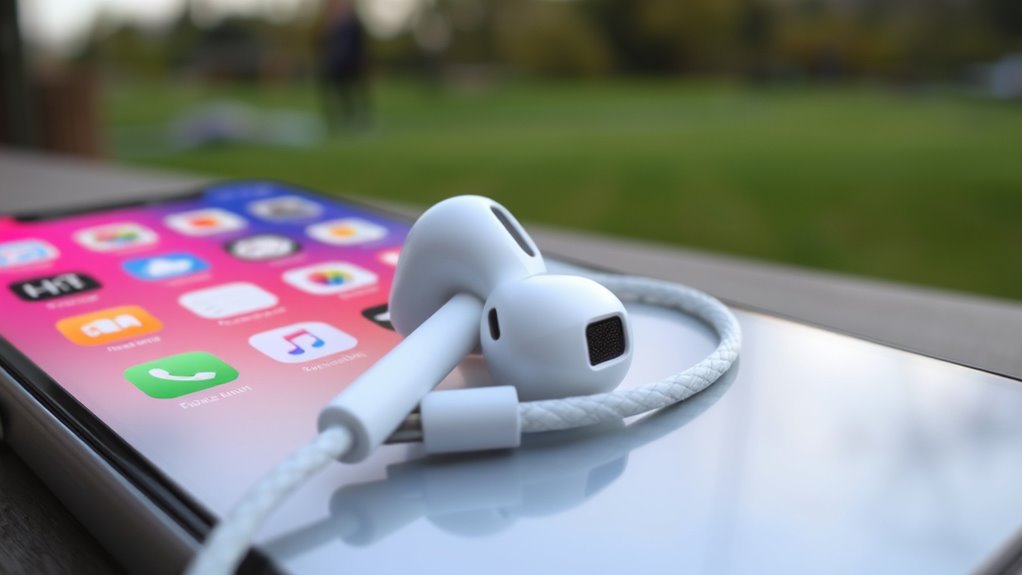

To use earbuds with your iPhone, first, connect wired ones by plugging them into the compatible port. For AirPods, open the case near your iPhone, tap “Connect,” and follow the prompts. Customize audio settings in the Settings app for volume and EQ options. When making calls, use the controls on your earbuds for easy management. Need tips on troubleshooting or enhancing your experience? There’s more to discover!
Understanding Different Types of Earbuds
When you’re looking to use earbuds with your iPhone, it’s important to understand the different types available. You’ll typically choose between wired and wireless options. Wired earbuds connect directly to your device, offering reliability and often superior sound quality without the need for batteries. On the other hand, wireless earbuds provide freedom of movement, perfect for workouts or commuting. Many wireless models include noise cancellation features, blocking out ambient sound for an immersive experience. This can be especially beneficial in noisy environments. Ultimately, your choice should reflect your lifestyle—whether you prefer the convenience of wireless or the dependable performance of wired. Knowing these differences helps you make the best choice for your listening needs.
Connecting Wired Earbuds to Your Iphone
For those who prefer the reliability of wired earbuds, connecting them to your iPhone is a straightforward process. First, verify your earbuds have the right connector; most iPhones use a Lightning port or a 3.5mm headphone jack with an adapter. Do a quick compatibility check to confirm your earbuds will work with your specific iPhone model. Once you’ve got the right connection, simply plug the earbuds into the port. You’ll immediately experience the benefits of sound isolation, blocking out external noise for a richer listening experience. Adjust the volume as needed, and you’re ready to enjoy your favorite tunes or podcasts without the worry of battery life. Enjoy the freedom of wired sound!
Pairing Airpods With Your Iphone
Pairing AirPods with your iPhone is a quick and effortless process that enhances your listening experience. Here’s how to do it:
- Open the AirPods case near your iPhone.
- A pairing animation will appear on your screen.
- Tap “Connect” and follow any on-screen instructions.
Your AirPods will now utilize Bluetooth connectivity, allowing you to enjoy their incredible features, like automatic ear detection and seamless switching between devices.
| Feature | Description | Benefit |
|---|---|---|
| Automatic Pairing | Instantly connects to devices | Saves time |
| Voice Activation | Use Siri hands-free | Convenience |
| Long Battery Life | Up to 24 hours with case | Extended use |
| Customizable Controls | Adjust settings via iPhone | Personalized experience |
Now you’re ready to enjoy your favorite tunes!
Adjusting Audio Settings on Your Iphone
To get the best sound from your earbuds, you’ll want to adjust the audio settings on your iPhone. Start by accessing the audio settings through the Settings app, where you can manage volume levels and other options. Fine-tuning these settings can greatly enhance your listening experience.
Accessing Audio Settings
While you’re enjoying your favorite tunes or podcasts through your earbuds, it’s important to verify your audio settings are optimized for the best experience. To access audio settings on your iPhone, go to the “Settings” app, then tap on “Music.” Here, you can choose your preferred audio formats, such as Lossless or High-Resolution options, to enhance sound quality. Additionally, explore the “EQ” section to select different sound profiles that suit your listening preferences. This way, you can tailor your audio experience, whether you’re into bass-heavy beats or crisp vocals. Don’t forget to check the “Volume Limit” to verify you’re not missing out on your music’s true potential. Enjoy the freedom of personalized sound!
Adjusting Volume Levels
Adjusting the volume levels on your iPhone is a straightforward process that can greatly enhance your listening experience. You can easily adjust the sound using the physical volume buttons on the side of your device. Just press the up or down button to modify the levels instantly. For more precise control, explore the Settings app. Navigate to “Sounds & Haptics” to find additional volume control techniques. If you need to balance the sound for different audio sources, go to “Accessibility” and then “Audio/Visual” for adjusting sound balance between left and right channels. By mastering these options, you’ll enjoy a tailored listening experience that suits your preferences and maintains your freedom to enjoy music or podcasts your way.
Using Earbuds for Phone Calls
Using earbuds for phone calls on your iPhone is simple and convenient. You can easily connect them, manage call functions, and enhance audio quality for clearer conversations. Let’s explore how to make the most of your earbuds during calls.
Connecting Earbuds to Iphone
Connecting your earbuds to an iPhone for phone calls is a straightforward process that can enhance your communication experience. First, verify your earbuds are charged and in pairing mode. On your iPhone, go to Settings, then Bluetooth, and toggle it on. Your device will scan for nearby Bluetooth devices; select your earbuds from the list. If you encounter any earbud compatibility issues, double-check the model specifications and confirm your iPhone’s software is up to date. Once connected, you’ll enjoy a seamless wireless connection stability, allowing for clear calls without being tethered to your phone. Remember, if you ever disconnect, simply repeat the process to reconnect quickly and easily whenever you need to chat hands-free.
Managing Call Functions
While you’re on a call with your earbuds, managing call functions can be simple and intuitive. Most earbuds come equipped with built-in controls that let you easily access call features without reaching for your iPhone. To answer or end a call, just tap the button on your earbud once. If you need to reject a call, a quick double-tap usually does the trick. You can also use voice commands with Siri to manage calls hands-free, allowing for true freedom while multitasking. If you’re on a call and receive another, you can switch between calls with a simple tap. Get familiar with these functions to enhance your experience and make managing calls a breeze.
Enhancing Audio Quality
To enhance audio quality during phone calls with your earbuds, it’s essential to guarantee a proper fit and ideal settings. A snug fit assures sound isolation, which greatly improves audio clarity. Here’s a quick reference to help you optimize your experience:
| Tip | Description |
|---|---|
| Proper Fit | Adjust or choose the right ear tips. |
| Volume Control | Keep the volume at a comfortable level. |
| Noise Cancellation | Use earbuds with noise-canceling features. |
| Settings Adjustment | Check call audio settings in your iPhone. |
Maximizing Battery Life for Wireless Earbuds
If you want your wireless earbuds to last longer between charges, there are several simple strategies you can implement. First, pay attention to your charging habits; avoid letting your earbuds drop to 0% frequently, as this can damage battery health over time. Instead, charge them when they reach around 20%. Additionally, keep the charging case clean and dry, ensuring peak battery maintenance. You might also want to reduce volume levels or use one earbud at a time, which can extend playback time. Finally, turn off features like active noise cancellation when not needed, and disconnect from Bluetooth when you’re done using them. By following these tips, you’ll enjoy your earbuds longer and with greater freedom.
Customizing Earbud Controls and Features
After ensuring your wireless earbuds are charged and ready to go, customizing their controls and features can greatly enhance your listening experience. You’ll want to take advantage of custom controls and intuitive gestures to make the most of your earbuds. Here’s how:
Customizing your wireless earbuds enhances your listening experience, allowing you to utilize personalized controls and intuitive gestures effectively.
- Access settings in your iPhone’s Bluetooth menu.
- Assign specific functions to taps or swipes, like play, pause, or skip tracks.
- Adjust noise cancellation levels for different environments.
- Enable voice assistant features for hands-free control.
Troubleshooting Common Connection Issues
While using your earbuds with your iPhone can be seamless, you might encounter connection issues from time to time. Here’s how to troubleshoot:
| Issue | Solution |
|---|---|
| Earbuds won’t connect | Check Bluetooth settings; verify earbuds are in pairing mode. |
| Frequent dropouts | Move away from potential Bluetooth interference, like microwaves or Wi-Fi routers. |
| Connection resets | Try forgetting the device in Bluetooth settings and reconnecting. |
| Audio lag | Confirm no other Bluetooth devices are connected; restart your iPhone. |
Enhancing Your Listening Experience With Apps
To truly enhance your listening experience with earbuds on your iPhone, consider exploring various audio enhancement apps available in the App Store. By adjusting equalizer settings and choosing the right music streaming services, you can personalize sound to match your preferences. Let’s look at some of the best options to elevate your audio enjoyment.
Best Audio Enhancement Apps
Many music lovers find that using audio enhancement apps can greatly elevate their listening experience. These apps not only offer sound personalization but also enhance your overall audio discovery. With the right tools, you can tailor your music to fit your unique preferences.
- Equalizer FX: Customize sound frequencies for a richer tone.
- Poweramp: Offers a powerful equalizer and audio effects for deeper sound.
- VLC: Features advanced audio settings for diverse file formats.
- Wavelet: Automatically tunes your headphones to your specific ear profile.
Equalizer Settings for Sound
If you want to truly enhance your listening experience, adjusting the equalizer settings on your audio apps can make a significant difference. Most audio apps come with built-in equalizer presets that cater to various genres and sound profiles. These presets can help you find the perfect balance based on your preferences, whether you enjoy bass-heavy tracks or crisp vocals.
Experimenting with different settings allows you to customize your sound, giving you the freedom to create a personalized listening experience. Don’t hesitate to tweak the sliders manually if you want to dive deeper. With just a few adjustments, you can transform your earbuds into a powerful audio tool, making every song sound like it was meant to be heard.
Music Streaming Recommendations
Ever wondered how to elevate your music experience even further? With the right music streaming services, you can explore a world of diverse music genres right at your fingertips. Here are some recommendations to enhance your listening experience:
- Spotify: Discover personalized playlists and curated recommendations based on your taste.
- Apple Music: Enjoy exclusive releases and seamless integration with your iPhone.
- Tidal: Experience high-fidelity sound quality and a vast library of tracks.
- YouTube Music: Access official tracks, covers, and music videos, all in one place.
These platforms not only provide a vast selection of music genres but also allow you to create and share playlists, giving you the freedom to enjoy your favorite tunes wherever you are.
Caring for Your Earbuds and Maintaining Quality
Although you might love the sound quality of your earbuds, keeping them in top shape is vital for longevity and performance. Regular maintenance can enhance your listening experience. Here are some effective earbud cleaning techniques and proper storage methods to take into account:
| Task | Frequency |
|---|---|
| Clean ear tips | Weekly |
| Wipe down cables | Bi-weekly |
| Store in a case | Always when not in use |
To clean, use a soft, dry cloth and avoid moisture. For storage, always keep them in a protective case to prevent tangling and damage. By following these simple tips, you’ll guarantee your earbuds deliver great sound for years to come!
Frequently Asked Questions
Can I Use Earbuds With My Ipad or Macbook?
Yes, you can use earbuds with your iPad or MacBook. In fact, 70% of users prefer wireless options for convenience. Just check your iPad compatibility and MacBook connectivity settings to guarantee a seamless experience.
Are There Specific Earbuds for Sports or Workouts?
Yes, there are specific sports earbuds designed for workout compatibility. They often feature secure fits, sweat resistance, and enhanced sound quality, making them ideal for active lifestyles. You’ll enjoy freedom of movement during your workouts!
How Do I Clean My Earbuds Without Damaging Them?
How often do you think about earbud maintenance? For cleaning, use a soft, dry cloth and a gentle brush. Avoid moisture and harsh chemicals; these cleaning techniques help keep your earbuds in top shape without damage.
What Should I Do if My Earbuds Fall Out While Exercising?
If your earbuds fall out while exercising, try earbud adjustments like using different tips for a snug fit. Consider earbud alternatives, like over-ear headphones, for added stability and comfort during your workouts.
Can I Use My Earbuds With Non-Apple Devices?
Yes, you can use your earbuds with non-Apple devices, as most have standard earbud compatibility. Just be mindful that audio quality might vary depending on the device, but you’ll still enjoy your music and calls.
