
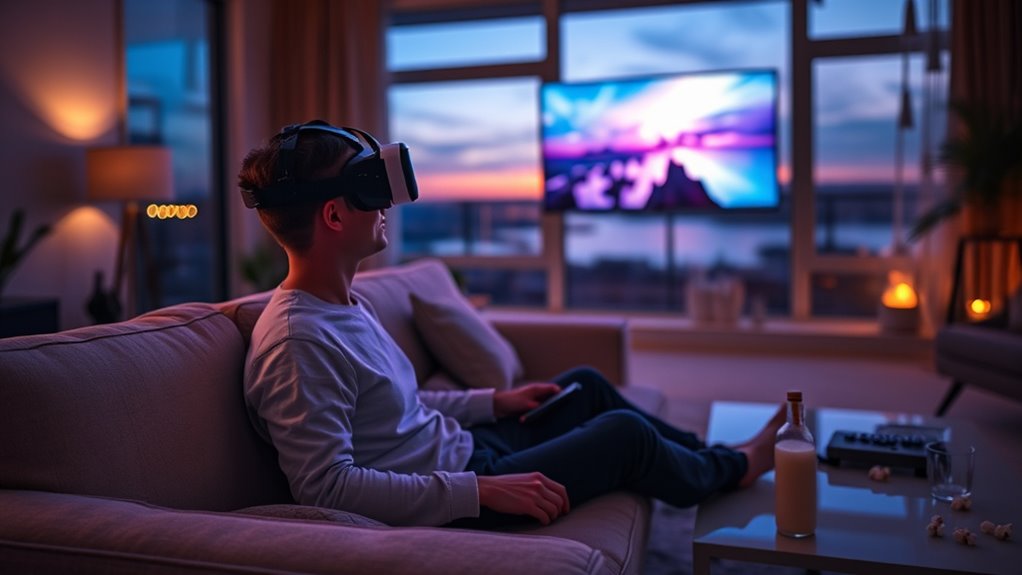

You can watch TV with a VR headset by selecting a compatible headset that offers high resolution and comfort for long sessions. After setting it up and connecting to streaming platforms like Netflix or Hulu, you can enjoy a more immersive viewing experience. Many VR apps also provide interactive content for a unique feel. As you explore how to maximize your VR experience, you’ll uncover more tips for enhancing your enjoyment and troubleshooting common issues.
Understanding VR Headsets and Their Capabilities
Virtual reality (VR) headsets have revolutionized how you experience content, offering immersive environments that traditional screens simply can’t match. These devices transport you into a digital domain where you can interact with your surroundings in ways that feel incredibly real. With advanced tracking technology and high-resolution displays, VR headsets create an unparalleled sense of presence, making every viewing experience feel personal and engaging. You’re not just passively watching; you’re actively participating in a vibrant ecosystem of virtual reality. Whether you’re exploring new worlds, enjoying movies, or attending virtual events, the possibilities are endless. Understanding these capabilities empowers you to fully embrace the freedom that VR offers, transforming how you engage with entertainment and redefining your perception of immersive experiences.
Choosing the Right VR Headset for Watching TV
When you’re picking a VR headset for watching TV, there are a few key factors to keep in mind. You’ll want to take into account the display quality to guarantee a sharp, immersive experience, as well as comfort for those long binge-watching sessions. Plus, make certain the headset is compatible with your favorite streaming services to get the most out of your viewing.
Display Quality Considerations
Choosing the right VR headset for watching TV involves careful consideration of display quality, as it directly impacts your viewing experience. First, look at the resolution settings; higher resolutions provide sharper images, making your favorite shows more immersive. A headset with 1080p or higher can greatly enhance detail, so keep this in mind. Next, consider pixel density, which refers to the number of pixels per inch. A higher pixel density means less visible screen door effect, allowing for a more seamless experience. Ideally, aim for a headset with a pixel density that minimizes distortion and enhances clarity. By prioritizing these factors, you’ll guarantee your VR viewing experience is as engaging and enjoyable as possible.
Comfort for Extended Use
Finding a comfortable VR headset is essential for those long binge-watching sessions. You’ll want a headset that features an ergonomic design, ensuring it fits snugly without causing discomfort. Look for models that offer adjustable straps; this allows you to customize the fit according to your head shape and size, reducing pressure points. A lightweight headset can also enhance your experience, making it easier to forget you’re wearing it. Ventilation is another factor; a well-ventilated headset prevents overheating, keeping you cool during those extended viewing marathons. Ultimately, investing in a comfortable VR headset not only elevates your TV-watching experience but also encourages you to explore the freedom of immersive content without the distraction of discomfort.
Compatibility With Streaming Services
Not all VR headsets are created equal, especially when it comes to streaming services. When you’re choosing a headset, you’ve got to take into account its streaming compatibility. Some models may support popular platforms like Netflix and Hulu, while others might have service limitations that restrict your viewing options. For instance, certain headsets may work seamlessly with specific apps but struggle with others, leaving you frustrated.
Before making a purchase, check user reviews and compatibility lists to verify your favorite streaming services will work. Remember, the right headset should enhance your viewing experience, allowing you to explore a virtual cinema without any hassle. Don’t settle for less; find a headset that fits your streaming needs and enjoy your shows in style!
Setting Up Your VR Headset for TV Viewing
Now that you’ve selected the perfect VR headset for your viewing experience, it’s time to get everything set up. You’ll want to guarantee compatibility with your streaming devices, connect them seamlessly, and fine-tune your settings for maximum comfort. With a few simple adjustments, you can transform your living room into a virtual cinema.
Choosing Compatible VR Headsets
When you’re ready to enhance your TV viewing experience with a VR headset, selecting a compatible device is essential to guarantee seamless integration and peak performance. Different headset brands offer varying features, and it’s vital to take into account resolution differences that can greatly affect your enjoyment. For instance, some headsets provide high-resolution displays, making your favorite shows more immersive and visually stunning. Compatibility with your streaming services is another factor; not all headsets support every platform. Researching specifications and user reviews can help you identify which headsets align with your viewing needs. By choosing wisely, you can open up a whole new level of entertainment freedom, transforming your living room into a virtual cinema where you can escape into your favorite shows.
Connecting to Streaming Devices
To fully immerse yourself in a virtual viewing experience, connecting your VR headset to streaming devices is an essential step. First, check the streaming device compatibility with your headset, as not all devices support VR technology. Common options include Roku, Amazon Fire Stick, or Apple TV, so choose one that fits your viewing habits.
You’ll typically find connection methods like HDMI or wireless casting; verify your headset can handle the chosen method. If using a wireless option, confirm your Wi-Fi signal is strong to avoid interruptions. Once connected, launch your favorite streaming app within the VR environment, and enjoy watching movies or shows in a new, enthralling way. Embrace the freedom of virtual reality and elevate your entertainment experience!
Adjusting Settings for Comfort
Once you’ve connected your VR headset to your streaming device, the next step is fine-tuning the settings for a comfortable viewing experience. Start by adjusting the lens distance and focal settings to minimize eye strain. This guarantees that the visuals are crisp and easy on your eyes, allowing you to enjoy your shows without discomfort. Next, consider your seating arrangement; a comfortable chair at the right distance from your headset’s display can enhance immersion. You might also want to adjust the brightness and contrast levels to suit your preferences, making the colors pop while reducing glare. These simple adjustments can transform your VR viewing into a delightful escape, giving you the freedom to binge-watch in comfort.
Best Platforms and Apps for Streaming TV in VR
As you immerse yourself in the world of VR, you’ll discover a variety of platforms and apps that elevate your streaming experience. Popular streaming apps like Netflix, Hulu, and Amazon Prime Video have begun offering VR-compatible versions, allowing you to enjoy your favorite shows in a virtual environment. Platforms like Bigscreen and AltspaceVR provide unique social experiences, letting you watch content with friends in a shared VR space. These immersive experiences transform how you engage with media, making it feel like you’re in a personal theater. Additionally, VR-specific apps like Oculus TV and YouTube VR offer a vast library of content tailored for virtual reality. Explore these options, and you’ll find endless entertainment possibilities in the VR domain.
Exploring 360-Degree Movies and Shows
Have you ever wondered how 360-degree movies and shows can transform your viewing experience? These immersive storytelling formats invite you to step inside the action, providing a unique perspective that traditional media can’t match. As you don your VR headset, you’re not just a viewer; you’re part of the narrative.
- Feel the thrill of being in the middle of a chase
- Explore intricate worlds that come alive around you
- Engage with characters and storylines like never before
With interactive experiences, you can choose where to look and what to focus on, making each viewing distinct. This freedom to explore enhances emotional connections and makes every moment more impactful. Immerse yourself and discover a new dimension of entertainment!
Tips for Enhancing Your VR Viewing Experience
To truly maximize your VR viewing experience, it’s essential to contemplate both your environment and your headset setup. Start by creating immersive environments; dim the lights and minimize distractions to enhance your focus. Consider your seating arrangement too—opt for a comfortable chair that allows you to relax and enjoy your shows without strain. For social viewing, invite friends to join you in a VR space; many platforms offer shared experiences, making it easy to watch together, no matter the distance. Don’t forget to explore different VR apps that provide unique content and customizable settings, so you can tailor your experience. By combining the right environment with social elements, you’ll elevate your VR viewing to a whole new level.
Troubleshooting Common Issues With VR TV Watching
What do you do when your VR experience isn’t as smooth as you hoped? Troubleshooting common issues can help you get back to enjoying your shows. Here are a few key areas to check:
- Screen resolution: Verify your headset’s resolution settings match your content for the best visuals.
- Audio sync: If the sound lags behind the visuals, adjust your audio settings or restart the app to sync them properly.
- Connection stability: A shaky connection can disrupt streaming; make sure your Wi-Fi is strong and stable.
The Future of TV Watching With VR Technology
As you troubleshoot common issues with VR TV watching, it’s worth considering how this technology is poised to transform your viewing experience in the future. With rapid virtual reality advancements, you’ll soon find yourself immersed in a world where traditional screens fade away. Imagine watching movies from the comfort of your couch while feeling like you’re in the front row of a concert or a live sports event. These immersive experiences will redefine social interactions, allowing you to share moments with friends, regardless of distance. As VR technology evolves, you’ll have access to customizable environments, making every viewing unique. Embrace the freedom that VR offers—it’s not just about watching TV; it’s about living the stories you love.
Frequently Asked Questions
Can I Watch Live Sports Using a VR Headset?
Yes, you can watch live sports using a VR headset. It offers an immersive experience, letting you feel like you’re in the stadium. Virtual sports events enhance excitement, giving you freedom to enjoy games like never before.
How Do I Connect My VR Headset to a TV?
To connect your VR headset to a TV, make sure it’s compatible with streaming services. Use HDMI or wireless technology, depending on your device. This allows you to enjoy immersive viewing experiences right from your couch.
Is VR TV Watching Suitable for Children?
Imagine a digital garden where age restrictions act as gatekeepers. While VR can entertain, parental controls are vital for kids’ safety. Balancing exploration with protection guarantees freedom within boundaries, nurturing both curiosity and responsibility.
Does VR Viewing Cause Motion Sickness?
Yes, VR viewing can cause motion sickness for some. It’s essential to prioritize VR comfort by adjusting settings, taking breaks, and choosing content that minimizes fast movements. Experimenting will help you find what works best for you.
Can I Use My VR Headset With Different Devices?
You can use your VR headset with different devices, but device limitations can tether you. Check for cross platform compatibility; it’s like opening a treasure chest of immersive experiences waiting to be explored.
