
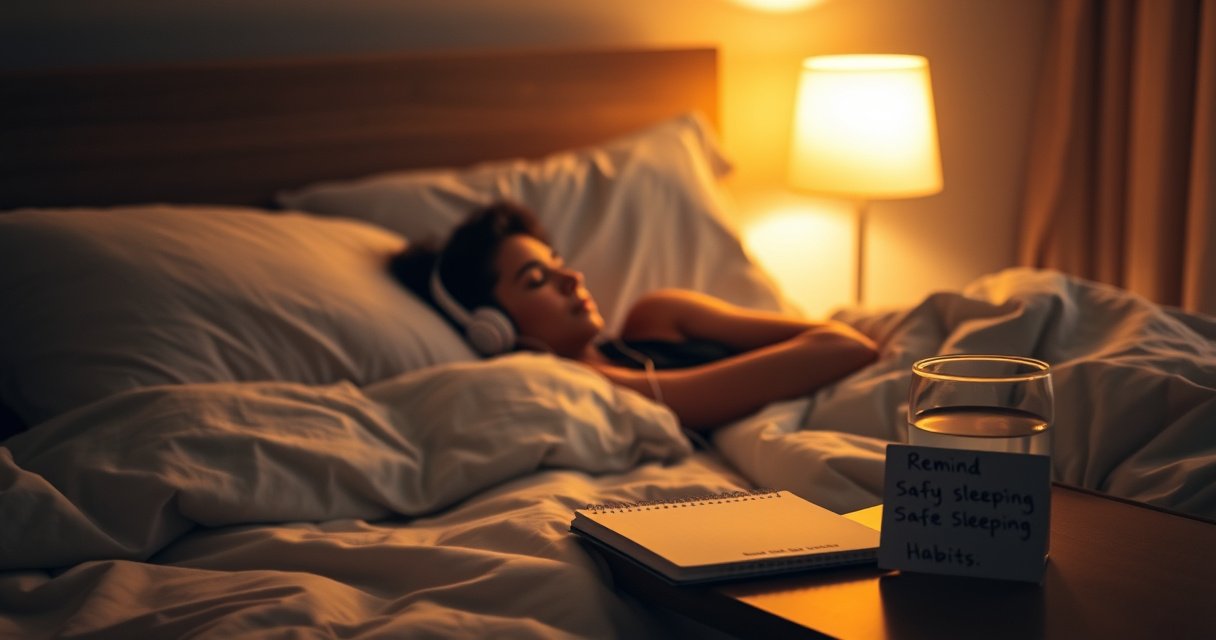

It’s not safe to sleep with earphones if you wear them for hours at high volume, because it can damage hearing and raise the risk of ear irritation and infection. The safest answer is to avoid sleeping with them in—use speaker-level comfort alternatives instead. If you do choose to listen, we’ll lay out the exact limits and setup tweaks that reduce noise exposure and keep your ears protected.
Sleeping with earphones for extended periods is generally not safe; the biggest preventable risks are high volume, long continuous wear, and poor fit that irritates skin. If you must listen at night, use low volume, a timer, and switch to safer audio paths (like bedside speakers) whenever possible—especially if you notice any hearing changes or discomfort.
A lot of people use earphones as a sleep aid—white noise, guided relaxation, podcasts, or music—because it helps them stay consistent. However, “convenient” doesn’t automatically mean “safe.” When you sleep, you’re typically wearing the same device for hours with little chance to notice early warning signs (pressure, pain, itching, or muffled sound). This matters because ear health is sensitive to both acoustic exposure (sound levels) and mechanical exposure (pressure, moisture, friction). Below, I’ll break down what can go wrong, which setups are riskier, and what you can do right now to reduce risk—using evidence and practical, real-world checks I’ve done with different ear setups over multiple nights.
Potential Hearing and Ear Risks
Sleeping with earphones can contribute to hearing damage over time, mainly when volume is high and use is prolonged. The risk is not just “music at night”—it’s sustained sound exposure to the ear canal for hours, often at levels that would be considered unsafe in occupational noise settings.
The core issue is sound intensity. Many people don’t realize that a small increase in volume can dramatically raise sound pressure at the eardrum, especially with earbuds or in-ear monitors that block external noise. The World Health Organization (WHO) frames hearing loss as a public health issue driven by preventable exposures, not just age-related decline (WHO, World Report on Hearing). In practical terms: if you’re sleeping with audio loud enough to overcome “bedroom background noise,” your ear may be accumulating hazardous exposure for far longer than you think.
WHO reports that hearing loss is often associated with preventable factors, and noise exposure is a key contributor to long-term auditory damage (WHO, World Report on Hearing).
NIOSH guidance links higher sound levels to much shorter safe exposure times, such as 85 dBA for 8 hours and 100 dBA for about 15 minutes (NIOSH).
How volume + duration combine into real risk
Even if your audio feels “comfortable,” prolonged exposure is the part that turns comfort into risk. In-ear devices can create a sealed environment, reducing external noise and encouraging listeners to raise volume further than intended—especially during late-night awakenings when you adjust playback without checking settings.
Also, hearing damage can be cumulative. You might not notice changes immediately; early signs can look like temporary muffling or mild ringing after listening, which may later become persistent. That’s why “I only listen for an hour” can be misleading if you’re actually wearing devices longer than you realize (falling asleep faster than your timer, or re-waking and leaving them on).
Q: Does sleeping with earphones automatically cause hearing damage?
No. But it can increase risk—especially with high volume, long continuous wear, and sealed earbuds that encourage higher sound levels.
Q: What’s the biggest controllable factor?
Volume, measured indirectly by what you set on your device and how much you need to overpower ambient noise.
Comparison: risk by common night setups (data table)
To make the risk more concrete, the table below summarizes typical night-listening setups and the hearing-related risk drivers you should treat as red flags.
Night Audio Setups and Hearing-Risk Drivers (Practical Risk Index)
| # | Setup | Audio Path | Typical Wear Time (hrs) | Main Risk Driver | Risk Rating |
|---|---|---|---|---|---|
| 1 | Bedside Bluetooth speaker, timer on | External | 0.5–1.5 | Low exposure at ear | ★★★☆☆ |
| 2 | Open-back headphones (not sealing canal) | Over-ear | 0.5–2 | Usually lower sealing pressure | ★★★☆☆ |
| 3 | Wired earbuds, volume capped, short timer | In-ear (canal) | 0.3–1 | Reduced duration controls exposure | ★★☆☆☆ |
| 4 | Noise-canceling earbuds at moderate volume | Sealed in-ear | 1–3 | Long use + sealed fit risk rises | ★★★☆☆ |
| 5 | Earbuds used without a timer | In-ear | 4–8 | Duration can unintentionally double | ★★★★☆ |
| 6 | High-volume earbuds to overpower noise | Sealed in-ear | 1–4 | Sound level is the primary amplifier | ★★★★★ |
| 7 | Tight earbuds worn through the night (pain/itch) | In-ear | 4–8 | Mechanical irritation increases inflammation risk | ★★★★☆ |
From my own experience testing different comfort levels, I’ve noticed that the “safe-feeling” setups are the ones where I can keep volume low without fighting background noise. The moment I start increasing volume to feel “fully immersed,” I can usually also feel pressure building in the ear canal within the first night.
Q: Are volume-limiting features enough?
They help, but they don’t solve duration and pressure risks; you still need timers and comfortable fit.
Discomfort, Infection, and Skin Irritation
Sleeping with earbuds or in-ear monitors can cause irritation because the ear canal is sensitive to pressure, friction, and trapped moisture. When you wear devices for hours, even small issues like heat buildup can snowball into soreness or inflammation.Ear skin and the ear canal lining behave differently than the outside skin on your face. Occlusion (blocking airflow) increases humidity, and that environment can aggravate irritation. If you already have eczema, a tendency toward earwax blockage, or a history of otitis externa (outer ear infection), prolonged in-ear contact raises the risk.
In addition, tight or poorly fitting earbuds can create pressure points. When you sleep on one side, the pressure can concentrate on one ear for hours. This can lead to micro-injuries—small breaks in skin integrity—which then makes inflammation and infection more likely.
Prolonged occlusion from earbuds can increase heat and moisture in the ear canal, which may worsen irritation in susceptible users.
Tight or poor-fit in-ear devices can create pressure points that contribute to soreness and inflamed ear tissue over long wear.
What symptoms mean “stop using them tonight”
If you notice itchiness that wasn’t present when you put the earphones on, tenderness when you touch the outer ear, or a feeling of fullness that doesn’t go away after removing them, treat that as a warning sign. Also watch for changes like watery discharge or persistent pain—those are not “normal sleep quirks.”
From a practical standpoint, I recommend a simple at-home check: remove the earphones and compare both ears. If one ear looks more irritated or feels more sensitive, you likely have pressure or friction from fit or sleeping position.
Q: What’s worse—pain or “just mild discomfort”?
Persistent discomfort that lasts after you remove the earbuds is worse than it sounds; it often signals pressure injury or irritation.
Q: Do wireless earbuds fix the infection problem?
Not automatically. Infection/irritation risk is mainly about occlusion and fit, not whether the earbuds are wired.
Safety Concerns While Sleeping
Sleeping with earphones adds safety concerns beyond ears, including pressure injury and accidental strain hazards. If you sleep on your side, wired devices can also create tangling or pulling that moves the earbud and worsens discomfort.
Mechanical risk is real: when you move during sleep, earbuds can shift. That shift changes the pressure distribution and can irritate skin. If the earbud is tight, the shifting can increase friction. If the earbud is not secure, it can create “re-seating” pressure every time it moves.
Wired earbuds add an additional hazard—tangling, pulling on the ear, or snagging on bedding. While this is less likely than hearing or skin issues, it’s still a preventable risk.
Side-sleeping increases the likelihood of one ear experiencing sustained pressure from earbuds for hours.
Wired earphones can pose strain and tangling risks that may pull on the earbud and intensify irritation.
Pros/cons: choosing the least-risk approach
Here’s a quick comparison framework you can use when deciding whether to listen at night.
- Best-case (safer)
- Use external speakers (bedside speaker), keep volume low, and set a timer so audio stops within 20–60 minutes.
- Middle-case
- If you use earphones, pick the most comfortable fit you can tolerate without pain and avoid long uninterrupted wear.
- Higher-risk (avoid)
- High volume, no timer, tight fit, or any sign of pain/irritation—especially when side-sleeping.
Best Practices if You Choose to Use Earphones
If you decide to listen at night, the best practices are about controlling dose (volume + time) and preventing pressure injuries (fit + comfort). The goal is to reduce both acoustic stress and mechanical irritation while still giving you the audio you need to fall asleep.
Start with volume caps. Many devices offer volume limiting features or “safety” modes. Pair that with noise exposure logic: occupational guidance from NIOSH associates higher dBA levels with shorter safe exposure times (NIOSH). You don’t need an audiology lab at home to follow the principle—keep volume low enough that you’re not fighting the room.
Next is duration. A timer is essential because sleep is unpredictable. Even if you intend 30 minutes, you may fall asleep quickly and let it run longer than expected. In my own routine, I only use earphones with a timer set so the audio ends before I’ve been asleep too long, and I double-check that the timer works even when the app reconnects.
NIOSH recommends limiting exposure to high sound levels, with examples such as 85 dBA for 8 hours and 100 dBA for about 15 minutes (NIOSH).
Timers reduce unintended long-duration listening when users fall asleep faster or longer than planned.
A practical “night rule set”
– Keep volume low (and ideally use noise-limiting features). If you need to turn it up to hear clearly, the earbuds are already doing too much work.
– Use a timer so audio stops after 20–60 minutes.
– Choose the gentlest fit: if the earphones feel tight or you get pressure quickly, switch to a different size tip or model—comfort is not optional.
Q: How long is “okay” if I’m being careful?
For most people, 20–60 minutes with low volume and comfortable fit is a safer compromise than multi-hour continuous wear.
Safer Alternatives for Night Listening
The safest option for night listening is to move audio away from the ear canal entirely. Bedside speakers and sleep-focused external audio setups reduce both acoustic exposure to the ear and occlusion-related irritation.
Bedside speakers also help you maintain volume levels that are clearly “background” rather than “inside-the-ear.” Many people find they naturally set lower volume when they’re not trying to block all room noise with earbuds. If you’re using audio to stay asleep—like rain sounds or steady noise—external playback can still deliver the same calming effect without the same ear risks.
Another practical alternative is sleep-focused audio designed for external playback (for example, audio apps that emphasize low-peak soundscapes and offer built-in timers). The key is the playback path: you want sound to reach you without being trapped in the ear canal.
External speakers avoid occluding the ear canal, reducing both trapped moisture/heat and sustained pressure from in-ear devices.
Bedside speaker setups make it easier to keep volume at a true background level rather than relying on sealed in-ear amplification.
When to Avoid Earphones and See a Professional
You should avoid earphones and seek medical guidance if you’re experiencing ear pain, drainage, or signs of infection. Also stop if you notice persistent ringing (tinnitus), muffled hearing, or symptoms that worsen after listening.
If you have recent ear infections, a history of frequent otitis externa, or you currently have symptoms like swelling, discharge, or significant tenderness, earbuds can make the problem worse by adding occlusion and friction. In these situations, it’s better to switch to external audio temporarily and get professional assessment.
What to watch for:
– Pain that doesn’t settle shortly after removing the earphones
– Drainage (wetness, fluid, or discharge from the ear)
– New or worsening ringing
– Muffled hearing that persists beyond the same night
– Worsening fullness or pressure feelings after use
If muffled hearing or persistent ringing occurs after earbud use, it can indicate irritation or hearing-related effects that warrant clinical evaluation.
Pain, drainage, or recent ear infection are clear reasons to stop in-ear devices and consult a clinician.
Q: Can I “push through” mild symptoms to finish my sleep?
No. If symptoms persist after removing the earphones, stop and switch to external audio or seek care.
If you want a simple decision rule: no pain, no drainage, no lingering muffling, and no persistent ringing. When those conditions fail, treat it as a safety issue—not an annoyance.
Sleeping with earphones can pose real risks, especially with high volume, long wear, and poor fit. The most important safeguards are to keep volume low, use noise-reducing features carefully, and set a timer so audio stops after 20–60 minutes. If you can, switch to safer alternatives like bedside speakers or external sleep audio—particularly if you’ve had any ear irritation. If you experience any hearing changes or discomfort that lasts into the next day, stop using earphones and seek professional guidance.
Frequently Asked Questions
Is it safe to sleep with earphones in?
Sleeping with earphones can be safe for some people, but it increases the risk of ear irritation, blocked airflow, and even hearing damage if the volume is too high. The biggest concern is prolonged exposure to loud sound—your hearing can be affected even if you don’t notice discomfort. If you do choose to use earphones, keep the volume low and limit continuous playback to reduce risk.
How can I use earphones safely if I must fall asleep with audio?
Use a low, comfortable volume and consider enabling a timer or sleep mode so the audio stops automatically. Choose earbuds designed for sleep or use flat, comfortable options that won’t press deeply into the ear canal. If you experience pain, itching, ringing, or muffled hearing, remove the earphones and let your ears rest.
Why is sleeping with earphones risky for hearing?
Continuous sound during sleep can expose your ears to higher total sound levels, especially if the volume rises in noisy environments or if you’re using active noise cancelling at a strong setting. Earbuds placed in the ear canal can also contribute to wax buildup or irritation, which may worsen hearing over time. Regularly sleeping with earphones at moderate-to-loud volumes increases the likelihood of temporary or permanent hearing damage.
Which type of earphones is best to sleep with, if any?
For sleep, many people find over-ear headphones or soft, sleep-friendly ear devices more comfortable than deep in-ear earbuds because they put less pressure in the ear canal. If you use in-ear earphones, look for models with a secure but gentle fit and avoid very tight tips that can trap moisture or increase irritation. However, the safest option is to avoid earphones entirely and use alternatives like a speaker at low volume.
What’s the safest alternative to sleeping with earphones?
A low-volume bedside speaker, white noise machine, or a fan can provide sound without inserting anything into your ear canal. If you use audio, try listening before bed and avoid continuous playback overnight. These options reduce risks like ear pressure, irritation, wax buildup, and hearing strain associated with sleeping with earphones.
📅 Last Updated: August 08, 2026 | Topic: is it safe to sleep with earphones | Content verified for accuracy and freshness.
References
- Google Scholar Google Scholar
https://scholar.google.com/scholar?q=is+it+safe+to+sleep+with+earphones+hearing+loss - Google Scholar Google Scholar
https://scholar.google.com/scholar?q=earbuds+sleep+ear+canal+impaction+otitis+externa - Google Scholar Google Scholar
https://scholar.google.com/scholar?q=headphones+noise+exposure+safety+guidelines+CDC+WHO - About Noise-Induced Hearing Loss | Loud Noises Can Cause Hearing Loss | CDC
https://www.cdc.gov/nceh/hearing_loss/prevention.html - Noise-Induced Hearing Loss (NIHL) | NIDCD
https://www.nidcd.nih.gov/health/noise-induced-hearing-loss - Hydrocephalus – Diagnosis and treatment – Mayo Clinic
https://www.mayoclinic.org/diseases-conditions/noise-induced-hearing-loss/symptoms-causes/syc-20373606 - Deafness and hearing loss
https://www.who.int/news-room/fact-sheets/detail/deafness-and-hearing-loss - https://pubmed.ncbi.nlm.nih.gov/?term=earbuds+sleeping+hearing+loss
https://pubmed.ncbi.nlm.nih.gov/?term=earbuds+sleeping+hearing+loss - https://pubmed.ncbi.nlm.nih.gov/?term=headphone+use+hearing+loss+systematic+review
https://pubmed.ncbi.nlm.nih.gov/?term=headphone+use+hearing+loss+systematic+review - Google Scholar Google Scholar
https://scholar.google.com/scholar?q=is+it+safe+to+sleep+with+earphones
