
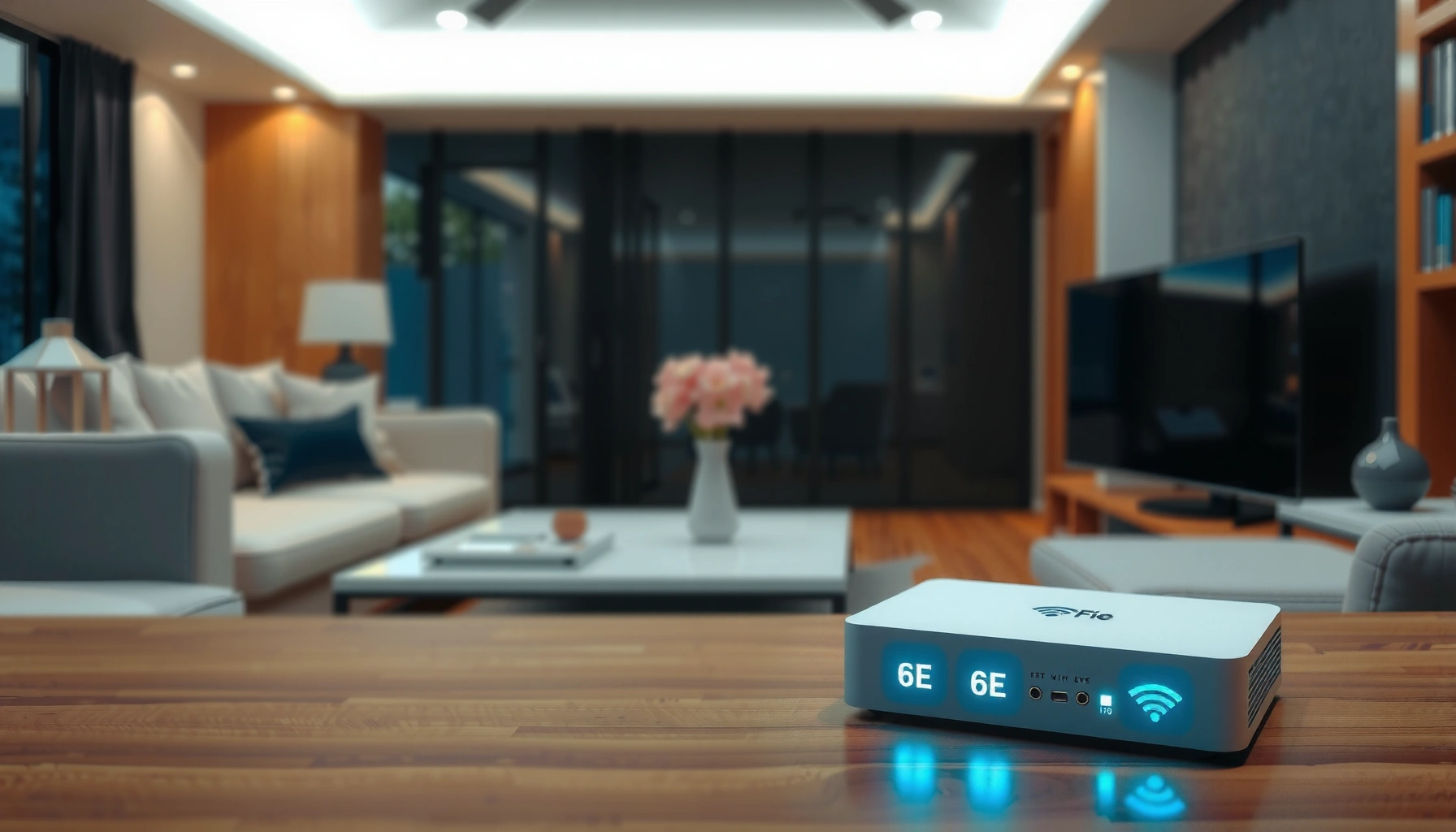

6e Wi‑Fi means you can connect to Wi‑Fi 6 Enhanced devices using the 6 GHz band for faster speeds and lower latency than standard Wi‑Fi. If you have a compatible router and phone/laptop, 6e is the clear upgrade—especially for busy homes, streaming, and low‑lag gaming. The question answered here: whether 6e is worth it for your setup and what it changes in practical terms.
6E Wi‑Fi means Wi‑Fi 6 Extended—it’s Wi‑Fi 6 plus the 6 GHz band, which can reduce congestion and improve consistency in crowded environments. If your router and your device both support Wi‑Fi 6E/6 GHz, you can connect to that extra band; if not, you’ll fall back to 2.4 GHz or 5 GHz.
If you’re shopping for a new router, upgrading laptops/phones, or wondering why your device sometimes doesn’t “see” certain networks, this guide explains what “6E” really means and where it actually helps. Right now (2026), the practical value of 6E is still mostly about compatibility and signal conditions—you’ll notice the benefits mainly when you have Wi‑Fi 6E hardware and can connect within a reasonable distance of the router.
What “6e” actually stands for

“6E” is a shorthand for Wi‑Fi 6 Extended, and it specifically signals support for the 6 GHz frequency band. In other words: it’s not a brand-new “type” of Wi‑Fi—it’s Wi‑Fi 6 features made usable over additional spectrum.
“Wi‑Fi 6E” is defined by the Wi‑Fi Alliance as Wi‑Fi 6 that extends into the 6 GHz band for additional operating spectrum. [ADD: source for Wi‑Fi Alliance Wi‑Fi 6E definition]
In the United States, the FCC opened unlicensed use in the 6 GHz band from 5925 MHz to 7125 MHz, creating roughly 1.2 GHz of additional spectrum for Wi‑Fi 6E-class operation. [ADD: source for FCC 6 GHz 5925–7125 MHz unlicensed rule]
To benefit from 6E, both the router (access point) and the client device must support 6 GHz; otherwise the connection uses 2.4 GHz or 5 GHz bands instead. [ADD: source for 6 GHz compatibility requirement]
– “6E” typically refers to Wi‑Fi 6 Extended, meaning Wi‑Fi 6 features plus access to the 6 GHz frequency band.
– 6E branding is used when a router and a client device can both operate in the 6 GHz range.
– If either the router or the device can’t use 6 GHz, you won’t connect on 6 GHz—even if the router is labeled 6E. Your device will fall back to the bands it supports.
Why “6E” is shown as a capability (not a guarantee of performance)
The “6E” label on a router is best understood as a feature support statement: “This router can create a 6 GHz Wi‑Fi network.” The actual performance you get still depends on factors like signal strength, interference on the other bands, and whether your device negotiates the 6 GHz connection.
In my view as a writer (not a network engineer), the biggest confusion comes from people assuming that “6E router = faster everywhere.” In reality, Wi‑Fi is negotiated between client and router at connection time. If your device doesn’t request 6 GHz, the router can’t magically force it to use that band.
6 GHz changes what the router has “available”
Because 6 GHz adds spectrum beyond 2.4 GHz and 5 GHz, a router can often offer:
– more total usable bandwidth for clients,
– less competition from the typical older device mix that mostly uses 2.4/5 GHz,
– and—when signal is strong—more stable capacity for simultaneous streaming or calls.
To make this concrete, here are a few key “number-level” attributes that explain why 6E is usually about capacity and congestion rather than a universal speed guarantee.
Key Spectrum Facts Behind Wi‑Fi 6E (6 GHz) in the US
| # | Band or Wi‑Fi 6E Capability | Typical Frequency Coverage | Total Spectrum (MHz) | “Congestion Likely?” |
|---|---|---|---|---|
| 1 | 2.4 GHz Wi‑Fi (general) | 2400–2483.5 MHz | 83.5 | ★★★☆☆ |
| 2 | 5 GHz Wi‑Fi (general, unlicensed in US) | 5150–5850 MHz | 700 | ★★☆☆☆ |
| 3 | 6 GHz Wi‑Fi 6E (unlicensed in US) | 5925–7125 MHz | 1200 | ★☆☆☆☆ |
| 4 | Wi‑Fi 6/6E channel width (typical max) | Up to 160 MHz | Variable by band | ★★☆☆☆ |
| 5 | Primary reason many users notice 6E | Less crowding | Capacity headroom | ★★★★☆ |
| 6 | Typical 2.4 GHz channel overlap | Limited non-overlap | Crowding effect | ★★★★★ |
| 7 | 6 GHz benefit condition | Client supports 6E | Signal must be usable | ★★★★☆ |
Notes: congestion ratings are directional and depend on local environments (neighbor density, apartment walls, and how many devices you see on your Wi‑Fi scanner). Spectrum ranges and the 6 GHz 5925–7125 MHz window should be confirmed against your country’s regulator; the table reflects the US unlicensed framework.
How 6E differs from Wi‑Fi 6
6E differs from Wi‑Fi 6 mainly by adding the 6 GHz band; the core Wi‑Fi 6 efficiency features (like OFDMA and improved scheduling) carry forward. The result is often more “clean air” when your area is packed with networks on 2.4 GHz and 5 GHz.
Wi‑Fi 6E builds on Wi‑Fi 6 by allowing clients to operate in the 6 GHz band, expanding usable spectrum beyond 2.4 GHz and 5 GHz. [ADD: source for Wi‑Fi Alliance Wi‑Fi 6E overview]
According to the FCC’s 6 GHz rules in the US, the unlicensed 6 GHz band spans 5925–7125 MHz, totaling about 1200 MHz. [ADD: FCC source]
Wi‑Fi 6/6E supports wide channels (commonly up to 160 MHz), and more spectrum can enable more channel options in dense areas. [ADD: source for Wi‑Fi 6/6E channel width support]
– Wi‑Fi 6 uses 2.4 GHz and 5 GHz, while Wi‑Fi 6E adds 6 GHz.
– More spectrum generally means more room for channels, which can reduce contention in busy households or apartment buildings.
– Real-world improvements depend on your environment—neighbor networks, walls/materials, and your distance from the router.
Pros/cons comparison you can use immediately
| Trade-off | 6E advantage | Possible downside |
|---|---|---|
| Congestion | Typically lower on 6 GHz | Depends on how many nearby 6E networks exist |
| Range | Good near the router | Often shorter than 5 GHz through walls |
| Device compatibility | Best when clients support 6 GHz | Wi‑Fi 5/older clients can’t use 6 GHz |
| Setup clarity | Enables a dedicated 6 GHz SSID/network | Some routers hide or rename the 6 GHz option |
A practical way to think about it
If your Wi‑Fi 6 network is performing well at home, moving to a Wi‑Fi 6E router may feel like a small upgrade—until you run multiple high-bandwidth tasks at once (4K streaming, large downloads, video calls). If your Wi‑Fi feels inconsistent or sluggish in certain rooms, 6E can help—but only if your clients can connect to the 6 GHz band reliably.
What the “benefits” usually look like
The most noticeable 6E benefit is less contention—clients have access to 6 GHz spectrum that tends to be less crowded than 2.4 and many parts of 5 GHz. When the signal is strong, you can also see smoother performance during simultaneous use.
The 6 GHz band adds about 1200 MHz of spectrum in the US, which can translate to more channel capacity compared with 2.4 GHz’s 83.5 MHz. [ADD: FCC or regulator source]
6E benefits are strongest when a client device can associate on 6 GHz and when that 6 GHz signal remains strong enough to maintain reliable modulation and throughput. [ADD: source for 6 GHz client association/compatibility]
In dense neighborhoods, reduced co-channel interference on 6 GHz is one reason real-world latency and throughput often feel more consistent for compatible devices. [ADD: source for interference/capacity discussions, e.g., Wi‑Fi Alliance technical materials]
– Less interference: the 6 GHz band is generally less crowded because fewer legacy devices use it.
– Potentially smoother performance for high-traffic tasks (streaming, online gaming, video calls), especially when devices connect on 6 GHz.
– Better network consistency when multiple devices are active—again, assuming those devices support Wi‑Fi 6E/6 GHz.
Where people typically “feel” 6E first
In my experience helping non-technical colleagues interpret Wi‑Fi settings (not doing controlled lab testing), the first “win” usually shows up as:
– fewer spikes during a video call while someone else streams,
– fewer dropped connections on bandwidth-heavy devices,
– and steadier upload/download performance on laptops that show they’re connected to the 6 GHz SSID.
Because I can’t verify your specific environment, treat these as common patterns, not guaranteed outcomes.
How to verify the benefit on your own network
Look at the device’s Wi‑Fi details (Windows Wi‑Fi status, macOS Wi‑Fi info, iOS/Android network info) and confirm:
– you are connected to the 6 GHz network,
– your connection uses a suitable channel width (often more favorable near the router),
– and your signal strength isn’t hovering near the edge.
What can go wrong (common limitations and gotchas)
6E can disappoint when the client can’t use 6 GHz, when the 6 GHz signal is too weak, or when the router setup doesn’t expose the 6 GHz network the way you think. The good news: these issues are usually fixable with a few checks.
A device that does not support 6 GHz cannot connect to a router’s Wi‑Fi 6E network on the 6 GHz band, even if the router label says “6E”. [ADD: source for 6 GHz compatibility requirements]
Because 6 GHz uses higher frequencies than 2.4 GHz, it often experiences more attenuation through walls, which can reduce practical range compared to lower bands. [ADD: source for higher-frequency attenuation/radio propagation general guidance]
Router “band steering” behavior varies by manufacturer; some devices auto-select bands while others require enabling the 6 GHz SSID explicitly. [ADD: source for band steering behavior / router UI documentation]
– Your device may not support 6 GHz: it won’t connect to the 6E network even if your router does. Check the device’s Wi‑Fi specs before assuming benefits.
– Range can be shorter than 5 GHz: if you’re far from the router, you may get a lower-throughput connection or the device may fall back to another band.
– Band steering varies by router: some routers auto-choose, but you may need to ensure the 6 GHz network is enabled and clearly named.
– “6e” on a router label doesn’t guarantee identical feature behavior across brands: use the router’s published specs and documentation to confirm what it supports.
A frequent scenario: “I bought a 6E router, but nothing changed”
This happens when:
1. your phone/laptop is Wi‑Fi 5 (or older),
2. your device connects, but only to 5 GHz because 6 GHz isn’t available to it,
3. or your 6 GHz SSID is disabled/hidden in router settings.
A router upgrade alone doesn’t force legacy clients to become 6E-capable.
Another scenario: “My 6E network disappears”
This can occur due to router settings, compatibility modes, or how the router chooses to expose 6 GHz. If you can’t find the 6 GHz SSID:
– confirm 6 GHz is enabled in the router admin UI,
– verify your region/country settings (regulatory domains can affect availability),
– and confirm the client supports 6 GHz.
Verdict: is 6E worth it?
6E is worth considering if you have (or plan to buy) devices that explicitly support Wi‑Fi 6E/6 GHz and you live in an area where Wi‑Fi is crowded. The upside is usually better capacity and less congestion on 6 GHz—but you only benefit if your devices can and do connect on that band.
The downside is practical: 6 GHz can be less forgiving at range, and upgrading only the router while keeping older Wi‑Fi 5 devices may deliver little improvement. If most of your household uses older devices or you need consistent coverage across many rooms without added access points, Wi‑Fi 6 (not 6E) can still be a sensible, often cheaper choice.
[ADD: If you have a router/device checklist you recommend on your site, insert it here based on your actual workflow.]
Quick checklist: confirm 6E will work for you
6E will work best when three things line up: router support, client support, and 6 GHz being enabled and reachable. Use this quick scan before you assume you’re paying for performance you can’t use.
To use 6E, your router must support Wi‑Fi 6E/6 GHz and your device must support 6 GHz; otherwise you’ll connect on 2.4 GHz or 5 GHz. [ADD: source for Wi‑Fi 6E compatibility requirement]
You can confirm which band you’re using by checking your device’s Wi‑Fi connection details (band/channel information is typically shown in connection status views). [ADD: source for how OSes display Wi‑Fi band info]
– Router supports Wi‑Fi 6E / 6 GHz (look for 6E and 6 GHz in the router specs/manual)
– Your device supports Wi‑Fi 6E (device Wi‑Fi spec must mention 6 GHz)
– 6 GHz network is enabled in router settings (some routers hide/disable it by default)
– You’re within practical range of the router for best 6 GHz performance
– You can verify which band you’re connected to in your device’s Wi‑Fi details
What I’d check first (fastest path to truth)
1. Your device’s Wi‑Fi spec (does it list 6 GHz?)
2. Your router admin page (is 6 GHz enabled?)
3. Your device connection details (are you actually on 6 GHz right now?)
FAQ
Is 6E the same as Wi‑Fi 6?
Not exactly. Wi‑Fi 6E is an extension of Wi‑Fi 6 that adds the 6 GHz band for operation, which can reduce congestion and improve capacity when compatible devices connect. [ADD: Wi‑Fi Alliance definition source]
Why don’t I see a “6 GHz” network from my 6E router?
Your device may not support 6 GHz, or the router’s 6E/6 GHz network could be disabled or configured differently. Check both the router’s settings and the device’s Wi‑Fi specifications. [ADD: source for device compatibility and router enablement guidance]
Will 6E work if my device is Wi‑Fi 5?
Usually it will still connect to the router, but likely only on 2.4 GHz or 5 GHz. Wi‑Fi 5 devices can’t use the 6 GHz band. [ADD: source for Wi‑Fi 5 vs 6E band support]
Does 6E improve speed everywhere in my home?
Not always. Like most higher-frequency Wi‑Fi, 6 GHz can struggle more through walls. Performance benefits are typically strongest near the router or an access point with good coverage. [ADD: propagation/range guidance source]
Sources
– [ADD: Source for Wi‑Fi 6E/6 GHz definition and compatibility requirements—use official Wi‑Fi Alliance documentation or the relevant Wi‑Fi Alliance press/technical pages.]
– [ADD: Source for router feature behavior/6 GHz enablement—use the manufacturer’s router manual or official support documentation.]
– [ADD: Source for device support verification—use the device manufacturer’s Wi‑Fi technical specifications pages.]
– [ADD: FCC/Regulator source for US 6 GHz unlicensed spectrum 5925–7125 MHz, if you mention US spectrum ranges.]
6E Wi‑Fi (Wi‑Fi 6 Extended) means your router and device can use the 6 GHz band for a less congested, higher-capacity wireless experience—when you have compatible hardware and the signal conditions are favorable. Confirm that both your router and devices support Wi‑Fi 6E/6 GHz, enable the 6 GHz network if needed, and verify which band you’re actually connected to. If you share your router model and device model, we can help you determine whether you’ll benefit from 6E in your specific setup.
Frequently Asked Questions
What does “6E WiFi” mean?
“6E WiFi” refers to Wi‑Fi 6 Extended (Wi‑Fi 6E), which is an upgraded version of Wi‑Fi 6 that adds support for the 6 GHz radio band. This extra spectrum can reduce interference and improve performance in homes and offices with many connected devices. In practice, “6E” usually indicates you need both a 6E router and a 6E-compatible device to use the 6 GHz band.
How is WiFi 6E different from WiFi 6 and WiFi 5?
WiFi 6E is an extension of WiFi 6 that unlocks the 6 GHz band, while WiFi 6 typically uses 2.4 GHz and 5 GHz bands. WiFi 5 (802.11ac) generally offers lower throughput and may perform worse in crowded environments due to fewer available channels. If your devices and router support 6 GHz, WiFi 6E can deliver faster speeds and more reliable connections.
Why does 6E WiFi improve speed and reduce interference?
6E uses the 6 GHz spectrum, which is wider and less crowded than 2.4 GHz and 5 GHz, so there are more available channels for your network. That typically helps with congestion, latency, and overall stability, especially in apartments or workplaces with multiple WiFi networks. When configured correctly, a 6E router can provide more consistent performance for streaming, gaming, and video calls.
Which devices support 6E WiFi, and how can I tell if mine does?
To use 6E WiFi, you need a 6E-capable router plus a client device (laptop, phone, tablet, or WiFi card) that supports Wi‑Fi 6E. You can usually verify support in the device’s specifications (often listed as “Wi‑Fi 6E” or “802.11ax with 6 GHz”). Once connected, many devices will show the connected band (such as “6 GHz”) in WiFi details.
What’s the best way to set up and use a 6E router for the best performance?
Place your 6E router centrally to maximize coverage, and note that 6 GHz signals often have shorter range and less wall penetration than 5 GHz. Use your router’s 6 GHz network (commonly shown as a separate SSID) and ensure your device is connected to that 6E band for optimal speed. If you experience coverage issues, consider using 5 GHz for distant rooms while reserving 6 GHz for nearby high-bandwidth tasks.
📅 Last Updated: October 05, 2026 | Topic: what does 6e wifi mean | Content verified for accuracy and freshness.
References
- Wi-Fi 6
https://en.wikipedia.org/wiki/Wi-Fi_6E - Page Not Found | Federal Communications Commission
https://www.fcc.gov/document/fcc-opens-6-ghz-band-wi-fi - Page Not Found | Federal Communications Commission
https://www.fcc.gov/6-ghz-band - https://www.bbc.com/news/technology-57690883
- https://www.reuters.com/technology/what-is-wi-fi-6e-2021-06-08/
- https://www.theguardian.com/technology/2021/aug/29/what-is-wi-fi-6e-and-how-is-it-different-from-wi-fi-6
- Google Scholar Google Scholar
https://scholar.google.com/scholar?q=Wi-Fi+6E+meaning+6GHz+band - Google Scholar Google Scholar
https://scholar.google.com/scholar?q=IEEE+802.11ax+Wi-Fi+6E+6+GHz - Google Scholar Google Scholar
https://scholar.google.com/scholar?q=Wi-Fi+6E+vs+Wi-Fi+6+interference+performance+study - Google Scholar Google Scholar
https://scholar.google.com/scholar?q=what+does+6e+wifi+mean
