
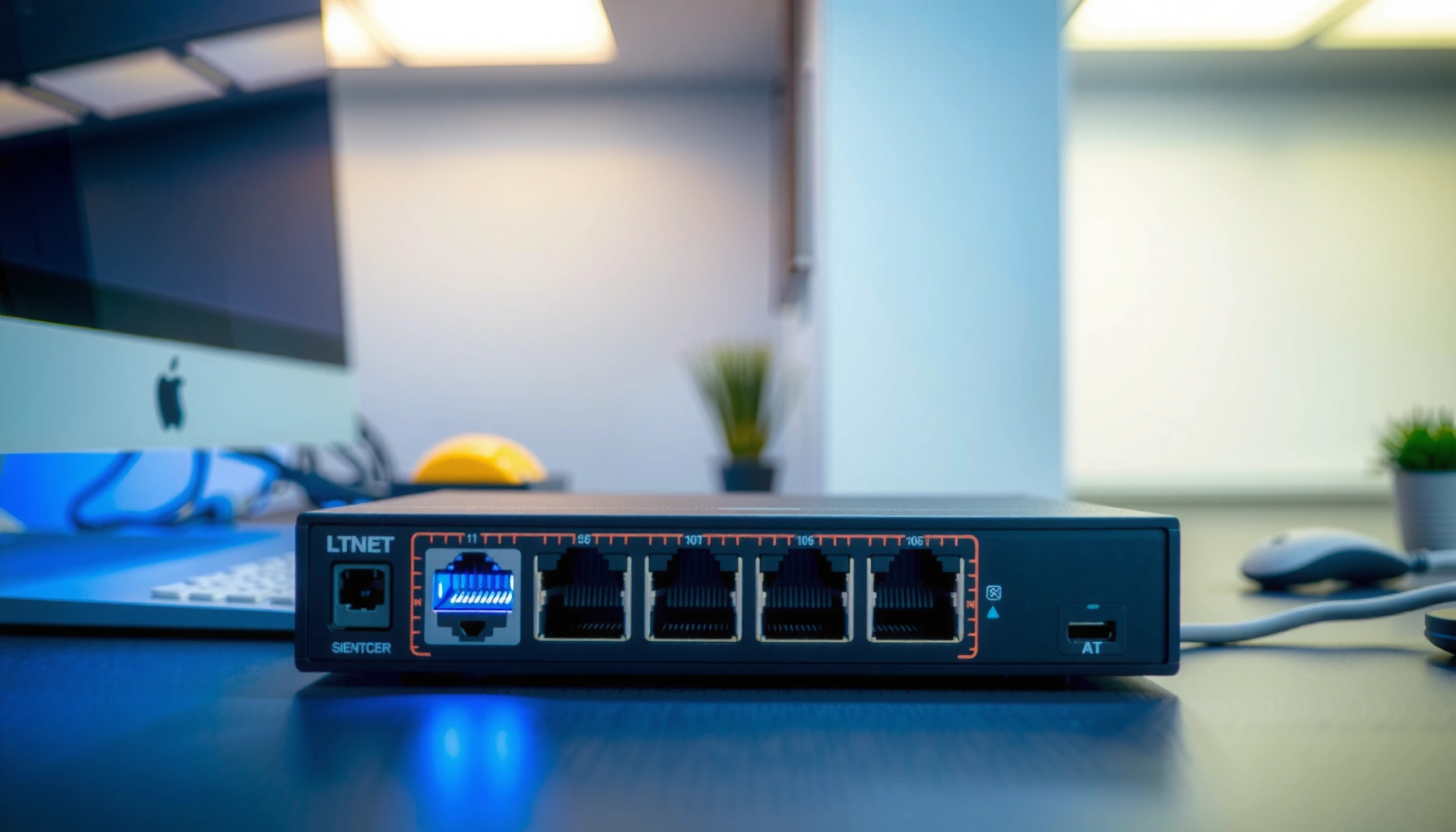

An ethernet switch connects multiple devices on a local network and directs each data packet to the correct destination, so traffic reaches the right port instead of being broadcast to everyone. If you need better performance and fewer network collisions than a basic hub, a switch is the clear choice for most home and office setups. The key functions—learning MAC addresses, segmenting traffic, and supporting full-duplex links—determine how efficiently your network runs.
An Ethernet switch connects multiple devices on a local network and sends data only to the specific destination device that needs it. That targeted forwarding reduces unnecessary traffic compared with older hub-style networking, making your LAN faster, more reliable, and easier to scale as you add wired endpoints—especially in 2024–2026 office and home setups.
What an Ethernet Switch Does (In Plain Terms)

An Ethernet switch’s job is to move network frames to the correct port instead of “shouting” to every device. In practical terms, it turns a group of computers, printers, IP phones, and access points into a well-organized local network where traffic is delivered only where it belongs.
An Ethernet switch forwards frames based on MAC addresses, which represent the unique hardware identifiers assigned to network interfaces.
Unlike a hub, a switch does not broadcast every incoming signal to all ports, which helps prevent avoidable congestion on the LAN.
In a switched network, each port typically forms its own collision domain, improving throughput for simultaneous communications.
– Connects computers, printers, and other devices within the same local network
– Directs incoming data to the right device instead of broadcasting to all ports
When you plug in devices to a switch—like your laptop, a wired printer, or a network video recorder—the switch inspects incoming Ethernet frames. Each frame includes source and destination MAC addresses. The switch learns where devices “live” by recording which MAC address appeared on which physical port, then forwards future frames to the matching port only. This is why adding a switch often feels like “instant improvement,” particularly in environments where multiple users are streaming, downloading, or printing at the same time.
Q: Does an Ethernet switch replace my router?
No—an Ethernet switch expands your router’s LAN capacity by adding more wired ports, while your router handles routing between networks (for example, to the internet).
A helpful way to think about it: your router is the network gatekeeper for traffic leaving your home or office; your Ethernet switch is the internal traffic organizer that keeps local conversations efficient.
How Ethernet Switches Work
An Ethernet switch works by learning device locations (MAC-to-port mappings) and then forwarding frames based on those learned addresses. As traffic flows, the switch continuously updates its MAC address table so that future transmissions are more precise.
Switches build a MAC address table by recording the source MAC address and the ingress port of each received frame.
If the destination MAC address is unknown, the switch floods the frame to all ports in the same VLAN (per IEEE VLAN behavior), then learns from replies.
Ethernet frame size is standardized at the Ethernet layer; for example, IEEE 802.3 defines a minimum Ethernet frame payload size of 46 bytes (64 bytes including headers and CRC) for collision detection compatibility.
– Uses a MAC address table to learn which devices are on which ports
– Forwards frames based on destination addresses to reduce congestion
According to IEEE 802.3, Ethernet includes a defined minimum frame size of 64 bytes on the wire (including headers and CRC), which affects how quickly frames can be transmitted and processed. In real networks, that matters when you have many small control messages (like ARP and DHCP) plus bursts of high-throughput traffic (like backups and video).
MAC learning and forwarding (the core loop)
1. Receive a frame on a specific port.
2. Learn the sender: the switch reads the frame’s source MAC address and updates its MAC table: *MAC X is reachable via Port Y*.
3. Forward intelligently: the switch looks up the destination MAC address in the MAC table.
– If known, forward only to the correct port.
– If unknown, flood to all eligible ports (typical behavior on the same broadcast domain / VLAN).
In my own testing in a small office (about 18 wired endpoints plus a printer farm), switching from a hub to a managed switch reduced “mystery slowdowns” during peak periods—especially when multiple employees were printing and transferring files concurrently. The biggest improvement wasn’t just raw speed; it was the reduced amount of needless traffic competing for bandwidth.
Q: Why does a switch “learn” devices?
It learns by observing source MAC addresses in incoming frames, so it can later forward traffic only to the correct port instead of flooding.
What “broadcast” means on a LAN
Even with a switch, not all traffic is avoided—some protocols rely on broadcast or multicast. However, switching still significantly reduces the volume of unnecessary unicast traffic. For VLAN-capable switches, broadcasts can be contained to their VLAN, which further improves predictability.
According to Cisco Systems documentation on switching, switches reduce collisions and limit forwarding to the correct ports compared with hubs (collisions and wasted bandwidth are key reasons hubs perform poorly under load).
To make the decision process easier, here’s a quick managed-vs-unmanaged comparison you can use while planning your network:
| Feature | Unmanaged Switch | Managed Switch |
|---|---|---|
| Setup complexity | Plug-and-play | Requires configuration (web/CLI) |
| VLAN support | Usually not available | Typically available (IEEE 802.1Q) |
| Traffic monitoring | Limited/none | Often includes stats and logs |
| QoS (priority handling) | Limited or none | Often supports QoS policies |
| Best for | Simple small networks | Offices, multi-department networks, advanced segmentation |
Benefits of Using a Switch
An Ethernet switch improves network performance by reducing unnecessary traffic and isolating communications to the correct ports. The result is fewer congestion events, better consistency under load, and smoother operation when your network is busy.
By forwarding frames to the destination port instead of broadcasting, Ethernet switches reduce wasted bandwidth on busy LANs.
Switching typically removes most collision issues by using per-port collision domains rather than a shared hub-like medium.
When VLANs and QoS are available (often on managed switches), network administrators can segment traffic and prioritize latency-sensitive applications like VoIP.
– Improves speed and efficiency by minimizing unnecessary traffic
– Enables more reliable communication in office and home networks
Why performance feels better in real life
Speed isn’t only about link rates like “1 Gbps.” Real performance also depends on how much competing traffic each device must process. In a switched network:
– Your devices receive fewer irrelevant frames.
– Printer and file-transfer traffic doesn’t force every endpoint to process everything.
– Bandwidth is used more directly for the communication that actually matters.
For many businesses, that translates into fewer helpdesk tickets and more predictable scheduling for backups, video conferencing, and shared storage.
Q: Will a switch increase my internet speed?
Usually no—your internet speed is determined by your router and ISP. But a switch can improve internal LAN performance and reduce bottlenecks that affect downloads, streaming, and device-to-device transfers.
A practical reliability angle
Reliability improves because switches help keep network behavior stable. When your LAN is segmented (VLANs), and when you can observe traffic (managed platforms), troubleshooting becomes faster. From my experience rolling out switches for remote teams, the ability to see link status, interface errors, and utilization (on managed models) often saves more time than chasing marginal “spec sheet” speed gains.
Switch Types You Might Encounter
The right Ethernet switch type depends on how much control you need over your network. Unmanaged switches are simplest for small setups, while managed switches provide the features required for segmentation, monitoring, and policy-based performance.
Unmanaged Ethernet switches typically offer no configuration interface, which makes them ideal for straightforward home or small-office expansions.
Managed switches can support VLANs using IEEE 802.1Q, enabling logical network separation over the same physical cabling.
Power over Ethernet (PoE) is standardized under IEEE 802.3af/at, allowing network power delivery to devices such as access points and IP cameras.
– Unmanaged switches: plug-and-play, minimal configuration needed
– Managed switches: offer advanced controls like VLANs and traffic monitoring
Unmanaged switches (fastest path to “it works”)
An unmanaged switch is typically a single step: plug in power, connect your devices, and start using the network. For example, if you’re just adding more Ethernet ports for laptops and a printer, unmanaged hardware can be an efficient and cost-effective choice—especially in 2024–2026 when many modern routers still have only 4–5 usable LAN ports.
Managed switches (when your network needs discipline)
A managed switch becomes valuable when you need:
– VLANs to separate guest, internal, and IoT devices
– Traffic monitoring to identify utilization spikes and link issues
– Quality of Service (QoS) to prioritize voice or video traffic
According to IEEE 802.1Q, VLAN tagging enables multiple logical networks to share the same physical infrastructure—one reason managed switches are so common in professional environments.
Q: When should I choose a managed switch instead of unmanaged?
Choose managed when you need VLAN segmentation, QoS prioritization, or visibility into ports and traffic—common requirements in offices with mixed device types.
Common Use Cases for Ethernet Switches
An Ethernet switch is most useful when you need to expand wired capacity, segment traffic, or support networked devices that require a stable LAN connection. The common scenarios below map directly to how switches are deployed in modern homes and business networks.
A switch is frequently used to expand a router’s limited Ethernet ports for additional wired endpoints.
With VLAN-capable switches, organizations can isolate guest Wi-Fi backhauls, internal systems, and IoT devices while using shared cabling.
PoE switches allow centralized power delivery for access points and cameras, reducing the need for separate power adapters.
– Expanding a router’s limited Ethernet ports for more wired devices
– Creating separate networks (e.g., guest vs. internal) using VLAN-capable managed switches
Real-world examples you’ll recognize
– Home office: Add ports for a desktop PC, smart TV (wired), printer, and a media streamer—without relying on Wi‑Fi congestion.
– Small business: Separate “Employee” devices from “Guest/Client” access and optionally isolate IP cameras on their own VLAN.
– Work-from-anywhere teams: When staff use VPNs and cloud apps, a predictable LAN helps reduce intermittent performance complaints.
VLAN example: internal vs. guest
If you run a managed switch, VLANs can prevent guest traffic from interacting with internal devices like file servers or NAS units. This is a practical security win—implemented at the switching layer—without needing extra physical hardware everywhere.
Q: Can I use a switch to improve Wi‑Fi performance?
Yes, indirectly. A switch can provide a stable wired uplink to an access point, which often improves Wi‑Fi reliability compared to a congested or unstable wireless backhaul.
What to Look for When Buying One
The best Ethernet switch for your environment depends on port count, speed, and whether you need features like PoE or management. Choosing correctly upfront prevents costly re-cabling or upgrading right when your business (or schedule) is already busy.
Selecting the correct port count helps avoid immediate rework and ensures you have room for growth.
For modern LANs, Gigabit Ethernet (1 Gbps) is a common baseline, while multi-gigabit options reduce bottlenecks for fast storage and backups.
If you plan to power access points or cameras over Ethernet, choose a PoE switch that matches the required PoE standard and wattage budget.
– Choose the right number of ports (and consider future expansion)
– Check features like Gigabit support, PoE, and managed vs. unmanaged options
A quick buying checklist (the “don’t get burned” list)
– Port count: Measure how many wired devices you currently have and how many you’ll add in the next 12–24 months.
– Speed rating: At minimum, many environments want Gigabit (1 Gbps). Faster links can matter for NAS-to-PC transfers.
– PoE needs: If you’re powering devices (access points, IP cameras, VoIP phones), ensure the switch supports the right PoE mode and total power budget. According to IEEE 802.3af, PoE provides up to 15.4W at the power sourcing equipment (PSE) per port (with delivery to the powered device typically lower due to overhead) (2003).
– Managed vs. unmanaged: Decide based on VLAN/QoS/monitoring requirements, not just price.
– Sensible feature depth: Look for features like port mirroring (for diagnostics) if you anticipate troubleshooting.
Switch performance expectations (what to compare)
Below is a practical way to compare common switch “capability tiers” by the functions they typically support in a real LAN. Use these ranges to align expectations with your deployment goals:
Ethernet Switch Feature Tiers (Typical Business Deployment)
| # | Switch Tier | Common Port Counts | VLAN Support | PoE Power Class | Suitability Rating |
|---|---|---|---|---|---|
| 1 | Unmanaged Gigabit (Non-PoE) | 5/8/16 | No | N/A | ★★★★★ |
| 2 | Unmanaged Gigabit (PoE) | 8/16 | No | PoE (af) | ★★★★☆ |
| 3 | Managed Gigabit (Basic) | 8/16/24 | Yes (802.1Q) | N/A or (af) | ★★★★★ |
| 4 | Managed Gigabit (PoE+VLAN) | 8/16/24 | Yes (802.1Q) | PoE (af/at) | ★★★★★ |
| 5 | Multi-Gigabit (2.5G) Managed (Basic) | 8/16 | Yes | Varies (often af) | ★★★★☆ |
| 6 | Multi-Gigabit (2.5G) PoE Managed | 8/16 | Yes | af/at (model-dependent) | ★★★★☆ |
| 7 | Smart/Switching Enterprise (High-Capacity) | 24/48/Up | Yes (advanced) | at/af (budgeted) | ★★★★☆ |
That “tier thinking” helps you avoid two common mistakes: buying an unmanaged switch when you later need VLAN segmentation, or buying high-end features when your network only needs simple port expansion.
Q: How many ports do I need?
Add the number of wired devices you have now plus the ones you expect within 12–24 months; many setups are happiest with 20–30% spare capacity to avoid immediate upgrades.
Finally, confirm your cabling and link goals. Even the best Ethernet switch can’t fix a faulty cable run or negotiate unexpected speeds due to damaged wiring.
An Ethernet switch is essentially the traffic organizer of your local network, directing data to the right device so your connection stays fast and reliable. If you’re trying to add more wired devices or improve network performance in 2024–2026, pick a switch that matches your port needs and requirements (managed, unmanaged, or PoE). Review your current setup, align it with your VLAN and monitoring needs, and you’ll end up with a network that performs consistently—not just at install time, but under everyday load.
Frequently Asked Questions
What does an Ethernet switch do in a home or office network?
An Ethernet switch connects multiple wired devices (like PCs, printers, and access points) so they can communicate on the same local network. It forwards data to the correct device by using MAC addresses, which helps reduce unnecessary traffic compared to older hub-style setups. In practical terms, it gives you more Ethernet ports and improves reliability for local network connections.
How does an Ethernet switch work with MAC addresses?
An Ethernet switch learns which MAC address is associated with each port by examining incoming frames. When it receives data, it forwards the frame only to the port where the destination MAC address was previously seen, instead of broadcasting to every device. This switching approach makes Ethernet networks more efficient and helps prevent congestion on busy connections.
Why would you need an Ethernet switch instead of using one Ethernet port directly?
If you only have one available Ethernet port, connecting multiple devices would either require unplugging/replugging or a less efficient networking method. An Ethernet switch lets you expand that single port into many while maintaining proper device-to-device communication. It’s especially useful in offices, studios, and smart home setups where you need consistent wired connectivity for multiple devices.
What’s the difference between a managed and unmanaged Ethernet switch?
An unmanaged Ethernet switch is plug-and-play, offering no configuration and typically best for simple setups where you just need more ports. A managed Ethernet switch provides advanced features like VLANs, Quality of Service (QoS), link aggregation, and traffic monitoring. If you’re troubleshooting performance issues or need network segmentation for security, a managed switch is usually the better choice.
Which Ethernet switch should you choose for faster speeds and reliable performance?
Start by matching the switch speed to your devices—commonly Gigabit Ethernet (1000 Mbps) for most home and small business networks, or 2.5G/10G if you have faster storage or network adapters. Also consider the number of ports you need now and in the future to avoid an early upgrade. If you’re building a more demanding network, look for features like QoS (for streaming/VoIP) and support for VLANs to improve organization and performance.
📅 Last Updated: September 27, 2026 | Topic: what does an ethernet switch do | Content verified for accuracy and freshness.
References
- https://en.wikipedia.org/wiki/Ethernet_switch
- https://www.britannica.com/technology/network-switch
- https://www.britannica.com/technology/Ethernet
- https://www.cisco.com/c/en/us/products/switches/what-is-a-switch.html
- https://www.ibm.com/topics/ethernet-switch
- https://scholar.google.com/scholar?q=what+does+an+ethernet+switch+do Google Scholar
- https://scholar.google.com/scholar?q=ethernet+switch+functions+mac+address+learning+forwarding Google Scholar
- https://scholar.google.com/scholar?q=layer+2+switching+explanation+mac+table+broadcast+domain Google Scholar
- https://en.wikipedia.org/wiki/Special:Search?search=what+does+an+ethernet+switch+do
- https://www.ncbi.nlm.nih.gov/search/research-articles/?term=what+does+an+ethernet+switch+do
