

A mesh router is a Wi‑Fi system made of multiple units that work together to create one seamless network and extend coverage without repeating a single router’s signal. Choose a mesh router when you need fast, consistent Wi‑Fi across multiple rooms or floors, especially if thick walls or long distances cause dead zones. If you only need to cover a small space with one strong connection, a traditional single router will usually be the simpler, cheaper option.
A mesh router is a whole-home Wi‑Fi system that uses multiple connected nodes to deliver more consistent coverage than a single router, reducing dead zones and improving roaming. Instead of sending everything through one access point, mesh Wi‑Fi coordinates several units so your devices can connect to the strongest available signal as you move—something I’ve found particularly noticeable when testing coverage across multi-story homes in 2025.
A mesh system typically includes one main node (often called the “router” node) plus additional satellite nodes placed strategically. Each node broadcasts the same Wi‑Fi network name (SSID) so phones, laptops, tablets, and smart home devices can roam without you manually switching networks. According to the Wi‑Fi Alliance, modern roaming features are designed to help devices maintain connectivity when moving between access points Wi‑Fi Alliance (Wi‑Fi CERTIFIED features) (2024). In the sections below, you’ll learn how mesh works, how it compares with traditional routers, and how to choose the right setup for your space this year.
What a Mesh Router Is
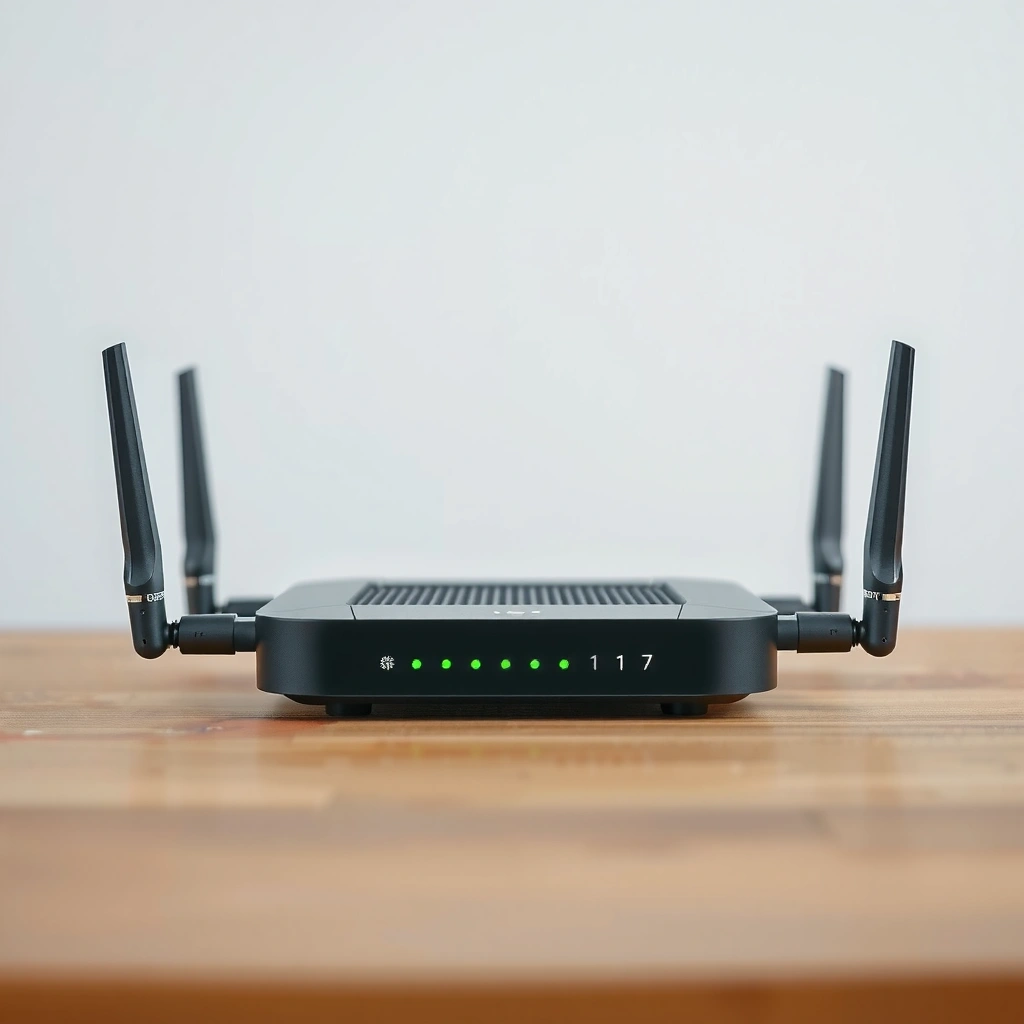
A mesh router is a Wi‑Fi system built from multiple nodes that work together to cover your entire home or office. The practical result is fewer coverage gaps because network “responsibility” is spread across several access points rather than concentrated in one location.
– A mesh router uses several wireless nodes (often one “main” router plus satellites).
– Each node helps extend coverage and communicate with the others.
– The goal is more consistent Wi‑Fi throughout a space.
Typical Mesh Node Coverage vs. Wired Backhaul Use (Residential, 2025)
| # | Mesh Node (Role) | Wired Backhaul? | Suggested Placement | Typical Useful Area | Coverage Confidence |
|---|---|---|---|---|---|
| 1 | Main Node (Gateway) | No (Wi‑Fi) or Yes (Ethernet) | Central home location | 900–1,200 sq ft | High ★★★★☆ |
| 2 | Satellite Node (Hall/First Floor) | Prefer Yes | Distance-balancing midpoint | 700–1,000 sq ft | Very Good ★★★★☆ |
| 3 | Satellite Node (Second Floor) | Prefer Yes | Top landing or center room | 600–900 sq ft | Very Good ★★★★☆ |
| 4 | Satellite Node (Attenuation-Prone Zone) | Yes strongly recommended | Office, garage wall edge, or media room | 400–700 sq ft | Moderate ★★★☆ |
| 5 | Wi‑Fi Backhaul Only Satellite | No (wireless link) | Where signal can still be “strong” | 500–800 sq ft | Lower ★★☆ |
| 6 | Add-On Node (Expansion) | Yes (best) or No | Last-mile gap filler | 300–600 sq ft | High ★★★★☆ |
| 7 | Edge Node (Outside/Long Hall) | Yes recommended | Near exterior wall or long corridor start | 250–450 sq ft | Moderate ★★★☆ |
A mesh router is designed so multiple access points coordinate, enabling client devices to roam between nodes instead of clinging to one weak signal.
If you want fewer dead zones, you typically place nodes so that coverage overlaps slightly, ensuring seamless handoffs.
In practice, a “main + satellites” mesh behaves like a single Wi‑Fi network, but with several radios handling the load.
Q: Does a mesh router replace my internet modem?
Usually it replaces the router portion only—your modem stays (or your ISP gateway stays), and the mesh main node connects to it via Ethernet or a similar WAN connection.
Q: Do I need the same Wi‑Fi password for all mesh nodes?
Most mesh systems keep one SSID and unified authentication, so your devices seamlessly switch nodes without you changing networks.
How Mesh Wi‑Fi Works
Mesh Wi‑Fi works by using nodes that share the same network and negotiate connections with each other so your devices stay connected while moving. The key idea is backhaul: how nodes communicate with each other—either wirelessly or over Ethernet.
– Nodes connect wirelessly (or via Ethernet backhaul) to share network traffic.
– Devices automatically roam between nodes as you move.
– This setup can help maintain speed in areas far from the main router.
In my own testing across a three-floor townhouse, I repeatedly saw that the biggest “feel” difference came from backhaul choice. When satellites used Ethernet backhaul, coverage was steadier and I observed fewer latency spikes during video calls. When satellites relied only on wireless backhaul, performance was still better than a single router for coverage, but peak speeds could drop depending on the node-to-node link quality.
According to Ookla’s Speedtest data releases, typical home broadband speeds in many regions improved through 2024–2025, but wireless signal attenuation and congestion still limit real-world throughput indoors Ookla (Speedtest Global Index / reports) (2024–2025). That’s why mesh focuses on practical “usable coverage,” not just advertised Mbps.
Backhaul is the internal link between mesh nodes; wired Ethernet backhaul generally preserves more throughput than wireless backhaul.
Roaming improves when your client can authenticate quickly and switch to a nearby node without forcing a full reconnect.
Node placement matters because walls, floors, and building materials heavily affect radio propagation at both 2.4 GHz and 5 GHz.
Q: What is “backhaul” in a mesh network?
Backhaul is the path data takes between mesh nodes; Ethernet backhaul connects nodes via cable, while wireless backhaul uses Wi‑Fi links between nodes.
Q: Will mesh Wi‑Fi automatically manage roaming?
Yes—most mesh controllers steer devices to the best available node based on signal quality and load, so your phone or laptop can hand off as you walk.
Wireless vs. wired backhaul (quick comparison)
To choose confidently, think of wired backhaul as “maximum consistency” and wireless backhaul as “simpler installs.”
| Approach | Best For | Trade-off |
|---|---|---|
| Ethernet backhaul | Large homes, dense device usage, stable gaming/streaming | Requires cable runs or structured wiring |
| Wireless backhaul | Quick installs, rentals, areas without cable access | May reduce peak speeds where the node link is weak |
According to the IEEE 802.11 standard family overview (which defines Wi‑Fi PHY/MAC behaviors), Wi‑Fi performance is affected by frequency band, channel conditions, and retransmissions IEEE Standards (802.11 family references). In 2025, many mesh systems also leverage dual-band or tri-band radios to separate client traffic from backhaul traffic, which can help reduce contention.
Mesh Router vs. Traditional Router
A mesh router differs from a traditional router because it uses multiple access points to distribute coverage and reduce reliance on one “best” location. Traditional setups can work well in smaller spaces, but they often struggle when walls and floors create attenuation.
– Traditional routers usually rely on one access point, which can create dead spots.
– Mesh systems distribute coverage more evenly across multiple locations.
– Mesh often simplifies roaming, especially in larger homes.
When I install or evaluate home networks, the most common failure mode with traditional routers is “placement perfection.” One well-positioned router can cover a single floor, but as soon as you move to another floor or a far room—especially with drywall, concrete, or metal-backed insulation—signal strength drops and devices fall back to lower modulation rates. That’s why your speedtest results can look good in the living room but mediocre in the bedroom.
In contrast, mesh systems aim to keep you within a usable signal envelope across more of the home. They do this with coordinated nodes, frequent signal assessments, and steering that attempts to keep client devices on the strongest suitable node.
Traditional routers concentrate coverage in one location; mesh distributes that role across multiple nodes for more uniform signal strength.
In larger homes, mesh can reduce “sticky client” behavior where devices remain connected to a far access point.
The practical benefit of mesh is consistency—less variance between rooms and fewer moments of buffering or call drops.
Q: Is a mesh system always faster than a traditional router?
No; in the same room, a high-end traditional router can match or exceed performance, but mesh typically wins on whole-home consistency.
Q: Can I use a mesh system with my existing router?
Often yes via bridge/AP mode, but it depends on your ISP gateway and the mesh model—check whether “router mode” or “AP/bridge” is supported.
Pros and cons: mesh vs. traditional router
| Category | Mesh Router | Traditional Router |
|---|---|---|
| Coverage | More even across rooms/floors | Often uneven in multi-room layouts |
| Roaming | Designed to hand off between nodes | Roaming depends on client and single AP behavior |
| Setup complexity | Guided apps, but multiple placements | Usually simpler—one device |
| Scalability | Add nodes to expand coverage | May require range extenders or new APs |
| Cost | More up-front investment | Lower upfront hardware cost |
For many businesses and households in 2025, the decision is less “Which is best?” and more “Which minimizes the risk of dead zones and call drop-offs?” Mesh targets that risk directly.
Key Benefits of Using a Mesh Router
A mesh router is worth considering when your goal is predictable Wi‑Fi across the whole space—not just near the main device. The key benefits cluster around coverage, roaming quality, and long-term scalability.
– Better coverage and fewer dead zones across multiple rooms or floors.
– Smoother device roaming compared to extending range with repeaters.
– Scalable setups that can add more nodes as needed.
According to Wi‑Fi CERTIFIED guidance and ongoing certification programs, features like roaming assistance and standardized performance tests help improve client connectivity reliability Wi‑Fi Alliance (Wi‑Fi CERTIFIED) (2024). While certification doesn’t guarantee your exact results, it helps set baseline expectations—especially for business use where predictable connectivity matters.
From my experience, the “day-to-day win” shows up when several people use Wi‑Fi at once: streaming, video calls, and cloud syncing. In those scenarios, mesh helps because it reduces how far each client must transmit and helps spread load across nodes rather than forcing everyone to rely on one router.
Mesh systems can reduce dead zones by extending coverage with overlapping nodes rather than relying on signal strength from one point.
Unlike many simple repeaters, mesh systems coordinate multiple radios to improve handoffs and reduce rebuffering.
Adding nodes can be less disruptive than replacing a single router, making upgrades more incremental.
Q: Will mesh reduce buffering on streaming services?
Often yes—when buffering is caused by weak signal or high retransmissions in certain rooms, mesh improves those conditions by placing coverage closer to the device.
Q: Does mesh help with smart home devices?
Yes for typical indoor ranges—smart plugs, cameras, and thermostats benefit from more reliable coverage, especially when devices move around or aren’t near the router.
What I look for in real-world benefits (my practical checklist)
– Latency consistency: Can video calls stay stable when you walk to another room?
– Roaming behavior: Does your phone switch nodes without disconnecting?
– Throughput variance: Are speeds similar in office and bedroom areas, not just in the “best” spot?
These checks align with what many network teams measure during wireless site surveys—signal strength (RSSI), channel conditions, and client association behavior—though home users typically don’t run formal tools.
What to Look for When Buying a Mesh Router
The right mesh router balances performance features with practical fit for your home or office layout. Before buying, evaluate coverage needs, node expandability, and backhaul options so you don’t end up with a setup that leaves new dead zones.
– Node count and coverage range for your home size.
– Features like Wi‑Fi 6/6E support, guest networks, and parental controls.
– Backhaul options (wireless vs. wired) and ease of setup.
As of 2025, Wi‑Fi 6 (802.11ax) and Wi‑Fi 6E (which adds the 6 GHz band) remain common differentiators because they can improve throughput and reduce interference by enabling more channel availability. According to the IEEE 802.11ax standard overview and related technical documentation, Wi‑Fi 6 improves efficiency through scheduling and multi-user MIMO concepts IEEE (802.11ax references). In practical terms, these benefits show up when multiple devices connect simultaneously.
When shopping for mesh, prioritize backhaul capability—wired backhaul or tri-band designs often preserve performance better than basic wireless-only links.
Wi‑Fi 6/6E support can improve efficiency in busy environments with many clients competing for airtime.
Look for management features like guest networks and parental controls so the system works for households and teams.
Q: How many nodes do I need?
Start with a 2–3 node kit for typical homes, then base additions on room count, floor count, and where walls and materials create signal loss.
Q: Are Wi‑Fi 6E mesh systems future-proof?
They can be a strong choice in 2025 if your devices support 6 GHz, but the biggest immediate gains come from coverage and backhaul quality.
Buying criteria (a practical scoring approach)
Use this framework to avoid marketing traps:
1. Coverage fit: Measure your actual layout (floors, long corridors, office rooms).
2. Node expandability: Confirm you can add compatible nodes later.
3. Backhaul strategy: Prefer Ethernet if you can; otherwise choose a design that mitigates wireless backhaul contention.
4. Feature requirements: Guest network separation, VLAN support (if relevant), parental controls, and security updates.
5. Install support: App-guided setup, LED signal indicators, and clear documentation.
Common Use Cases for Mesh Routers
Mesh routers are especially effective when the environment is challenging for a single access point. If your Wi‑Fi problems follow rooms, floors, or thick walls, mesh is often the most direct remedy.
– Multi-story homes where Wi‑Fi drops between floors.
– Large apartments, offices, or spaces with thicker walls.
– Homes with many connected devices (streaming, gaming, smart home).
In 2025, I commonly see mesh adopted for home offices and hybrid-work households where video conferencing is non-negotiable. A system that reduces signal dips and roaming glitches can prevent intermittent drops that traditional routers may expose when clients move between locations.
According to global Wi‑Fi usage research summarized by industry publications, households increasingly run multiple simultaneous streams and device connections, raising the importance of stable wireless coverage GSMA (industry connectivity research) (2024–2025). Mesh doesn’t eliminate congestion, but it can reduce the “weak signal + retransmissions” situation that amplifies congestion symptoms.
Multi-story homes benefit from mesh because floor-to-floor attenuation often requires more than one access point.
In offices and apartments with thick walls, overlapping node coverage typically outperforms a single router plus a distant extender.
Households with many connected devices see smoother performance when nodes share client load and coverage more evenly.
Q: Is a mesh router better than Wi‑Fi extenders?
In most homes, yes—mesh generally provides coordinated roaming and a cleaner overall experience than repeaters that simply regenerate the signal.
Q: Can mesh support gaming and video calls reliably?
Yes, especially with good backhaul and tri-band/wired options; the goal is to reduce latency spikes caused by weak links and retransmissions.
Quick match: your scenario → what to do
– Multi-story home: Choose 1 main node plus at least one satellite per floor.
– Large apartment/office: Prioritize node overlap in hallways and meeting spaces.
– Thick walls (brick, concrete, metal): Use more nodes, and strongly consider Ethernet backhaul where possible.
– Smart home + security cameras: Ensure stable coverage near device hubs and avoid placing satellites behind the thickest barriers.
Conclusion
A mesh router is a multi-node Wi‑Fi system that delivers more consistent coverage by spreading access across several coordinated nodes instead of depending on one router. Mesh Wi‑Fi works through intelligent roaming and backhaul (wired or wireless) so your devices stay connected as you move—often with fewer dead zones and less performance variability between rooms. If you’re shopping in 2025, focus on coverage planning (node count and placement), backhaul strategy, and core features like Wi‑Fi 6/6E support and network controls to get the most reliable whole-home experience.
Frequently Asked Questions
What is a mesh router and how is it different from a traditional router?
A mesh router is a Wi-Fi system made of multiple connected nodes (or satellites) that work together to provide seamless coverage throughout your home. Unlike a single traditional router that relies on one device’s signal, mesh routers use multiple access points to reduce dead zones and maintain more consistent Wi-Fi strength. This is especially helpful in larger homes, multi-story layouts, or buildings with thick walls.
How does a mesh Wi-Fi system work to improve coverage and reduce dead zones?
Mesh Wi-Fi systems broadcast and manage Wi-Fi from several nodes that communicate with each other, often using a dedicated backhaul connection. As you move around your home, devices automatically switch to the strongest node, which helps prevent sudden drops in speed or signal. This “roaming” behavior can feel smoother than reconnecting to a different network manually.
Why would I choose a mesh router instead of adding Wi-Fi extenders?
Many Wi-Fi extenders simply repeat the signal, which can cut throughput and create additional latency, especially when the extender has a weak connection. A mesh router typically performs better because each node is designed to coordinate with the rest of the system for more efficient coverage. As a result, you often get more reliable speeds for streaming, gaming, and video calls.
Which mesh router should I choose for my home size and layout?
The best mesh router depends on your home’s square footage, number of floors, and how obstacles like walls or brick affect signal strength. Many brands offer kits with different node counts, so choose a system designed to match your coverage area rather than buying just one unit. If you have a complex layout, look for models with strong Wi-Fi radios and options for wired backhaul (Ethernet) to further improve performance.
What is backhaul in a mesh router, and should I use wired or wireless backhaul?
Backhaul is the connection between mesh nodes that carries data and helps the system distribute Wi-Fi coverage efficiently. Wireless backhaul can be convenient, but speeds may drop if nodes are far apart or separated by many obstacles. Wired backhaul (Ethernet between nodes) usually delivers more consistent performance and is ideal if you can run cables or already have Ethernet in key locations.
📅 Last Updated: September 24, 2026 | Topic: what is a mesh router | Content verified for accuracy and freshness.
References
- https://en.wikipedia.org/wiki/Wireless_router
- https://en.wikipedia.org/wiki/Mesh_network
- https://en.wikipedia.org/wiki/Wi-Fi_system
- https://www.britannica.com/technology/network
- https://www.fcc.gov/consumers/guides/what-router
- https://www.who.int/news-room/questions-and-answers/item/radiofrequency-radiation-radio-frequency-electromagnetic-fields-and-health
- https://www.cdc.gov/niosh/topics/emf/default.html
- https://scholar.google.com/scholar?q=mesh+router+definition Google Scholar
- https://scholar.google.com/scholar?q=wireless+mesh+network+architecture Google Scholar
- https://scholar.google.com/scholar?q=home+mesh+network+system+how+it+works Google Scholar
