
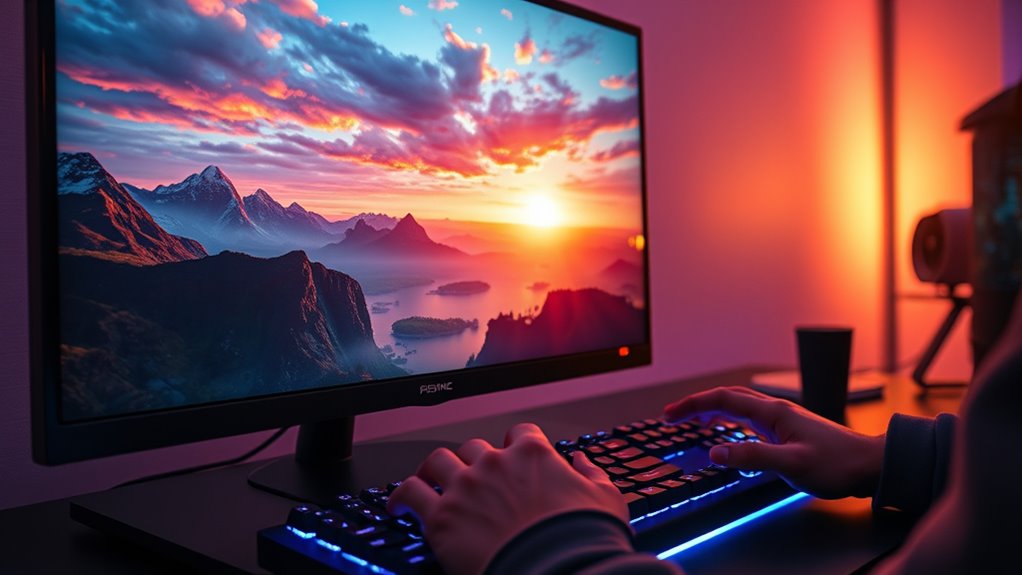

A FreeSync monitor adjusts its refresh rate to match your graphics card’s frame rate, guaranteeing smooth, tear-free visuals while you game. This technology reduces screen tearing and stuttering, allowing for immersive gameplay and quicker on-screen responses. It’s available in various types, offering enhancements like HDR support and higher refresh rates. To get the best performance, you’ll want to verify your setup is compatible and properly configured. Keep exploring to find out more about optimizing your gaming experience!
Understanding Freesync Technology
When you’re gaming or watching videos, you might notice that not everything flows smoothly, which can be frustrating. This is where FreeSync technology comes in, offering several freesync advantages that enhance your experience. By synchronizing your monitor’s refresh rate with your graphics card’s frame rate, it eliminates screen tearing and stuttering. This means you’ll enjoy smoother visuals and more fluid gaming performance, making those intense moments even more immersive. Plus, FreeSync works across a variety of devices, so you can experience these benefits without breaking the bank. If you value freedom in your gameplay and want to maximize your enjoyment, understanding and utilizing FreeSync technology is a step in the right direction. Embrace the advantages and elevate your gaming experience!
How Freesync Works
When you use a FreeSync monitor, you’re tapping into variable refresh rate technology that syncs your display’s refresh rate with your GPU’s frame rate. This not only eliminates screen tearing but also enhances your overall gaming experience, making it smoother and more enjoyable. Understanding how FreeSync operates will help you appreciate its benefits in gaming and beyond.
Variable Refresh Rate Technology
Although you might be familiar with standard refresh rates, understanding how FreeSync operates can enhance your gaming experience. FreeSync utilizes variable refresh rate technology, enabling adaptive synchronization between your monitor and graphics card. This means your display can adjust its refresh rate in real-time, matching the frame rate output from your GPU. When frame rates fluctuate—common during intense gaming sessions—FreeSync guarantees that your monitor keeps up, reducing lag and stuttering. This synchronization allows for smoother visuals and a more immersive experience without the constraints of fixed refresh rates. Ultimately, it gives you the freedom to enjoy games as they were meant to be played, free from interruptions and distractions.
Eliminating Screen Tearing
FreeSync works by dynamically adjusting your monitor’s refresh rate to eliminate screen tearing, ensuring a seamless gaming experience. When you’re gaming, variable frame rates can lead to screen tearing, disrupting your visuals. FreeSync synchronizes your GPU’s output with your monitor’s refresh rate, allowing them to work in harmony. This means that whether you’re in a fast-paced action scene or exploring an open world, your gaming visuals remain fluid and immersive. You’ll notice that your gameplay feels more responsive and natural, as any stuttering or tearing is minimized. With FreeSync, you gain the freedom to enjoy your games without the frustration of visual artifacts, making every moment on-screen a true delight. Embrace the smoothness and elevate your gaming experience.
Enhancing Gaming Experience
As you immerse yourself in the gaming universe, the way FreeSync operates plays an essential role in enhancing your experience. By synchronizing the monitor’s refresh rate with your graphics card’s frame rate, FreeSync delivers stunning gaming immersion and fluid visuals. Here’s how it elevates your gameplay:
- Eliminates screen tearing for smooth visuals
- Reduces input lag, giving you quicker response times
- Guarantees consistent frame rates, enhancing stability
- Adapts to varying performance, maintaining quality
- Supports a wider range of refresh rates for flexibility
With FreeSync, your gaming sessions become more enjoyable, allowing you to dive deeper into your favorite virtual domains without distractions. Experience the freedom of seamless gameplay and take your skills to the next level!
Benefits of Using Freesync Monitors
When you upgrade to a FreeSync monitor, you’ll quickly notice a significant improvement in your gaming experience. One of the main benefits is enhanced gaming fluidity, allowing you to enjoy smoother visuals without tearing or stuttering. This means you can fully immerse yourself in your favorite games, whether you’re battling in a fast-paced shooter or exploring vast open worlds.
Additionally, FreeSync monitors provide superior display responsiveness, ensuring that your actions are mirrored on-screen with minimal delay. This not only elevates your performance but also gives you a competitive edge. You’ll find that every move feels more natural, making gameplay more enjoyable. Embrace the freedom that comes with a FreeSync monitor, and elevate your gaming to new heights.
Types of Freesync
When it comes to FreeSync, there are a couple of key types you should know about. Basic FreeSync technology offers solid performance for tear-free gaming, while FreeSync Premium variants take things up a notch with added features like low latency and support for variable refresh rates. Understanding these differences can help you choose the right monitor for your gaming setup.
Basic FreeSync Technology
FreeSync technology comes in several variations, each designed to enhance your gaming experience. Understanding the Freesync basics can help you choose the right setup for smooth, tear-free gameplay. Here’s a quick technology overview of the primary types:
- Standard FreeSync: The original version for basic adaptive sync.
- FreeSync 2: Adds low latency and HDR support for richer visuals.
- FreeSync Premium: Offers higher refresh rates and improved performance.
- FreeSync Premium Pro: Combines FreeSync Premium features with HDR capabilities.
- FreeSync Compatible: Works with a broader range of monitors, but may have limited features.
With these options, you can enjoy freedom from screen tearing and stuttering, allowing you to focus on what matters most—your gaming experience.
FreeSync Premium Variants
While choosing the right monitor, it is essential to understand the various FreeSync Premium variants available, as they cater to different gaming needs and preferences. The main types include FreeSync Premium, which offers low frame rate compensation (LFC) and a minimum refresh rate to prevent stuttering in fast-paced games. Then there’s FreeSync Premium Pro, which adds HDR support for enhanced visuals, providing a more immersive experience. Each FreeSync variant guarantees smoother gameplay, reducing tearing and input lag. By selecting the right FreeSync variant for your setup, you can enjoy the ultimate freedom in gaming, making your experience not just smoother but also more visually stunning. So, choose wisely and elevate your gaming journey!
Compatibility With Graphics Cards
To guarantee you get the most out of a FreeSync monitor, it’s essential to take into account its compatibility with your graphics card. FreeSync compatibility varies, so understanding your graphics card requirements is vital for an ideal experience. Here are some key points to reflect on:
Ensure your graphics card is compatible with FreeSync to fully enjoy its benefits for an optimal gaming experience.
- Confirm your graphics card supports FreeSync technology.
- Check if your card is AMD or NVIDIA, as compatibility can differ.
- Look for the FreeSync range; some monitors only work within specific refresh rates.
- Update your graphics drivers to the latest version for the best performance.
- Verify if your monitor’s FreeSync version (Standard, Premium, etc.) matches your graphics card’s capabilities.
Setting Up Freesync
When you’re ready to enjoy the benefits of a FreeSync monitor, setting it up correctly is essential for an ideal gaming experience. Start by accessing your monitor’s on-screen display (OSD) menu to find the FreeSync settings. Enable FreeSync, ensuring it’s activated for the specific input source you’re using. Next, immerse yourself in your graphics card’s control panel. If you’re using AMD, open Radeon Settings, and navigate to the Display tab to confirm FreeSync is enabled. For NVIDIA users, check if G-SYNC compatibility is set for the FreeSync monitor. Finally, adjust your monitor configuration to match your preferred resolution and refresh rate. With these steps, you’ll unlock the full potential of your FreeSync monitor, enjoying smoother gameplay without tearing.
Freesync vs. Other Synchronization Technologies
Having set up your FreeSync monitor for ideal performance, it’s important to understand how it compares to other synchronization technologies. FreeSync offers several advantages, like smoother gameplay and reduced screen tearing, but it also has limitations. Here’s a quick comparison with other options:
- FreeSync advantages: Seamless performance at variable refresh rates.
- FreeSync limitations: Limited compatibility with non-AMD graphics cards.
- FreeSync alternatives: G-Sync for NVIDIA users, which may come at a higher cost.
- Adaptive sync: A broader term that includes FreeSync and G-Sync, offering flexibility across various monitors.
- Overall choice: Your gaming needs and hardware will dictate the best fit.
Understanding these differences will help you decide what’s right for your gaming experience.
Choosing the Right Freesync Monitor
Choosing the right FreeSync monitor can greatly enhance your gaming experience, especially if you want smooth visuals and responsive gameplay. Start by evaluating your monitor specifications, such as refresh rates and resolution. Higher refresh rates provide smoother motion, while higher resolutions deliver sharper images. Don’t forget to take into account the size and panel type that best suits your style—whether it’s IPS for vibrant colors or TN for faster response times.
Next, think about your budget considerations. You don’t need to break the bank; there are excellent options across various price points. By balancing your performance needs with your budget, you’ll find a FreeSync monitor that checks all the boxes, giving you the freedom to enjoy your gaming sessions without compromise.
Real-World Performance and User Experience
While you might have the latest FreeSync monitor, the real test comes down to how it performs in your everyday gaming scenarios. You’ll find that user experience greatly improves with features that enhance performance metrics. Here’s what to expect:
The true value of a FreeSync monitor lies in its real-world gaming performance and enhanced user experience.
- Smooth gameplay: Say goodbye to screen tearing and stuttering.
- Variable refresh rates: Enjoy seamless shifts during fast-paced action.
- Reduced input lag: Feel more in control with quicker responses.
- Enhanced visuals: Experience richer colors and better contrast.
- Broader compatibility: Works well with various graphics cards.
Frequently Asked Questions
Does Freesync Reduce Input Lag in Gaming?
Yes, FreeSync can reduce input latency, enhancing your gaming performance. By synchronizing your monitor’s refresh rate with the graphics card, it helps eliminate stuttering and tearing, allowing for a smoother, more responsive gaming experience.
Can I Use Freesync With Older Monitors?
You can’t use FreeSync with older monitors unless they’re specifically compatible. Consider monitor upgrades if you want that smooth experience. FreeSync’s benefits are best enjoyed on newer models designed to support this technology.
What Refresh Rates Are Supported by Freesync?
Think of Freesync as a smooth road for your gaming performance; it supports refresh rates ranging from 48Hz to 240Hz. This adaptive technology helps eliminate screen tearing, giving you the freedom to enjoy seamless gameplay.
Does Freesync Work on Consoles?
Yes, Freesync works on consoles, but you’ll need to check for Freesync compatibility with your specific console and monitor. It can enhance your console gaming experience by reducing screen tearing and improving overall visuals.
Is Freesync Effective for Professional Graphic Design Work?
Freesync isn’t ideal for professional graphic design work. While it smooths visuals, it might compromise color accuracy in design software, leaving your vibrant creations looking dull. Stick to reliable monitors for precise color representation.
