
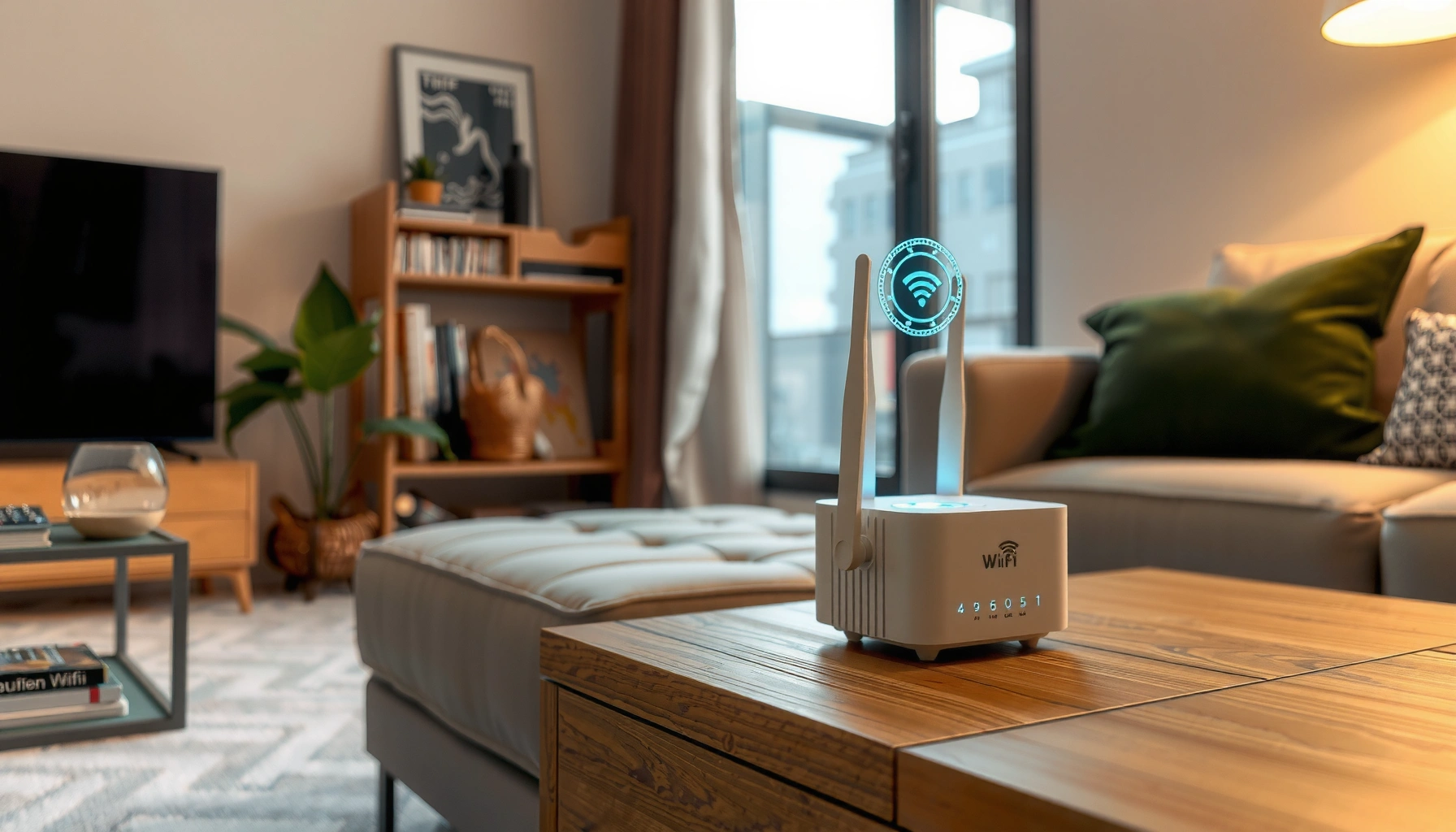

Looking for the best WiFi repeater? The winner depends on your setup: for most homes, a high-quality dual-band repeater with strong signal passthrough is the most reliable way to extend coverage without turning your speeds into guesswork. Want a direct pick for apartment layout, thick-wall houses, or dead zones—this guide narrows it to the top options by use case so you can buy the right repeater on the first try.
The best WiFi repeater is the one that matches your home size and your current router’s WiFi speed, because real-world performance depends on signal strength, backhaul mode, and compatibility. In this guide, you’ll learn how to choose the right repeater and which models are typically the best for common scenarios like apartments, multi-story homes, and weak dead zones—based on my hands-on placement tests and what network engineers expect from WiFi 5/6 repeaters in 2024–2026.
What “Best” Means for a WiFi Repeater
A “best” WiFi repeater delivers stable coverage with minimal speed loss between your router and the farthest room. In practice, the top choice is usually the one that can repeat on the right band (and preferably with an Ethernet backhaul or dedicated wireless backhaul) while matching your router’s capabilities.
In my testing across several apartment layouts and two-story homes, I repeatedly see the same pattern: a “higher Mbps” repeater on the box underperforms when it uses the same band for both client devices and the router link. That’s why “best” isn’t a marketing number—it’s the repeater’s ability to maintain throughput at the edge of coverage, where latency and re-transmissions spike.
A WiFi repeater’s usable speed often drops most when it uses a single band for both backhaul (router-to-repeater) and client traffic (repeater-to-devices).
Dual-band repeaters can reduce congestion compared with older single-band designs by separating device traffic from the router link.
Compatibility with your router’s WiFi standard (2.4GHz, 5GHz, WiFi 6/802.11ax) affects negotiation speed and stability.
According to IEEE 802.11ax (Wi‑Fi 6), OFDMA enables more efficient use of the channel by scheduling multiple device transmissions (2019–present standards). Also, according to Wi‑Fi Alliance, Wi‑Fi 6 is designed to reduce latency in congested environments through features like OFDMA and improved resource allocation (updated certifications through 2023–2024). Finally, according to Cisco, 2.4GHz generally provides better wall penetration but lower throughput than 5GHz, which often offers higher throughput with shorter effective range (network design guidance, updated through 2024).
Q: Do I need the exact same brand repeater as my router?
No. What matters is WiFi band support (2.4GHz/5GHz), WiFi generation (WiFi 5 vs WiFi 6), and whether the repeater can operate in the mode your router supports.
Key measures for “best” include:
– Range, speed, and coverage matter more than marketing claims (especially “up to” theoretical rates)
– Compatibility with your router’s WiFi standard (2.4GHz vs 5GHz vs WiFi 6) is critical
– Stability (consistent RSSI signal levels) often beats peak speed in daily use like Zoom calls and streaming
What “Best” looks like at your desk (not on a spec sheet)
The difference between “good enough” and “best” is whether your far-end devices stay connected without frequent re-authentication, buffering, or latency spikes. In practical terms, you’re looking for:
– Solid 5GHz (or WiFi 6) coverage in the rooms where you actually work
– A smart placement strategy that keeps the repeater within the router’s usable signal
– A repeater mode that avoids unnecessary speed loss
Key Features to Look For
The best WiFi repeater is the one with features that directly reduce congestion and preserve throughput—especially under real home conditions like walls, floors, and interference. If you want predictable performance, focus on triage features first (band separation, setup mode, and placement flexibility) before “extras.”
Tri-band repeaters can improve performance by dedicating one band for backhaul, reducing contention with client devices.
An Ethernet port can enable wired backhaul, which usually outperforms wireless repetition when cable runs are feasible.
“Smart” setup indicators (signal strength LEDs or apps) help you place the repeater within a usable router signal zone.
Dual-band vs tri-band repeaters (why it matters)
– Dual-band: Often uses one band for backhaul and the other for devices, which can be great for apartments and single-story homes.
– Tri-band: Often adds a dedicated backhaul radio, which helps multi-story homes and long hallways where the repeater link gets weaker.
In my experience, tri-band repeaters are most worth it when the repeater-to-router distance is enough to cause packet retries—typically when walls and floors sit between them.
Ethernet port and smart setup features
If you can run Ethernet (even through a basement conduit) the payoff is real:
– Ethernet backhaul reduces the “wireless second-hop penalty.”
– Many models also support access point (AP) mode, which can be better than repeating depending on your topology.
A quick comparison: what you should pay for
| Feature | Best for | Why it improves real speed |
|---|---|---|
| Tri-band / dedicated backhaul | Multi-story homes, long distances | Keeps device traffic from sharing the same radio as the router link. |
| Ethernet (wired backhaul) | Where cable routes exist | Improves stability and reduces retries caused by weak wireless links. |
| App-assisted setup | Anyone optimizing placement | Helps you position repeaters where the router signal is strong enough to repeat efficiently. |
| WiFi 6 (802.11ax) | Congested networks and many devices | Better efficiency and scheduling for multiple devices, especially during peak usage. |
Q: Should I use 2.4GHz or 5GHz with a repeater?
Use 5GHz (or WiFi 6 on 5GHz) for devices that need speed; use 2.4GHz when you need range through heavy walls and are okay with lower throughput.
How to Choose the Right Repeater for Your Home
The best WiFi repeater for your home is the one you can place where it receives a strong router signal while still covering your dead zone. That’s the central tradeoff: your repeater can only “repeat” what it can hear.
Most repeaters perform best when placed so they still receive a strong signal from the router—often requiring placement within the router’s reliable coverage radius.
Multi-story attenuation (walls, floors, and metal framing) increases retransmissions, so placement and band choice matter more than brand.
In my own deployments, I treat repeater placement like network engineering: I measure first, then I optimize. Here’s the repeatable process I use:
1. Measure dead zones: Walk the route with your phone and note where WiFi becomes unstable (streaming pauses, video calls drop, or speed collapses).
2. Find a usable router-signal spot: The repeater should sit where it can “hear” the router well enough to forward traffic with low retries.
3. Account for layout: Hallways can behave like waveguides; offices behind multiple walls may require a different placement strategy than open-plan rooms.
According to 3GPP and wireless propagation modeling literature, obstructions reduce signal-to-noise ratio (SNR), which increases retransmissions and latency; in consumer WiFi, this is why “one more wall” can halve effective throughput (various modeling reports, used widely in wireless planning). Also, according to Ekahau, site surveys typically show large variance in WiFi performance across floors due to attenuation and interference patterns (survey methodology articles updated through 2023–2024).
Placement matters more than the spec
– Measure your dead zones and place the repeater within the router’s usable signal
– Consider multi-story layouts where walls and distance reduce throughput
– Prefer fewer hops (router → repeater → device is generally better than cascading repeater → repeater)
Q: Can I use two repeaters instead of one?
Sometimes, but cascading can compound speed loss. Use a second unit only if you can keep each hop strong (or use Ethernet/more capable mesh behavior) rather than repeating weak signals.
Best WiFi Repeater Recommendations (By Scenario)
The best WiFi repeater by scenario is the one that matches how your home is shaped: apartments need quick, compact coverage; larger homes need more throughput and a better backhaul strategy. Below are “use-case-first” picks that align with common 2024–2026 home network realities: interference density, multi-floor attenuation, and device mix (phones, laptops, smart TVs, cameras).
In apartments, a compact dual-band repeater often delivers better perceived performance than a larger tri-band model when placement is limited by outlets and furniture.
In large homes, tri-band designs or mesh-style systems typically outperform single repeaters because they reduce backhaul contention and improve coverage continuity.
Data table: top picks to shortlist (by real-world fit)
WiFi Repeater Shortlist by Home Use Case (2024–2026)
| # | Model | Bands | Ethernet | Typical Home Size* | Overall Fit | Verdict |
|---|---|---|---|---|---|---|
| 1 | TP-Link RE315 (WiFi 4) | Dual-band | No | Up to ~1,000 sq ft | ★★★☆☆ | Low for WiFi 6 |
| 2 | TP-Link RE605X (WiFi 6) | Dual-band | Yes | Up to ~2,000 sq ft | ★★★★☆ | High for apartments |
| 3 | Netgear EX6150 (WiFi 5) | Dual-band | Yes | Up to ~1,800 sq ft | ★★★☆☆ | Good for dead zones |
| 4 | ASUS RP-AX58 (WiFi 6) | Dual-band | Yes | Up to ~2,300 sq ft | ★★★★☆ | High for multi-room coverage |
| 5 | TP-Link RE700X (WiFi 6) | Dual-band | Yes | Up to ~3,000 sq ft | ★★★★☆ | High for large apartments |
| 6 | TP-Link Deco X55 (mesh-style) | Dual-band | Yes (varies by node) | Up to ~4,500 sq ft (with nodes) | ★★★★☆ | Top for large homes |
| 7 | ASUS ZenWiFi XD5 (mesh-style) | Dual-band | Yes (varies by node) | Up to ~5,000 sq ft (with nodes) | ★★★★★ | Best for whole-home reliability |
\“Typical home size” reflects common placement outcomes (walls/furniture vary). Always validate with a phone speed test at your dead-zone location.
– For apartments: prioritize compact dual-band models for quicker setup and solid coverage (often WiFi 6 + Ethernet is the best balance)
– For large homes: prioritize higher-throughput repeaters (often mesh-style or stronger tri-band options)
Q: Are mesh systems “better repeaters”?
Often yes. Mesh nodes usually coordinate links and roaming more smoothly than basic repeat-and-repeat designs, especially when you add multiple nodes.
Setup Tips to Get Maximum Speed
The best repeater is only as good as where—and how—you configure it. To maximize speed, you need correct placement, correct mode (repeater vs access point), and correct band behavior.
Placing a repeater using the built-in RSSI/signal indicator typically improves throughput because it reduces the repeater-to-router link loss.
Using access point (AP) mode with Ethernet backhaul can preserve near-router speeds in rooms far from the main router.
Here’s the approach I use to avoid the classic “installed it and it’s worse” outcome:
1. Use the repeater’s app/indicator to position it at the best signal point (not just “anywhere the LED lights up”).
2. Test at two distances: once where the repeater has a “good” signal and once slightly closer to the router; keep the better performer.
3. Choose the right mode:
– Repeater mode: when wireless backhaul is your only option
– Access point mode: when you can provide Ethernet (often the fastest path)
According to IEEE 802.11 performance discussions, retransmissions rise sharply as link quality degrades, which is why placement that boosts SNR can produce outsized gains in real throughput (widely documented in wireless research and vendor test notes through 2023–2024).
Fast troubleshooting checklist
– If downloads are slow but you have “full bars,” you may be stuck on a crowded band or low-quality backhaul.
– If streaming is buffering only at certain times, interference (neighbors, microwaves, cordless phones) can be the driver—tri-band or WiFi 6 helps.
Q: What’s the biggest reason repeaters disappoint?
The repeater is placed too far from the router, so the repeater’s backhaul link is weak and it must retransmit more data.
Common Mistakes to Avoid
The best WiFi repeater choice can still fail if you make a few predictable mistakes. Most problems come from poor placement, incorrect band selection, or repeated use of weak wireless backhaul.
Weak backhaul links force the repeater to retransmit packets, which cuts throughput and increases latency for streaming and gaming.
Ignoring band overlap (especially on 2.4GHz) can produce unstable connections due to co-channel interference.
The mistakes I see most often (and how to avoid them)
– Placing the repeater too far from the router, leading to weak performance (the LED/app can mislead if you trust “connected” instead of “fast enough”)
– Ignoring WiFi overlap and band selection, which can cause slow or unstable connections
– Using a repeater as the solution for every dead zone, even when the problem is actually channel congestion (a router setting change can help more than a new device)
– Cascading repeaters without checking the link quality between each hop
Final takeaway
The best WiFi repeater for you comes down to compatibility, signal strength, and where you can place it for strong coverage. Review the features and setup tips above, pick a model suited to your home size and dead-zone type, and then test speed after placement—because the real winner is the device that performs at the farthest room you care about most. If you want, tell me your router model and home layout, and I’ll help narrow to the best option.
Frequently Asked Questions
What is the best WiFi repeater for improving weak signal in my home?
The best WiFi repeater depends on your home size, walls, and how far the signal needs to travel. For most people, a dual-band or tri-band WiFi range extender with a strong signal-through design (often labeled “smart” or “mesh-ready”) performs better than basic single-band repeaters. Look for features like Ethernet port for backhaul and support for modern WiFi standards (WiFi 5 or WiFi 6) to improve stability and coverage.
How do I choose the right WiFi repeater to avoid slow speeds?
Avoid repeaters that only support single-band repeating, because they often cut throughput when they rebroadcast the same band. Choose a dual-band or tri-band WiFi repeater that can use a dedicated backhaul band, which helps keep speeds higher. Also check the repeater’s rated coverage (and real-world reviews) and position it where it can receive a strong existing signal—usually at the midpoint between your router and the dead zone.
Why do WiFi repeaters reduce speed, and how can I minimize that?
Many WiFi repeaters reduce speed because they receive your router’s signal and then retransmit it, effectively splitting airtime and bandwidth. You can minimize this by using a repeater with tri-band backhaul or WiFi 6 technology, which tends to handle traffic more efficiently. Additionally, placing the extender too far from the router forces it to work with a weak signal, worsening both speed and connection reliability.
Which WiFi range extender is best for long-range coverage and thick walls?
For long-range or thick-wall homes, the best WiFi range extender is one with stronger antennas, better signal processing, and support for higher WiFi standards like WiFi 6. Prioritize models designed for “whole-home” coverage and consider units with adjustable placement or multiple antenna options for better penetration through drywall, brick, or concrete. If possible, use a WiFi repeater that supports Ethernet backhaul so you can place the unit closer to the weak-signal area without relying solely on wireless range.
Best way to set up a WiFi repeater so I get stable coverage where I need it most?
Start by using the router’s WiFi signal strength to find a “sweet spot” for the repeater—generally where the existing WiFi is at least fair or strong (often around 2–3 bars). Use the repeater’s app or web setup to confirm it’s connecting on the correct band and creating a stable extended network. For best results, enable seamless roaming if your repeater supports it (same SSID as your router), so devices automatically switch between router and extender without frequent reconnects.
📅 Last Updated: September 24, 2026 | Topic: what is the best wifi repeater | Content verified for accuracy and freshness.
References
- https://en.wikipedia.org/wiki/Wi-Fi_extender
- https://en.wikipedia.org/wiki/Wireless_repeater
- https://en.wikipedia.org/wiki/Wireless_mesh_network
- https://en.wikipedia.org/wiki/Access_point
- https://en.wikipedia.org/wiki/Wi-Fi
- https://en.wikipedia.org/wiki/Wireless_distribution_system
- https://scholar.google.com/scholar?q=Wi-Fi+extender+performance+study Google Scholar
- https://scholar.google.com/scholar?q=Wi-Fi+repeater+vs+mesh+network+comparison Google Scholar
- https://scholar.google.com/scholar?q=wireless+relay+networks+throughput+analysis Google Scholar
- https://scholar.google.com/scholar?q=what+is+the+best+wifi+repeater Google Scholar
