
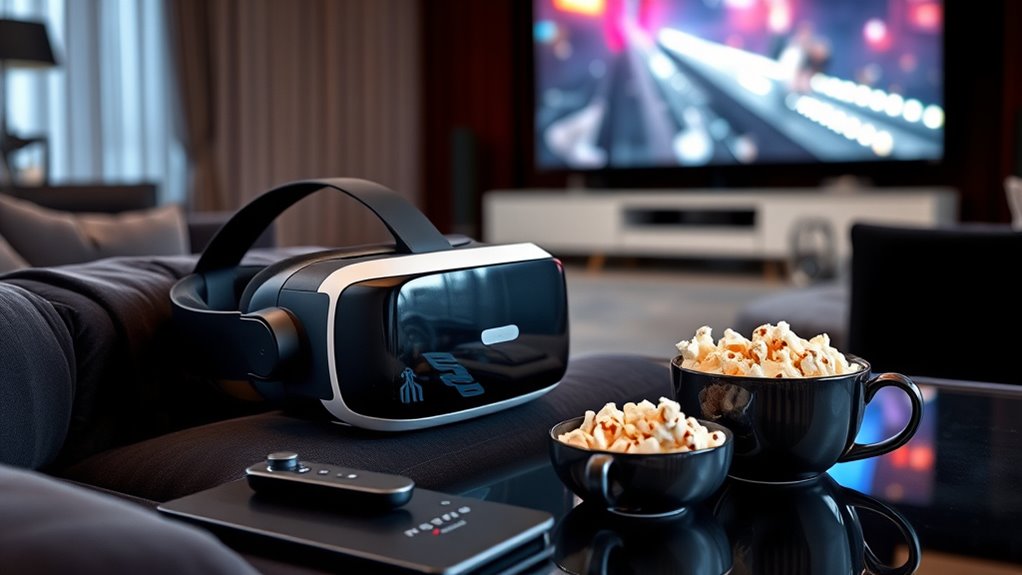

To watch movies in virtual reality, you’ll need a compatible VR headset, like the Oculus Quest 2 or Valve Index. A powerful graphics card and sufficient RAM are essential for peak performance. Make sure to install VR movie-watching apps and check your headset’s fit for comfort. Create a dimly lit space for immersion and gather snacks to keep interruptions at bay. Discover more tips and tricks to enhance your VR movie experience and make it unforgettable.
Understanding VR Headset Types
When it comes to choosing a VR headset, you might feel overwhelmed by the variety of options available. Understanding the different types can help you make an informed decision. There are standalone headsets, which don’t require a PC or console, offering freedom of movement. Then, there are tethered headsets that connect to powerful computers, providing stunning visuals and immersive experiences. Consider the VR headset features that matter most to you, like resolution, field of view, and comfort. Checking VR headset comparisons can also guide you in evaluating the pros and cons of each type. Ultimately, knowing what you value in your viewing experience will lead you to the perfect headset for enjoying movies in VR.
Essential Hardware Requirements
Choosing the right VR headset is just the beginning; you also need to evaluate the hardware requirements to guarantee a smooth viewing experience. First, check the VR headset specifications to verify compatibility with your device. A powerful graphics card is essential, as it renders the immersive visuals you’ll enjoy. Display resolution plays a significant role too; the higher the resolution, the clearer and more engaging your movie experience will be. Aim for at least 1080p per eye for superior quality. Additionally, confirm your processor and RAM meet the recommended standards, as they directly affect performance. Investing in these hardware elements will elevate your VR movie-watching sessions, giving you that much-desired freedom to enjoy films like never before.
Recommended VR Headset Models
Several top VR headset models stand out for movie watching, each offering unique features to enhance your experience. Depending on your preferences and budget, you’ll find options that balance performance with affordability. Here are some recommended models based on user reviews and an affordability comparison:
- Oculus Quest 2: A fantastic all-in-one headset that’s budget-friendly and easy to use.
- Valve Index: Offers high-quality visuals and immersive sound, perfect for serious movie buffs.
- HTC Vive Cosmos: Known for its comfort and wide field of view, making long viewing sessions enjoyable.
- PlayStation VR: A solid choice for console gamers, providing an accessible entry into VR cinema.
Choose wisely, and enjoy your cinematic journey!
Compatible Devices for Viewing
To enjoy movies in VR, you’ll need to make certain your device is compatible with supported VR platforms. Different headsets have specific requirements, so it’s important to check what works with your setup. Let’s explore which devices you can use for the best viewing experience.
Supported VR Platforms
When it comes to immersing yourself in the cinematic world of virtual reality, knowing which devices are compatible is essential. The right VR platform can enhance your user experience and maximize those amazing platform features. Here’s a quick list of popular supported VR platforms that you might consider:
- Oculus Quest 2: Standalone headset with a vast library of movies and apps.
- HTC Vive: Offers a premium user experience, especially for those who want high fidelity.
- PlayStation VR: Great if you already own a PlayStation console, combining gaming with cinematic views.
- Valve Index: Known for its exceptional tracking and immersive visuals, perfect for movie buffs.
With these options, you can easily find the perfect device to immerse yourself in your favorite films.
Device Compatibility Requirements
How do you guarantee your device is ready for an immersive movie experience in VR? First, you need to verify your VR headset is compatible with your device. Compatibility challenges often arise when trying to connect older hardware with newer VR technology. Check the specifications of your headset and the device—be it a PC, console, or smartphone. Most VR headsets require powerful graphics and processing capabilities, so don’t overlook those details. Staying updated with future developments in VR technology can also help you avoid compatibility issues down the line. Finally, consider using apps designed for VR movie watching, as they can enhance your viewing experience and make the most of your compatible devices. Enjoy your virtual cinematic adventures!
Software and Apps for VR Movies
Ever wondered what software and apps can elevate your VR movie-watching experience? The right tools can transform how you enjoy films in virtual reality. Here are some essential app features and content sources to evaluate:
- Streaming Services: Access platforms like Netflix or Hulu tailored for VR.
- Media Players: Use dedicated VR media players for a more immersive experience.
- Social Viewing Apps: Share your viewing experience with friends in a virtual theater.
- 360-Degree Video Apps: Explore unique content with immersive 360-degree films and documentaries.
Choosing the right apps can enhance your enjoyment and make your VR sessions more engaging. Don’t hesitate to explore different options to find what suits your cinematic preferences best!
Setting Up Your VR Headset
To enjoy movies in VR, you first need to choose a compatible headset that fits your setup. Once you’ve got that sorted, make sure to install any necessary software for peak performance. Finally, adjusting your viewing settings will enhance your cinematic experience, making it feel more immersive.
Choose Compatible VR Headset
Choosing the right VR headset is essential for an ideal movie-watching experience, especially since not all headsets are created equal. To enhance your user experience, consider the following VR headset features:
- Comfort: Look for adjustable straps and lightweight designs to enjoy those long movie marathons.
- Resolution: Higher resolution means clearer images, making your films feel more immersive.
- Field of View: A wider field of view can enhance your peripheral vision, drawing you deeper into the action.
- Compatibility: Verify your headset works with the devices you plan to use, whether it’s a gaming console or a PC.
With the right headset, you can open up a whole new world of cinematic enjoyment.
Install Necessary Software
Setting up your VR headset for movie watching requires installing the right software to guarantee everything runs smoothly. Start by downloading the necessary applications from your headset’s official store or website. This software installation process is essential for accessing a wide range of content and ensuring compatibility with your device.
Don’t forget to check for software updates regularly. These updates often include performance enhancements, new features, and vital bug fixes that can elevate your viewing experience. By keeping your software up to date, you can enjoy seamless streaming and enhanced functionality. With the right software in place, you’re all set for an immersive movie experience that truly feels liberating. So, immerse yourself and embrace your cinematic adventures!
Adjust Viewing Settings
Once you’ve got your software installed, it’s vital to adjust the viewing settings on your VR headset for an ideal movie-watching experience. Here’s what you should focus on:
- Adjusting brightness: Find the perfect level that enhances your visuals without straining your eyes.
- Calibrating audio: Make certain the sound quality is immersive and balanced for those epic movie moments.
- Head tracking sensitivity: Confirm it’s responsive enough to follow your movements, providing a seamless experience.
- Field of view: Set it to maximize your peripheral vision, making you feel like you’re truly inside the film.
These adjustments will greatly enhance your enjoyment and make the experience more engaging, so take the time to get it right!
Optimizing Your Viewing Environment
Creating the perfect atmosphere for watching movies with a VR headset can greatly enhance your experience. Start with your lighting conditions; aim for a dimly lit room to minimize distractions and immerse yourself fully. Avoid bright lights that can interfere with the headset’s sensors and your viewing comfort. Next, consider your seating arrangement. A comfortable, supportive chair can make a world of difference during long viewing sessions. Positioning it at a distance that feels natural helps your eyes adjust better, ensuring a more enjoyable experience. Finally, eliminate any potential interruptions— silence your phone and inform others that you’re diving into a virtual world. By optimizing these elements, you’ll create an inviting environment that makes your movie-watching experience truly unforgettable.
Tips for a Comfortable Experience
To guarantee a comfortable experience while watching movies in a VR headset, it’s essential to pay attention to the fit and adjustments of the device. Here are a few tips to enhance headset comfort and optimize your viewing distance:
- Adjust the straps: Confirm the headset fits snugly but not too tight, distributing weight evenly.
- Position the lenses: Align the lenses with your eyes for a clearer image and reduced strain.
- Take breaks: Give your eyes and neck a rest every 20-30 minutes to avoid discomfort.
- Check the environment: Make certain the area around you is clear to prevent bumps or distractions.
Exploring Content Options in VR
After ensuring your VR headset is comfortable, it’s time to explore the wide range of content options available in virtual reality. You’ll find a treasure trove of immersive storytelling experiences that transport you to new worlds. From gripping narratives to heart-pounding adventures, VR offers a unique way to experience movies. 360-degree films are a standout feature, allowing you to look around and engage with the environment, making you feel like you’re truly part of the action. Platforms like Oculus, Steam, and others provide diverse genres, ensuring you can find something that resonates with your taste. So, grab your headset, plunge into the enchanting content, and enjoy a movie-watching experience like no other! Your cinematic freedom awaits!
Frequently Asked Questions
Can I Use a VR Headset With Prescription Glasses?
Yes, you can use a VR headset with prescription glasses. Many headsets accommodate them for eye comfort, but consider prescription lenses inserts for a better fit and enhanced experience while enjoying your virtual adventures.
How Long Can I Comfortably Wear a VR Headset?
You can comfortably wear a VR headset for about 30 to 60 minutes. Longer sessions may lead to eye strain. Take breaks every so often to keep your experience enjoyable and your eyes feeling fresh.
Is VR Movie Watching Suitable for Children?
VR movie watching can be suitable for children, but you should always check age restrictions and content suitability. Not all VR content is appropriate, so it’s essential to supervise and choose wisely for their viewing experience.
Will VR Movies Cause Motion Sickness for Everyone?
Not everyone experiences motion sickness in VR, but it’s a balancing act. Factors like individual tolerance and the type of content can sway your experience. So, know your limits and enjoy the immersive freedom!
Can I Share My VR Headset With Others Easily?
Yes, you can share your VR headset easily, but practice good sharing etiquette. Maintain proper headset hygiene by cleaning the lenses and straps between uses. This way, everyone can enjoy a comfortable, enjoyable experience.
