
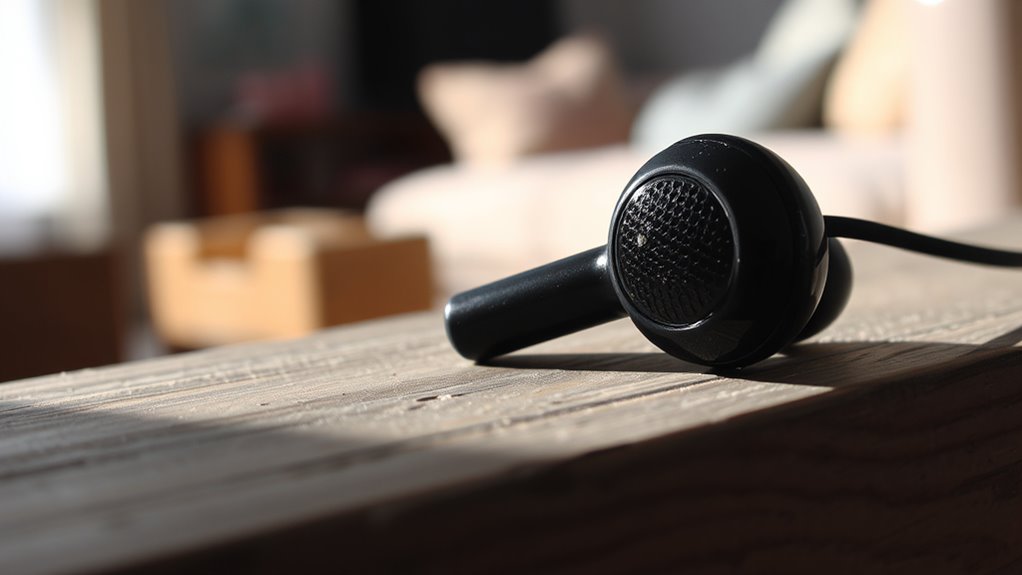

Your earbuds might sound muffled due to several factors. Earwax build-up can block sound transmission, while poor audio settings may distort sound quality. Issues with the earbuds themselves, like damaged or worn-out drivers, could also contribute to the problem. Additionally, loose connections or low-quality audio files might lead to muffled playback. Understanding these potential causes can help you pinpoint the issue and enhance your listening experience. Discover more insights and solutions as you continue exploring.
Common Causes of Muffled Sound
When you notice that your earbuds sound muffled, it could stem from several common issues. To begin with, the earbud design may not be ideal for sound isolation, causing external noise to blend with audio, which diminishes clarity. Additionally, if the fit isn’t snug, the sound waves won’t properly enter your ear canal, further compromising sound quality. The materials used in your earbuds can also affect performance; insufficiently dense materials may absorb sound instead of transmitting it effectively. Finally, the audio source and settings can play a critical role—low-quality files or incorrect equalizer settings can lead to a muffled experience. Understanding these factors can help you regain that rich, vibrant sound you desire.
Earwax Build-Up and Its Effects
Earwax accumulation can greatly affect the sound quality of your earbuds, leading to a muffled auditory experience. Understanding the impact of earwax build-up is essential for maintaining ideal sound clarity. Additionally, implementing effective cleaning techniques for your earbuds can help mitigate these issues and enhance your listening experience.
Earwax Accumulation Impact
Although you might not realize it, earwax accumulation can greatly affect the sound quality of earbuds. When earwax builds up in your ears, it can create a barrier that muffles sound transmission. This obstruction can lead to distorted audio, making it difficult to enjoy your music or podcasts. Additionally, excessive earwax may contribute to hearing issues, compromising your overall hearing health. Regular earwax removal is essential to maintain ideal sound clarity and prevent long-term auditory problems. If you notice a significant decline in sound quality, consider evaluating your earwax levels and seeking professional advice. Prioritizing ear hygiene not only enhances your listening experience but also safeguards your hearing health for the future.
Cleaning Techniques for Earbuds
To guarantee superior sound quality from your earbuds, it is vital to adopt effective cleaning techniques that address earwax build-up. Regular maintenance is important; use soft cleaning methods like a dry microfiber cloth or a soft brush to remove debris. For stubborn earwax, slightly dampen the cloth with isopropyl alcohol, ensuring no liquid enters the speaker. You can also utilize a toothpick or an interdental brush to gently dislodge wax from crevices. Avoid sharp objects, as they can damage delicate components. Implementing these maintenance tips not only enhances audio clarity but prolongs the lifespan of your earbuds. By prioritizing cleanliness, you’ll enjoy a consistently high-quality listening experience, free from muffled sounds caused by earwax accumulation.
Damaged or Worn-Out Drivers
When drivers in your earbuds become damaged or worn out, the sound quality can greatly deteriorate, leading to muffled audio. This often results from driver failure, causing sound distortion that compromises your listening experience. You might notice a lack of clarity or a significant drop in volume.
Damaged drivers in earbuds can lead to muffled audio and distortion, severely impacting your listening experience.
To assess the condition of your drivers, consider the following:
- Physical Inspection: Look for visible damage or wear on the drivers.
- Sound Testing: Play a variety of audio; if certain frequencies sound off, it could indicate driver issues.
- Longevity: Keep in mind that prolonged use can naturally lead to wear and tear.
Addressing these issues promptly can restore your earbuds’ performance, allowing you to enjoy your audio without compromise.
Audio Settings and Equalizer Adjustments
To resolve muffled audio issues, you should first check your audio equalizer settings to guarantee frequencies are balanced. Next, adjust volume levels appropriately; both too high and too low can degrade sound quality. Finally, resetting sound preferences periodically can help maintain peak performance.
Check Audio Equalizer Settings
Have you considered how your audio equalizer settings might be affecting the sound quality of your earbuds? Misconfigured equalizer presets can lead to muffled sound, diminishing your listening experience. It’s essential to check your audio enhancements to guarantee clarity and balance in sound reproduction. Here are a few steps to take:
- Review the equalizer presets available on your device.
- Experiment with custom settings to find what suits your preferences.
- Disable any unnecessary audio enhancements that may distort sound.
Adjust Volume Levels Properly
Misconfigured audio settings can greatly impact sound clarity, and volume levels play a pivotal role in this equation. To achieve peak audio performance, you’ll need to fine-tune your volume control. If the volume is set too low, you’ll likely experience a muffled sound, as the dynamic range compresses, diminishing clarity. Conversely, excessively high levels can cause distortion, leading to a lack of detail in the audio. Start by adjusting the volume to a moderate level, ensuring it’s neither too low nor excessively high. Experiment with different settings to find a balance that enhances sound clarity without compromising quality. Additionally, consider your audio source and the environment, as these factors can also influence your listening experience.
Reset Sound Preferences Often
Although you may have found a sound setting that works well initially, it is essential to reset your audio preferences periodically to maintain ideal performance. Regularly resetting preferences can considerably enhance your listening experience, ensuring clarity and balance in sound.
Consider these sound troubleshooting strategies:
- Adjust Equalizer Settings: Experiment with different presets to find the best balance for your audio.
- Reset Device Audio Profiles: Clear any saved settings that might conflict with current preferences.
- Update Audio Drivers: Keeping your software current can prevent compatibility issues that lead to muffled sound.
Poor Connection and Loose Jacks
When earbuds sound muffled, one common culprit is a poor connection due to loose jacks. Ensuring connection stability is critical for ideal sound quality. A loose jack can disrupt the flow of audio signals, leading to distorted or muted sound. To maintain jack integrity, regularly check the condition of both the earbud plug and the device’s port. Dust and debris can accumulate, further compromising the connection. Simple jack maintenance, such as cleaning the port with a soft brush, can greatly improve audio clarity. If you notice persistent issues despite maintenance, consider replacing the cable or earbuds. By prioritizing these aspects, you can enjoy a clearer sound experience and prevent muffled audio from hindering your listening freedom.
Compatibility Issues With Devices
When using earbuds, compatibility with your device is essential for ideal sound quality. Different audio formats supported by your device can affect the clarity and richness of the sound, potentially leading to a muffled experience. Ensuring that your earbuds are compatible with your device’s specifications can help mitigate these issues.
Device Compatibility Factors
If your earbuds sound muffled, device compatibility factors could be at play. Various compatibility issues may arise, particularly concerning device settings. It’s essential to make certain your audio source is configured correctly to avoid degraded sound quality. Here are some aspects to ponder:
- Audio Output Settings: Verify that the output is set to stereo and not mono.
- Bluetooth Versions: Confirm your earbuds and device are using compatible Bluetooth versions for peak performance.
- Audio Enhancements: Disable any audio enhancements in your device settings that might distort sound.
Addressing these factors can greatly improve your listening experience and restore clarity to your audio. By taking control of your device settings, you can free yourself from muffled sound issues.
Audio Format Support
Although you may have the latest earbuds, issues with audio format support can still lead to muffled sound. Many devices use different audio formats and digital codecs that can affect playback quality. If your earbuds aren’t compatible with the audio format being used, it can result in degraded sound. For instance, low-bitrate MP3 files often sound worse than higher-quality formats like FLAC or AAC. Additionally, some codecs may not transmit the full frequency range, causing a loss of clarity and detail in your audio experience. To guarantee peak performance, check that your audio source supports the same formats as your earbuds. Understanding these compatibility issues is vital for achieving the sound quality you desire.
Environmental Factors and Background Noise
How do environmental factors and background noise affect the clarity of your earbuds? When you’re surrounded by ambient noise, it can greatly diminish sound quality. Poor sound isolation in your earbuds allows external sounds to intrude, creating a muffled listening experience.
- Ambient noise levels: High levels can overpower your audio, making it hard to discern details.
- Acoustic environment: Reflections from walls or objects can distort sound waves, further complicating clarity.
- Fit and seal: A poor fit can lead to leakage, reducing the effectiveness of sound isolation.
To maintain audio fidelity, consider your surroundings and opt for earbuds that enhance sound isolation, allowing you to enjoy your music free from distractions.
Quality of the Earbuds
While environmental factors can impact sound clarity, the quality of your earbuds plays an essential role in delivering an ideal listening experience. High-quality earbuds utilize superior materials, such as robust plastics or metals, which can enhance sound fidelity. The drivers within these earbuds are vital; larger, well-engineered drivers typically produce clearer, more accurate sound. Additionally, effective sound isolation is critical. Earbuds designed with noise-canceling features or snug-fitting tips can minimize external noise, allowing you to focus on the audio without interference. If your earbuds lack these characteristics, they may sound muffled, detracting from your enjoyment. Investing in quality earbuds tailored to your listening preferences can greatly elevate your auditory experience, granting you the freedom to enjoy your music as intended.
Tips for Cleaning Your Earbuds
Regularly cleaning your earbuds is essential for maintaining sound quality and hygiene. Neglecting earbud maintenance can lead to a buildup of dirt, wax, and moisture, contributing to that muffled sound you’re experiencing. Aim to clean your earbuds at least once a week, or more frequently if you use them during workouts.
- Use a soft, dry cloth to wipe down the exterior.
- For the ear tips, gently remove them and rinse with warm water; avoid harsh chemicals.
- Utilize a soft brush or a cotton swab to remove debris from the speaker mesh.
When to Consider Replacement
If your earbuds consistently sound muffled despite regular cleaning, it might be time to contemplate a replacement. Here are some signs to help you determine when to upgrade:
| Signs of Replacement | Potential Issues | Recommended Action |
|---|---|---|
| Persistent muffled sound | Damaged drivers | Upgrade to a new model |
| Distortion at high volumes | Worn-out components | Consider new earbuds |
| Intermittent connectivity | Faulty wiring | Repair or replace |
| Uncomfortable fit | Degraded materials | Look for ergonomic options |
Pay attention to these indicators. If you notice any of these signs, don’t hesitate to invest in new earbuds that can restore your listening experience and freedom to enjoy your audio without compromise.
Frequently Asked Questions
Can Using Earbuds for Long Periods Cause Muffled Sound?
Yes, using earbuds for long periods can lead to muffled sound. Over time, earbud comfort may diminish, affecting sound frequency response. Prolonged use may cause earwax buildup, further dulling audio clarity.
Are Certain Earbud Brands More Prone to Muffled Sound?
Certain earbud brands indeed show variations in sound quality. Brand comparisons reveal that some models might prioritize bass over clarity, leading to a muffled experience. Choosing wisely can enhance your overall audio enjoyment considerably.
How Can I Tell if My Earbuds Are Defective?
To determine if your earbuds are defective, check for consistent sound quality across devices, perform earbud maintenance by cleaning the mesh, and listen for distortion. If issues persist, consider replacement for ideal performance.
Does Moisture Affect the Sound Quality of Earbuds?
Imagine a delicate flower wilting in the rain; moisture damage can indeed cloud your earbuds’ sound clarity. When water seeps in, it muffles audio, hindering the vibrant notes you crave, limiting your auditory freedom.
Can I Fix Muffled Sound Without Replacing My Earbuds?
Yes, you can fix muffled sound without replacing your earbuds. Try cleaning techniques to remove debris and adjust your sound settings for clarity. These steps often enhance audio quality, giving you a better listening experience.
