
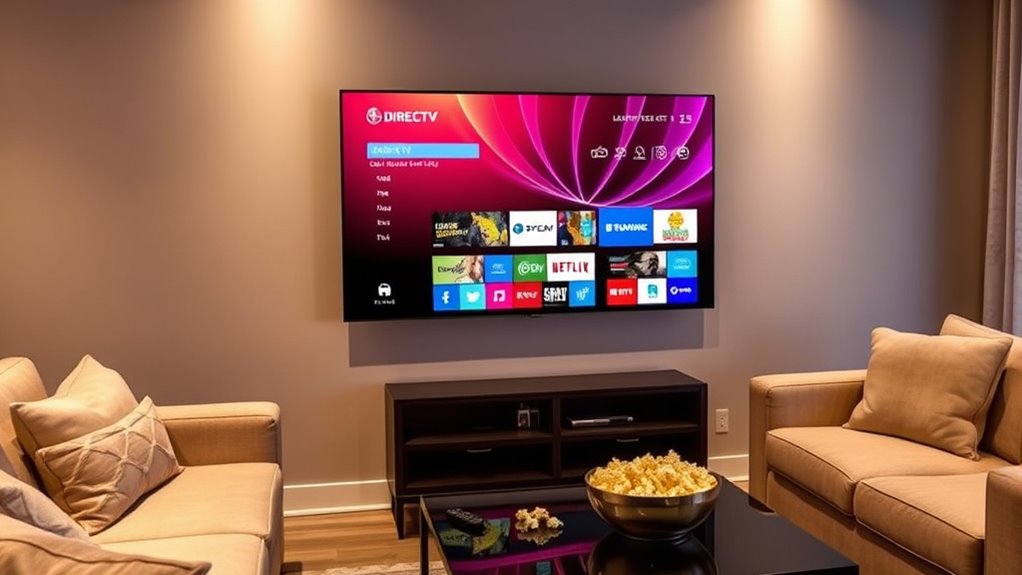

Yes, you can watch DirecTV on your LG Smart TV! The compatibility is seamless, allowing you to enjoy live TV and on-demand programming. Just use the DirecTV app for easy access or connect your DirecTV receiver via HDMI for ideal picture quality. Make sure your TV is updated and has a robust internet connection for the best experience. If you want to learn more about setup options and troubleshooting tips, keep exploring the details available!
Understanding DirecTV and LG Smart TV Compatibility
When it comes to enjoying DirecTV on your LG Smart TV, you might wonder just how compatible these two systems really are. The good news is that they work together quite seamlessly. LG Smart TVs boast impressive specifications, including high-resolution displays and advanced processing capabilities, guaranteeing you’ll enjoy DirecTV features like 4K streaming and DVR functionality. To maximize your experience, make certain your LG model supports the latest HDMI standards, as this connection is vital for peak performance. Additionally, verify your internet connection is robust, as it enhances streaming quality and access to various apps. By understanding these compatibility factors, you can fully leverage the capabilities of both DirecTV and your LG Smart TV, bringing your entertainment experience to life.
Using the DirecTV App on LG Smart TVs
You can easily enjoy DirecTV on your LG Smart TV by using the DirecTV app, which offers a convenient way to access your favorite shows and channels. This app features a user-friendly interface that makes maneuvering through content a breeze. You’ll find a vast selection of live TV, on-demand programming, and the ability to record shows, all designed to enhance your user experience. Plus, the app allows you to watch your favorite content anywhere in your home, giving you the freedom to choose when and where to enjoy it. With regular updates, you can expect continuous improvements, ensuring that you always have access to the best viewing options available. Enjoy the freedom to watch what you love!
Streaming DirecTV via HDMI Connection
If you’re looking to stream DirecTV on your LG Smart TV, using an HDMI connection is a great option. Setting it up is straightforward, and you’ll enjoy impressive quality and performance. Let’s explore how to get everything connected and what to expect from your viewing experience.
HDMI Setup Process
Setting up your LG Smart TV to stream DirecTV via HDMI is a straightforward process that can enhance your viewing experience. Follow these steps to guarantee a seamless connection:
- Choose the Right HDMI Cable: Make certain you have an HDMI cable that meets the latest HDMI specifications for peak performance.
- Connect Devices: Plug one end of the HDMI cable into your DirecTV receiver and the other into an HDMI port on your LG Smart TV.
- Select Input Source: Turn on your TV, then use the remote to select the appropriate HDMI input source where you connected the cable.
With the right cable types and a few simple steps, you’re all set to enjoy your favorite shows on DirecTV!
Quality and Performance
Once the HDMI connection is established, the quality and performance of streaming DirecTV on your LG Smart TV can greatly enhance your viewing experience. You’ll notice that the streaming resolution can reach impressive levels, providing vibrant colors and sharp details. This connection guarantees that you’re not just watching TV; you’re immersed in stunning picture quality that brings your favorite shows and movies to life. With minimal lag and consistent performance, you can enjoy seamless streaming without interruptions. Whether you’re catching up on a series or watching live sports, the clarity and richness of the visuals will elevate your enjoyment. So, embrace the freedom that comes with high-quality streaming and make the most of your DirecTV experience.
Utilizing a Streaming Device for DirecTV
Using a streaming device is one of the best ways to enjoy DirecTV on your LG Smart TV. With various streaming device options available, you can easily access your favorite channels and shows without hassle. Here’s what you should consider:
- Device Compatibility: Verify your streaming device works well with DirecTV, like Roku, Amazon Fire Stick, or Apple TV.
- User Experience: Look for devices that offer a user-friendly interface and seamless navigation for a smooth viewing experience.
- Streaming Quality: Choose a device that supports high-definition streaming, letting you enjoy DirecTV in crisp detail.
These tips will help you maximize your viewing freedom, making it easy to watch DirecTV whenever and wherever you want on your LG Smart TV.
Setting up Directv With LG Smart TV Using Screen Mirroring
If you want to watch DirecTV on your LG Smart TV without extra devices, screen mirroring is a simple and effective solution. This method lets you stream content directly from your smartphone or tablet to your TV. Here’s a quick comparison of popular screen mirroring methods:
| Method | Features |
|---|---|
| AirPlay | Seamless streaming for Apple users |
| Miracast | Supports multiple devices and apps |
| Chromecast | Easy to set up, integrates with Google |
| LG Screen Share | Built-in feature for LG devices |
Troubleshooting Common Issues
When you’re trying to watch DirecTV on your LG Smart TV, you might run into a few common issues. Whether it’s connectivity problems, app installation hiccups, or streaming quality concerns, these can be frustrating. Let’s explore how to troubleshoot these challenges and get you back to enjoying your shows.
Connectivity Problems
While enjoying your favorite shows on DirecTV through your LG Smart TV, connectivity issues can sometimes disrupt your experience. To tackle these problems, follow these troubleshooting steps:
- Check your Wi-Fi connection: Confirm your LG Smart TV is connected to the internet. A weak or unstable connection can lead to streaming issues.
- Restart your devices: Power cycle your LG Smart TV and your router. This can resolve temporary glitches that might be affecting connectivity.
- Update software: Make certain both your LG Smart TV and the DirecTV app are updated to the latest versions. Outdated software can cause compatibility issues.
App Installation Issues
App installation issues can be frustrating, especially when you’re enthusiastic to plunge into your favorite DirecTV content on your LG Smart TV. If you’re encountering installation errors, first check app compatibility with your TV model. Some apps may not be supported on older models, so it’s essential to verify this before proceeding. Additionally, make sure your LG Smart TV has the latest software updates—an outdated system can lead to failed installations. Restarting your TV and router can sometimes resolve connectivity glitches that prevent successful app downloads. If issues persist, consider uninstalling any previous versions of the app before trying again. With a little troubleshooting, you’ll soon be enjoying all that DirecTV has to offer!
Streaming Quality Concerns
- Check your internet speed
- Adjust video resolution settings
- Limit connected devices
Taking these steps can help you enjoy seamless streaming on your LG Smart TV!
Exploring Alternative Ways to Access DirecTV
If you’re looking for ways to access DirecTV without the traditional setup, there are several alternatives that might suit your needs. You can explore alternative streaming options that provide flexibility and enhance device compatibility.
Here’s a quick comparison:
| Streaming Option | Device Compatibility | Monthly Cost |
|---|---|---|
| DirecTV Stream | Smart TVs, Tablets | Starting at $69.99 |
| Hulu + Live TV | Smart TVs, Phones | Starting at $69.99 |
| YouTube TV | Smart TVs, Laptops | Starting at $64.99 |
| Sling TV | Smart TVs, Mobile | Starting at $35.00 |
These options allow you to enjoy your favorite channels without being tied to conventional satellite equipment. Embrace the freedom of streaming!
Benefits of Watching DirecTV on LG Smart TV
Watching DirecTV on your LG Smart TV can transform your viewing experience with its vibrant display and user-friendly interface. You’ll enjoy enhanced viewing like never before, taking full advantage of your TV’s smart features. Here are three key benefits:
- Seamless Integration: Access DirecTV directly through your LG Smart TV without the need for additional devices, simplifying your setup.
- Superior Picture Quality: Experience stunning visuals and rich colors that make every show and movie pop on your screen.
- Personalized Content: Tailor your viewing experience with smart recommendations that align with your preferences, making it easier to discover new favorites.
All these benefits combine to elevate your entertainment journey, giving you the freedom to watch your way.
Future of DirecTV and Smart TV Integration
As technology continues to evolve, the future of DirecTV and smart TV integration looks promising. With rapid smart TV advancements, you can expect more seamless connections and user-friendly interfaces. DirecTV innovations are paving the way for enhanced viewing experiences, enabling features like voice control, personalized recommendations, and cloud DVR capabilities directly on your smart TV. Imagine flipping through channels or accessing on-demand content with just your voice, all from the comfort of your couch. As both platforms continue to collaborate, it’s likely you’ll see more bundled services, offering you greater flexibility and choices. Embracing these changes means you’ll have access to a world of entertainment, tailored to your preferences, all at your fingertips.
Frequently Asked Questions
Can I Record Shows While Watching Directv on My LG Smart TV?
Yes, you can record shows while watching DIRECTV on your LG Smart TV. With various recording options available, you’ll master show management, ensuring you capture every moment without missing a beat of your viewing freedom.
Does Directv Support 4K Streaming on LG Smart TVS?
Yes, DirecTV does support 4K streaming on LG Smart TVs, ensuring you’ll enjoy superior streaming quality. Just make sure your TV is 4K compatible and you’ve got the right equipment for the best experience.
How Do I Update the Directv App on My LG Smart TV?
To update the DIRECTV app on your LG Smart TV, navigate to the app store, search for the app, and select “Update.” This installation process enhances app features, giving you the freedom to enjoy your favorite shows seamlessly.
Can I Use Voice Commands With Directv on My LG Smart TV?
Yes, you can use voice commands with DirectV on your LG Smart TV, thanks to its voice command compatibility and smart TV integration. Just confirm your TV supports it for a seamless experience while maneuvering.
Is There a Remote Control for Directv on LG Smart TVS?
Yes, you can use universal remotes for your LG Smart TV, as around 70% of users prefer them for seamless remote compatibility. This lets you control multiple devices effortlessly, enhancing your viewing freedom and experience.
