
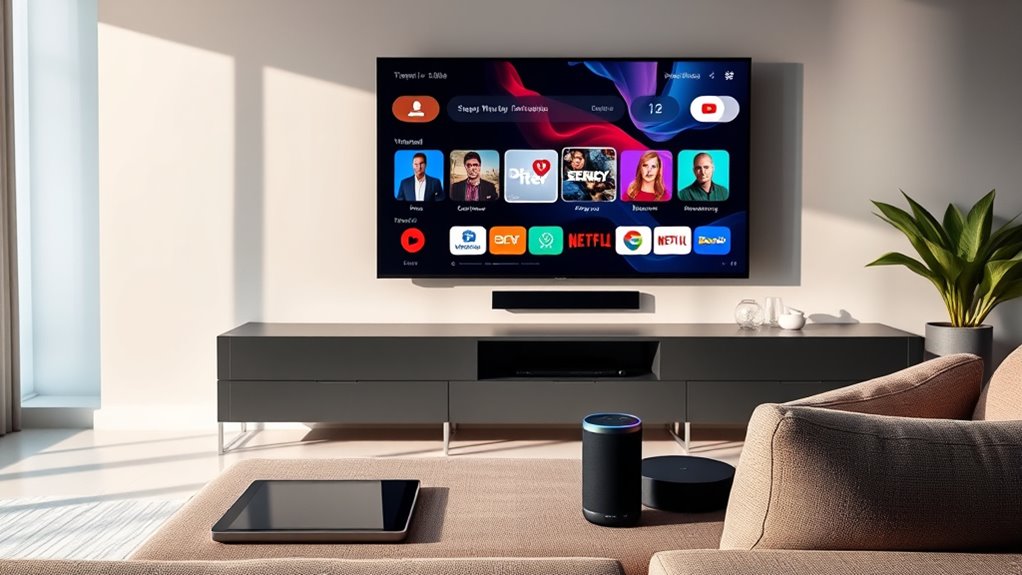

To determine if your TV is smart, check for built-in internet connectivity, like Wi-Fi or an Ethernet port. Look for pre-installed streaming apps, such as Netflix or Hulu, and see if your remote has dedicated buttons for these services. Voice control options and regular software updates also indicate smart features. A user-friendly interface with personalized content suggestions is another sign. If you want to learn more about these features, there’s plenty more to explore.
Understanding Smart TVs: What Makes Them Different?
Although many people enjoy traditional TVs for their straightforward functionality, smart TVs offer a distinct set of features that enhance your viewing experience. The key difference lies in the smart features that allow you to connect to the internet, stream content, and access various apps. This connectivity transforms your TV into a multifunctional entertainment hub, providing you with endless options beyond standard broadcasts. With intuitive interfaces, smart TVs improve user experience, making navigation seamless and enjoyable. You can customize your viewing preferences, receive personalized recommendations, and even control your TV with voice commands. Ultimately, these advancements empower you to curate your entertainment on your terms, bringing a new level of freedom and flexibility to how you watch television.
Checking for Built-in Internet Connectivity
To determine if your TV is smart, one of the first features to check is built-in internet connectivity. Look for Wi-Fi connectivity options in your TV’s settings. If you can connect to your home network without additional devices, it’s a strong indicator that your TV is smart. Alternatively, check for an Ethernet port. If your TV has one, it can connect directly to your router via a cable, offering a stable internet connection. A smart TV typically supports both Wi-Fi and Ethernet, enabling seamless access to streaming services and online content. If you find either of these features, you’re likely looking at a smart TV that grants you the freedom to explore various entertainment options.
Identifying Pre-installed Streaming Apps
To determine if your TV is smart, start by checking the availability of pre-installed streaming apps. Most smart TVs come with popular platforms like Netflix, Hulu, or Amazon Prime Video already installed. Additionally, verify your TV’s software is up to date, as updates can introduce new apps and features.
Check App Availability
How can you tell if your TV is truly smart? One way is to check the app availability on your device. Smart TVs typically come pre-installed with popular streaming apps like Netflix, Hulu, or Amazon Prime. If you see a variety of these applications readily available, it’s a good sign your TV supports a rich app ecosystem. Also, consider the app compatibility—if your TV allows you to download additional apps from a dedicated store, it increases its versatility. On the other hand, if you’re limited to just a few pre-installed options, your TV might not be as smart as you’d like. Evaluating app availability is vital in determining how well your TV can adapt to your entertainment needs.
Look for Updates
Checking for updates can reveal a lot about your TV’s smart capabilities, particularly when it comes to pre-installed streaming apps. By looking for software updates and firmware upgrades, you can identify if your TV is truly smart. Here’s what to check:
- Available apps: See if popular streaming services like Netflix, Hulu, or Disney+ come pre-installed.
- Update options: Navigate to your settings to find options for updates; this indicates ongoing support.
- User interface: A modern interface often suggests smart capabilities.
- App store access: If you can access an app store, your TV likely has smart features.
Examining the Remote Control Features
When evaluating if your TV is smart, take a close look at the remote control features. Check for specific buttons that access streaming services directly, and see if it includes voice control capabilities. These elements can greatly enhance your viewing experience and indicate the level of smart functionality your TV offers.
Remote Control Buttons
While examining your TV’s remote control can seem trivial, understanding its buttons is essential in determining whether your television is smart. A smart TV typically has a unique button layout that supports various streaming services and features. Look for the following:
- Dedicated streaming buttons for popular services like Netflix or Hulu
- Home or smart hub button that leads you to apps and settings
- Voice command button, indicating advanced features (though we won’t discuss this now)
- Input selection button for toggling between devices seamlessly
Additionally, check for remote compatibility with smart home systems. If your remote boasts these features, it’s a strong indicator that you’re dealing with a smart TV. Understanding these elements can empower your viewing experience.
Voice Control Capability
Examining remote control features can reveal more about your TV’s capabilities, particularly regarding voice control. If your remote has a voice button, it likely uses voice recognition technology, allowing you to navigate menus and control functions hands-free. You should also consider its compatibility with smart assistants like Alexa or Google Assistant, enhancing your viewing experience.
Here’s a quick comparison of features to look for:
| Feature | Description |
|---|---|
| Voice Recognition | Enables voice commands |
| Smart Assistant Compatibility | Works with Alexa, Google Assistant |
| Built-in Microphone | Captures voice commands clearly |
| Voice Search | Finds content using voice queries |
| Custom Commands | Program specific actions or routines |
These features indicate a smarter, more connected TV experience.
Streaming Service Shortcuts
How can you quickly access your favorite streaming services? Your remote control is often your gateway to seamless entertainment. Check for dedicated buttons that enhance streaming compatibility and optimize app performance. Here are some features to look for:
- Direct Access Buttons: These instantly launch popular apps.
- Customizable Shortcuts: Some remotes allow you to set your favorite apps for quick access.
- Voice Command Features: Use your voice to navigate to specific services effortlessly.
- Streaming Service Integration: Verify the remote supports multiple platforms for a smoother experience.
Looking for Voice Control Capabilities
Have you ever wondered if your TV can respond to your voice commands? To find out, check if it has a built-in voice assistant like Alexa, Google Assistant, or Siri. These smart features allow you to control your TV hands-free, making it easier to navigate menus, play shows, or adjust settings without a remote. Look for a microphone icon on your TV or remote, which typically indicates voice control capabilities. If you’re able to issue commands like “Play my favorite show” or “Turn up the volume,” your TV is likely smart. Not all TVs have this functionality, so it’s crucial to confirm whether your model supports voice commands before relying on them for a seamless viewing experience.
Assessing Update and Upgrade Options
If your TV supports voice control, it’s a good indication that it’s smart, but evaluating its update and upgrade options is equally important. Understanding these factors can enhance your viewing experience and guarantee longevity. Here are some aspects to take into account:
- Upgrade paths: Check if your TV allows for hardware upgrades or additional features.
- Software compatibility: Verify it runs on a platform that frequently updates, like Android TV or Roku.
- Frequency of updates: Look for models that receive regular firmware updates to improve performance and security.
- Community support: Research user forums to see if others have successfully upgraded their TVs.
Recognizing Smart TV Interface and Navigation
What makes a TV truly smart? It’s the smart interface that allows you to seamlessly access a variety of streaming services, apps, and content. When you turn on your TV, look for an organized home screen where everything’s easily accessible. An intuitive navigation system is key; you should be able to scroll through options without frustration. Check if it has voice command features or a responsive remote that enhances your experience. Smart TVs often offer personalized recommendations based on your viewing habits, making it easier to discover new content. If you’re finding it simple to browse and select shows, you’ve likely got a smart TV on your hands. Embrace the freedom of choosing what you watch, when you want!
Frequently Asked Questions
Can I Connect a Smart TV to My Home Wi-Fi?
Yes, you can connect a Smart TV to your home Wi-Fi. This enables you to access various Smart TV features, like streaming services and apps, enhancing your viewing experience and giving you more entertainment freedom.
Do All Smart TVS Support Screen Mirroring?
Not all smart TVs support screen mirroring; about 70% do. While screen mirroring benefits include easy sharing, limitations like compatibility issues can arise, so check your TV’s specifications before relying on this feature for convenience.
How Do I Reset My Smart TV to Factory Settings?
To reset your smart TV, navigate to the settings menu, find the “System” option, and select “Factory Reset.” This method restores default smart TV features, ensuring a fresh start while maintaining your freedom to customize later.
Are Smart TVS Compatible With Gaming Consoles?
When it comes to gaming, “the proof’s in the pudding.” Smart TVs typically offer excellent console compatibility, enhancing gaming performance through features like low input lag and high refresh rates, making your gaming experience more enjoyable.
Can I Use a Smart TV Without Internet Connection?
Yes, you can use a smart TV without an internet connection. Many offline features, like USB playback or built-in apps, still function, but you’ll miss out on full smart functionality like streaming services and updates.
