
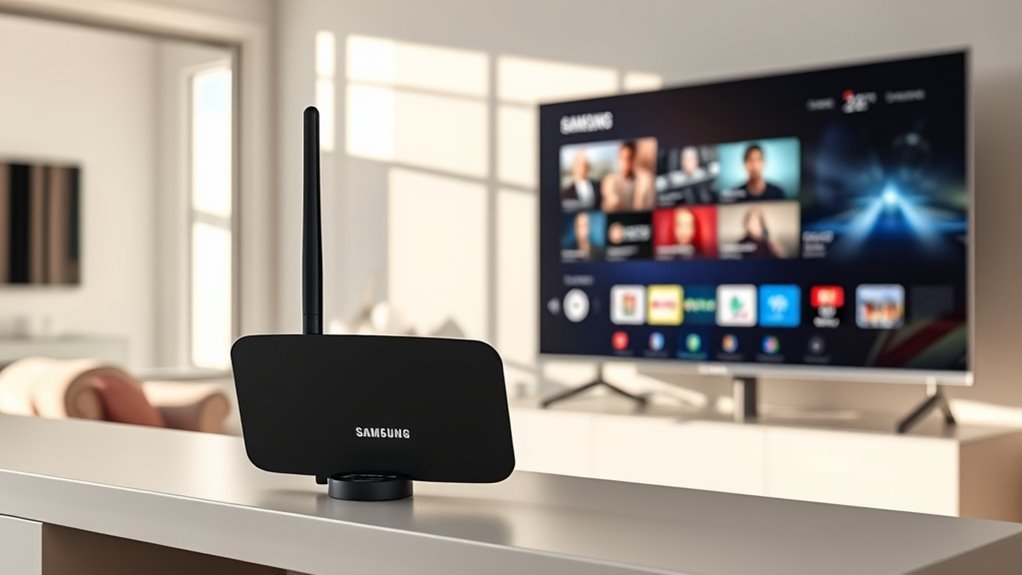

To use an antenna on your Samsung Smart TV, first choose the right type—indoor or outdoor—based on your location. Connect the antenna via coaxial cable or HDMI, depending on your model. Next, access the settings menu, select “Broadcasting”, and choose “Auto Tuning” to scan for channels. Adjust the antenna’s position for best reception, and if you experience issues, troubleshoot by relocating or checking for cable damage. Continue to explore how to maximize your antenna’s performance!
Choosing the Right Antenna for Your Samsung Smart TV
When it comes to choosing the right antenna for your Samsung Smart TV, it’s important to contemplate a few key factors to guarantee ideal reception. First, consider the antenna types available: indoor, outdoor, and amplified. Indoor antennas are great for urban areas with strong signal strength, while outdoor antennas can capture signals from further away, making them ideal for rural settings. Amplified antennas boost weak signals, enhancing your viewing experience. Next, assess your location and the proximity of broadcast towers. Tools like online signal finders can help determine which antenna will work best for you. Ultimately, selecting the right antenna type assures you enjoy a wide variety of channels without compromising on signal quality, giving you the freedom to watch what you love.
Connecting Your Antenna to the TV
After selecting the right antenna for your Samsung Smart TV, it’s time to connect it properly for ideal viewing. First, you’ll need to identify the antenna type you’ve chosen—either indoor or outdoor.
Next, choose your preferred connection method: coaxial cable or HDMI, depending on your antenna model. Here’s a quick comparison of the connection methods:
| Antenna Type | Connection Method |
|---|---|
| Indoor Antenna | Coaxial Cable |
| Outdoor Antenna | Coaxial Cable |
| Smart TV Antenna | HDMI |
| Amplified Antenna | Coaxial Cable |
| Portable Antenna | Coaxial Cable |
Once you’ve connected the antenna, verify it’s securely plugged into the TV’s designated port. Enjoy the freedom of over-the-air channels without subscription fees!
Scanning for Channels
Once you’ve connected your antenna, it’s vital to scan for channels to access available over-the-air programming. To do this, navigate to your Samsung Smart TV’s settings menu. Look for the “Broadcasting” option and select “Auto Tuning.” This process will scan for various channel types, including digital and analog, ensuring you get the best selection of content. During the scan, pay attention to the signal strength for each channel; a stronger signal means better picture quality. You might need to reposition your antenna based on the results, but this step is important for maximizing your viewing experience. Remember, scanning regularly can help you discover new channels as they become available, giving you the freedom to enjoy more entertainment options.
Adjusting Antenna Position for Optimal Reception
To achieve the best reception with your antenna, it’s essential to experiment with its position, as even small adjustments can greatly impact signal strength. Start by trying different directions and heights. Remember, obstacles like buildings or trees can interfere with signals. Use these antenna alignment techniques to guide you:
| Position | Signal Strength | Notes |
|---|---|---|
| High & Clear | Strong | Ideal for unobstructed view |
| Low & Obstructed | Weak | Avoid if possible |
| Rotated 90° | Variable | Test for best reception |
If you encounter issues, apply reception troubleshooting methods like rescanning channels after adjustments. Stay persistent, and you’ll find the best setup for your Samsung Smart TV.
Troubleshooting Common Issues
While adjusting your antenna can enhance reception, you might still encounter common issues that affect your viewing experience. If you’re experiencing pixelation or signal dropouts, it may be due to signal interference from nearby electronics or physical obstructions. Try relocating your antenna to see if that improves reception. Different antenna types can also play a role; for instance, indoor antennas might struggle in areas with weak signals. If you’re using an outdoor antenna, make sure it’s properly mounted and facing the broadcast towers. Additionally, check your cable connections for any damage. By troubleshooting these factors, you can reclaim your freedom to enjoy uninterrupted TV viewing.
Frequently Asked Questions
Can I Use Multiple Antennas With My Samsung Smart TV?
Yes, you can use multiple antennas with your Samsung Smart TV. Different antenna types can enhance signal strength, giving you more options for channels and improving your viewing experience. Explore what works best for you!
Do I Need an Amplifier for My Antenna?
You might need an amplifier for your antenna, especially if you’re using certain antenna types or live in an area with weak signal strength. It can boost your reception, enhancing your viewing experience considerably.
What Type of Antenna Is Best for Rural Areas?
If you’re in rural areas, a directional antenna’s your best bet. It’ll help boost signal strength, pulling in channels from afar. Think of it as your trusty lighthouse in the vast ocean of frequencies!
Will Weather Affect My Antenna’s Performance?
Yes, weather can affect your antenna’s performance. Rain or strong winds might cause signal interference, so make certain your antenna’s placement is ideal. Regularly check its positioning to maintain the best reception during changing weather conditions.
Can I Watch Streaming Services With an Antenna?
No, you can’t watch streaming services directly with an antenna. However, if your TV has antenna compatibility, you can enjoy over-the-air channels while using a streaming device for enhanced streaming quality and access to online content.
