
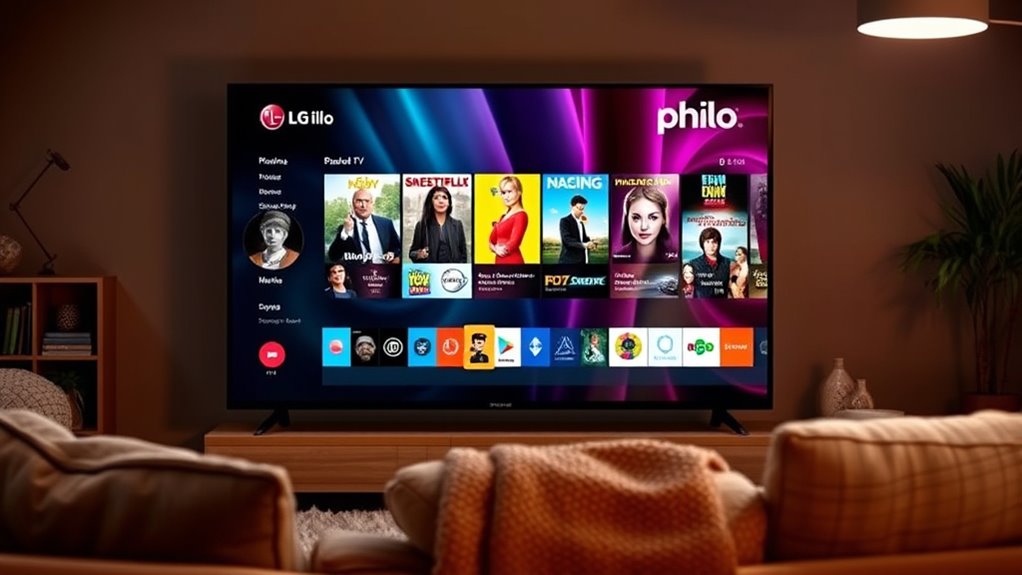

Yes, Philo is available on LG Smart TVs! You can enjoy over 60 channels and unlimited DVR storage for just $25 a month. To get it, simply check your LG TV’s compatibility and download the Philo app from the LG Content Store. Make sure to keep your TV updated for the best experience. If you’re interested in tips for optimizing your Philo usage, there’s more to explore!
Understanding Philo and Its Features
If you’re looking for an affordable way to stream live TV, Philo might just be the solution you need. This streaming service offers a variety of features that cater to your entertainment needs without breaking the bank. With over 60 channels, including popular networks like AMC, Comedy Central, and HGTV, you’re sure to find something that piques your interest. Philo pricing is another big plus, starting at just $25 a month, making it one of the most budget-friendly options available. You can also enjoy unlimited DVR storage, allowing you to record your favorite shows and watch them at your convenience. Plus, with a user-friendly interface, maneuvering through Philo’s extensive library is a breeze. Enjoy the freedom of streaming without the hefty price tag!
Checking Compatibility With LG Smart TVS
How can you check if Philo is compatible with your LG Smart TV? Start by identifying your specific LG model. Most newer LG Smart TVs should support Philo features, but it’s always best to confirm. Visit Philo’s official website or their support page, where you can find a list of compatible devices. If you’re unsure about your LG model, check your TV settings or user manual for the model number. Additionally, verify your TV’s firmware is up to date, as this can affect app compatibility. Once you have this information, you’ll know if you can enjoy Philo’s offerings on your LG Smart TV, giving you the freedom to stream your favorite shows and channels effortlessly.
How to Download the Philo App on LG Smart TVs
Once you’ve confirmed that your LG Smart TV is compatible with Philo, downloading the app is a straightforward process. First, power on your LG TV and navigate to the LG Content Store from the home screen. Use the search function to find the Philo app. Once you locate it, click on the app icon and select “Install.” The app will begin downloading, and you’ll see a progress indicator. After the installation is complete, you can find Philo among your downloaded apps. Just open it, log in, and start enjoying your favorite shows. With LG TVs, downloading apps is simple and efficient, giving you the freedom to stream content seamlessly at your convenience. Enjoy your viewing experience!
Troubleshooting Common Issues
While streaming services like Philo generally work smoothly, you might encounter common issues that can disrupt your viewing experience. If you notice lagging or buffering, it could be due to connection issues. Start by checking your internet speed to confirm it meets Philo’s requirements. Restarting your router or modem may also help.
If the app performance is subpar, consider clearing the app cache or reinstalling Philo. Sometimes, simply updating your LG Smart TV can resolve unexpected glitches. If you continue to face problems, checking for software updates on your TV can be beneficial. By addressing these common issues, you can get back to enjoying your favorite shows without interruptions.
Tips for Maximizing Your Philo Experience
To get the most out of your Philo experience, consider these essential tips:
Maximize your Philo experience with personalized recommendations, a customized guide, and community engagement.
- Explore Content Recommendations: Take advantage of Philo’s personalized suggestions based on your viewing preferences.
- Customize Your Guide: Tailor your channel guide to highlight your favorite networks, making it easier to find what you love.
- Utilize the Search Function: Don’t overlook the search feature to quickly locate shows or movies that pique your interest.
- Engage with the Community: Join forums or social media groups to share insights and discover hidden gems others recommend.
Frequently Asked Questions
Can I Record Shows Using Philo on LG Smart TVS?
You can’t directly record shows on Philo using LG Smart TVs. However, you can utilize Philo’s cloud DVR feature for show management, offering you flexible recording options to enjoy your favorite content anytime.
Is There a Free Trial Available for Philo?
Yes, Philo offers a free trial for new users. You can explore various streaming options and experience the benefits of a Philo subscription without any commitment, allowing you to decide if it suits your needs.
What Channels Are Included in the Philo Subscription?
Imagine flipping through channels like it’s the ’90s! With a Philo subscription, you’re getting a great mix, including AMC, HGTV, and Comedy Central, among many others. Enjoy diverse Philo channels for endless entertainment options!
Can I Use Philo Outside the United States?
You can’t use Philo outside the United States due to geographical restrictions. For international streaming, consider alternatives that offer similar content, ensuring you still enjoy your favorite shows without the limitations of Philo’s availability.
Does Philo Support 4K Streaming on LG Smart TVS?
Philo doesn’t support 4K streaming on LG Smart TVs, so if you’re chasing that high-definition dream, you won’t find it here. You’ll still enjoy decent streaming quality, just not in 4K.
