
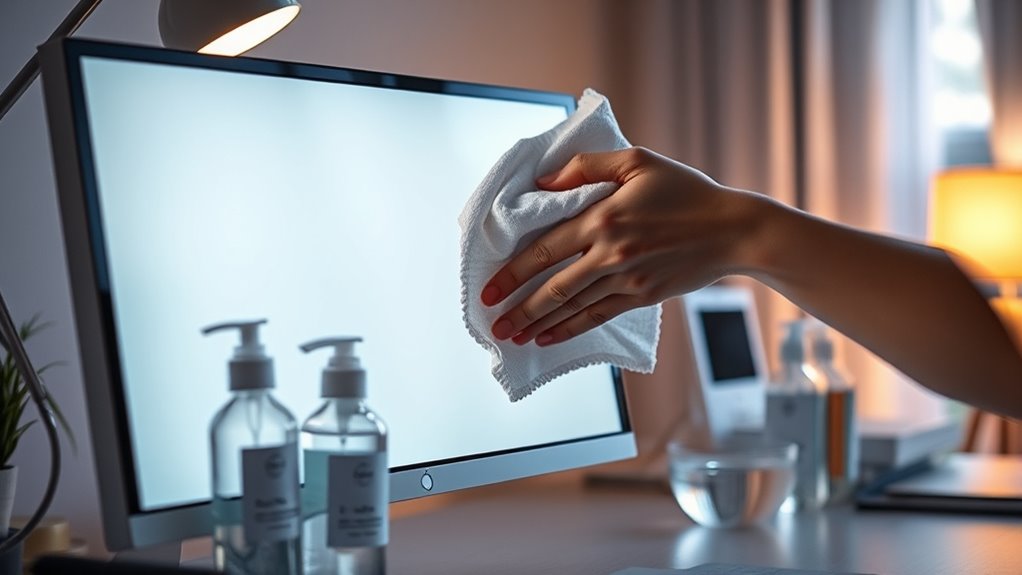

To clean your screen monitor, first identify its type—LCD, LED, or OLED. Gather a microfiber cloth and a gentle cleaning solution, like a vinegar solution. Power off and unplug your monitor, then lightly mist the cloth, never directly on the screen. Wipe gently in circular motions, focusing on any stubborn spots. Regular maintenance can prevent future smudges. For tips on keeping your monitor in top shape, you’ll want to explore further.
Understanding Your Monitor Type
When it comes to cleaning your screen monitor, understanding your monitor type is essential. Different technologies require different care. If you’ve got an LCD screen, avoid harsh chemicals that can damage the surface. Instead, opt for a gentle cleaner. OLED displays, known for their vibrant colors, also need careful handling; using a soft microfiber cloth will keep them pristine. With LED technology, the cleaning process is similar to LCDs, but be cautious about screen coatings that can scratch easily. Finally, consider your monitor resolutions. Higher resolutions often mean more delicate displays, so treat them with extra care. Knowing your monitor type helps you choose the right cleaning method, ensuring your screen stays clear and functional.
Gathering the Right Cleaning Supplies
Before you start cleaning your screen monitor, you need the right supplies. Make sure you have suitable cleaning solutions and the right cloth materials handy, while also knowing which tools to avoid. Having the correct items will make the process easier and safer for your monitor.
Essential Cleaning Solutions
Although cleaning your screen monitor might seem straightforward, using the right cleaning solutions is vital to avoid damage. One popular option is a vinegar solution, which is effective for cutting through grime without harming the screen. To create this solution, mix equal parts distilled water and white vinegar in a spray bottle.
When you’re ready to clean, lightly mist the solution onto a microfiber cloth—never directly onto the screen. Microfiber cloths are ideal because they’re gentle and won’t scratch the surface. Avoid using paper towels or rough fabrics, as they can leave scratches or lint behind. By choosing the right cleaning solutions, you guarantee your monitor stays clear and functional for a long time.
Suitable Cloth Materials
To guarantee your screen monitor is cleaned effectively without causing damage, it’s vital to choose the right cloth materials. Opt for microfiber cloths, as they’re gentle, absorbent, and specifically designed for delicate surfaces. Avoid any fabric that could scratch or leave residue. Lint-free materials are also important, ensuring no pesky fibers cling to your screen.
| Cloth Type | Pros |
|---|---|
| Microfiber Cloths | Soft, absorbent, non-abrasive |
| Cotton | Readily available, but may leave lint |
| Paper Towels | Convenient, but can scratch |
| Old T-Shirts | Soft, but check for lint |
Using the right materials not only keeps your monitor pristine but also extends its lifespan, giving you the freedom to enjoy your screen without worry.
Tools to Avoid
When cleaning your screen monitor, there are several tools you should steer clear of to avoid damage. First, don’t use paper towels or rough fabrics, as they can scratch the surface. Avoid ammonia-based cleaners and other harmful substances, which can strip away protective coatings. Additionally, skip using any abrasive sponges or scrubbers; these are common cleaning mistakes that can lead to permanent damage. Don’t spray cleaners directly on the screen; instead, apply them to a cloth first. Finally, resist the urge to use tap water, as it might contain minerals that leave residues. Stick to microfiber cloths and reputable cleaning solutions specifically designed for electronics to keep your monitor in top shape.
Preparing the Monitor for Cleaning
Before you start cleaning your monitor, make certain you’ve gathered all the necessary cleaning supplies. It’s also important to power off the monitor to avoid any electrical issues or damage. Taking these steps will guarantee a safe and effective cleaning process.
Gather Cleaning Supplies
Gathering the right cleaning supplies is essential for effectively maintaining your screen monitor. Start by selecting a high-quality screen cleaner specifically designed for electronics; avoid harsh chemicals that can damage your screen. Next, grab some microfiber cloths, which are gentle and won’t scratch the surface. These cloths are perfect for wiping away dust and fingerprints without leaving lint behind. You might also consider a spray bottle for easy application of the cleaner, but remember to apply it directly to the cloth, not the screen. Having these supplies on hand will make the cleaning process efficient and safe, ensuring your monitor looks pristine without compromising its lifespan. With the right tools, you’ll maintain your screen with ease!
Power Off Monitor
With your cleaning supplies ready, the next step is to power off your monitor. This is essential for safety precautions and guarantees you won’t accidentally damage the screen. By turning off the monitor, you’ll also minimize screen brightness, making it easier to see any smudges or dirt that need attention. Unplugging the device is an added layer of safety. Not only does it prevent electrical hazards, but it also eliminates the risk of the screen reacting to any cleaning motions. Before you start cleaning, give it a moment to cool down if it’s been in use. This simple act of powering off creates a safe environment for you to effectively clean your monitor without worry.
Cleaning Techniques for Different Screen Types
Since different screen types have unique coatings and sensitivities, it’s crucial to use the right cleaning techniques for each. Here’s how to tackle some common types:
- LCD Screens: Use a microfiber cloth dampened with water or a specialized cleaner; avoid heavy pressure.
- LED Displays: Similar to LCD, but make sure the cleaner is ammonia-free to prevent damage to the screen.
- Touchscreen Monitors: Use a soft cloth and a gentle cleaning solution. Avoid using paper products, as they can scratch the surface.
- Flat Panel: Clean with a dry microfiber cloth; for stubborn spots, slightly moisten the cloth with water only.
Tips for Preventing Future Smudges
To keep your screen monitor looking pristine, implementing a few simple habits can make a big difference. First, consider investing in a quality screen protector. This not only helps with screen protection but also reduces smudges and fingerprints. Next, regularly dust your workspace to limit dust accumulation on your monitor, enhancing dust prevention. Use a microfiber cloth to gently wipe the screen, as this minimizes the risk of scratches while keeping it clean. Finally, be mindful of what you eat and drink near your setup; spills and crumbs can lead to unwanted messes. By adopting these practices, you’ll help maintain the clarity of your screen and enjoy a cleaner, more enjoyable viewing experience.
Maintaining Your Monitor for Longevity
While many people focus on cleaning their monitors, maintaining them for longevity is just as essential. To extend your monitor’s lifespan, consider these regular maintenance tips:
- Adjust Brightness: Lowering brightness can reduce strain and prolong the display’s life.
- Use a Surge Protector: Protect against electrical surges that can damage your monitor.
- Keep It Cool: Guarantee proper ventilation to prevent overheating, which can harm internal components.
- Regularly Check Cables: Inspect and replace any frayed or damaged cables to maintain peak performance.
Frequently Asked Questions
Can I Use Paper Towels to Clean My Monitor?
No, you shouldn’t use paper towels for monitor maintenance. They can scratch screens. Instead, opt for microfiber cloths or approved cleaning materials to guarantee your monitor stays clean without damaging its surface. Keep it safe!
Is It Safe to Use Tap Water for Cleaning?
When it comes to cleaning, you shouldn’t put all your eggs in one basket. Tap water’s quality varies, so it’s best to stick with approved cleaning solutions to avoid streaks or damage on your screen.
How Often Should I Clean My Monitor?
You should clean your monitor every few weeks, but if you notice dust or smudges, don’t hesitate. Use microfiber cloths and gentle cleaning solutions for best results, following frequency recommendations to maintain clarity and hygiene.
What Should I Do if My Screen Is Scratched?
If your screen’s scratched, consider professional screen repair. To prevent future scratches, use a protective case or screen protector. Regular maintenance can keep your monitor looking great, allowing you the freedom to enjoy your device fully.
Can I Use Antibacterial Wipes on My Monitor?
Imagine your monitor as a delicate flower, needing gentle care. Antibacterial wipes can harm its petals; instead, opt for a microfiber cloth. Protect your monitor’s safety, ensuring it flourishes without damage from harsh chemicals.
