
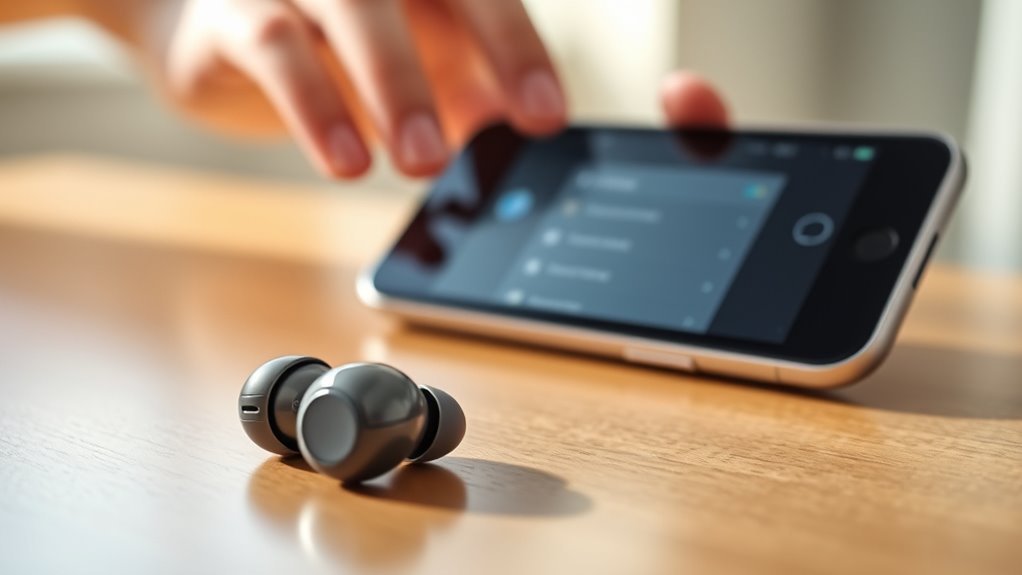

To pair your JLab earbuds, make sure your device is Bluetooth-ready and powered on. Turn on the earbuds by pressing and holding the multifunction button until the LED flashes. Next, enter pairing mode by holding the button for about 3 seconds until the LED shows white and blue. Go to your device’s Bluetooth settings, select the earbuds, and complete the connection. If you encounter issues, there are additional steps to streamline the process.
Understanding Your JLab Earbuds
When you’re ready to use your JLab earbuds, it’s essential to familiarize yourself with their features and functions. These earbuds come equipped with various controls that enhance your listening experience. You’ll find options for adjusting volume, skipping tracks, and activating voice assistants, all designed for convenience.
The sound quality is a standout feature, delivering rich bass and crisp highs. You can customize your audio settings through their app, allowing for a personalized sound profile. Additionally, the battery life is impressive, offering hours of playback time, so you can enjoy music without interruption. Understanding these earbud features will empower you to make the most of your listening experience, providing the freedom to enjoy your favorite tunes wherever you go.
Preparing Your Device for Pairing
Before you pair your JLab earbuds, make certain your device is ready for the connection. Ensuring device compatibility and adjusting your Bluetooth settings is essential for a seamless experience. Follow these steps:
Before pairing your JLab earbuds, ensure your device is Bluetooth-ready and compatible for a smooth connection.
- Check Compatibility: Verify that your device supports Bluetooth and is compatible with JLab earbuds. Consult your device’s specifications if necessary.
- Enable Bluetooth: Go to your device’s settings and toggle the Bluetooth option to ‘On’. This allows your device to search for nearby devices.
- Forget Old Connections: If you’ve previously paired other Bluetooth devices, remove them from your Bluetooth settings to prevent interference during the pairing process.
Turning on Your JLab Earbuds
To power on your JLab earbuds, simply press and hold the multifunction button located on the earbuds for a few seconds until you see the LED light flash. This indicates that your earbuds are now active and ready for use. Proper earbud functionality is essential for an ideal listening experience, so make certain your earbuds are charged before use.
For effective battery maintenance, consider the following:
| Action | Recommendation |
|---|---|
| Charging | Charge after every use |
| Storage | Store in a cool, dry place |
| Usage Duration | Limit to 8 hours daily |
| Resetting | Reset if issues arise |
Entering Pairing Mode
Once your JLab earbuds are powered on, you’ll need to enter pairing mode to connect them to your device. This process utilizes specific pairing techniques that guarantee device compatibility. Here’s how to do it:
- Press and Hold: Press and hold the multifunction button on your earbuds for about 3 seconds until you see the LED light flash white and blue.
- Release the Button: Once the lights indicate pairing mode, release the button. Your earbuds are now discoverable.
- Check Your Device: Go to the Bluetooth settings on your device and look for your JLab earbuds in the list.
Following these steps will enable you to pair your earbuds effortlessly, allowing you the freedom to enjoy your audio with ease.
Connecting to Your Device
Once your Jlab earbuds are in pairing mode, it’s time to prepare your device for connection. Make sure Bluetooth is enabled on your device, then search for new devices. Follow the pairing prompts to complete the connection process.
Prepare Your Device
Before you can start enjoying your Jlab earbuds, you’ll need to prepare your device for a seamless connection. Verifying device compatibility and updated software is essential for peak performance. Here’s what you should do:
- Check Device Compatibility: Confirm your device supports Bluetooth and is compatible with Jlab earbuds.
- Update Software: Make sure your device’s operating system and Bluetooth software are up to date, as outdated software can cause pairing issues.
- Enable Bluetooth: Turn on Bluetooth in your device settings, making it discoverable to connect with your earbuds.
Once these steps are complete, you’ll be ready to connect your Jlab earbuds and enjoy your favorite audio without hassle. Freedom awaits with your tunes!
Bluetooth Pairing Process
To connect your Jlab earbuds, start by putting them into pairing mode. This typically involves pressing and holding the power button until the LED indicator flashes, signaling Bluetooth compatibility. Next, access the Bluetooth settings on your device. Make certain Bluetooth is enabled, then scan for available devices. Your Jlab earbuds should appear in the list—select them to initiate the connection. Once paired, you’ll hear a confirmation sound, and the LED will stop flashing. Now, you can enjoy all the earbud functionalities, like controlling playback and adjusting volume wirelessly. If you encounter issues, verify your device is within range and that no other Bluetooth connections are interfering. Enjoy the freedom of wireless listening!
Troubleshooting Connection Issues
If you’re experiencing connection problems with your Jlab earbuds, you’re not alone. Common issues include difficulty pairing or intermittent audio dropouts. In this section, we’ll cover how to troubleshoot these problems and provide instructions for resetting your earbuds.
Common Connectivity Problems
Although Jlab earbuds are generally reliable, you might encounter connectivity issues from time to time. These problems can affect pairing and connection stability, making your listening experience frustrating. Here are three common connectivity issues you may face:
- Bluetooth Interference: Other devices can disrupt the Bluetooth signal, so try moving away from potential sources of interference.
- Battery Level: Low battery can lead to poor connection stability. Verify your earbuds are fully charged before pairing.
- Device Compatibility: Check if your device supports the Bluetooth version required by your earbuds. Incompatibility can lead to pairing issues.
Resetting Earbuds Instructions
When your Jlab earbuds aren’t connecting properly, resetting them can often resolve the issue. Start by placing your earbuds in the charging case and ensuring they’re charging. Then, press and hold the buttons on both earbuds for about 10 seconds until you see the LED lights flash red and blue. This indicates they’re in pairing mode. Release the buttons, and your earbuds will reset. If you’re still having trouble, try using different resetting methods, such as clearing the Bluetooth cache on your device. These troubleshooting techniques can help restore the connection. Remember, if all else fails, consult the user manual for specific instructions tailored to your Jlab model. Enjoy your freedom to listen without interruptions!
Enjoying Your Wireless Experience
Wireless earbuds, like those from Jlab, offer a seamless audio experience that enhances your daily activities. With their wireless convenience, you can enjoy music, podcasts, or calls without the hassle of tangled cords. Here are three key aspects to maximize your sound quality and overall experience:
- Optimal Fit: Confirm your earbuds fit snugly in your ears for the best sound isolation and comfort.
- Battery Management: Regularly charge your earbuds to avoid interruptions during use.
- Sound Settings: Adjust your device’s audio settings to enhance bass and treble, tailoring the sound to your preferences.
Frequently Asked Questions
Can I Use JLAB Earbuds With Multiple Devices Simultaneously?
You can’t use Jlab earbuds with multiple devices simultaneously; they typically support multi-device connectivity but only connect to one at a time. For best audio quality, disconnect from one device before pairing with another.
How Do I Reset My JLAB Earbuds to Factory Settings?
To reset your Jlab earbuds to factory settings, press and hold both volume buttons for about 10 seconds until you see the LED flash. This initiates the reset process, restoring them to original settings.
What Is the Battery Life of JLAB Earbuds?
Jlab earbuds typically offer around 10 hours of battery life on a single charge, with an additional 20 hours from the charging case. This impressive battery performance guarantees you enjoy uninterrupted listening without frequent charging interruptions.
Are JLAB Earbuds Water-Resistant or Sweat-Proof?
Yes, Jlab earbuds offer water resistance and sweat protection, making them ideal for workouts and outdoor activities. Their durable design guarantees you can enjoy freedom during exercise without worrying about damage from moisture.
Can I Use JLAB Earbuds With Voice Assistants Like Siri or Google Assistant?
Yes, you can use Jlab earbuds with voice assistants like Siri or Google Assistant. Their features include voice assistant compatibility, allowing you to easily control your device hands-free for a more liberated experience.
