
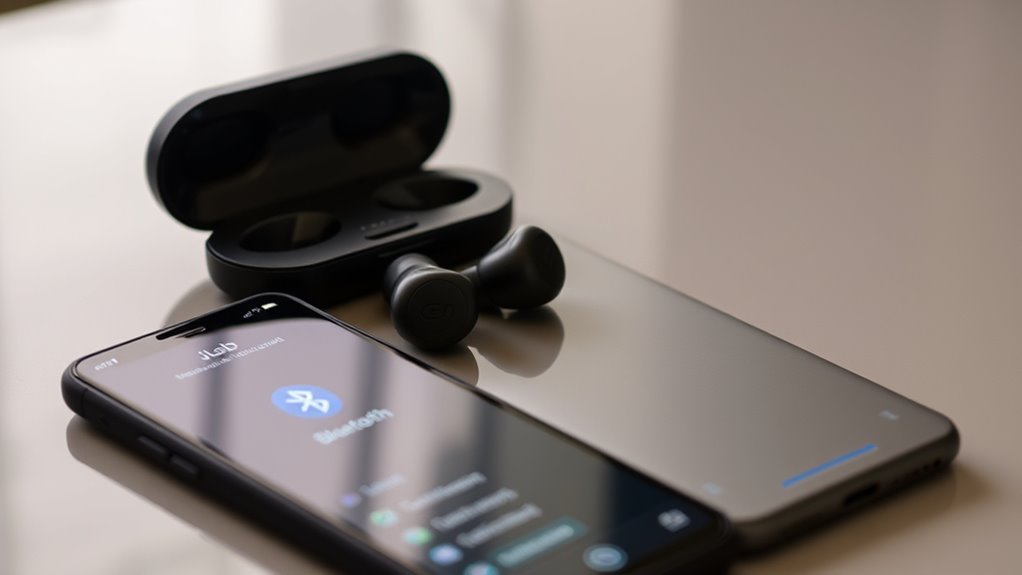

To sync your JLab earbuds, first verify they’re charged and your device’s Bluetooth is enabled. Press and hold the multi-function button on your earbuds to power them on; look for the flashing LED light. After that, enter pairing mode by waiting for the right light indication. On your device, search for available Bluetooth devices, select your JLab earbuds, and confirm the connection. If you encounter issues, there are more tips to troubleshoot effectively.
Understanding Your JLab Earbuds
To get the most out of your JLab earbuds, it’s essential to understand their key features and functionalities. These earbuds are designed to deliver exceptional sound quality, allowing you to immerse yourself in your favorite tunes without distractions. One of the standout earbud features is the customizable EQ settings, which let you tailor the audio profile to your taste. Whether you prefer enhanced bass or a more balanced sound, you’ve got options. Additionally, the earbuds offer a secure fit, making them perfect for active lifestyles. The intuitive controls enable easy navigation of your music and calls, providing a seamless experience. Understanding these features empowers you to fully enjoy the freedom of wireless listening with your JLab earbuds.
Preparing Your Device for Pairing
Before you can enjoy your music, verifying your device is ready for pairing is essential. Start by checking a few key aspects:
- Confirm your device compatibility with JLab earbuds.
- Make sure Bluetooth settings are enabled.
- Remove any previous Bluetooth connections to avoid interference.
- Charge your earbuds and device to avoid disconnects during pairing.
- Keep your device within a few feet of your earbuds for peak connectivity.
Taking these steps will set you up for a smooth pairing experience. By preparing your device properly, you’ll maximize your freedom to enjoy your favorite tunes without hassle. Once everything’s in order, you’ll be ready to connect and immerse yourself in your music bliss.
Turning On Your JLab Earbuds
Turning on your JLab earbuds is a straightforward process that guarantees you’re ready to enjoy your audio experience. To power them on, simply press and hold the multi-function button until you see the LED light flash. This quick action activates the earbuds, allowing you to access all their impressive features. You’ll love how easy it is to switch between modes or adjust settings with just a few taps. Keep an eye on the battery life indicator, as it helps you stay informed about when it’s time to recharge. With their long-lasting battery, you can enjoy hours of music without interruption. So, go ahead and power on your JLab earbuds, and let the freedom of sound take over!
Entering Pairing Mode
Once you’ve powered on your JLab earbuds, you’ll need to activate pairing mode to connect them to your device. This step is essential for establishing a successful Bluetooth connection. Let’s go through how to do this easily.
Power On Earbuds
To power on your Jlab earbuds and enter pairing mode, simply press and hold the multifunction button located on the earbuds until you see the LED light flash. This step is essential for enjoying the full range of earbud features, like impressive sound quality and long battery life.
Here’s what to keep in mind:
- Verify your earbuds are charged for peak performance.
- Check the LED light for power status and pairing readiness.
- Keep your device close for a seamless connection.
- Familiarize yourself with the multifunction button for other controls.
- Consider resetting the earbuds if they don’t power on correctly.
With these tips, you’ll be ready to enjoy your wireless freedom!
Activate Pairing Mode
As you prepare to connect your Jlab earbuds to your device, activating pairing mode is essential. This process enables your earbuds to communicate with your device seamlessly.
Here are some pairing techniques to help you out:
| Step | Action |
|---|---|
| 1 | Make sure earbuds are on |
| 2 | Press and hold the button |
| 3 | Wait for the indicator light |
| 4 | Select earbuds on your device |
If you encounter issues, check your device’s Bluetooth settings for connectivity. Common Bluetooth troubleshooting tips include ensuring your earbuds aren’t paired with another device and restarting both the earbuds and your device. Follow these steps, and you’ll enjoy the freedom of wireless sound in no time!
Connecting to Your Device
Before you can enjoy your Jlab earbuds, you’ll need to connect them to your device. Start by checking your device settings to verify it supports earbud compatibility. Here’s what you should do:
- Turn on Bluetooth on your device.
- Select “Jlab earbuds” from the list of available devices.
- Make sure your earbuds are in pairing mode.
- Confirm the connection if prompted.
- Test the audio to verify a secure link.
Once you’re connected, you can enjoy your music or podcasts without interruption. Remember, if you encounter any issues, double-check your device settings and verify your earbuds are charged. Enjoy the freedom of wireless listening with your Jlab earbuds!
Confirming the Connection
Sometimes, it can be tricky to confirm your Jlab earbuds are properly connected. To verify the connection, check the connection indicators on both your earbuds and device. If you see solid lights on your earbuds, it typically means you’ve achieved pairing success. Also, try playing audio to ascertain sound is coming through the earbuds. If you hear music or notifications, your connection is secure. Alternatively, if the lights are flashing or there’s no sound, it might mean a disconnection. Don’t hesitate to revisit the pairing process if needed. Remember, a strong connection grants you the freedom to enjoy your tunes without interruption, so make sure everything’s working smoothly before diving into your listening experience.
Troubleshooting Common Issues
If you’re experiencing issues with your Jlab earbuds, you’re not alone. Whether they won’t pair, frequently drop the connection, or one side is silent, these problems can be frustrating. Let’s explore some common troubleshooting steps to get your earbuds working smoothly again.
Earbuds Won’t Pair
Although pairing issues can be frustrating, they’re often easy to resolve. If your Jlab earbuds won’t pair, check for these common culprits:
- Confirm your device’s Bluetooth is on and discoverable.
- Verify your earbuds are charged and in pairing mode.
- Check for earbud compatibility issues with your device.
- Restart both your earbuds and the device.
- Update your earbuds’ firmware if necessary.
Connection Drops Frequently
Pairing issues can lead to other frustrations, like experiencing frequent connection drops. To enhance connection stability, first, verify your Jlab earbuds are fully charged. Weak battery levels can disrupt your audio experience. Next, check for interference sources around you. Common culprits include Wi-Fi routers, microwaves, or even other Bluetooth devices. Try moving away from these potential disruptors. Additionally, make certain your earbuds and device are within a reasonable range—ideally within 30 feet. If problems persist, it might help to reset your earbuds and re-pair them with your device. By addressing these factors, you can enjoy a more reliable connection and the freedom to move without interruptions. Stay connected and make the most of your listening experience!
One Earbud Silent
When one of your Jlab earbuds goes silent, it can be frustrating and disrupt your listening experience. To troubleshoot this issue, consider the following:
- Check Battery Levels: Low battery can lead to sound issues.
- Inspect for Debris: Dirt and earwax can block sound quality.
- Reset the Earbuds: Sometimes a quick reset fixes connectivity problems.
- Re-pair the Device: Disconnect and reconnect to your device for better sync.
- Update Firmware: Verify your earbuds have the latest updates for peak performance.
Regular earbud maintenance can prevent these issues, guaranteeing you enjoy uninterrupted sound quality. Don’t let a silent earbud hold you back—follow these steps to reclaim your listening freedom!
Managing Earbud Settings
To get the most out of your Jlab earbuds, it’s essential to manage their settings effectively. By adjusting sound and customizing controls, you can enhance your listening experience. Here’s a quick reference table to help you navigate the settings:
| Setting | Description | How to Adjust |
|---|---|---|
| Sound Modes | Choose between balanced, bass, or treble. | Press the mode button. |
| Touch Controls | Customize taps for play, pause, and skip. | Use the app or manual. |
| Volume Control | Set maximum and minimum levels. | Adjust via connected device. |
| EQ Settings | Fine-tune frequencies to suit your taste. | Access settings in the app. |
Maintaining Your JLab Earbuds
Although you may enjoy your JLab earbuds daily, proper maintenance is essential for longevity and performance. Here are some cleaning tips and battery care practices to keep them in top shape:
- Wipe down the earbuds with a soft, dry cloth after each use.
- Avoid moisture; keep them away from water and sweat when not in use.
- Clean the ear tips periodically with mild soap and water, and let them dry completely.
- Store them properly in a case to prevent damage and tangling.
- Charge regularly but don’t overcharge; unplug when they’re fully charged to extend battery life.
Frequently Asked Questions
Can I Connect JLAB Earbuds to Multiple Devices Simultaneously?
You can’t connect Jlab earbuds to multiple devices simultaneously due to Bluetooth limitations. While they can remember paired devices, you’ll need to disconnect from one before connecting to another for a seamless experience.
What Is the Battery Life of JLAB Earbuds?
Jlab earbuds typically offer impressive battery performance, lasting up to 10 hours on a single charge. For maximum use, keep these charging tips in mind to guarantee you enjoy your audio freedom without interruptions.
Are JLAB Earbuds Sweat and Water-Resistant?
Yes, Jlab earbuds offer sweat resistance and water resistance, making them great for workouts and outdoor activities. You can enjoy your music without worrying about moisture, ensuring a reliable listening experience in various conditions.
How Do I Reset My JLAB Earbuds?
To reset your Jlab earbuds, hold the buttons for 10 seconds until you see a flashing light. For troubleshooting tips, make sure they’re charged and try reconnecting to your device. It’s that simple!
Can I Use JLAB Earbuds Without Bluetooth?
You can’t use Jlab earbuds without Bluetooth, but consider a wired connection for an alternative use. Picture the freedom of connecting directly to your device, enjoying your favorite tunes without the hassle of pairing.
