
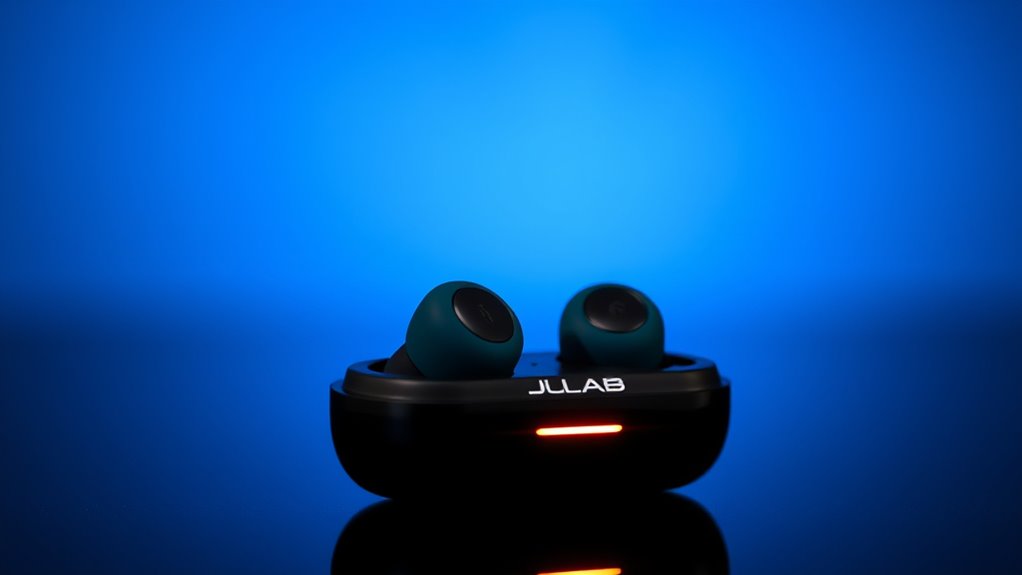

To charge your JLab earbuds, first clean them and verify they’re compatible with the charging case. Place the earbuds snugly in their designated slots in the case and fully close the lid. Look for LED indicators that signal the charging status—green means fully charged, while red indicates it’s charging. A full charge takes about 2 hours, giving you up to 10 hours of playtime. Want to know more about maintaining battery health and troubleshooting?
Understanding Your JLab Earbuds Charging Case
When you first get your JLab earbuds, understanding the charging case is key to keeping them powered up and ready to use. The charging case features a sleek design that not only protects your earbuds but also serves as their power source. With a high battery capacity, it guarantees your earbuds can charge multiple times before needing to be plugged in itself. Just pop your earbuds into the case, and they’ll automatically start charging. You’ll appreciate the LED indicators that show how much juice is left in the case, so you’ll never be caught off guard. By grasping these essential features, you’ll maximize your listening experience and enjoy the freedom of wireless sound wherever you go.
Preparing Your Earbuds for Charging
Before you can charge your JLab earbuds, it’s important to confirm they’re ready for the process. Start by cleaning your earbuds to guarantee peak performance. Use a soft cloth and a gentle cleaner to wipe away any debris. Next, check compatibility with your charging case; this confirms a smooth charging process.
Here’s a quick checklist to help you prepare:
| Task | Action | Notes |
|---|---|---|
| Cleaning Earbuds | Wipe with a soft cloth | Avoid harsh chemicals |
| Checking Compatibility | Verify case matches model | Refer to your manual |
| Inspect Charging Ports | Look for debris | Use a soft brush if needed |
| Fully Power Down | Turn off before charging | Helps protect battery life |
| Place in Case | Align properly | Confirm snug fit |
Once you’ve completed these steps, you’re ready to charge!
How to Connect Your Earbuds to the Charging Case
Connecting your JLab earbuds to the charging case is a straightforward process that verifies they’re ready for use whenever you need them. Here’s how to guarantee proper earbud placement and case alignment for ideal charging:
Connecting your JLab earbuds to the charging case ensures they’re always ready for use. Follow these simple steps for optimal charging.
- Open the charging case lid fully.
- Identify the designated spots for each earbud in the case.
- Gently place the earbuds into their respective slots, verifying they fit snugly.
- Check for the LED indicators on the earbuds to confirm they’re charging.
- Close the case to secure and protect your earbuds.
Charging Time and Battery Life Expectations
Once your JLab earbuds are securely placed in the charging case, it’s important to understand how long they’ll take to charge and the battery life you can expect during use. Generally, you can anticipate about 2 hours for a full charge, offering you up to 10 hours of playtime on a single charge. Here’s a quick look at the charging time expectations and battery life insights:
| Charge Duration | Playtime | Total Case Charge |
|---|---|---|
| 15 minutes | 1 hour | 3 charges |
| 30 minutes | 2 hours | 2 charges |
| 1 hour | 4 hours | 1 charge |
| 2 hours | 10 hours | N/A |
| Full charge | 30 hours total | N/A |
Keep these details in mind for the best experience!
Troubleshooting Common Charging Issues
If you find your JLab earbuds aren’t charging properly, there are a few common issues to contemplate. First, check for charging cable issues—ensure it’s not frayed or damaged. Next, inspect the charging port on both the earbuds and the cable for any debris or dirt that might hinder connection. Also, consider battery connection problems; sometimes, the earbuds may not seat properly in the case. Additionally, try using a different power source to rule out outlet or adapter issues. Finally, make sure your earbuds are correctly aligned in the charging case.
- Frayed or damaged charging cable
- Debris in charging port
- Improper seating in the case
- Faulty power source
- Incorrect alignment in the case
Tips for Maintaining Battery Health
To keep your JLab earbuds performing at their best, it’s crucial to practice good battery maintenance. Here are some battery longevity tips that can help you enjoy your earbuds longer:
| Tip | Optimal Charging Practices | Why It Matters |
|---|---|---|
| Avoid extreme temperatures | Charge at room temperature | Protects battery from damage |
| Don’t let battery drain too low | Charge before it hits 20% | Extends overall battery life |
| Use original charging cable | Guarantees safe and efficient charging | Prevents potential hazards |
| Regularly clean contacts | Maintains good connectivity | Enhances performance |
Using Alternative Charging Methods
If you’re looking for more flexibility in charging your Jlab earbuds, consider wireless charging options or USB-C alternatives. These methods can simplify your routine and eliminate the hassle of tangled cords. Let’s explore how these alternatives can enhance your charging experience.
Wireless Charging Options
Many Jlab earbuds come with convenient wireless charging options that simplify the charging process. This feature lets you ditch the cables and enjoy a more flexible way to keep your earbuds powered. However, be mindful of potential compatibility issues with different charging pads. Here are some points to take into account:
- Verify your charging pad supports the correct wireless charging standard.
- Check if your earbuds have a charging case designed for wireless charging.
- Keep your charging area clean to prevent any obstruction.
- Position your earbuds correctly on the charging pad for ideal charging.
- Monitor the charging indicator to confirm they’re charging properly.
With these tips, you can make the most of the wireless charging capabilities of your Jlab earbuds. Enjoy the freedom!
USB-C Charging Alternatives
While wireless charging offers convenience, you might find yourself needing alternative methods to charge your Jlab earbuds, especially if you’re on the go or don’t have access to a wireless pad. One reliable option is using a USB-C cable. Plug it directly into a wall adapter for a quick charge or connect it to your computer for a slower, but effective charge. If you’re traveling, a portable power bank can be a lifesaver. Just make sure it has a USB-C output, and you can keep your earbuds powered up wherever you are. These alternatives give you the freedom to charge your Jlab earbuds without being tethered to a wall or a specific charging setup. Embrace flexibility in your charging routine!
Recognizing Charging Indicator Lights
When charging your Jlab earbuds, it’s important to recognize the different indicator lights. The colors and patterns, whether flashing or steady, provide important information about the charging status. Keep in mind that various models may have unique indicators, so understanding these signals will help you gauge when your earbuds are ready to use.
Understanding Light Colors
Understanding the colors of the charging indicator lights on your Jlab earbuds can make a significant difference in managing their battery life. By recognizing the light meanings, you’ll better understand your earbuds’ status and avoid unexpected shutdowns. Here are some common color signals to note:
- Red: Charging in progress; battery is low.
- Green: Fully charged; ready for use.
- Flashing White: Pairing mode; seeking connection.
- Solid White: Connected to a device; active use.
- Flashing Red: Critical battery level; need to recharge soon.
Flashing vs. Steady Lights
Recognizing the difference between flashing and steady lights on your Jlab earbuds is essential for effective charging and usage. Flashing alerts usually indicate that your earbuds are in the process of charging, signaling that they’re connected and drawing power. When you see these lights, it’s a good sign that your earbuds are on their way to being fully charged. On the other hand, steady signals mean that your earbuds are either fully charged or powered on. Understanding these indicators helps you manage your earbuds’ battery life effectively. So, next time you plug them in, pay attention to those lights; they’ll guide you through your charging journey and guarantee you’re always ready to enjoy your music.
Different Models Indicators
Every Jlab earbud model features its own unique set of indicator lights, making it crucial to familiarize yourself with these signals for efficient charging. Different model variations may have specific product features that dictate how these lights operate. Here are some common indicators to look out for:
- Solid Green Light: Fully charged and ready to use.
- Flashing Red Light: Low battery, needs charging soon.
- Solid Red Light: Currently charging.
- Flashing Blue Light: Pairing mode activated.
- Alternating Lights: Indicates connection issues or reset mode.
Understanding these indicators guarantees you get the most out of your Jlab earbuds while enjoying the freedom of wireless listening. Keep these signals in mind for a seamless experience!
Storing Your Earbuds When Not in Use
When you’re not using your JLab earbuds, proper storage is key to maintaining their longevity and performance. To guarantee correct storage, always place your earbuds in their charging case when they’re not in use. This protects them from dust, moisture, and potential damage. Avoid tossing them into bags or pockets without protection, as this can lead to tangles and wear.
Additionally, practice proper handling by keeping the earbuds away from extreme temperatures or direct sunlight, which can affect battery life. If you’re traveling, consider using a small pouch for added protection. By taking these simple steps, you can enjoy your JLab earbuds for longer while preserving their sound quality and functionality. Let freedom ring without worrying about your gear!
Frequently Asked Questions
Can I Use My JLAB Earbuds While Charging?
While it’s tempting to enjoy tunes during charging, it’s best to let your JLab earbuds rest. This way, you’ll guarantee charging safety and prolong the battery lifespan for those blissful moments of freedom.
Are JLAB Earbuds Waterproof or Water-Resistant During Charging?
JLab earbuds aren’t waterproof while charging; their waterproof features only apply when they’re fully powered. For charging safety, it’s best to keep them dry to avoid any damage or malfunction during the process.
What Voltage Should I Use for Charging JLAB Earbuds?
When charging your Jlab earbuds, stick to a voltage of 5 volts. It’s essential to follow these charging specifications to guarantee longevity and performance, giving you the freedom to enjoy your music without interruptions.
Can I Charge JLAB Earbuds With a Power Bank?
Yes, you can charge JLab earbuds with a power bank. Just verify the power bank’s output matches your earbuds’ requirements for ideal charging speed. Most modern power banks are compatible, providing you the freedom to charge on-the-go!
Do JLAB Earbuds Have a Warranty for Charging Issues?
Yes, Jlab earbuds come with a warranty covering charging problems. You should check the warranty details for specifics, but generally, they aim to support you if you encounter issues with charging your earbuds.
