
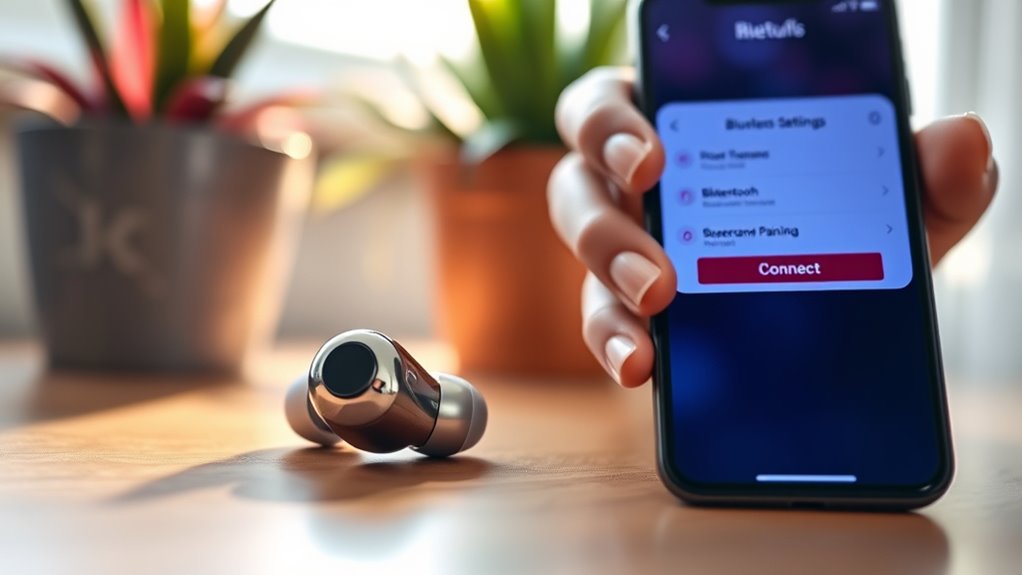

To pair your earbuds, first make certain they’re charged and in pairing mode by holding the button until the light flashes. Then, turn on Bluetooth on your device. Go to your device’s Bluetooth settings and select your earbuds from the available list. Listen for a confirmation tone to confirm the connection. If you’re having trouble, check the battery, keep the earbuds close to the device, and verify compatibility. You’ll discover more tips to enhance your audio experience.
Understanding Your Earbuds
When you’re ready to plunge into the world of earbuds, it’s essential to understand their components and functionalities. First, consider the various earbud types—wired, true wireless, and wireless with a neckband. Each type has its unique advantages, catering to different preferences and lifestyles.
Next, focus on sound quality; this is vital for an immersive audio experience. Look for earbuds with balanced drivers, good frequency response, and noise isolation features. These elements greatly impact how you perceive music and calls.
Lastly, pay attention to battery life and comfort, as these factors contribute to your overall satisfaction. By grasping these fundamentals, you’ll be well-equipped to choose the perfect earbuds to enhance your listening freedom.
Preparing Your Device
Before you can enjoy your new earbuds, you need to verify your device is ready for pairing. First, confirm your device meets the necessary device compatibility requirements. Then, adjust your Bluetooth settings to prepare for connection. Follow these quick steps:
- Check that Bluetooth is enabled on your device.
- Make sure your earbuds are charged and in pairing mode.
- Remove any previously connected devices if needed.
- Keep your earbuds close to your device for a smoother pairing experience.
Once you’ve completed these steps, you’re set to connect seamlessly. Being prepared will not only enhance your experience but also give you the freedom to enjoy your music, podcasts, or calls without hassle. Happy listening!
Pairing Your Earbuds
Once your device is ready, pairing your earbuds is a straightforward process that typically takes just a few moments. First, make certain your earbuds are charged and in pairing mode; this often involves holding down a button until you see a flashing light. Next, go to your device’s Bluetooth settings. Here, you’ll find a list of available earbud types. Select your earbuds from the list, and once connected, you’ll hear a confirmation tone. If you’re using wireless connectivity, verify your device is compatible with your earbuds’ technology, like Bluetooth 5.0 for peak performance. Enjoy the freedom of wireless listening and the convenience of hands-free calls! You’re now all set to immerse yourself in your favorite tunes.
Troubleshooting Common Issues
Although most pairing processes go smoothly, you might encounter some common issues that can disrupt your listening experience. Here are a few troubleshooting tips to help you get back on track:
- Battery Issues: Verify your earbuds are charged. Low battery can affect performance.
- Connectivity Problems: If your earbuds aren’t connecting, try turning Bluetooth off and on again.
- Distance: Stay within the recommended range of your device to maintain a stable connection.
- Device Compatibility: Check that your device supports your earbuds’ Bluetooth version.
Optimizing Your Audio Experience
To truly enhance your audio experience with earbuds, it’s vital to adjust settings and optimize your listening environment. Start by tweaking your audio settings to get the best sound quality. Here’s a quick guide:
| Audio Setting | Recommended Adjustment |
|---|---|
| Equalizer | Boost bass, reduce mids |
| Noise Cancellation Level | Adjust to your surroundings |
| Volume Level | Keep within 50%-70% |
Experimenting with these adjustments can make a significant difference. Consider your environment—quiet spaces enhance sound quality, while noisy areas may require higher noise cancellation. Remember, the right settings can liberate your audio experience, allowing you to enjoy your favorite tunes without distraction!
Frequently Asked Questions
Can I Use Earbuds With Multiple Devices Simultaneously?
You can’t use earbuds with multiple devices simultaneously due to Bluetooth connectivity limitations. However, if your earbuds support multipoint technology, you can connect to two devices, enhancing device compatibility and offering you greater freedom in usage.
How Can I Clean My Earbuds Safely?
To clean your earbuds safely, use soft materials like microfiber cloths and cotton swabs. Avoid harsh chemicals; instead, try gentle soap and water. Regular cleaning techniques keep them functioning well and enhance your listening experience.
Are My Earbuds Waterproof or Water-Resistant?
Your earbuds might be water-resistant, but they’re likely not fully waterproof. Check the waterproof ratings for specific guidance. Water-resistant materials offer some protection, yet they’re not designed for heavy exposure, so handle with care.
What Is the Average Battery Life of Wireless Earbuds?
The average battery life of wireless earbuds is about 4 to 8 hours, depending on usage. If you adopt good charging habits, you can enhance their battery longevity, ensuring you enjoy uninterrupted listening experiences.
Can I Replace the Ear Tips on My Earbuds?
Yes, you can replace the ear tips on your earbuds! Just like finding the right pair of shoes, choosing the right ear tip sizes and materials can make all the difference in comfort and sound quality.
