
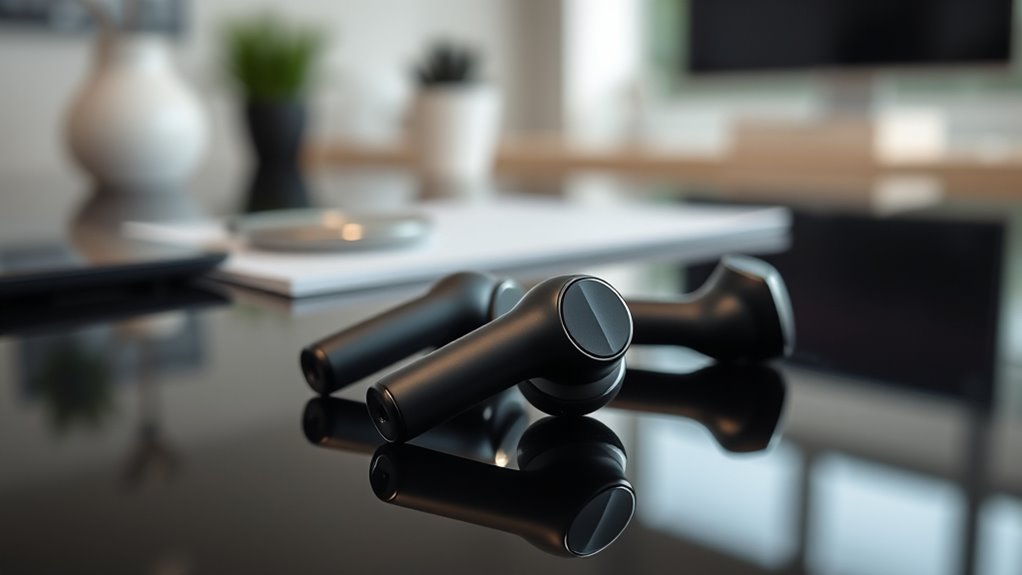

When searching for the best wireless earbuds, focus on sound quality, battery life, and comfort. Look for models with balanced frequency response and larger drivers for superior sound. Consider how long the battery lasts, especially for daily use. A comfortable fit is key, so explore various ear tip options. Additional features like noise cancellation can enhance your experience. For specific recommendations and budget-friendly options, you might want to explore further for in-depth insights.
Sound Quality: What to Look For
When you’re searching for wireless earbuds, sound quality should be at the top of your list, as it directly impacts your listening experience. Focus on audio clarity, as this guarantees that you can hear every detail in your music or podcasts. A good pair of earbuds will provide a balanced frequency response, allowing you to enjoy deep bass without sacrificing mids and highs. Look for specifications that indicate a wide frequency range, typically between 20 Hz to 20 kHz, as this will enhance your overall listening experience. Additionally, consider the drivers used in the earbuds; larger drivers often produce better sound quality. By prioritizing these factors, you can find earbuds that deliver the freedom of high-quality audio in any environment.
Battery Life: Finding the Right Balance
While you may be tempted to prioritize sound quality, battery life is equally essential when selecting wireless earbuds. A longer battery life lets you enjoy your music or podcasts without constant interruptions. Consider your usage habits—if you’re a daily commuter or an avid gym-goer, you’ll want earbuds that can handle extended use. Look for charging options that suit your lifestyle; some models offer quick charging features, while others provide extended playtime through their cases. Weigh these factors against your personal preferences. Ultimately, finding the right balance between battery life and sound performance guarantees you get the most out of your earbuds without sacrificing the freedom to use them whenever you want.
Comfort and Fit: Ensuring a Secure Experience
Sound quality and battery life are important, but comfort and fit can greatly impact your overall experience with wireless earbuds. When selecting earbuds, consider how well they conform to your ears. Fit adjustments, such as interchangeable ear tips, play a vital role in achieving a secure fit. Here’s a quick overview of common ear tip options:
| Ear Tip Type | Material | Fit Adjustment |
|---|---|---|
| Silicone | Soft, flexible | Standard sizes |
| Foam | Memory foam | Molds to ear shape |
| Rubber | Durable | Various sizes |
| Biodegradable | Eco-friendly | Standard sizes |
| Custom-molded | Personalized | Tailored fit |
Choosing the right ear tips can enhance comfort, reduce fatigue, and improve sound isolation, ensuring you enjoy your music without distractions.
Additional Features: Enhancements to Consider
When choosing wireless earbuds, it’s crucial to take into account additional features that can enhance your listening experience. Noise cancellation technology can greatly improve sound quality by blocking out external distractions, while battery life improvements guarantee you can enjoy your music for longer periods. Evaluating these enhancements will help you find a pair that meets your needs.
Noise Cancelation Technology
As you explore the world of wireless earbuds, understanding noise cancellation technology becomes essential for enhancing your listening experience. There are two primary methods: active noise cancellation (ANC) and passive isolation. ANC uses microphones to detect ambient sounds and generates sound waves to counteract them, effectively reducing unwanted noise. This is particularly useful in loud environments like airplanes or busy streets. On the other hand, passive isolation relies on the earbud design to physically block external noise, creating a seal within your ears. While ANC provides dynamic sound control, passive isolation can be equally effective for certain situations. When choosing earbuds, consider how these technologies align with your lifestyle, as both can greatly affect your overall enjoyment and freedom to immerse yourself in music.
Battery Life Improvement
While effective noise cancellation can greatly improve your listening experience, battery life is another critical factor to consider when evaluating wireless earbuds. Enhanced battery performance guarantees you can enjoy your audio without frequent recharges. Look for models featuring advanced charging technology, such as quick-charge capabilities, which can provide hours of use from just a short charging session.
| Feature | Description | Importance |
|---|---|---|
| Battery Life | Duration between charges | Essential for usage |
| Charging Technology | Fast charging capabilities | Saves time |
| Power Management | Adaptive consumption strategies | Extends longevity |
| Case Battery | Additional power from the case | Increases flexibility |
| Usage Modes | Different audio profiles | Customizes experience |
Considering these aspects will help you choose earbuds that fit your lifestyle.
Top Picks: Our Recommendations
When it comes to choosing the right wireless earbuds, sound quality and budget are often top priorities. You’ll find options that excel in audio performance, providing rich and immersive sound. Additionally, there are budget-friendly choices that still deliver impressive features without breaking the bank.
Best for Sound Quality
For audiophiles and casual listeners alike, sound quality is often the most critical factor in choosing wireless earbuds. When evaluating audio performance, consider the following top picks that excel in delivering rich sound:
- Sony WF-1000XM4: Known for their exceptional noise cancellation and balanced sound profile.
- Apple AirPods Pro: Offers seamless integration with Apple devices and impressive clarity.
- Sennheiser Momentum True Wireless 3: Renowned for deep bass and expansive soundstage.
- Bose QuietComfort Earbuds: Delivers a powerful audio experience with comfort and effective noise isolation.
In brand comparisons, these options consistently rank high for their audio performance, catering to various tastes and preferences. Choosing the right pair can transform your listening experience, so weigh your options carefully.
Top Budget Options
Finding high-quality wireless earbuds doesn’t have to break the bank. There are several affordable alternatives that provide impressive sound quality and functionality without sacrificing essential features. Brands like Anker and JLab offer budget-friendly options that include decent battery life, comfortable fit, and reliable Bluetooth connectivity. For instance, the Anker Soundcore Life P2 boasts astonishing sound clarity and a long playtime, making it a top contender. Similarly, JLab’s JBuds Air delivers a customizable listening experience with its EQ settings. These earbuds demonstrate that you can enjoy a premium audio experience without overspending. By focusing on your needs and comparing features, you can confidently choose the best budget earbuds to suit your lifestyle.
Budget Options: Quality on a Dime
While high-end wireless earbuds often dominate discussions about sound quality and features, there are plenty of budget options that deliver impressive performance without breaking the bank. Many affordable brands have emerged, offering a range of choices that receive positive user reviews. Here are some key factors to take into account when exploring budget earbuds:
- Sound Quality: Look for models that provide clear audio and decent bass response.
- Battery Life: Verify they can last through your daily activities without frequent charging.
- Comfort: Prioritize earbuds that fit well for extended wear.
- Durability: Choose options made from quality materials that can withstand regular use.
How to Care for Your Wireless Earbuds
Caring for your wireless earbuds is essential to guarantee their longevity and maintain peak performance. First, utilize effective cleaning techniques to remove earwax and dirt. Use a soft, dry cloth for the outer surfaces and a cotton swab for crevices, but avoid moisture. For deeper cleaning, consider using a specialized cleaning solution designed for electronics.
Next, apply storage tips to protect your earbuds when not in use. Always store them in their case to prevent physical damage and keep them charged. Avoid placing them in high-temperature areas, as heat can degrade battery life. By following these practices, you’ll not only enhance your listening experience but also extend the lifespan of your wireless earbuds, allowing you the freedom to enjoy them longer.
Frequently Asked Questions
Can Wireless Earbuds Connect to Multiple Devices Simultaneously?
Yes, many wireless earbuds support multi-device connection, allowing you to switch between devices seamlessly. However, pairing limitations may exist, so check the specifications to guarantee compatibility and functionality with your preferred devices.
How Do I Reset My Wireless Earbuds?
Imagine a tangled ball of yarn; sometimes, resetting your earbuds is like untangling it. For earbud troubleshooting, hold the power button for ten seconds or follow the reset process in your user manual.
Are Wireless Earbuds Waterproof or Sweat-Resistant?
Many wireless earbuds feature water resistance ratings, often ranging from IPX4 to IPX7, indicating varying levels of protection. Additionally, sweat-proof technology helps guarantee durability during workouts, but always check specific models for their ratings.
What Is the Average Lifespan of Wireless Earbuds?
Wireless earbuds typically last around two to five years. To maximize battery longevity, practice good maintenance tips like avoiding extreme temperatures and keeping them charged regularly. This way, you can enjoy your freedom without interruptions.
How Can I Update My Wireless Earbuds’ Firmware?
To update your wireless earbuds’ firmware, install the manufacturer’s app, connect your earbuds, and follow the prompts for firmware updates. This process enhances wireless performance, ensuring you enjoy the latest features and improvements.
