
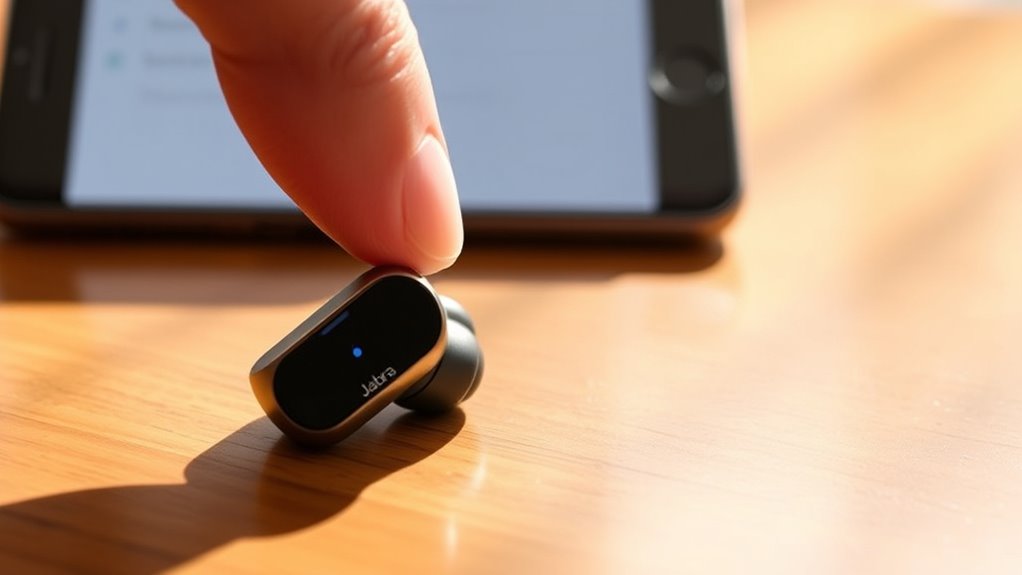

To put your Jabra earbuds in pairing mode, power them on and press and hold the Bluetooth button until the indicator light starts flashing. Make sure they’re not connected to another device and that the battery has enough charge. Now, head to your device’s Bluetooth settings, search for available devices, and select your Jabra earbuds to connect. If you encounter any issues, there are more tips to help you troubleshoot those problems effectively.
Understanding Jabra Earbuds and Their Features
Jabra earbuds are designed to enhance your listening experience with a blend of advanced technology and user-friendly features. With their impressive earbud features, you can enjoy a customizable fit, ensuring comfort during long listening sessions. The sound quality is exceptional, delivering crisp highs and rich lows that make your music come alive. Plus, many models offer noise cancellation, allowing you to immerse yourself in your favorite tracks without distractions. You’ll also appreciate the intuitive controls, which let you manage your audio and calls effortlessly. Whether you’re at the gym, commuting, or just relaxing at home, Jabra earbuds provide the freedom to enjoy high-quality sound wherever you go. Embrace the power of sound and elevate your listening experience today!
Preparing Your Device for Connection
Before you connect your Jabra earbuds, make certain Bluetooth is enabled on your device. It’s also a good idea to locate your earbuds and verify they’re ready to pair. If you’ve connected to other devices before, clearing those connections can help streamline the process.
Ensure Bluetooth Is Enabled
To successfully connect your Jabra earbuds, it’s essential to confirm Bluetooth is enabled on your device. Start by heading to your device settings. Look for Bluetooth settings, which are typically found under “Connections” or “Wireless & Networks.” Once you’ve located it, make certain Bluetooth is turned on; you’ll often see a toggle switch. If it’s off, simply slide it to the right to activate it. This step guarantees device compatibility with your Jabra earbuds. Remember, without Bluetooth enabled, your earbuds won’t be discoverable by your device. Once Bluetooth is active, you’ll be ready to proceed with pairing your earbuds and enjoying the freedom of wireless listening.
Locate Jabra Earbuds
Finding your Jabra earbuds is an essential step in the pairing process. Before you can connect, you’ll need to identify your specific model since there are a few differences among them. Start by checking the model number on the charging case or the earbuds themselves. This identification will help you understand the pairing instructions specific to your model. If you’re not sure which model you have, refer to the user manual or the Jabra website for guidance. Once you locate your earbuds and know the model, you’ll be ready to proceed with the connection. Remember, having the right information makes the process smoother and gives you the freedom to enjoy your audio experience without hassle.
Clear Previous Connections
Since your Jabra earbuds might have previously been connected to other devices, it’s important to clear those connections for a smooth pairing process. To reset your earbuds, just hold the buttons on both earbuds for about 10 seconds until you see the LED indicators flash. This will clear connections and prepare them for a new device.
Here’s a quick reference table to help you remember:
| Action | Description |
|---|---|
| Clear Connections | Disconnect from all previous devices |
| Reset Earbuds | Hold buttons for 10 seconds |
| LED Indicators | Flash to confirm reset |
| Ready for Pairing | Search for your earbuds on a device |
Charging Your Jabra Earbuds
To keep your Jabra earbuds ready for use, it’s important to follow the proper charging procedure. Pay attention to the LED indicator signals, as they provide essential information about the charging status. Using the charging case correctly will guarantee your earbuds stay powered up whenever you need them.
Proper Charging Procedure
Properly charging your Jabra earbuds is essential for peak performance and longevity. Here are some charging tips to guarantee effective battery maintenance:
- Use the Original Charger: Always charge your earbuds with the original case and cable to avoid voltage issues.
- Charge Regularly: Don’t let the battery drain completely. Charging when it’s around 20% helps extend battery life.
- Avoid Overcharging: Disconnect once fully charged to prevent potential battery damage.
- Keep Dry: Confirm the charging ports are dry and clean before charging to maintain ideal function.
LED Indicator Signals
Understanding the LED indicator signals on your Jabra earbuds is essential for effective charging and usage. These signals provide vital information about the charging status and pairing alerts. When your earbuds are charging, a solid red light indicates low battery, while a solid green light means they’re fully charged. If you see a flashing blue light, that’s a pairing alert, signaling that your earbuds are ready to connect. Conversely, a flashing red light suggests that the battery is critically low and needs immediate attention. Knowing these LED color meanings empowers you to keep your earbuds charged and ready to go, ensuring you enjoy uninterrupted freedom when listening to your favorite tunes or taking calls.
Charging Case Usage
Charging your Jabra earbuds efficiently can greatly enhance their performance and longevity. To maximize the charging case functionality and guarantee effective battery management, follow these steps:
- Place your earbuds securely in the charging case to initiate the charging process.
- Check the LED indicators on the case for the charging status—green means fully charged, while amber indicates charging.
- Close the case lid to protect your earbuds and maintain battery health.
- Avoid letting the charge drop below 20% to prolong battery life.
Entering Pairing Mode
To enter pairing mode on your Jabra earbuds, start by making sure they’re powered on. Once they’re on, you can use various pairing methods, depending on your specific model. Typically, you’ll need to press and hold the Bluetooth button until you see an indicator light flashing. This signals that your earbuds are ready to connect. If you encounter any issues, don’t worry—troubleshooting tips can help. Make sure your earbuds aren’t already paired with another device, and check if they’re charged adequately. Sometimes, resetting the earbuds can also resolve connection problems. By following these steps, you’ll enjoy the freedom of wireless listening in no time!
Connecting to Your Device
Now that your Jabra earbuds are in pairing mode, connecting them to your device is a straightforward process. Just follow these steps to guarantee device compatibility and connection stability:
- Open Bluetooth Settings: On your device, navigate to the Bluetooth settings.
- Search for Devices: Click on “Search” or “Scan” to find available devices.
- Select Jabra Earbuds: Once your earbuds appear in the list, tap on them to initiate the connection.
- Confirm Connection: A notification will confirm that your earbuds are connected.
With these simple steps, you can enjoy the freedom of wireless listening. If you encounter any issues, don’t worry; troubleshooting will be covered next!
Troubleshooting Common Pairing Issues
Even with a straightforward connection process, you might run into some common pairing issues with your Jabra earbuds. If you’re experiencing pairing failures, first verify your earbuds are in pairing mode and close to your device. Check if your device’s Bluetooth is enabled and try restarting both the earbuds and your device to improve connection stability. Sometimes, unwanted connections can interfere; consider removing other paired devices or clearing the Bluetooth cache on your phone. If you still can’t connect, try resetting your earbuds to their factory settings, as this often resolves persistent issues. Remember, troubleshooting can be a process, but with a little patience, you can enjoy the freedom of wireless listening!
Frequently Asked Questions
Can Jabra Earbuds Connect to Multiple Devices Simultaneously?
Jabra earbuds support multi-device connectivity, allowing you to connect to multiple devices. You can enjoy seamless switching between them, so you won’t miss a beat whether you’re taking calls or listening to music.
How Long Do Jabra Earbuds Last on a Single Charge?
Jabra earbuds typically last about 5 to 7 hours on a single charge, depending on usage. With their quick charging times, you’ll find they’re perfect for your on-the-go lifestyle, keeping you connected and free.
Are Jabra Earbuds Waterproof or Sweat-Resistant?
Jabra earbuds typically feature sweat resistance, making them great for workouts. However, they’re not fully waterproof. You’ll want to avoid submerging them, but they can handle light moisture and sweat without issues. Enjoy your freedom!
Can I Use Jabra Earbuds While Charging?
You can’t use Jabra earbuds while charging, can you imagine missing out on your favorite tunes? Charging limitations affect audio quality, so it’s best to let them charge fully before enjoying uninterrupted listening freedom.
How Do I Reset My Jabra Earbuds?
To reset your Jabra earbuds, press and hold the multi-function button for about 10 seconds until the LED flashes purple. This helps with earbud maintenance and troubleshooting issues, ensuring peak performance and freedom in use.
