
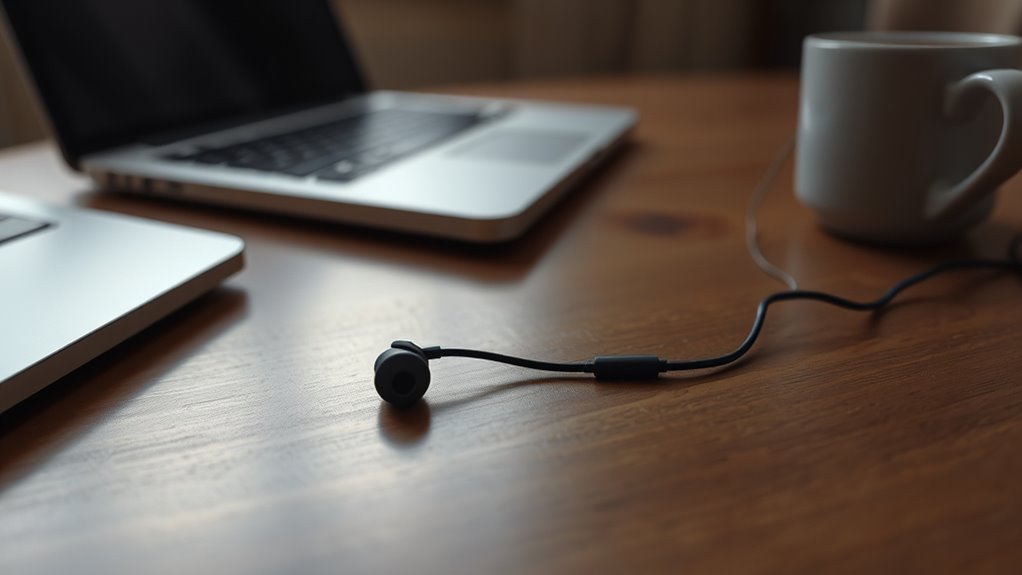

If only one earbud works, it could be due to several reasons. Common issues include internal wiring failures, blocked connections from debris, or incorrect software settings. Your audio source might not provide balanced output, and wireless interference can also disrupt connectivity. Inspecting the earbuds and cable for damage is essential. Adjusting the settings or cleaning components might fix the issue. To understand how to resolve this, you should explore the underlying causes further.
Common Causes of One Earbud Malfunction
When you notice that one earbud isn’t working, it can be frustrating, especially if you rely on them daily. Several factors can contribute to this malfunction. First, the earbud lifespan may impact functionality; wear and tear can lead to internal wiring issues. Second, check for debris or damage in the earbud jack, as obstructions can disrupt sound balance. If the audio driver inside the earbud is compromised, it may fail to produce sound altogether. Additionally, connectivity problems with the audio source can lead to unbalanced sound output, making it seem like one earbud is silent. Understanding these common causes can help you troubleshoot effectively and restore your auditory experience.
Checking the Audio Source
After considering common causes of earbud malfunction, it’s important to also evaluate the audio source itself. You should check if the audio formats being used are compatible with your device. Some devices may not support certain formats, leading to audio output issues. For instance, high-resolution audio files might not play properly on basic devices, causing one earbud to remain silent. Additionally, verify that your device’s settings are correctly configured for stereo output. If you’re using apps or streaming services, verify that they’re set to output sound in a compatible format. By confirming device compatibility and adjusting audio settings, you can often resolve issues with one earbud not working, restoring your audio experience effectively.
Inspecting the Earbuds and Cable
To determine why one earbud isn’t functioning, start by checking for any visible signs of physical damage on both the earbuds and the cable. Look for frayed wires, cracked casings, or loose connections that could disrupt audio transmission. Additionally, inspect the connection points where the earbuds plug into the device to guarantee a secure fit.
Check for Physical Damage
Inspecting the earbuds and cable for physical damage is essential when troubleshooting audio issues. Start with a thorough visual inspection. Look for any visible damage signs, such as frayed cables, cracks in the earbud casing, or discolored areas that may indicate wear.
| Damage Signs | Potential Impact |
|---|---|
| Frayed cables | Audio dropout |
| Cracked casing | Internal component damage |
| Discolored areas | Weak connection |
| Loose connections | Intermittent sound |
Inspect Connection Points
When audio issues arise, checking the connection points of your earbuds and cable can often reveal underlying problems. Start by examining the 3.5mm jack or USB-C connector for dirt or debris that may compromise connection integrity. A clean, snug fit is essential for ideal performance. Next, inspect the cable for frays or kinks, which could disrupt the signal path. If your earbuds have removable tips, verify they’re properly seated. Employing effective troubleshooting methods, like testing your earbuds with different devices, can help identify the issue. If one earbud consistently fails, it may indicate a deeper fault. By methodically evaluating these connection points, you reclaim control over your audio experience.
Wireless Connectivity Issues
How can a simple wireless connection lead to one earbud malfunctioning? When you’re using Bluetooth earbuds, various factors can create connectivity issues. Bluetooth interference from nearby devices—like microwaves or Wi-Fi routers—can disrupt the signal, causing one earbud to lose connection. This disruption can lead to audio latency, where sound delays, making it seem like only one earbud is functioning. Additionally, if your earbuds are out of range or poorly paired, this can result in uneven performance. To regain full functionality, you might need to reset your connection or verify there are no obstructions. By addressing these wireless connectivity issues, you can achieve a seamless auditory experience and enjoy the freedom that wireless technology offers.
Software and Settings Troubleshooting
Although software glitches can sometimes be overlooked, they often play a crucial role in one earbud malfunctioning. Start by checking for software updates on your device. Outdated firmware can lead to compatibility issues, affecting sound output. If your earbuds are updated but still struggling, consider performing a settings reset. This action can clear any misconfigurations preventing proper functionality. Make certain to disconnect and reconnect the earbuds to your device, as this can establish a new connection that may resolve the issue. Finally, explore the audio settings on your device to confirm balance adjustments aren’t favoring one side. By addressing these software and settings factors, you can regain full audio freedom from both earbuds.
Cleaning and Maintenance Tips
To guarantee peak performance of your earbuds, regular cleaning is essential. You should also inspect the audio jack for debris or damage, as these can severely affect audio quality. Finally, proper storage practices can prevent physical damage and extend the lifespan of your earbuds.
Regular Earbud Cleaning
While it may seem trivial, regular earbud cleaning is vital for maintaining peak audio performance and prolonging their lifespan. Accumulation of earwax, dirt, and moisture can obstruct sound quality and cause functionality issues. Implementing effective cleaning techniques is important. Start by detaching the ear tips and using a soft brush or a microfiber cloth to remove debris. For stubborn grime, a slightly damp cloth with isopropyl alcohol can be effective. Make sure you let components dry completely before reassembly. Regular maintenance, ideally once a week, guarantees ideal sound clarity and prevents the need for costly replacements. By prioritizing this routine, you’ll enjoy a more immersive listening experience and extend the life of your earbuds.
Inspecting Audio Jack
If you frequently encounter issues with one earbud not working, inspecting the audio jack should be your next step. Start by determining the audio jack type your device uses, as compatibility can vary considerably. Common types include 3.5mm, Lightning, and USB-C. Check for debris or lint obstructing the jack; a simple cleaning can resolve many connection problems. Use a soft brush or compressed air to eliminate any buildup. Verify the jack fits securely without wobbling, as loose connections can impede audio flow. Finally, test your earbuds with different devices to confirm if the issue lies within the jack or the earbuds themselves. By verifying proper maintenance and compatibility, you’ll enhance your listening experience and extend your gear’s lifespan.
Proper Storage Practices
Proper storage practices can greatly extend the lifespan of your earbuds. Always keep them in a protective case when not in use; this prevents tangling and damage. Avoid placing them in pockets or bags without protection, as friction can lead to wear and tear. Regularly clean the earbuds with a soft, dry cloth to remove dirt and moisture, reducing the risk of corrosion. Additionally, periodically inspect the cables for any signs of fraying or damage. Implementing these maintenance practices guarantees ideal performance and sound quality. Finally, store them in a cool, dry place away from extreme temperatures, as heat can degrade materials. By following these guidelines, you can maintain your earbuds’ functionality and enjoy uninterrupted listening.
When to Seek Professional Repair
When should you consider seeking professional repair for your earbuds? If troubleshooting techniques—like checking connections, cleaning, or replacing cables—don’t resolve the issue, it’s time to explore repair options. Additionally, if you notice physical damage, such as frayed wires or cracks, professional assistance may be necessary. When sound quality is persistently compromised, despite attempts at fixes, don’t hesitate to consult an expert. Also, consider repair if your earbuds are still under warranty, as this can save you costs. Opting for professional repair not only addresses immediate problems but can extend the lifespan of your device, offering you the freedom to enjoy your audio experience without interruption. Ultimately, knowing when to seek help is essential for maintaining peak performance.
Frequently Asked Questions
Can Using a Different Device Fix the Earbud Issue?
Switching devices might just be the key to unfastening your earbud mystery. Check Bluetooth compatibility and device settings; sometimes a fresh connection reveals hidden issues, granting you the freedom to enjoy your audio fully again.
Are Certain Earbuds More Prone to Malfunction Than Others?
Yes, certain earbud brands are indeed more prone to malfunction. Durability testing reveals significant differences in build quality and materials, affecting longevity. Choosing well-reviewed brands can enhance your experience and reduce the likelihood of issues.
How Long Do Earbuds Typically Last Before Failing?
Earbuds often live like fleeting fireflies, shining bright for about 1-3 years under typical usage. Their lifespan hinges on build quality and care, yet regular wear can dim their performance prematurely. Handle them gently for longevity.
Do Environmental Factors Affect Earbud Performance?
Yes, environmental factors considerably affect earbud performance. Temperature effects can alter materials, causing distortion, while sound interference from external sources can impact audio clarity, limiting your listening experience and overall freedom to enjoy quality sound.
Can Moisture Damage Earbuds and Cause One to Stop Working?
Yes, moisture exposure can damage earbuds, leading to one failing. Proper earbud maintenance, like keeping them dry and using protective cases, is crucial to prevent moisture-related issues and guarantee long-lasting performance.
