
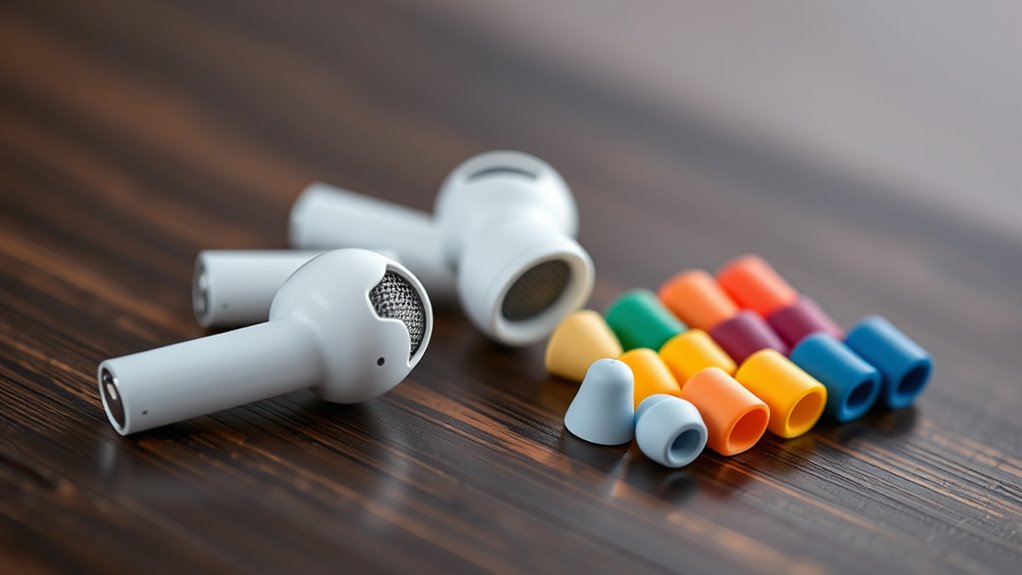

To change the earbud tips on your AirPods Pro, first, hold the earbud firmly and gently pull the old silicone tip off. Choose the right size based on your ear anatomy for comfort and sound isolation. Then, align the new tip with the earbud and push until you hear a click, ensuring it’s secure. Test the fit and sound quality by inserting the earbuds and playing your favorite track. You’ll discover even more tips and tricks next!
Understanding the Importance of Earbud Tips
When it comes to getting the best audio experience from your AirPods Pro, understanding the importance of earbud tips can’t be overlooked. The right earbud tips enhance earbud comfort, ensuring a snug fit that keeps your AirPods securely in place. This comfort is crucial for extended listening sessions, allowing you to enjoy your favorite music or podcasts without distractions. Additionally, the right tips provide sound isolation, blocking out ambient noise and immersing you in your audio. A proper seal not only boosts sound quality but also enhances bass response, elevating your overall experience. Choosing the right earbud tips is essential for maximizing both comfort and sound isolation, giving you the freedom to enjoy your audio wherever you are.
How to Choose the Right Size for Your Ears
How do you know which earbud tip size is right for you? First, consider your ear anatomy and how it affects comfort factors. A good fit guarantees better sound quality and prevents ear fatigue. To find the perfect size, try different tips and evaluate how they feel.
Here’s a simple guide to help you:
| Earbud Tip Size | Ear Size Description |
|---|---|
| Small | Small ear canals |
| Medium | Average ear canals |
| Large | Larger ear canals |
| Extra Large | Very large ear canals |
Experiment with each size to see which provides a snug fit without discomfort. Remember, the right tips can enhance your listening experience considerably.
Step-by-Step Guide to Removing the Old Tips
Removing the old tips from your AirPods Pro is a straightforward process that guarantees you can switch to a new size easily. Start by holding the earbud firmly in one hand. With your other hand, gently grasp the silicone tip and pull it away from the earbud. You’ll feel it pop off; don’t force it. Once removed, take a moment to clean the earbud tips using a soft, dry cloth to maintain earbud hygiene. This step is essential for ensuring ideal performance and sound quality. If you notice any debris or buildup, use a soft brush for thorough cleaning. Keeping your AirPods Pro clean not only enhances their longevity but also contributes to a better listening experience.
Installing the New Earbud Tips
Now that the old tips are off and your earbuds are clean, it’s time to put on the new earbud tips. Begin by aligning the new tips with the earbuds. Gently push them on until you hear a click, ensuring a secure fit for optimal sound isolation. This step is essential for effective earbud maintenance and will enhance your listening experience.
| Tip Size | Type | Purpose |
|---|---|---|
| Small | Silicone | Best for narrow ears |
| Medium | Foam | Enhanced comfort |
| Large | Silicone | Ideal for larger ears |
| Custom | Memory Foam | Personalized fit |
Once they’re installed, you’re ready for the next step. Enjoy your newfound freedom!
Testing the Fit and Sound Quality
Once you’ve installed the new earbud tips, how can you tell if they’re the right fit? Start by inserting the earbuds and checking for a snug yet comfortable seal. Good sound isolation is essential; you shouldn’t hear much outside noise. If you do, the tips may be too small. Next, play your favorite track to assess sound quality. A proper fit should enhance bass and overall clarity, making the music feel immersive. Pay attention to your comfort level too; you should be able to wear them for hours without discomfort. If you experience any irritation or excessive pressure, consider trying a different size. Finding the perfect tips can transform your listening experience, giving you both freedom and quality sound.
Frequently Asked Questions
Can I Use Third-Party Earbud Tips With Airpods Pro?
You can use third-party earbud tips with AirPods Pro, but compatibility may vary. A good fit is essential for sound quality. Remember, “you get what you pay for,” so choose wisely for the best experience.
How Often Should I Replace My Earbud Tips?
You should replace your earbud tips every few months or when they show wear. Prioritize earbud hygiene and comfort preferences to guarantee a better listening experience and maintain peak sound quality with your earbuds.
Do Earbud Tips Affect Noise Cancellation?
Imagine diving into a serene ocean; earbud tips greatly impact noise isolation, enhancing sound quality. If they fit poorly, you’ll lose that immersive experience, letting external noise invade your peaceful listening journey.
Are There Cleaning Tips for Earbud Tips?
Yes, you can clean earbud tips using gentle cleaning techniques. Use a soft, damp cloth for the outer surfaces, and a cotton swab for crevices. Regular maintenance tips include avoiding moisture and storing them properly.
Can I Return or Exchange Earbud Tips if They Don’t Fit?
Yes, you can return or exchange earbud tips if they don’t fit. Just check the return policy for your purchase, as exchange options might vary. Imagine finding that perfect fit after a simple swap!
