
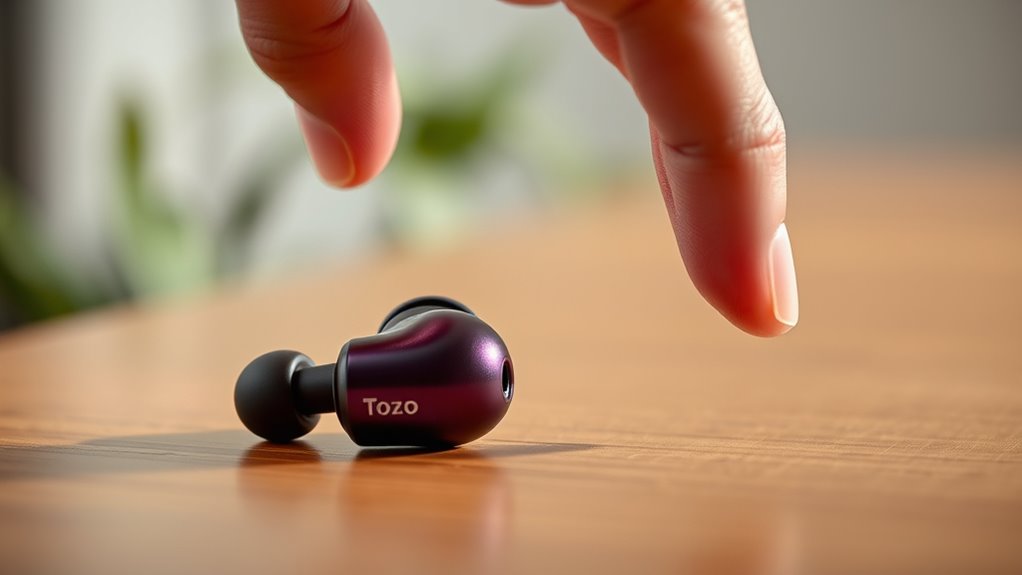

To put your Tozo earbuds in pairing mode, press and hold the multifunction button for about 5 seconds. You’ll see the LED lights flash, indicating they’re ready to connect. Make sure your earbuds are charged and powered on before doing this. Don’t forget to check your device’s Bluetooth settings to complete the connection. If you need more tips on pairing and maintaining your earbuds, there’s plenty more to explore!
Understanding Your Tozo Earbuds
Tozo earbuds are more than just a stylish accessory; they’re a gateway to immersive sound experiences. With their impressive Tozo features, you’ll enjoy high-quality audio that brings your music to life. These earbuds boast a lightweight design, ensuring comfort during long listening sessions. The earbud specifications include advanced Bluetooth connectivity for seamless pairing and a robust battery life that keeps you powered throughout the day. Whether you’re at the gym or commuting, you’ll appreciate their water-resistant capabilities, allowing you to enjoy your tunes without worry. Plus, the intuitive touch controls let you manage your music and calls effortlessly. Immerse yourself in the world of Tozo earbuds and liberate your sound experience today!
Preparing Your Device for Pairing
Before you can enjoy your Tozo earbuds, you’ll need to prepare your device for pairing. First, verify your device is compatible with Bluetooth technology; most smartphones, tablets, and computers should work just fine. Next, head to your device’s Bluetooth settings. You’ll typically find this option in the main settings menu. Once there, make certain Bluetooth is toggled on. If you don’t see your Tozo earbuds listed, don’t worry—just wait a moment, as it may take a few seconds for them to appear. If you’re having trouble, try turning Bluetooth off and on again. With these steps, you’ll set the stage for a seamless connection to your Tozo earbuds, giving you the freedom to enjoy your favorite music or podcasts.
Charging Your Tozo Earbuds
To keep your Tozo earbuds performing at their best, it’s vital to charge them properly. You’ll notice the indicator lights provide helpful feedback on their charging status. Understanding these functions guarantees you’re always ready to enjoy your favorite tunes.
Proper Charging Procedure
Charging your Tozo earbuds properly guarantees they’re always ready for use. Begin by ensuring the charging case is fully charged. Utilize the original USB-C cable for best results. Insert your earbuds into the case, making sure they connect securely to the charging points. It’s best to avoid letting the battery drain completely; keep it between 20% and 80% for longevity. Following proper charging techniques can enhance battery life, so consider charging them overnight occasionally. Additionally, remember to clean the charging contacts regularly to prevent dirt buildup. By implementing these battery maintenance tips, you’ll enjoy uninterrupted listening experiences and prolong the lifespan of your Tozo earbuds, allowing you the freedom to enjoy music wherever you go.
Indicator Light Functions
Understanding the indicator light functions on your Tozo earbuds is essential for managing their charging status effectively. The indicator light meaning can vary depending on the earbuds’ status. When you place them in the charging case, a solid red light typically means they’re charging, while a solid blue light indicates they’re fully charged. If you see a blinking red light, it’s time to recharge the case. These visual cues help you keep track of battery levels without constant guesswork. By familiarizing yourself with these signals, you can enjoy uninterrupted use and avoid unexpected downtime. So, pay attention to those lights; they’ll guide you in maintaining your Tozo earbuds effortlessly. Enjoy the freedom of always being connected!
Turning on Your Tozo Earbuds
Power up your Tozo earbuds by simply pressing and holding the multifunction button on either earbud. You’ll notice how easy it is to release the impressive earbud features and sound quality that await you. Here’s how to get started:
- Press and hold the multifunction button for about 3 seconds.
- Listen for a tone or observe the indicator light; it’ll signal that your earbuds are on.
- Get ready to enjoy your favorite tunes or podcasts with rich sound and comfort.
Once powered on, you’re free to immerse yourself in your audio experience. These earbuds are designed to enhance your listening pleasure, allowing you to enjoy every beat whether you’re on the go or relaxing at home.
Activating Pairing Mode
To activate pairing mode on your Tozo earbuds, simply press and hold the multifunction button on either earbud for about 5 seconds. You’ll see the LED lights flash, indicating that they’re ready to connect. This simple pairing technique allows your earbuds to communicate with your device, freeing you from tangled wires.
| Step | Action | Notes |
|---|---|---|
| 1 | Press & hold the button | Hold for 5 seconds |
| 2 | Watch for flashing LED | Confirms pairing mode active |
| 3 | Open Bluetooth settings | Find Tozo earbuds on your device |
Now you’re ready to connect and enjoy your music without limitations!
Connecting to Your Device
Now that your Tozo earbuds are in pairing mode, it’s time to connect them to your device. First, make sure your device’s Bluetooth is activated and ready to find new connections. With just a few taps, you’ll be enjoying your favorite audio in no time!
Preparing Your Tozo Earbuds
Getting your Tozo earbuds ready for pairing is a straightforward process that sets the stage for seamless connectivity. You’ll love how these earbuds enhance your experience with impressive sound quality and amazing earbud features. Here’s what you need to do:
- Charge the Earbuds: Make certain they’re fully charged. A quick charge guarantees you can enjoy your music without interruptions.
- Remove from Case: Take your earbuds out of their charging case. This automatically powers them on, preparing them for connection.
- Confirm Bluetooth is On: Check your device’s Bluetooth settings to make certain it’s active. This allows your earbuds to find and connect to your device effortlessly.
Once you’ve completed these steps, you’re ready to plunge into the pairing process!
Activating Pairing Mode
Activating pairing mode on your Tozo earbuds is a breeze, allowing you to connect to your device in just a few simple steps. Start by ensuring your earbuds are charged and turned on. Then, press and hold the multifunction button on either earbud until you see a blinking LED light, indicating they’re in pairing mode. This is where the magic happens! Your earbuds will be discoverable for Bluetooth connectivity, making it easy to find them on your device. Use your device’s settings to search for available Bluetooth devices and select your Tozo earbuds. With these pairing techniques, you’ll be enjoying your favorite tunes and podcasts in no time. Embrace the freedom of wireless listening!
Connecting to Devices
Once your Tozo earbuds are in pairing mode, connecting them to your device is a straightforward process. Just follow these steps for seamless audio quality:
- Open Bluetooth Settings: On your device, find the Bluetooth settings option and make sure it’s enabled.
- Select Your Tozo Earbuds: Look for your Tozo earbuds in the list of available devices. Tap on them to initiate the connection.
- Confirm the Connection: Once connected, you’ll receive a confirmation notification, and your earbuds will be ready for use.
Now you’re free to enjoy your favorite tunes or podcasts with outstanding audio quality. Feel the freedom of wireless listening without any hassle!
Troubleshooting Common Pairing Issues
While Tozo earbuds are designed for seamless pairing, you might occasionally run into issues that can be frustrating. Here are some troubleshooting tips to help you solve common pairing compatibility issues:
| Issue | Solution |
|---|---|
| Earbuds won’t connect | Verify they’re in pairing mode. |
| Device not finding earbuds | Restart your device. |
| Audio lag or choppiness | Move closer to the device. |
| Connection drops | Reset the earbuds. |
| Can’t pair with multiple devices | Disconnect previous connections. |
Don’t let these issues hold you back from enjoying your music. By following these tips, you can quickly troubleshoot and get your Tozo earbuds connected to your devices with ease.
Checking the Battery Level
Keeping an eye on your Tozo earbuds’ battery level is essential for uninterrupted audio enjoyment. You don’t want to be caught off guard, so here’s how to check the battery indicators effectively:
Monitoring your Tozo earbuds’ battery level is crucial for seamless listening experiences. Stay informed to avoid surprises!
- Earbud LED Lights: Pay attention to the LED lights on your earbuds. A green light usually means a full charge, while red indicates low battery.
- Charging Case: Open the charging case and look for the battery level displayed on the case itself, if available. This gives you a quick overview of your earbuds’ charge status.
- Device Connection: When connected to your phone, you can often see the battery percentage on your device’s screen.
Enjoying Your Music With Tozo Earbuds
When you want to immerse yourself in your favorite tunes, Tozo earbuds deliver an exceptional audio experience. These earbuds offer impressive sound quality that enhances every note, ensuring you feel every beat like never before.
With their comfortable fit, you can enjoy hours of uninterrupted music without discomfort. Pairing these earbuds with your device is a breeze, allowing you to plunge into your playlists quickly. Whether you’re on a run or relaxing at home, the Tozo earbuds adapt perfectly to your lifestyle, providing freedom to enjoy your music experience wherever you are.
Don’t just listen to music; feel it! Elevate your listening sessions and discover the joy of high-fidelity sound with Tozo earbuds at your side.
Frequently Asked Questions
Can Tozo Earbuds Connect to Multiple Devices Simultaneously?
You can’t connect Tozo earbuds to multiple devices simultaneously. Their compatibility focuses on one device at a time. For true multi-device connectivity, consider alternatives that allow seamless switching between your gadgets without hassle.
How Do I Reset My Tozo Earbuds?
To reset your Tozo earbuds, press and hold the multifunction button on each earbud for about 10 seconds until the LED flashes. This resets the earbuds, restoring connectivity and improving performance. Enjoy your freedom!
Are Tozo Earbuds Waterproof or Water-Resistant?
Tozo earbuds are water-resistant, boasting impressive waterproof features. You can confidently wear them during workouts or in light rain, but they’re not fully submersible. Just remember to keep them dry for peak performance!
What Is the Range of Tozo Earbuds’ Bluetooth Connection?
Tozo earbuds’ Bluetooth range is like a bird soaring up to 33 feet, providing solid connection stability. You can enjoy your music freely without worrying about losing signal while moving around your space.
Can I Use Tozo Earbuds While Charging Them?
You can’t use Tozo earbuds while charging; they need to be off. To maximize battery life, consider using them fully before charging. Enjoy your freedom, but keep them charged for ideal performance when you’re ready!
