
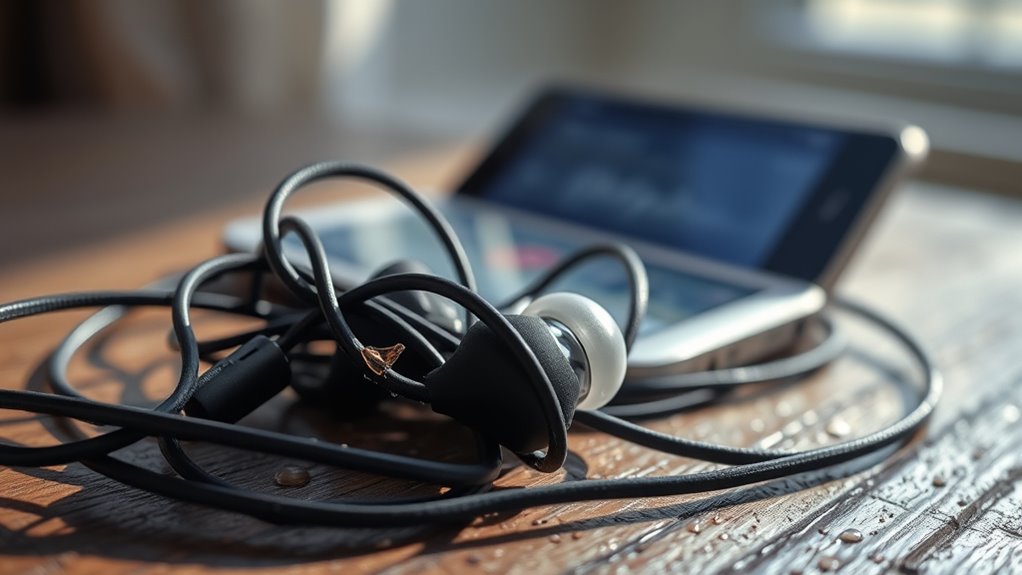

If your earbuds keep cutting out, it could be due to faulty connections or loose jack issues. Low battery levels and worn wires often disrupt audio signals too. Additionally, make sure your device is compatible with your earbuds and check for any software issues, including outdated operating systems or conflicting apps. Environmental factors like interference from Wi-Fi or distance from the device might also play a role. Discover more about these common causes and solutions.
Common Reasons for Earbuds Cutting Out
If your earbuds are cutting out unexpectedly, it can be frustrating, especially when you’re in the middle of enjoying your favorite track. One common reason for this issue is inadequate earbud maintenance. Dust, lint, and debris can accumulate in the ear tips and ports, obstructing sound pathways and degrading sound quality. Regularly cleaning your earbuds can help prevent this. Additionally, check the cable for wear and tear, as frayed wires might disrupt the audio signal. Verify that the connection between your device and the earbuds is secure; a loose jack can lead to intermittent sound. Finally, consider the compatibility of your device with the earbuds; mismatched specifications might also contribute to cutting out. Prioritizing these factors can enhance your listening experience.
Faulty Earbud Connections
When your earbuds cut out, it’s often due to faulty connections. A loose jack can disrupt the audio signal, while damaged wiring may lead to intermittent sound loss. Identifying these issues is essential for restoring reliable performance.
Loose Jack Connections
Although earbuds are designed for portability and convenience, one common issue that can disrupt your listening experience is a loose jack connection. This often occurs when the plug doesn’t fit snugly into the audio port, leading to intermittent sound. To tackle this, you should follow some jack maintenance tips. Regularly inspect the plug for dirt or debris that can hinder connectivity. If you notice any play when inserting the jack, try gently wiggling it while listening to identify the sweet spot. Implement connection troubleshooting techniques by testing the earbuds with different devices. If the problem persists across multiple gadgets, the issue may lie with the earbuds themselves, potentially requiring replacement for ideal performance.
Damaged Wiring Issues
Loose jack connections aren’t the only culprits behind sound issues with your earbuds; damaged wiring can also lead to frustrating interruptions in audio. Over time, wear and tear can compromise the wiring insulation, exposing the delicate wires within. This exposure can result in intermittent sound or complete audio dropouts. If you’re frequently adjusting your earbuds to maintain connection stability, it’s likely a sign of internal damage. Often, the bending and twisting of the cable can create micro-fractures that disrupt the flow of audio signals. To guarantee your listening experience remains uninterrupted, inspect your earbuds for any visible signs of wear and consider replacing them if necessary. Protecting the integrity of the wiring is vital for lasting performance and freedom in your audio experience.
Device Compatibility Issues
When your earbuds cut out, it could be due to device compatibility issues that stem from several factors. You need to take into account Bluetooth version compatibility, as mismatched versions can lead to connectivity problems. Additionally, verify your device supports the audio formats your earbuds require and check for any necessary firmware updates that could enhance performance.
Bluetooth Version Compatibility
As technology advances, the compatibility of Bluetooth versions becomes a crucial factor in guaranteeing seamless connectivity between your earbuds and devices. Different Bluetooth versions offer varying ranges and support for Bluetooth profiles, which can lead to connectivity issues if your devices aren’t aligned. For instance, if your earbuds utilize Bluetooth 5.0, but your device only supports Bluetooth 4.2, you may experience reduced range and stability. This mismatch can cause your audio to cut out or degrade in quality. Additionally, older Bluetooth versions may not support certain profiles necessary for high-quality streaming. To enjoy uninterrupted audio, verify both your earbuds and device are using compatible Bluetooth versions, maximizing range and performance for a truly liberating listening experience.
Audio Format Support
Audio format support is essential for guaranteeing your earbuds provide the best sound quality possible. If your earbuds keep cutting out, it might be due to compatibility issues with audio codecs. Different devices support various formats, like AAC, aptX, or SBC, and if your earbuds and source device don’t share a common codec, you’ll experience interruptions in audio playback. To achieve peak performance, verify that your earbuds are compatible with the audio formats used by your device. For instance, if you’re streaming high-resolution audio, make sure your earbuds can handle the supported formats. Incompatibility can lead to audio dropouts and degraded sound quality, so always check your device’s specifications to guarantee seamless listening.
Device Firmware Updates
While keeping your earbuds updated might seem like a minor detail, device firmware updates play an essential role in guaranteeing compatibility and best performance. Regular updates enhance firmware stability, addressing bugs and optimizing connectivity. If you notice your earbuds cutting out, it could be due to outdated firmware that isn’t fully compatible with your device. Manufacturers often release updates to improve performance and fix known issues, so maintaining a consistent update frequency is vital. Ignoring firmware updates may lead to frustrating audio dropouts and hinder your overall experience. To enjoy uninterrupted sound, make sure to check for updates periodically and install them promptly. This proactive approach guarantees your earbuds work seamlessly with your devices, granting you the freedom to enjoy your audio without interruptions.
Wireless Interference
When you’re using wireless earbuds, interference from other devices can greatly impact your listening experience. Wireless signals travel through the air, but they can be disrupted by various interference sources, such as Wi-Fi routers, microwaves, and even Bluetooth devices. These sources can create a crowded frequency spectrum, leading to reduced audio quality or intermittent audio dropouts. If your earbuds keep cutting out, it’s worth evaluating your environment. Try moving away from known interference sources or turning off nearby devices to see if the issue improves. Additionally, make certain your earbuds are within the ideal range of your audio source, as distance can exacerbate interference effects. Understanding these factors can help you regain the freedom to enjoy uninterrupted sound.
Software Problems
If your earbuds are cutting out despite a clear signal, software problems could be the culprit. Often, software glitches or app conflicts can lead to audio interruptions. Here’s what you should check:
- Verify your device’s operating system is up to date.
- Restart your device to clear temporary software bugs.
- Disconnect and reconnect your earbuds to reset the Bluetooth connection.
- Investigate any recently installed apps that may interfere with audio playback.
- Clear the cache of your audio streaming app to eliminate potential conflicts.
Physical Damage to Earbuds
Physical damage to earbuds can greatly impact their performance, leading to audio cutouts and inconsistent sound quality. If you’ve dropped your earbuds or exposed them to moisture, you might notice a decline in earbud durability. Cracks in the casing or frayed wires can disrupt the connection between components, resulting in interruptions during playback. Additionally, damage to the drivers affects how sound is produced; you may hear muffled audio or lose bass entirely. Regularly inspecting your earbuds for physical wear can help maintain their functionality. Investing in a protective case and being mindful of storage can enhance their lifespan and guarantee you enjoy superior sound quality. Ultimately, taking care of your earbuds is key to a seamless audio experience.
Low Battery Levels
Low battery levels are one of the most common culprits behind earbuds cutting out during use. Effective battery management and consistent charging habits are essential for uninterrupted audio experiences. Here are some factors to take into account:
Low battery levels often cause earbuds to cut out; consistent charging and battery management are key to uninterrupted audio.
- Make sure you charge your earbuds regularly.
- Monitor battery levels through your device’s settings.
- Avoid extreme temperatures that can affect battery life.
- Think about investing in a charging case for on-the-go convenience.
- Update firmware to optimize battery performance.
When your earbuds start cutting out, it’s often a sign that the battery is drained or nearly depleted. By being mindful of your charging habits and understanding how battery management impacts performance, you can enhance your listening freedom and avoid those frustrating interruptions.
Earbud Fit and Placement
Although the quality of your audio devices is essential, the fit and placement of your earbuds can greatly impact their performance. If your earbuds aren’t comfortable or properly positioned, you may experience sound cutouts. A secure fit guarantees ideal sound isolation, blocking external noise and allowing for a clearer audio experience. When earbuds sit too loosely, they can lose connection intermittently, leading to frustration. Experiment with different ear tip sizes to find the best fit for your ear shape, enhancing earbud comfort. Additionally, verify the earbuds are angled correctly in your ears; this can further improve sound clarity and stability. By prioritizing proper fit and placement, you’ll enjoy uninterrupted listening and fully experience your audio freedom.
Environmental Factors Affecting Sound Quality
When you’re using earbuds in different environments, external factors can greatly influence sound quality. Understanding these variables can help you achieve the best listening experience. Consider the following:
- Ambient noise levels can drown out your audio, making it hard to hear details.
- Sound reflections from walls or objects can create echoes, distorting what you hear.
- Humidity and temperature can affect connectivity and material performance.
- Distance from your audio source can impact signal strength, leading to cutting out.
- Interferences from other electronic devices can disrupt the Bluetooth connection.
Frequently Asked Questions
Can Sweat Damage My Earbuds and Cause Them to Cut Out?
Yes, sweat can damage earbuds if they lack sufficient moisture protection. While many have sweat resistance, excessive exposure can lead to internal corrosion, causing connectivity issues. Always check your earbuds’ specifications to guarantee durability.
How Can I Improve the Sound Quality of My Earbuds?
To improve sound quality, utilize sound enhancement techniques like equalization and guarantee earbud maintenance tips are followed, such as keeping them clean and properly stored. This’ll maximize performance and enhance your listening experience notably.
Do Different Audio Formats Affect My Earbuds’ Performance?
Yes, different audio formats can impact your earbuds’ performance. Higher quality formats enhance audio quality, while incompatible formats may lead to subpar sound. Always check format compatibility for ideal listening experiences and better performance from your earbuds.
Can Using a Headphone Adapter Cause My Earbuds to Cut Out?
Yes, using a headphone adapter can cause your earbuds to cut out if there’s adapter compatibility issues or audio interference. Make sure your adapter’s specifications match your earbuds for best performance and to minimize disruptions during use.
What Should I Do if My Earbuds Are Under Warranty?
If your earbuds are under warranty, initiate the warranty process through the manufacturer. They’ll provide replacement options, ensuring you receive a functional product. Keep your receipt handy to streamline the process and expedite resolution.
