
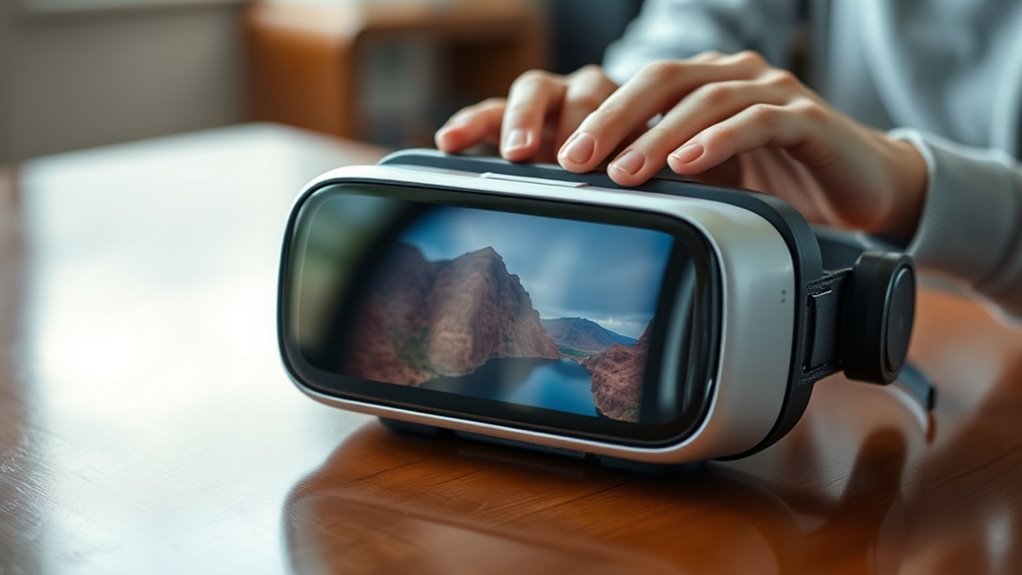

To use your phone VR headset, start by choosing one that fits your comfort and budget. Next, verify your phone is compatible by checking specifications. Download VR apps from platforms like the Google Play Store and set up your headset with essential accessories. Adjust the lenses for best viewing and familiarize yourself with the VR interface. Explore various VR content, like games and educational experiences, for a rich adventure. Continue on to discover tips for comfort and troubleshooting common issues.
Choosing the Right Phone VR Headset
When you’re diving into the world of virtual reality, choosing the right phone VR headset can make all the difference. Start by exploring a features comparison among various models. Look for key attributes like comfort, lens quality, and field of view, which can enhance your immersive experience. Don’t overlook budget options, either. Many affordable headsets offer impressive performance without breaking the bank. Consider what you need: if you’re a casual user, a simpler model might suffice, but if you’re serious about VR, investing in a higher-end headset could pay off. Ultimately, balance your desires with your budget to find a headset that fits your lifestyle and releases your virtual adventures. Enjoy the journey into immersive worlds!
Ensuring Your Phone Is Compatible
Before you jump into the world of VR, it’s essential to make certain your phone is compatible with your headset. Start by checking your phone’s specifications to confirm it meets the requirements for VR use. Also, take a moment to explore the availability of VR apps to maximize your experience.
Check Phone Specifications
Verifying your phone’s compatibility with a VR headset is essential for a seamless virtual experience. Start by checking your phone model compatibility; not all devices can support VR technology. Look for specs like screen resolution, refresh rate, and processing power—these elements impact your VR experience greatly. A good device performance evaluation will reveal whether your phone can handle the demands of VR apps. Generally, newer models have better specs, but always verify the manufacturer’s recommendations. If your device falls short, consider upgrading or using a different phone. Remember, a compatible phone guarantees you won’t miss out on the freedom and excitement of exploring virtual worlds to their fullest potential!
Explore VR Apps Availability
Have you ever wondered how to find the best VR apps for your phone? To guarantee you’re diving into the right VR experiences, start by checking if your device supports popular VR titles. Look for apps across various VR app categories, like gaming, education, and travel. Platforms like the Google Play Store or Apple App Store are great places to explore. Remember, your phone’s specifications play an essential role in compatibility, so check for any required updates. Once you find apps that catch your eye, read user reviews and ratings to gauge their quality. With the right tools, you can access a world of immersive adventures right from your pocket! Enjoy the freedom of exploring endless VR possibilities.
Downloading VR Apps and Games
How can you plunge into the world of virtual reality? Start by exploring popular VR platforms like the Oculus Store, Google Play, or Steam. These platforms offer a vast array of VR apps and games tailored to your interests. Simply search for top-rated VR games to find thrilling experiences that resonate with you. Once you’ve chosen a game or app, hit that download button, and let the magic begin! Keep an eye out for any required permissions or settings that may need adjusting. With your favorite games downloaded, you’ll soon be ready to immerse yourself in enchanting virtual worlds. Enjoy the freedom VR offers and let your imagination run wild as you set off on new adventures!
Setting Up Your VR Headset
Before you jump into the VR experience, you need to gather all the required equipment. Make sure you’ve downloaded the necessary apps to maximize your headset’s potential, and don’t forget to adjust the settings for a comfortable fit. Getting these steps right will set you up for an immersive adventure!
Gather Required Equipment
To immerse yourself in the world of virtual reality, you’ll need to gather a few essential pieces of equipment. Here’s a quick accessories checklist to help you out:
| Equipment | Preferred Brands |
|---|---|
| VR Headset | Oculus, Samsung, Google |
| Smartphone | iPhone, Android |
| Headphones | Bose, Sony, Jabra |
| Controller | Oculus, Gamepad |
Make sure your smartphone is compatible with the headset you choose. High-quality headphones will enhance your experience, while a reliable controller can make navigation a breeze. Taking the time to gather these items will set you up for an enjoyable VR adventure. So, gather your gear and get ready to plunge into a new reality!
Download Necessary Apps
Once you’ve gathered your gear, the next step is downloading the necessary apps to set up your VR headset. Head to your device’s app store and browse through popular VR games and experiences. Look for app store recommendations to guarantee you’re choosing quality options that enhance your VR experience. Some great titles include “Beat Saber,” “VRChat,” and “Tilt Brush.” Don’t forget to check for any companion apps specific to your headset, as they can help optimize your setup. Downloading these apps will open up a world of immersive adventures, from gaming to educational experiences. With everything installed, you’ll be ready to plunge into the exciting domain of virtual reality. Enjoy the freedom of exploring new dimensions!
Adjust Headset Settings
As you plunge into the immersive world of virtual reality, adjusting your headset settings guarantees you get the finest possible experience. Here’s how to tailor your headset for ideal enjoyment:
- Adjusting brightness: Find the perfect brightness level to enhance visuals without straining your eyes.
- Calibrating sensors: Verify the sensors are properly calibrated for precise motion tracking and an immersive feel.
- Headset fit: Adjust straps for comfort and stability, so you can lose yourself in VR without distractions.
- Audio settings: Tweak audio levels for an engaging sound experience that complements your VR adventures.
Adjusting the Lenses for Optimal Viewing
While using your phone VR headset, adjusting the lenses is essential for achieving the best visual experience. Start by identifying your ideal viewing distance—this often varies based on individual eyesight and headset design. Use lens calibration techniques to fine-tune the lenses for clarity. Most headsets have adjustable lenses; gently slide them closer or further apart until the screen appears sharp and comfortable. Don’t rush this step; take your time to make sure everything’s aligned perfectly. If you experience any blurriness or discomfort, revisit the lens adjustments. Remember, a well-calibrated headset can transform your VR journey, immersing you in stunning visuals that feel just right. Enjoy your freedom to explore new worlds with crystal-clear views!
Connecting Headphones for Immersive Audio
To enhance your VR experience, connecting headphones is essential for immersive audio. First, you’ll want to choose compatible headphones that offer good sound quality and comfort. Once you’ve got your pair, simply head to your Bluetooth settings to connect them effortlessly.
Choosing Compatible Headphones
When you’re diving into virtual reality, the right headphones can greatly enhance your experience, immersing you in rich, detailed audio that complements the visuals. Here’s how to choose compatible headphones:
- Audio Quality: Look for headphones with a solid sound profile, guaranteeing you hear every detail in your VR environment.
- Headphone Comfort: Opt for models with cushioned ear cups and adjustable bands, so you can wear them for extended sessions without discomfort.
- Wired or Wireless: Decide whether you prefer the freedom of wireless headphones or the reliability of wired ones.
- Compatibility: Confirm your headphones are compatible with your VR headset, checking the connection type and any additional requirements.
With these factors in mind, you’ll find the perfect headphones to enhance your VR adventures!
Connecting via Bluetooth Settings
A seamless connection between your phone VR headset and headphones is vital for an immersive audio experience. To kick off, make certain your headphones are charged and in pairing mode. Then, on your phone, access the Bluetooth settings. Look for the option to enable Bluetooth and wait for your device to scan for nearby devices. Once you see your headphones listed, select them for Bluetooth pairing. If prompted, enter a passcode—usually “0000” or “1234.” Confirm the connection, and check for any messages indicating successful pairing. Remember, device compatibility is key; if your headphones don’t connect, verify they’re compatible with your VR headset. With everything set, plunge into your virtual world with rich, engaging sound!
Navigating the VR Interface
As you immerse yourself in the virtual reality experience, mastering the VR interface is essential for fully enjoying your immersive adventures. Here are some tips for effective virtual reality navigation:
- Familiarize Yourself: Spend time understanding the layout of the interface user experience.
- Use Gaze Control: Look at icons or options for selection; it’s often how navigation works in VR.
- Gestures and Controllers: Practice using any motion controllers or hand gestures to interact seamlessly.
- Adjust Settings: Don’t forget to adjust your settings for comfort, including brightness and volume.
Exploring Different Types of VR Content
What types of VR content can truly transport you to another world? You’ll find a range of options that offer immersive experiences and interactive storytelling, allowing you to escape reality. Here’s a quick look at some popular types:
| Type of VR Content | Description |
|---|---|
| Virtual Tours | Explore famous landmarks and cities. |
| Gaming | Engage in action-packed adventures. |
| Educational Experiences | Learn through interactive simulations. |
Each category provides unique ways to immerse yourself in fascinating narratives and environments. Whether you’re scaling mountains or wandering through an art gallery, VR offers the freedom to experience life from different perspectives. So grab your headset, and let the adventure begin!
Tips for a Comfortable VR Experience
To guarantee a comfortable VR experience, it’s important to pay attention to a few key factors that can enhance your enjoyment and reduce discomfort. Here are some tips to keep in mind:
- Maintain Proper Posture: Sit or stand upright to prevent strain on your neck and back.
- Adjust Your Headset: Ascertain it fits snugly but comfortably to avoid pressure points.
- Take Breaks: Regularly pause to rest your eyes and allow your brain to adjust, promoting eye comfort.
- Control Lighting: Play in a well-lit room to reduce glare on your screen, enhancing clarity.
Troubleshooting Common Issues
Even with a comfortable setup, you might encounter some common issues while using your phone VR headset. First, if you notice uneven visuals or discomfort, it could be a sign that your headset needs calibration. Check the alignment of your phone within the headset and guarantee it’s properly centered. If you’re experiencing common glitches like freezing or lag, try restarting the app or your phone to refresh the system. Also, make sure your phone’s software is updated, as outdated versions can cause performance issues. Finally, if the headset feels too tight or loose, adjust the straps for a better fit. By troubleshooting these common problems, you’ll enhance your VR experience and enjoy the freedom of immersive virtual worlds.
Frequently Asked Questions
Can I Use My VR Headset With Prescription Glasses?
You can use your VR headset with prescription glasses for ultimate VR comfort. Just verify your headset accommodates them, or consider prescription lenses inserts for a mind-blowing experience without the hassle of glasses getting in the way.
How Long Can I Use My Phone VR Headset Safely?
You shouldn’t use your phone VR headset for more than 20-30 minutes at a time to avoid eye strain. Taking breaks helps guarantee safe usage and keeps your experience enjoyable without discomfort. Listen to your body!
What Are the Best Practices for Cleaning My Headset?
Think of your VR headset as a crystal-clear window to new worlds. For cleaning, use microfiber cloths for lens care and gentle cleaning methods to avoid scratches, ensuring your immersive experience remains pristine and enjoyable.
Is There a Risk of Motion Sickness With VR?
Yes, there’s a risk of motion sickness in virtual reality. It happens when your body senses motion but your eyes don’t match it. To minimize this, take breaks and adjust settings for comfort.
Can I Share My VR Headset With Others?
Yes, you can share your VR headset! Just make certain it’s compatible with others’ devices and practice good sharing etiquette. Clean the lenses and adjust settings for a comfortable experience. Enjoy exploring together while respecting each other’s preferences!
