
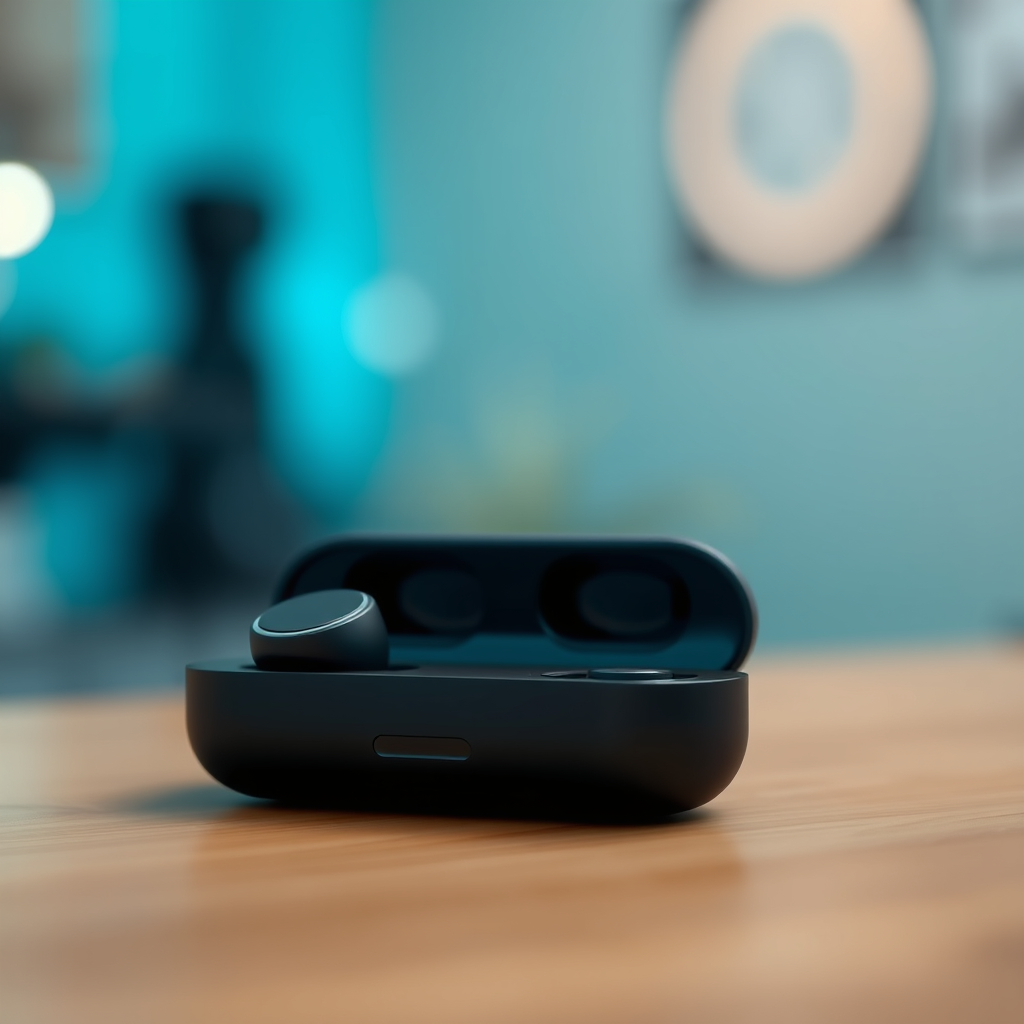

Resetting your Sesh Evo earbuds is a straightforward process that can resolve connection issues and restore functionality. In just a few steps, you’ll learn how to reset your earbuds effectively, ensuring they work seamlessly with your devices. This guide will walk you through the reasons to reset your earbuds, how to prepare for the reset, a step-by-step instruction on performing the reset, and tips for troubleshooting and maintaining your earbuds.
Understanding the Need to Reset
There are several common issues that may prompt you to reset your Sesh Evo earbuds. Users frequently encounter connectivity problems, such as the earbuds not pairing with devices, or they may experience audio glitches, including static sounds or inconsistent volume levels. These issues can arise due to software bugs, outdated firmware, or temporary glitches caused by the earbuds being used in various environments.
Resetting the earbuds helps refresh their internal software, effectively clearing out any minor errors that may have accumulated over time. By resetting, you can restore optimal performance, improve connection stability, and enhance overall sound quality. This process is akin to rebooting a computer; it can breathe new life into your earbuds and rectify issues that disrupt your listening experience.
Preparing to Reset Your Sesh Evo Earbuds
Before initiating the reset process, it’s crucial to prepare your Sesh Evo earbuds properly. First, ensure that your earbuds are adequately charged. A low battery during the reset can lead to incomplete processes and further complications. Ideally, the earbuds should have at least 50% battery life before you proceed.
Next, remove the earbuds from any connected devices. This step is essential to avoid interference during the reset. Disconnecting from devices ensures that you can establish a clean connection once the reset is complete. If your earbuds were previously connected to a smartphone, tablet, or computer, make sure to forget the device in the Bluetooth settings to prevent automatic reconnection.
Step-by-Step Guide to Resetting
Resetting your Sesh Evo earbuds involves a few simple steps. Follow this guide to perform the reset correctly:
1. Place the earbuds in the charging case: Ensure that both earbuds are securely placed in their charging case and that the case is charged.
2. Open the charging case lid: This action prepares the earbuds for the reset process.
3. Press and hold the buttons: Press and hold both the left and right earbuds’ buttons for approximately 5-10 seconds. You should see the LED lights on the earbuds flash white and red, indicating that the reset is in progress.
4. Wait for the reset confirmation: After a few moments, the LEDs will flash multiple times, then turn off. This indicates that the reset was successful.
5. Reconnect your earbuds: Once the reset is complete, re-pair the earbuds with your device by placing them back into pairing mode.
By following these steps, your Sesh Evo earbuds should be reset and ready for a fresh connection with your devices.
Top Features of Sesh Evo Earbuds
| # | Feature | Specification | Battery Life | Water Resistance |
|---|---|---|---|---|
| 1 | Sound Quality | High Fidelity | 5 hours | IP55 |
| 2 | Bluetooth Version | 5.0 | N/A | N/A |
| 3 | Charging Case | Included | 24 hours total | N/A |
| 4 | Microphone | Built-in | N/A | N/A |
| 5 | Touch Controls | Yes | N/A | N/A |
| 6 | Noise Isolation | Passive | N/A | N/A |
| 7 | Voice Assistant | Compatible | N/A | N/A |
Troubleshooting After Reset
Even after successfully resetting your Sesh Evo earbuds, there might be lingering issues that need addressing. If connectivity problems persist, double-check that the earbuds are in pairing mode and that your device’s Bluetooth is enabled. Additionally, ensure that there are no other devices competing for connection, as this can cause confusion and prevent successful pairing.
If you experience audio quality issues, test the earbuds with different devices to determine if the problem lies with the earbuds or the original device. Sometimes, certain audio codecs may not be compatible, leading to poor audio performance. If problems persist, consider reaching out to customer support for assistance.
After the reset, re-pairing the earbuds is crucial. To do this, follow the standard pairing procedure on your device, ensuring that the earbuds are in pairing mode. If they do not appear in the Bluetooth menu, try turning off and on the Bluetooth on your device to refresh the search.
Tips for Maintaining Your Sesh Evo Earbuds
To minimize the need for resets and ensure the longevity of your Sesh Evo earbuds, adopt a few best practices for their care. Regularly clean the earbuds, especially the silicone tips, to avoid buildup that can affect performance. Use a soft, dry cloth to wipe down the exterior and avoid exposing the earbuds to moisture or extreme temperatures.
Additionally, be proactive about software updates. Manufacturers often release firmware updates that can enhance functionality and fix bugs. Keeping your earbuds updated ensures they operate smoothly and improves compatibility with devices.
Proper storage is also essential. Store your earbuds in their charging case when not in use to protect them from damage and ensure they remain charged. Avoid leaving them exposed to direct sunlight or in humid environments, which can degrade their performance over time.
When to Seek Professional Help
While resetting your Sesh Evo earbuds can resolve many issues, there are scenarios when the problem may be more serious. If you find that the earbuds do not respond to reset commands or continue to malfunction after repeated attempts, it may be time to consult customer support. They can provide advanced troubleshooting steps or determine if the earbuds require a replacement.
Additionally, if the earbuds are still under warranty, check the terms to see if repairs or replacements are covered. Many manufacturers offer warranty services that can save you from incurring additional costs.
In cases where physical damage has occurred—such as water damage or severe drops—professional repair services may be necessary. Contact the manufacturer or an authorized service center for guidance on the next steps.
The process of resetting your Sesh Evo earbuds is simple and can significantly enhance your listening experience. By following the outlined steps and tips, you can ensure your earbuds stay in optimal condition. If issues persist beyond a reset, don’t hesitate to reach out for professional assistance. Taking proactive measures in maintaining your earbuds will not only improve their performance but also extend their lifespan, allowing you to enjoy high-quality audio for years to come.
Frequently Asked Questions
How do I reset my Sesh Evo earbuds?
To reset your Sesh Evo earbuds, first ensure they are powered off. Then, press and hold both the left and right earbuds’ buttons for about 10 seconds until you see the LED indicators flash red and white. This process will reset the earbuds and clear any previous Bluetooth pairings.
Why would I need to reset my Sesh Evo earbuds?
You may need to reset your Sesh Evo earbuds if you are experiencing connectivity issues, audio problems, or if the earbuds are not pairing with your device. Resetting the earbuds can resolve these common issues and restore their functionality.
What should I do if my Sesh Evo earbuds won’t reset?
If your Sesh Evo earbuds won’t reset, ensure they are adequately charged and powered off before trying again. If the issue persists, try removing them from your Bluetooth settings on your device before attempting the reset process once more.
Which devices are compatible with Sesh Evo earbuds after a reset?
After resetting your Sesh Evo earbuds, they are compatible with any Bluetooth-enabled devices, including smartphones, tablets, and laptops. Simply put them in pairing mode and search for “Sesh Evo” in your device’s Bluetooth settings to connect.
Best practices to follow after resetting Sesh Evo earbuds?
After resetting your Sesh Evo earbuds, it’s best to ensure they are fully charged before use. Additionally, make sure to keep your device’s Bluetooth updated and within range to avoid connectivity issues. Regularly cleaning your earbuds can also help maintain optimal performance.
References
- https://www.wiki-how.com/Reset-Sesh-Evo-Earbuds
https://www.wiki-how.com/Reset-Sesh-Evo-Earbuds - Google Scholar Google Scholar
https://scholar.google.com/scholar?q=how+to+reset+sesh+evo+earbuds - Google Scholar Google Scholar
https://scholar.google.com/scholar?q=Sesh+Evo+earbuds+reset - https://www.britannica.com/topic/earbuds
https://www.britannica.com/topic/earbuds - https://pubmed.ncbi.nlm.nih.gov
https://pubmed.ncbi.nlm.nih.gov - https://www.cdc.gov/niosh/topics/noise/default.html
https://www.cdc.gov/niosh/topics/noise/default.html - Detail
https://www.who.int/news-room/fact-sheets/detail/noise - https://www.ncbi.nlm.nih.gov/pmc/articles/PMC6869080/
https://www.ncbi.nlm.nih.gov/pmc/articles/PMC6869080/ - https://www.sciencedirect.com/topics/earth-and-planetary-sciences/earbuds
https://www.sciencedirect.com/topics/earth-and-planetary-sciences/earbuds - https://www.nytimes.com/2020/11/12/style/earbuds.html
https://www.nytimes.com/2020/11/12/style/earbuds.html
