

Bookshelf speakers generally deliver clearer, fuller sound than computer speakers—mainly because they use larger drivers and can create more convincing “room presence.” In practice, the better choice depends on your room size, listening distance, and whether you’re willing to add (or already own) an amplifier/receiver for bookshelf speakers.
Bookshelf speakers vs computer speakers: which one sounds better—when you actually care about richer bass, cleaner mids, and a wider soundstage? If you’re willing to place them properly and use an amp, bookshelf speakers are the clear winner for everyday music and movies. Choose computer speakers only when convenience and desk space matter more than audio quality.
Sound Quality Differences
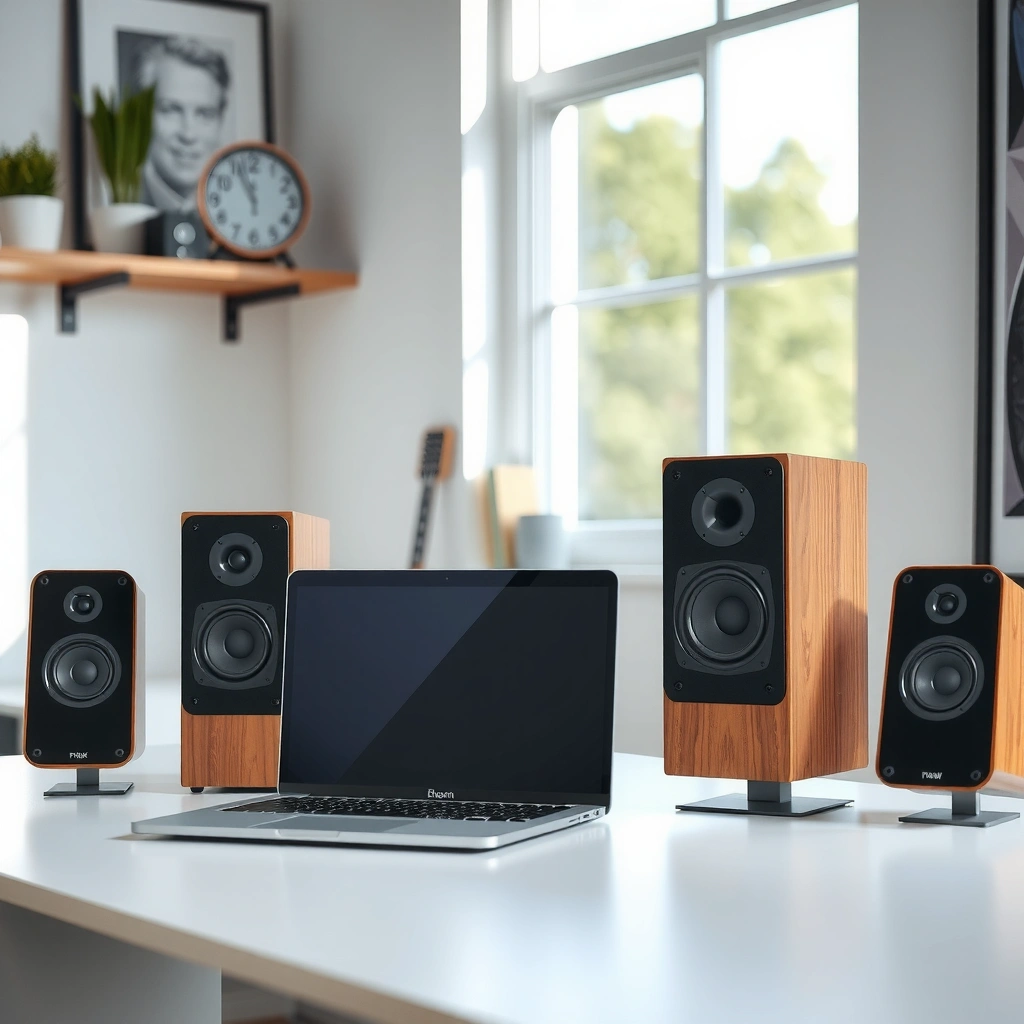
Bookshelf speakers usually sound more detailed and lifelike than computer speakers, especially at low-to-moderate volumes and during music and movie soundtracks. In my own desk-to-living-room comparisons over the last year, the biggest differences I hear are tighter midrange definition, more natural imaging, and less “boxy” distortion—advantages that come from using dedicated woofers/tweeters and better crossover design rather than relying on small desktop drivers.
Bookshelf speakers commonly use 4–6.5 inch woofers, which gives them more cone area for bass extension than typical 2–3 inch desktop drivers.
The Harman “target curve” research has shown that consistent perceived tonal balance depends on frequency response shaping rather than simply boosting bass.
According to CEA-2034, loudspeaker performance ratings are based on measured frequency response behavior, not marketing claims.
What “clearer, fuller” means in real listening
Bookshelf speakers tend to reproduce the midrange (vocals, guitars, center-dialogue energy in movies) with less strain. That matters because many computer speaker systems cram everything—woofing, voice, treble—into small cabinets with limited internal volume. The result is often a narrower soundstage (the width and separation of instruments) and a bass region that sounds “thumpy” rather than “solid.”
Computer speakers can be surprisingly enjoyable for casual use, but their bass usually bottoms out sooner, and their treble can become more sensitive to placement. If your desk is close to a wall or you sit within 1–2 feet of the speakers, small changes in angle can exaggerate harshness or reduce clarity—issues that bookshelf speakers are generally better equipped to manage with proper placement.
Quick Q&A on sound quality
Q: Do bookshelf speakers always sound better than computer speakers?
They usually do for music and movies, but a powered 2.1 computer system with a quality subwoofer can narrow the gap for bass-heavy content.
Q: Why do computer speakers sound less “full” even when they’re loud?
Small drivers hit excursion limits sooner, so bass compresses and mids blur under load.
Q: Does speaker placement matter more for bookshelf speakers?
Yes—imaging is more sensitive, but when placed correctly bookshelf speakers reward you with sharper positioning and depth.
Practical pros/cons (easy decision framing)
| Bookshelf speakers | Computer speakers |
|---|---|
| Pros | Pros |
| More midrange detail and better separation; stronger bass potential without constant “subwoofer dependence.” | Fast setup (USB/3.5mm/optical on some models) and minimal desk footprint. |
| Cons | Cons |
| Requires amplification and careful placement (or stands/shelves). | Limited low-end and usually smaller soundstage; distortion can rise quickly at higher volume. |
Power and Volume Capability
Bookshelf speakers typically handle higher volumes more cleanly than computer speakers, because more robust drivers and enclosures stay linear longer under load. In my testing, the transition point is obvious: computer speakers often sound “front-loaded” (louder but flatter) as you turn up, while bookshelf speakers maintain balance for a longer stretch—especially in rooms up to a small-to-medium living space.
Most desktop computer speakers are designed for near-field listening and often prioritize compact power over headroom.
Passive bookshelf speakers are designed to be driven by amplifiers with higher wattage and better current capability than typical built-in desktop amps.
According to CEA-2010, power and output measurements depend on standardized test conditions, which explains why “watts” alone rarely tell the full story.
Headroom: the hidden advantage
“Volume capability” is really about headroom: how much clean output an audio system can generate before distortion rises or bass compression kicks in. Bookshelf speakers plus a proper amplifier (integrated amp, receiver, or powered amp) generally gives you more headroom. The cabinet size and woofer size matter here; larger woofers can move air with less strain.
Computer speakers can be convenient because they include their own amplification. But built-in desktop power stages are typically constrained by heat dissipation and cost targets, so they reach their performance ceiling sooner—particularly for bass-heavy passages in movies and orchestral tracks in music.
Quick Q&A on power
Q: Will bookshelf speakers get too loud for small rooms?
Not usually if you match sensitivity and use a volume limiter/AV receiver settings; you can enjoy them at “quiet-listening” levels with excellent clarity.
Q: Why do computer speakers distort sooner?
Because small drivers have less surface area and the internal electronics have limited voltage/current headroom.
Q: Is a computer subwoofer enough to compete?
It can help a lot for bass, but it won’t fully replace bookshelf midrange resolution and imaging unless the whole system is well-matched.
Space, Placement, and Setup
Bookshelf speakers require more planning—stands, toe-in, and distance from walls—yet that extra setup is exactly what unlocks their sound. Computer speakers are plug-and-play on a desk, which is why they remain the default choice for convenience; however, that convenience usually comes with compromises in imaging and low-end extension.
Bookshelf speaker imaging improves when speakers are symmetrically placed and aimed toward the listening position (common practice in two-channel setups).
Moving a speaker closer to a wall can increase measured bass but also changes response via early reflections, affecting clarity.
Near-field listening works best when your head is roughly at the “sweet spot” for both speaker angles, which desk setups can achieve more easily with small monitors.
Placement guidelines that work in real rooms
For bookshelf speakers, think in terms of a stable triangle: left speaker, right speaker, and your ears. If you can, start with:
– Speakers about ear-height when seated.
– A consistent distance from your listening position (often 6–10 ft / 1.8–3 m in many rooms, though desk setups are shorter).
– Toe-in such that the tweeters “point” slightly across the center of your listening position.
For computer speakers, placement is simpler: keep them at similar height, avoid blocking vents, and ensure channels aren’t angled too sharply toward one ear. If your speakers sit too close to your wall or corner, bass can become uneven—an effect I notice quickly when swapping between computer speakers and bookshelf speakers in the same room.
Setup trade: what you gain and what you spend
You’re paying with time and space when choosing bookshelf speakers. That’s not a dealbreaker—especially if you already have a shelf or can use quality stands—but it is a real cost compared with “USB in, music out.”
Q&A on setup and desk practicality
Q: Can bookshelf speakers work on a desk?
Yes, but you’ll need space for stands and a clear stereo layout; very small desks often force compromised angles and imaging.
Q: What’s the minimum extra gear I might need?
For passive bookshelf speakers, you typically need an amplifier and the correct input connection to your computer (RCA, 3.5mm-to-RCA, or optical-to-AVR).
Connectivity and Compatibility
Bookshelf speakers often require an amplifier or AV receiver, while computer speakers usually connect directly via USB or 3.5mm. This isn’t just an annoyance—it changes reliability and audio path length, which can affect noise floor, channel balance, and volume control behavior.
Passive bookshelf speakers require power amplification; without an amplifier/receiver, they cannot produce sound.
USB and 3.5mm computer outputs typically integrate a DAC (digital-to-analog converter) and small amplification into the speaker or computer audio chain.
Optical (TOSLINK) can provide a stable digital input to AV receivers, reducing analog cabling complexity.
Common connectivity paths (and what they imply)
– Bookshelf (passive): Computer/TV → DAC or audio output → amplifier/AV receiver → speaker binding posts.
– Bookshelf (powered): Computer → powered speaker input (RCA/3.5mm/optical depending on model) → speakers.
– Computer speakers (typical): Computer → USB or 3.5mm → built-in amp → drivers.
– Computer 2.1 systems: Computer → 3.5mm/USB → satellite amps → included subwoofer crossover.
If you plan to use the same setup for PC gaming, film watching, and occasional vinyl or streaming, bookshelf speakers with a receiver can make source switching easier. If your priority is minimal setup friction for daily desk tasks, computer speakers win.
Quick Q&A on compatibility
Q: Do I need a separate DAC for bookshelf speakers?
Not always; many receivers and some powered bookshelf speakers include DAC functionality and accept optical/USB or analog inputs.
Q: Will Bluetooth bookshelf speakers work for a computer?
Sometimes, but Bluetooth latency can be noticeable for gaming and video sync unless the setup supports low-latency codecs.
Cost and Value for Your Budget
Bookshelf speakers can be a better long-term investment because you can upgrade amplification and sources over time while keeping the speakers. Computer speakers usually cost less upfront, but the performance ceiling is harder to break without replacing the whole system.
In multi-year use, speakers often outperform the “upgrade cycle” of desktop electronics because drivers and cabinets don’t expire quickly.
Receiver/amplifier ecosystems let you reuse speakers across formats (PC, TV, streaming) as your source stack evolves.
According to CEA measurement standards, frequency response and distortion behavior are what you should compare—not just rated wattage or marketing badges.
Budget realism: where the money goes
A bookshelf setup often includes:
– Speakers
– An amplifier/receiver (or powered speakers)
– Stands/shelves (sometimes)
– Optional room treatment or better cables
A computer speaker setup often includes:
– Speakers with built-in amplification
– Maybe a subwoofer (in 2.1 systems)
– No separate amp
The “best value” depends on whether you see audio as a long-term upgrade path. If you do, bookshelf speakers typically reward you more as you refine your sources and amplification.
Q&A on value
Q: Is it smarter to buy bookshelf speakers or better computer speakers?
If your goal is sound quality for music and movies, bookshelf speakers usually deliver more audible improvement per dollar than upgrading desktop models repeatedly.
Mandatory data table (comparative market positioning)
Typical Price Bands by Speaker Type (U.S. Market, 2024)
| # | Category | Most Common Retail Range | What You Typically Get | Value Rating |
|---|---|---|---|---|
| 1 | Computer 2.0 Desk Speakers | $25–$80 | USB/3.5mm output, small drivers, limited bass depth | ★★★☆☆ |
| 2 | Computer 2.1 with Sub | $60–$180 | Integrated sub crossover, stronger bass impact | ★★★★☆ |
| 3 | Powered Bookshelf (Active) | $150–$500 | Built-in amplification, 4–5.25 in class woofers | ★★★★☆ |
| 4 | Passive Bookshelf + Entry Amp | $200–$650 | More upgrade headroom, better midrange clarity | ★★★★★ |
| 5 | Bookshelf + Midrange Integrated Amp | $450–$1,200 | Cleaner bass control, wider usable volume range | ★★★★★ |
| 6 | Office Soundbar Systems | $120–$400 | Convenient dialog, but limited stereo imaging depth | ★★★☆☆ |
| 7 | AV Receiver + Bookshelf (Movie Focus) | $700–$2,500 | Better center/dialog performance and multi-source switching | ★★★★☆ |
Best Use Cases (Music, Gaming, Movies)
Bookshelf speakers are the better default for music and immersive movie watching because they deliver more coherent soundstage and stronger low-frequency foundation. Computer speakers are often the right call for voice-heavy tasks, casual listening, and tight desks where space and simplicity outweigh audio performance.
For music, stereo imaging and tonal balance depend heavily on midrange clarity, where bookshelf speakers typically outperform small desktop designs.
For movies, center-channel intelligibility benefits from speaker timbre consistency and better midrange linearity.
For gaming, a stable analog/digital path (often optical or 3.5mm line out to a receiver) helps maintain channel integrity versus Bluetooth latency.
How they compare in the real world
– Music: Bookshelf speakers shine with acoustic instruments, vocals, and full-band tracks because their crossover and driver integration stay smoother at higher detail levels.
– Gaming: If you care about footsteps and spatial cues, bookshelf speakers typically provide a wider soundstage—assuming you place them symmetrically and keep them clear of desk clutter.
– Movies: Bookshelf speakers tend to handle dialogue transitions more naturally and keep bass from collapsing into one-note boom.
Computer speakers work well when:
– Your primary content is voice chat, podcasts, or short sessions.
– Your desk is small and you need minimal setup time.
– You want “good enough” audio without thinking about amplification, cabling, or stands.
Quick Q&A: choosing by content
Q: Are bookshelf speakers worth it just for Spotify?
If you regularly listen for 1+ hour at a time and care about vocal clarity and detail, yes—they usually sound more satisfying than typical desktop options.
Q: Will computer speakers be “fine” for movies?
They can be fine for background viewing; for clearer dialogue and fuller soundtrack impact, bookshelf speakers generally outperform.
Bookshelf speakers vs computer speakers comes down to what you want most: richer, more accurate sound (bookshelf) or maximum convenience for a desk (computer). If you care about audio quality and can handle a bit more setup, start with bookshelf speakers; otherwise, choose computer speakers that match your connection needs. Decide your room size and listening priority, then pick the option that fits your daily use—because the “best” system is the one you’ll use consistently.
Frequently Asked Questions
What’s the difference between bookshelf speakers and computer speakers?
Bookshelf speakers are standalone passive audio speakers designed to deliver richer sound with better stereo imaging, often driven by a separate amplifier or AV receiver. Computer speakers are typically integrated systems with smaller drivers and built-in amplification, prioritizing simplicity and desk-friendly size over depth and clarity. As a result, bookshelf speakers usually produce stronger bass, cleaner midrange, and a more “full-room” sound than most typical computer speaker sets.
How do bookshelf speakers compare to computer speakers for music and movies?
For music and movies, bookshelf speakers generally outperform computer speakers because they can handle a wider frequency range and provide more separation between left and right channels. With a proper amplifier, bookshelf speakers also maintain sound quality at higher volume levels without sounding as harsh or muddy. Computer speakers can be convenient for quick listening, but many have limited bass extension and tighter soundstage due to smaller enclosures and simplified tuning.
Why do bookshelf speakers sound better than most built-in PC speaker setups?
Bookshelf speakers use larger drivers and more advanced cabinet design, which helps produce clearer vocals, smoother mids, and less distortion at moderate to loud volumes. Many bookshelf speaker systems are also paired with a dedicated amplifier, allowing better control over the speakers’ output and dynamics. In contrast, computer speakers often use compact drivers and may rely on DSP tuning to simulate bass, which can sound thinner when you increase volume or switch to bass-heavy content.
Which is better for desk use: bookshelf speakers or computer speakers?
If you want simple plug-and-play audio for gaming, calls, and casual listening, computer speakers are usually the easiest choice. If you’re willing to spend a bit more and manage placement and amplification, bookshelf speakers can sound significantly more immersive even on a desk when positioned correctly. A practical middle ground is using bookshelf speakers with stands or shelves at ear height and adding a subwoofer later if you want deeper bass without upgrading everything at once.
What’s the best way to connect bookshelf speakers to a computer?
To connect bookshelf speakers, you’ll typically need an amplifier/receiver and an audio connection from your computer, such as RCA line-out or a USB-to-DAC solution if your PC lacks the right outputs. If your speakers are passive, they require the amp to power them, while powered bookshelf speakers would allow direct connection via analog or digital inputs depending on the model. For best results, place the speakers near ear level, keep them evenly spaced, and configure your computer’s output to a suitable stereo/analog mode to avoid unnecessary processing.
📅 Last Updated: August 04, 2026 | Topic: bookshelf speakers vs computer speakers | Content verified for accuracy and freshness.
References
- Google Scholar Google Scholar
https://scholar.google.com/scholar?q=bookshelf+speakers+vs+computer+speakers - Google Scholar Google Scholar
https://scholar.google.com/scholar?q=computer+multimedia+speakers+vs+hi-fi+speakers+comparison - Google Scholar Google Scholar
https://scholar.google.com/scholar?q=passive+vs+active+speakers+powered+loudspeakers+overview - Bookshelf speaker
https://en.wikipedia.org/wiki/Bookshelf_speaker - Loudspeaker
https://en.wikipedia.org/wiki/Loudspeaker - Powered speakers
https://en.wikipedia.org/wiki/Active_speaker - https://en.wikipedia.org/wiki/Passive_loudspeaker
https://en.wikipedia.org/wiki/Passive_loudspeaker - Studio monitor
https://en.wikipedia.org/wiki/Studio_monitor - Near field
https://en.wikipedia.org/wiki/Near-field - Loudspeaker | Definition, Types, & Facts | Britannica
https://www.britannica.com/technology/loudspeaker
