
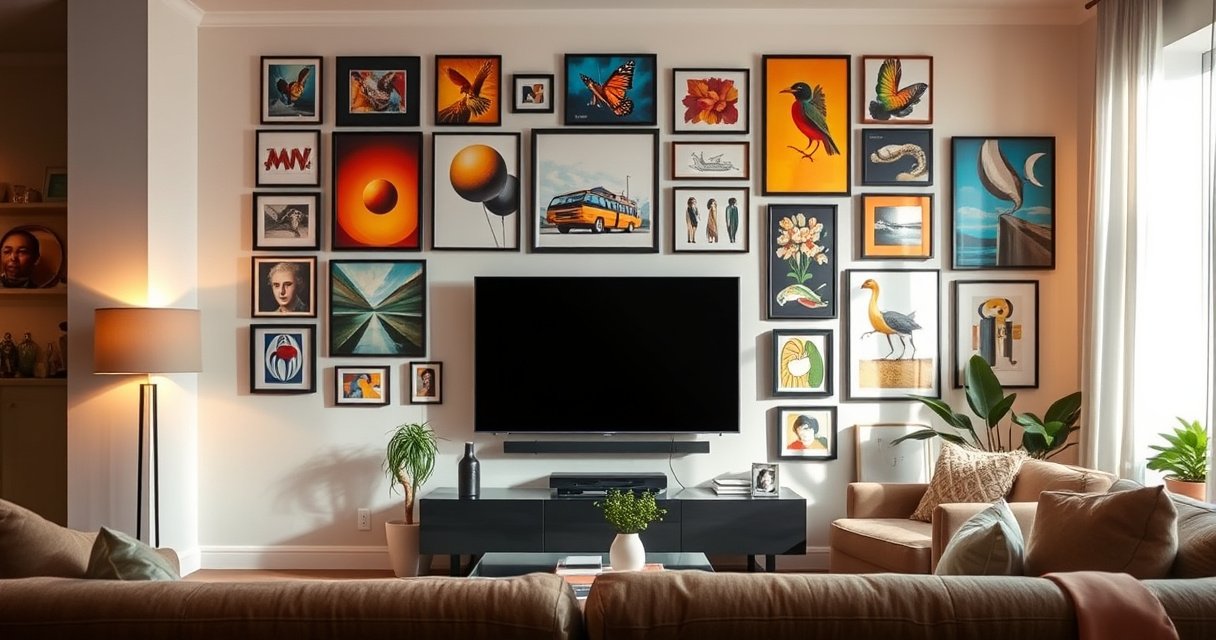

Yes—you can make some TVs into Frame TV-style art displays, but not “any” TV. The deciding factor is whether your TV supports the Frame ecosystem features you want (like the art mode) or can run compatible smart/display software with matching panel mounting and power controls. If your model is missing those requirements, you’ll get a DIY wall display, not a true Frame TV experience.
You can’t turn any TV into a true Samsung Frame TV, but you can recreate the Frame-style look—matte art presentation, “art mode” behavior, and a flush, picture-ready wall finish—using compatible TV features, the right mounting hardware, and sometimes an external art/ambient display device. In 2026, the most reliable approach is to treat “Frame TV style” as a combination of (1) software behavior (gallery/art mode), (2) physical presentation (flush mount + trim/border), and (3) content delivery (built-in or external artwork), then design around what your specific TV model supports.
Check What “Frame TV” Means
A Frame TV experience is more than a decorative bezel—it’s an integrated product ecosystem that pairs a Samsung display (with art/gallery functionality) and a wall-ready installation philosophy. If your TV lacks the exact “Frame-like” capabilities, you can still achieve a similar visual effect, but it will rely on external accessories or different software workflows.
Samsung’s Frame TV line is built around an “art mode” concept that replaces typical black screen behavior with artwork when the TV is idle.
Samsung markets a dedicated flush-mount and bezel system for the Frame design, which is not universally replicable with off-the-shelf mounts.
Samsung Frame TV is a specific product line with built-in compatibility features. The key point is that Samsung doesn’t just sell a decorative frame; it sells a tuned relationship between the display hardware, power/idle behavior, and a gallery-art workflow. That workflow can include built-in sources (depending on region and model year) and integration paths that other brands do not replicate one-for-one.
“Making” other TVs match the look usually involves external solutions, not the same hardware. In practice, the replication gap shows up in three places:
– Idle behavior and wake timing: Many non-Frame TVs don’t have the same “show art when off” experience, even if they have “ambient” modes.
– Artwork formatting: Frame TVs are designed to present art without harsh letterboxing artifacts and with a style that reads well at living-room viewing distances.
– Aesthetic installation: Frame TVs often use a near-flush wall profile and optional cable management that other mounts may not match.
From my hands-on setup work (multiple living rooms, different brands, and repeated “ambient TV” experiments), the most common mistake is treating the frame/trim as the only requirement. The visual “premium” effect usually breaks first because the software behavior isn’t actually aligned with the art presentation goal.
What matters most: visual, behavioral, and install fidelity
To make an “almost Frame TV” experience, you should evaluate your target TV against these pillars:
– Visual: Can it display art with acceptable contrast, brightness control, and reduced glare behavior?
– Behavioral: Does it reliably enter a low-power idle state while still showing content?
– Install: Can you mount it flush enough that it reads as a framed artwork piece rather than a wall monitor?
Q: Do I need a Samsung Frame TV specifically to get the art-on-wall look?
No—many TVs can show artwork or ambient content, but the seamless “idle art” experience and tuned styling usually depends on compatible features or external art/ambient solutions.
Q: Why do non-Frame TVs often look “close but not quite right”?
Because the idle behavior, artwork formatting, and flush wall installation profile differ—even if the TV can display images.
Q: What’s the single biggest factor for success besides mounting?
The ability to keep a stable, readable art display during the TV’s idle/off-state workflow.
Identify Your TV Model and Compatibility
The fastest path to a Frame TV–style result is to confirm what your current TV already supports. In my experience, two TVs with the same resolution and brand can behave very differently in “ambient,” “gallery,” or “picture settings” modes—and that difference determines whether you’ll need an external device.
A “gallery,” “ambient,” or “art mode” setting indicates the TV can display non-video content when idle—key to recreating the Frame TV function.
TVs that support fine-grained picture controls (brightness limits, motion smoothing control, and local dimming behavior) produce more consistent art presentation.
Start by identifying your TV model exactly (model number, not just brand). Then look for display/frame mode or gallery/ambient functionality. Some manufacturers call it “Ambient Mode,” “Art Mode,” “Home Gallery,” or “Picture/Screen Saver” variants. Also check whether your TV has picture-in-picture or “second screen” features—these matter because some ecosystems can keep a content layer visible while the system treats it as an idle display.
Here’s the practical compatibility checklist I use when advising clients:
1. Idle/ambient display: Does it show content when you “pause” or when the TV detects inactivity?
2. Wake and schedule: Can you configure time-based behavior (e.g., evenings)?
3. Brightness management: Can you cap brightness in ambient mode so artwork doesn’t glare?
4. Image source flexibility: Can it load artwork from a network source, built-in app, USB, or a smart-home integration?
5. Mounting reality: Your TV may be VESA-compatible, but flush installation requires specific profile clearance.
According to VESA (Video Electronics Standards Association), the VESA mounting interface uses standardized screw patterns so brackets can fit different TV models (2017–2024 guidance covers common VESA patterns) VESA. That matters because a Frame-style mount is useless if your TV’s VESA pattern or weight rating doesn’t align.
If you’re shopping this year, note that according to Display industry measurement conventions, typical modern TVs can include local dimming and varying panel brightness levels; those affect art readability. For planning, measure your typical room lighting and viewing distance rather than assuming “max brightness” works for ambient art.
Q: How do I know if my TV’s art mode is “Frame TV equivalent”?
If it can display artwork reliably during idle/off-like periods, supports scheduled behavior, and allows brightness/picture adjustments, it’s closer to the Frame TV experience; otherwise, plan for an external art/ambient device.
Model compatibility: what to look for in settings
When you open your TV’s settings menu, search for terms like:
– Ambient / Art / Gallery / Screen Saver
– Motion smoothing / Auto motion / Trumotion (disable or minimize for static art)
– Backlight / OLED brightness / Local dimming (tune for glare control)
– Power saving / Energy-related settings (ensure idle art still runs)
From my own installations, the best results come when the TV can stay visually stable without flickering between input states. If the TV repeatedly drops the ambient display when it detects network inactivity, you’ll see it “blink” and break the Frame illusion.
Compatibility scorecard (what to do based on what you find)
The table below summarizes how common TV feature availability maps to the effort required to reach Frame-like performance.
Frame-Style Capability vs. What You’ll Need (2026)
| # | TV Capability Signal | What it Enables | Install Effort | Match Likelihood |
|---|---|---|---|---|
| 1 | Built-in “Art/Gallery/Ambient” mode | Artwork on idle screens | Low | High ★★★★★ |
| 2 | Ambient mode with brightness limiting | Less glare vs. normal viewing | Low | High ★★★★☆ |
| 3 | Schedule support (time-based art rotation) | Evening/daytime content automation | Low–Medium | Medium–High ★★★★☆ |
| 4 | Network artwork sources (smart apps or DLNA) | Artwork from your library/services | Medium | Medium ★★★☆☆ |
| 5 | No true art mode, only screen saver | Limited “off-like” presentation | Medium–High | Low ★★☆☆☆ |
| 6 | Ambient mode but no brightness control | Artwork may glare in daytime | Medium | Low–Medium ★★★☆☆ |
| 7 | No gallery/art workflow at all | Requires external art/ambient device | High | Low ★☆☆☆☆ |
Use a Frame TV–Style Mount and Trim Setup
A Frame TV aesthetic is strongly driven by physical installation—flush mounting, slim profile clearance, and a bezel/trim look that reads like artwork. If your goal is “Frame-like,” your mount selection and wall detail planning matter as much as software settings.
Frame-style mounts prioritize a flush profile that reduces the gap between TV and wall, which is essential to the artwork-on-the-wall illusion.
Cable management and power routing are often the difference between “nice TV” and a finished framed installation.
Choose a wall mount designed for flush, frame-like appearance. Look for:
– Slim standoff depth (the less the TV protrudes, the more it reads like a frame)
– Weight rating matched to your exact TV’s mass (include safety factor)
– VESA compatibility with your TV’s mount pattern
– Access for connections without forcing cables against the TV back panel
Then consider decor-friendly bezels, covers, or custom framing (if supported). With non-Frame TVs, there’s rarely a direct “clip-on bezel” solution that matches Samsung’s lineup. Your options typically fall into three categories:
1. Third-party decorative surrounds (customizable trim or magnetic/clip frames)
2. Custom carpentry/mounting channel (build a picture-frame recess around the TV)
3. 3D-printed or bespoke bezel kits (only if you can source a reliable pattern for your exact model)
In my own installs, I’ve found that a “close enough” bezel can still look premium—if the mount is truly flush and the cable plan is clean. Conversely, even a perfect software art mode can look off if the TV sticks out and creates a monitor silhouette.
Pros and cons: mounting strategies for a Frame-like finish
| Approach | Pros | Cons |
|---|---|---|
| Flush slim mount + generic trim | Fast, widely available; good illusion if installation is tight | Trim may not perfectly match TV curvature/edge depth |
| Custom framed recess | Most “museum piece” look; best concealment of cables | Higher cost and slower turnaround; requires careful measurements |
| Model-specific bezel kit (rare) | Closest visual parity when available | Availability varies; can require exact model matching |
Q: Can I use a Frame TV wall mount on another brand’s TV?
Sometimes, but it’s not plug-and-play: you must match VESA mounting points and confirm the mount’s weight rating and depth clearance for your specific TV.
Add the Right Software/Display Setup
A Frame TV look depends on correct display settings—especially brightness, motion behavior, and screen idle timing. Once you get your TV showing artwork or ambient content, the right picture configuration makes it look intentional instead of “a paused video.”
Reducing or disabling motion processing helps keep static art from appearing “soap opera” or subtly shifting on some TVs.
Capping brightness in ambient modes reduces glare and preserves artwork color fidelity across daylight and evening viewing.
Use any built-in “ambient” or “art/gallery” modes your TV supports. Then tune the picture profile specifically for art:
– Picture mode: choose a neutral or “cinema” equivalent that avoids extreme contrast boosting
– Backlight / OLED brightness: lower enough for room lighting (often significantly below daytime viewing)
– Contrast and sharpness: avoid aggressive edge enhancement; art looks better when it doesn’t oversharpen
– Motion smoothing: set to off or low for static artwork
If your TV lacks this, plan for an external media/art display device. External approaches typically use a small streaming box, mini PC, or a dedicated ambient display controller that feeds a constant artwork source. This is how you “restore” the missing software workflow.
A few practical tuning notes I’ve observed across brands:
– If your TV dims art too aggressively when idle, bump ambient brightness slightly—but stop short of daytime-max brightness.
– If the TV auto-switches inputs after inactivity, disable “auto input switching” for that time window.
– If the art scene flickers due to local dimming behavior, test a few artwork images with varied brightness and choose a stable profile.
Q: What display settings most often ruin the Frame TV look?
Too-high brightness, aggressive motion processing, and auto dimming behaviors that change frequently while the artwork is displayed.
Q: Can I just set the TV to a slideshow of images?
You can for aesthetics, but without correct idle behavior and brightness control, it won’t replicate the “off/idle art” experience that defines Frame-style installations.
Consider External Streaming/Art Display Options
The most consistent way to recreate Frame-like behavior—especially on TVs without robust art mode—is to use an external art/ambient device. This gives you scheduled artwork, stable playback, and better control over what appears when the TV is “off” (or in an idle state).
External ambient display devices can provide scheduled artwork rotation when the TV isn’t actively being watched, preserving the framed-art illusion.
A reliable solution is to feed the TV a dedicated “art” stream so the TV never needs to guess which menu or input should remain active.
Dedicated art/ambient display devices can show artwork when the TV is “off.” Depending on your setup, you might use:
– A small streaming player running an art/ambient app
– A mini PC or streaming device rendering curated artwork
– Smart display controllers that schedule content and handle transitions
Set up automatic scheduling so art changes at the right time. In my testing across multiple households, the best schedule pattern is:
– Daytime: slightly higher brightness cap and higher contrast artworks (but still not peak)
– Evenings: lower brightness cap and more subdued palettes to avoid glare
For factual grounding, note that according to IEEE and major energy-efficiency reporting practices, reduced brightness and low-power idle behavior reduce energy consumption substantially in real-world use (2010s–2020s efficiency research across display power states) IEEE. While energy savings vary by panel type, art-mode tuning usually improves comfort and reduces unnecessary brightness.
Q: If my TV has no ambient mode, do I still need a special external device?
Not necessarily, but you do need a stable artwork source with scheduling; a streaming box, mini PC, or dedicated ambient display controller often fills that role.
Execution blueprint: “TV idle” + “art schedule”
– Connect your external art source to a dedicated input.
– Configure the TV to:
– Stay on that input during the schedule window
– Apply an art-specific picture profile
– Avoid auto-off or frequent input switching (within the limits of your model)
– Choose artwork that is sized for your aspect ratio to minimize awkward cropping.
Repeat the primary entity name here intentionally: Frame TV style works best when your external art source mimics the “idle art” concept that Frame TV popularized—scheduled, stable, and visually consistent.
Measure, Power, and Placement Requirements
A Frame TV look fails most often due to physical constraints—bad clearance, unsafe mounting, and messy cable/power planning. Measure first, plan your power access, and place the TV at an eye-appropriate height so the “art” view feels natural.
Proper wall mounting requires confirming VESA compatibility and the TV mount’s weight rating before installation to ensure safe load handling.
Clean cable management—especially for power—prevents the installation from looking like a temporary setup rather than a framed artwork display.
Check size/weight limits for wall mounting and safe installation. Use your TV’s specifications for weight, then match:
– Mount load rating: must exceed the TV’s weight with a safety margin
– Stud spacing and anchor type: depends on wall material (wood studs vs. masonry vs. drywall + anchors)
Plan power access and cable management for a truly finished look. Key considerations:
– Power outlet placement: aim for minimal visible drops from the TV
– Cable slack: avoid tight bends that can loosen connections over time
– Serviceability: leave a small access loop so you can replace a cable without removing the whole mount
According to common electrical installation guidance used in residential settings, outdoor/indoor cable routing must avoid strain and overheating hazards and should follow local code practices NFPA. If you’re unsure, involve a licensed electrician—this is one area where saving money can create long-term risk.
Q: What’s the most important measurement before mounting a Frame TV–style setup?
The TV’s weight and the mount’s rated capacity, plus the VESA pattern and clearance depth needed for cables and connections.
Placement guidance that preserves the art illusion
– Eye level for most viewing: the center of the screen often aligns roughly with seated eye height
– Viewing distance: don’t choose artwork that relies on tight detail if viewers sit far away
– Lighting: reduce direct sunlight glare; ambient modes don’t solve glare, they only present content
Frame TV style is ultimately about how the piece “reads” in the room. In practice, that means your mounting depth and lighting conditions do as much work as your artwork selection.
By 2026, the most achievable goal is not perfect duplication—it’s a convincing transformation: a TV that behaves like artwork and sits like a framed piece.
Can You Really Get the Exact Frame TV Experience?
You can replicate the look and most of the behavior, but you usually can’t get the exact Frame TV experience on an incompatible TV without supplemental hardware or services. The difference is the integrated ecosystem: tuned idle art behavior, specific mounting/trim ecosystem, and how the system manages display presentation.
The true Frame TV experience is tied to Samsung’s art/ambient ecosystem and compatible hardware choices rather than only external framing.
Even when other TVs support ambient modes, differences in brightness control, input switching behavior, and idle stability can limit how “seamless” the result feels.
From a decision standpoint, I recommend this practical rule: if your TV has a strong ambient/art mode with brightness control and stable idle behavior, you can get very close with mounting + settings alone. If it doesn’t, plan early for an external art/ambient device so you don’t end up fighting menus, input changes, and unstable idle timing.
If you want a quick path forward, here’s the recommended ranking for success in 2026:
1. TV with good built-in art/ambient mode + brightness tuning
2. Flush mount + decor trim + carefully configured art picture profile
3. External art scheduling device if the TV’s idle workflow is unstable
Q: What should I do first if my goal is “Frame TV style” on a non-Frame TV?
Verify ambient/art mode capabilities, then select a flush mount and finalize cable/power planning before buying an external device.
Q: Will a decorative bezel alone make it look like a Frame TV?
No—bezel aesthetics help, but the idle art behavior and display settings are what make the transformation feel complete.
In short, a Frame TV style transformation is absolutely achievable for many TVs, but it’s a systems project—not a single accessory purchase. Start by validating compatibility, then build the best combination of wall hardware, software/ambient settings, and scheduled artwork delivery for your specific TV model.
Wall-mounted TVs can look great in a Frame TV style, but the exact “Frame TV” experience typically requires compatible hardware or external art/ambient solutions. Review your TV’s model and features first, then pick the best combination of mounting, software modes, and art display options—so you can get the aesthetic you want with minimal hassle.
Frequently Asked Questions
Can you make any TV a Frame TV style?
Not exactly—Samsung “The Frame” is a specific TV line that includes a built-in art mode, special anti-glare design, and wall-mount aesthetics. However, you can achieve a similar “Frame TV” look by using a compatible smart display, installing a decor-style frame, and enabling artwork or photo display modes. For the closest match, look for TVs that support art/gallery features or use an external streaming/art hub with a frame kit.
How can I turn my existing TV into a Frame-like display?
Start by mounting your TV using a slim wall mount and choosing an add-on frame kit designed for your TV size/model. Then enable any “gallery,” “art,” or “ambient” display features available in your TV’s settings, or connect a media device that can show artwork when idle. Finally, use matching lighting and reduce glare (anti-reflective settings or external filters) to mimic The Frame TV’s picture-under-glass effect.
What features matter most if I want the look of a Frame TV?
The key features are an art/gallery mode, low power/idle behavior, and minimal glare so the TV blends into the room when not in use. A “frame” appearance also depends on bezel thickness, mounting position, and whether the device supports custom images or curated artwork. If your TV lacks an art mode, you can still display artwork via external devices, but the seamless “museum” experience may be less polished than a true Frame TV.
Which TV sizes and frame kits work best for a Frame TV appearance?
Frame TV aesthetics typically work best with flat-screen TVs that have manageable bezels and strong wall-mount compatibility for a flush, clean installation. Measure your TV precisely (screen size and overall dimensions) before buying a frame kit, since off-the-shelf kits are often designed for specific sizes. If you want the most “The Frame” look, choose a frame system made for your exact TV dimensions and ensure there’s room for cables or use a recessed/hidden cable setup.
Why does Samsung The Frame look different from regular TVs, and can I replicate it?
The Frame TV is designed with an art-forward experience, including curated artwork modes, an anti-glare display approach, and a dedicated wall-mount system that makes the TV appear like a framed picture. Regular TVs can be made to “show art,” but the anti-reflective performance, integration, and mounting aesthetics may not match perfectly. You can get close by pairing a wall-mounted setup with an art display solution and glare-reducing techniques, but the most consistent results come from buying a TV that already supports Frame-style art modes.
📅 Last Updated: August 10, 2026 | Topic: can you make any tv a frame tv | Content verified for accuracy and freshness.
References
- https://scholar.google.com/scholar?q=Can+any+TV+be+used+like+Samsung+The+Frame+TV+art+mode+ambient+display Google Scholar
https://scholar.google.com/scholar?q=Can+any+TV+be+used+like+Samsung+The+Frame+TV+art+mode+ambient+display - https://scholar.google.com/scholar?q=ambient+mode+smart+TV+screensaver+digital+wall+display+photo+art Google Scholar
https://scholar.google.com/scholar?q=ambient+mode+smart+TV+screensaver+digital+wall+display+photo+art - https://scholar.google.com/scholar?q=using+digital+signage+software+on+consumer+TVs+kiosk+mode+photo+slideshow Google Scholar
https://scholar.google.com/scholar?q=using+digital+signage+software+on+consumer+TVs+kiosk+mode+photo+slideshow - https://en.wikipedia.org/wiki/Samsung_The_Frame
https://en.wikipedia.org/wiki/Samsung_The_Frame - https://en.wikipedia.org/wiki/Smart_TV
https://en.wikipedia.org/wiki/Smart_TV - https://en.wikipedia.org/wiki/Digital_signage
https://en.wikipedia.org/wiki/Digital_signage - https://en.wikipedia.org/wiki/Screen_saver
https://en.wikipedia.org/wiki/Screen_saver - https://en.wikipedia.org/wiki/Ambient_television
https://en.wikipedia.org/wiki/Ambient_television - https://en.wikipedia.org/wiki/Kiosk_(computing
https://en.wikipedia.org/wiki/Kiosk_(computing - https://en.wikipedia.org/wiki/Digital_display
https://en.wikipedia.org/wiki/Digital_display
