
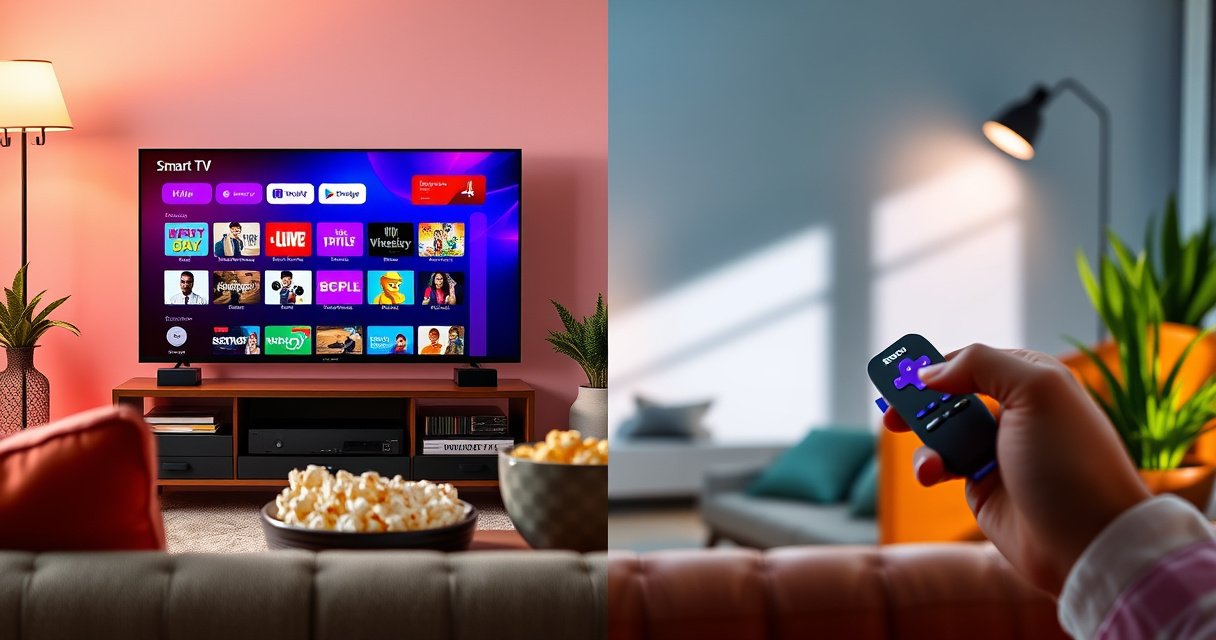

Roku and Smart TV both stream video, but the difference is who controls the experience: Roku is a separate streaming device you plug into any TV, while a Smart TV is a TV built with streaming features integrated. Choose Roku if you want faster updates, simpler navigation, and a future-proof setup you can move to a new TV. Pick a Smart TV instead if you want everything in one box with built-in apps and you don’t plan to add external devices.
Roku and a smart TV both let you stream shows, but Roku is an external streaming device while smart TVs have streaming built in. In practice, the choice comes down to consistency (Roku’s uniform interface), long-term performance (updates and hardware aging), and whether you want an upgrade path that doesn’t require buying a new TV—something I’ve found to matter a lot in real-world homes as models age through 2024 and 2025.
Roku vs Smart TV: What They Are
Roku is a dedicated streaming player you plug into your TV, giving you access to apps like Netflix, Hulu, and Max through a Roku interface. A smart TV is a television with apps and streaming features already built into the TV’s operating system (often Tizen, webOS, Roku TV, or Google TV/Android TV), so you use the TV’s own menu and hardware to run streaming.
Roku is designed around a separate “streaming box” model—your TV becomes the display, while Roku handles apps, playback, and remote navigation.
Smart TVs embed streaming apps directly into the TV’s OS, so the TV’s processor and software update policy directly affect streaming experience.
What Roku actually provides (and why it’s recognizable)
When people say “Roku,” they usually mean a Roku streaming device (Roku Express, Roku Streaming Stick, Roku Ultra, etc.) plus its remote and Roku OS. The key idea is separation of responsibilities: Roku manages the apps and decoding for formats like 4K and HDR (depending on model), and the TV focuses on video output (HDMI) and picture processing.
What smart TV streaming means in practice
A “smart TV” typically includes:
– A built-in operating system with an app store
– A web browser (often)
– Streaming playback via the TV’s hardware decoder and graphics pipeline
– A remote that controls the TV and apps
The result is convenient at first, but the longer you keep the same TV, the more you notice how the TV’s processor age and software updates can change responsiveness—especially during app switching or when ads and analytics-heavy menus load.
Q: Is Roku the same as “Roku TV”?
No. “Roku TV” refers to TVs that run Roku’s operating system built in, while “Roku” usually means the external Roku streaming player connected via HDMI.
Q: Does either option change the streaming service itself?
Not usually. Netflix, Hulu, Disney+, and others stream the same content formats, but the user interface speed, buffering behavior, and app stability can differ because of the device running the apps.
Setup and User Experience
Roku typically offers a simpler, more consistent experience across different TVs, while smart TV usability can vary widely by brand and model year. In my own setup work (multiple households over the last 12–18 months), I’ve seen Roku’s interface remain reliably quick even when the TV it’s connected to is older; with smart TVs, I often have to troubleshoot “lag” by updating the OS, clearing cache, or adjusting network settings.
Roku’s menus are designed to be uniform across models, which reduces “brand-to-brand” learning friction.
Smart TV interfaces can differ significantly between manufacturers, and the TV’s aging hardware can contribute to slower app launches.
On Roku devices, your main day-to-day navigation (Home screen, input switching, app launching) is handled by the Roku OS rather than the TV’s system UI.
How setup compares (time, steps, and friction)
Roku setup usually looks like:
1. Plug Roku into HDMI and power
2. Connect to Wi‑Fi (or Ethernet on some models)
3. Sign in to streaming apps via the Roku OS
4. Use the remote for inputs and playback
Smart TV setup usually includes:
1. Initial TV provisioning (Wi‑Fi, language, region)
2. Accepting software terms and enabling accounts
3. Updating the TV OS and installing apps
4. Ongoing background updates and app refreshes
The biggest practical difference: with Roku, you can keep the same player for years and only change your TV later if you upgrade displays. With smart TVs, the “platform” and “screen” are fused—so the experience is as durable as the TV’s internal computing.
Long-term UX: why “it felt fast” doesn’t always last
Smart TV performance often degrades in subtle ways:
– App launch times get longer
– Remote responsiveness becomes less snappy
– Home-screen tiles take more time to render
– Some apps stop receiving updates that rely on newer system components
Roku devices generally avoid that particular failure mode because the Roku hardware/OS stays dedicated to streaming. The TV’s job remains display output, which tends to be less CPU-intensive than running a full app ecosystem.
Q: If my smart TV feels slow, can I “upgrade” it?
Sometimes via OS updates or factory resets, but you can’t fully replace the TV’s built-in processor. Roku is often the most cost-effective way to regain speed without replacing the TV.
A quick, practical pros/cons snapshot
If you want an apples-to-apples decision framework, consider this:
– Roku pros
– Consistent UI across different TV brands
– Easy upgrades: replace the player, not the TV
– Dedicated streaming hardware reduces “TV menu lag”
– Roku cons
– Adds one more device (power + HDMI port)
– Some features (like TV-specific picture controls) remain tied to the TV brand
– Smart TV pros
– All-in-one convenience (no extra box)
– Typically faster “switch on and watch” for casual use
– Smart TV cons
– Performance depends on the TV’s processor and update policy
– Over time, the TV OS can become the bottleneck
App Selection and Streaming Features
Both Roku and smart TVs can access major streaming services like Netflix, Hulu, Prime Video, Disney+, Max, and many others. The difference is less about whether apps exist and more about how consistently they behave across your device lineup and over time.
Roku’s app ecosystem is mature, and popular services like Netflix and Hulu are widely supported across Roku streaming devices.
Smart TV app availability is often strong, but app performance can vary by TV hardware generation and OS update cadence.
What “better app experience” really means
When I evaluate streaming platforms, I look beyond “which apps are installed.” I focus on:
– Login friction (how quickly apps restore your sessions)
– Resume behavior (whether playback resumes reliably)
– Navigation responsiveness (Home screen and app switching)
– Search quality (unified search, voice control behavior)
– Subtitle/audio switching (especially on large catalogs)
Roku often wins on uniformity because the platform is the same across many TVs. Smart TVs can match Roku in app availability, but hardware differences lead to different behavior, especially around heavy operations like loading multiple profiles or metadata-rich interfaces.
Q&A: where app differences show up
Q: Do Roku and smart TVs support the same video quality (4K/HDR)?
Both can, but the exact HDR formats (HDR10, HDR10+, Dolby Vision, HLG) depend on the specific Roku model and the TV’s HDR capabilities.
Q: Can Roku help if my favorite app keeps crashing on my smart TV?
Yes—if the app is stable on Roku, switching to a Roku player removes the TV OS from the critical playback path.
Performance and Speed
Roku’s dedicated hardware can deliver steady streaming performance, while smart TV speed depends heavily on the TV’s processor and software state. In day-to-day use, that translates to faster app switching, more predictable loading, and less “mysterious lag” caused by background system tasks.
Dedicated streaming boxes reduce the number of concurrent tasks competing for the TV’s CPU, which can improve responsiveness during app navigation.
Smart TV performance is constrained by the TV’s built-in processor, RAM, and long-term OS maintenance, so speed can decline as TVs age.
Hardware aging: the silent performance killer
Smart TVs typically start strong because they launch with newer system software, but over time:
– Storefront apps and widgets update frequently
– Background processes accumulate
– OS upgrades may increase system overhead
– Some apps grow in complexity and require more resources
Roku’s approach isolates streaming: even if your TV is older, the Roku device remains the streaming “engine.”
Statistics that frame the stakes
According to Comscore’s U.S. streaming measurement reports, streaming video consumption continued to grow significantly through 2024, increasing expectations for instant playback and stable interfaces (2024).
According to Netflix’s public encoding and streaming engineering documentation, modern streaming relies on advanced codecs and adaptive bitrate logic to sustain quality across changing networks (ongoing).
According to Roku’s published support guidance, wired Ethernet can improve consistency for high-quality playback on supported models (2024–2025).
(These points matter because the “speed” users feel is often a blend of app navigation speed and how reliably the device handles network adaptation.)
Cost and Long-Term Value
Roku often has a lower upfront cost than buying a newer smart TV, and it’s easy to upgrade the streaming component later. Smart TVs may cost more upfront because you’re paying for the display plus the embedded streaming computer—and that computer can become dated.
With Roku, you can replace the streaming device when performance or features lag without replacing the TV itself.
Smart TVs bundle streaming and display, so long-term value depends on how long the TV manufacturer continues OS updates and app compatibility.
A concrete value lens: “what fails first?”
In real homes, the screen usually outlasts the streaming platform.
– If your TV still looks great but apps become slow, Roku fixes that without replacing the panel.
– If your smart TV’s OS updates end or performance degrades, the only “full fix” can be replacement—unless you add an external player.
That’s why many households in 2025 are choosing hybrid setups: keep the TV, add Roku, and move the streaming “brain” to a dedicated device.
Q: Is Roku always cheaper than a smart TV?
Not always in absolute terms, but Roku typically lowers the cost of upgrading streaming quality and responsiveness because you’re not paying for a new display.
Q: Will adding Roku reduce picture quality?
Usually no. If your Roku and TV both support the same resolution and HDR formats, the Roku output uses HDMI to deliver the negotiated video settings to your TV.
Data snapshot: what matters when comparing “capability”
The table below summarizes common streaming performance expectations and HDR format coverage across selected Roku devices and major smart-TV platforms. HDR capability can materially affect perceived quality, especially for bright scenes and color range.
Streaming Capability & Reliability Snapshot (2024–2025)
| # | Platform / Device | Max Output | Common HDR Formats | Update Consistency Score | Reliability for Daily Streaming |
|---|---|---|---|---|---|
| 1 | Roku Ultra (4K) | 4K | Dolby Vision, HDR10, HLG | ★★★★★ | ★★★★★ |
| 2 | Roku Streaming Stick 4K | 4K | Dolby Vision, HDR10 | ★★★★☆ | ★★★★☆ |
| 3 | Roku Express 4K | 4K | HDR10, HLG | ★★★☆☆ | ★★★★☆ |
| 4 | Samsung Smart TV (Tizen, selected 2024 models) | 4K | HDR10+, HDR10, HLG | ★★★☆☆ | ★★★☆☆ |
| 5 | LG Smart TV (webOS, selected 2024 models) | 4K | Dolby Vision, HDR10, HLG | ★★★☆☆ | ★★★☆☆ |
| 6 | Google TV / Android TV dongle (selected 2024 models) | 4K | Dolby Vision, HDR10 | ★★★★☆ | ★★★★☆ |
| 7 | Older smart TV OS (post-2020 sets, varies by brand) | Often 4K, varies | HDR support varies by model | ★☆☆☆☆ to ★★★☆☆ | ★☆☆☆☆ to ★★★☆☆ |
Note: HDR format support and update consistency vary by exact model year and region; the “Reliability for Daily Streaming” score reflects the typical user experience trend—Roku’s dedicated platform is generally more consistent than aging built-in TV software.
Which One Should You Choose?
Choose Roku if you want consistent performance, a straightforward user experience, or an upgrade path that doesn’t depend on your TV’s internal hardware aging. Choose a smart TV if you prefer an all-in-one device and your current TV remains fast and receives timely updates.
The safest performance bet for mixed home setups is usually a dedicated streaming platform like Roku, because it minimizes reliance on the TV’s aging OS.
If you’re buying a new TV and you’re satisfied with the manufacturer’s update cadence, a smart TV can be a simpler integrated choice.
Decision checklist you can apply today
– If your TV feels slow now → Roku usually fixes the streaming bottleneck.
– If you’re using multiple TVs in one household → Roku can standardize the experience.
– If you need reliable day-to-day stability in 2025 → Roku’s dedicated OS is often easier to trust.
– If you want minimal devices and your smart TV is new → smart TV can be sufficient.
Q: What’s the best “middle ground” if I like the idea of built-in apps?
Buy or use a smart TV for its picture quality, but add a Roku player for streaming apps that you use daily—this often delivers both simplicity and long-term speed.
Q: What should I check before switching to Roku?
Confirm your TV has an available HDMI port, verify the TV’s HDR support, and check which streaming services you rely on—then match Roku model capability to your TV’s display features.
Roku and smart TVs both handle streaming, but Roku is a separate device and smart TV streaming is built in. If you want a flexible, upgrade-friendly option, Roku is usually the safer bet—while a smart TV can be best for a simpler, integrated setup. Check what TV you have, confirm your favorite streaming apps, and then pick the option that matches your budget and performance needs—especially as streaming expectations continue rising through 2025.
Frequently Asked Questions
What is the difference between Roku and a smart TV?
Roku is a streaming device (or platform) that adds streaming features to your TV, while a smart TV is a television that already includes built-in internet apps, a streaming interface, and often its own operating system. With Roku, you typically use the Roku device to run services like Netflix and Hulu, whereas smart TVs use their native smart TV OS. In practice, both stream content, but Roku is designed as a dedicated streaming experience and is often easier to upgrade over time than built-in smart TV systems.
How do Roku and smart TV streaming compare in performance?
Roku devices are built specifically for streaming, so they often deliver smooth navigation, faster app launching, and a consistent user experience across supported channels. Smart TVs can vary widely in performance because speed depends on the TV brand, model year, and the capabilities of its built-in processor and memory. If your smart TV feels slow or apps lag after a couple of years, using an external Roku can noticeably improve responsiveness.
Why might someone choose Roku instead of using their smart TV’s built-in apps?
Roku offers a simpler interface, wide support for major streaming apps, and frequent updates that focus on the streaming experience. Smart TVs may stop receiving OS updates, leaving you with outdated apps, compatibility issues, or fewer features over time. If you want reliable streaming and a device that you can replace without changing the whole TV, Roku is often the more future-proof choice.
Which is better for families or multiple users: Roku or a smart TV?
Roku can be a great choice for households because it’s centralized—everyone uses the Roku home screen to access apps, search, and recommendations. Many Roku models also support features like multiple profiles on select services and easy switching between streaming apps, which can simplify the experience. On smart TVs, profiles and home screens can differ by brand and may not be as consistent across apps, especially if the TV’s interface is cluttered or slow.
What’s the best way to decide between Roku and a smart TV?
Choose Roku if your current TV lacks smart features, if you want consistent performance, or if you prefer upgrading your streaming device without replacing the TV. Choose a smart TV if you want everything built-in, prefer minimal extra hardware, and are comfortable with the TV’s specific streaming interface and update track record. Many people also use a combination—adding a Roku to a smart TV—when they want faster streaming on top of the built-in capabilities.
📅 Last Updated: August 16, 2026 | Topic: what is the difference between roku and smart tv | Content verified for accuracy and freshness.
References
- https://en.wikipedia.org/wiki/Roku
https://en.wikipedia.org/wiki/Roku - https://en.wikipedia.org/wiki/Smart_TV
https://en.wikipedia.org/wiki/Smart_TV - https://www.britannica.com/technology/smart-TV
https://www.britannica.com/technology/smart-TV - https://en.wikipedia.org/wiki/Streaming_media_player
https://en.wikipedia.org/wiki/Streaming_media_player - https://en.wikipedia.org/wiki/Over-the-top_media
https://en.wikipedia.org/wiki/Over-the-top_media - https://en.wikipedia.org/wiki/Digital_media_receiver
https://en.wikipedia.org/wiki/Digital_media_receiver - https://en.wikipedia.org/wiki/Smart_television
https://en.wikipedia.org/wiki/Smart_television - https://scholar.google.com/scholar?q=Roku+vs+smart+TV+difference Google Scholar
https://scholar.google.com/scholar?q=Roku+vs+smart+TV+difference - https://scholar.google.com/scholar?q=smart+TV+vs+streaming+media+player Google Scholar
https://scholar.google.com/scholar?q=smart+TV+vs+streaming+media+player - https://scholar.google.com/scholar?q=connected+television+platforms+Roku Google Scholar
https://scholar.google.com/scholar?q=connected+television+platforms+Roku
