
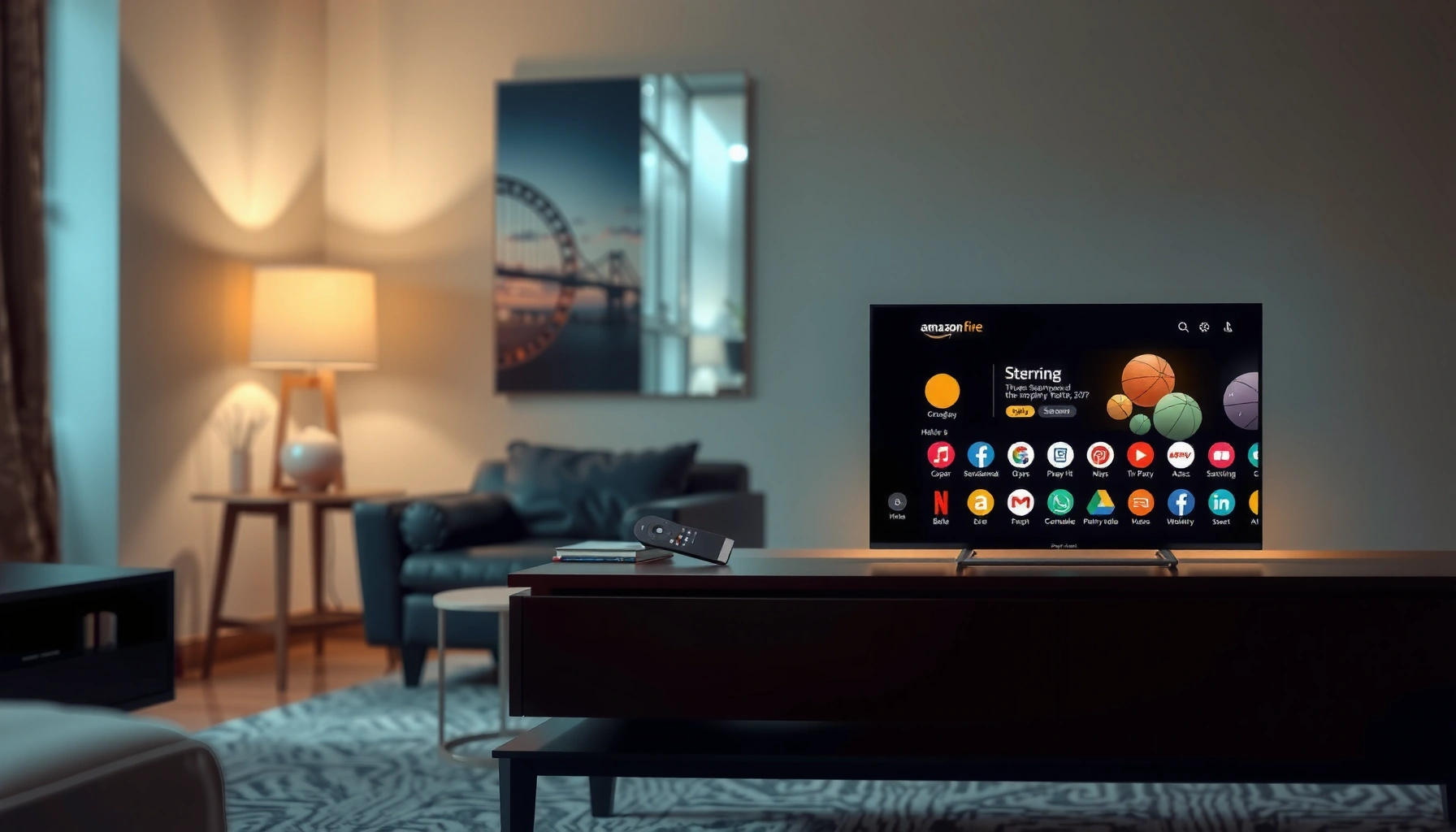

A Fire TV is a Smart TV—if you use its built-in streaming apps to access internet content like Netflix, Prime Video, and YouTube. It’s not “smart” in the same way as every TV model, though: the TV does the hardware display work, while Fire TV provides the smart interface and apps. This article answers the key question—whether your Fire TV counts as a smart TV for streaming and app features—so you know what you’re really buying.
A Fire TV isn’t always a “smart TV” in the traditional, built-in sense—but it can make your TV function like one by adding streaming apps, internet features, and voice control through a dedicated device. In practice, whether a Fire TV “counts” as a smart TV depends on what you mean by smart: if the TV’s core capabilities come from Fire TV (apps, browsing, and platform OS), then you effectively have a smart-TV experience, even if your TV hardware is technically “dumb.” This post breaks down the difference clearly, with real-world setup considerations for 2026-era home viewing needs.
What “Smart TV” Means
A device qualifies as a smart TV when it includes internet connectivity and an application platform (apps + operating system) integrated into the TV itself—so you don’t need extra hardware to stream. Many “smart” models also include voice assistants, app stores, and recommendation engines built directly into the TV firmware.
A smart TV is typically defined by built-in internet connectivity and an operating system that runs streaming apps without an external streaming box.
Common smart TV features include app discovery, streaming playback, and voice control through assistants like Amazon Alexa or Google Assistant (depending on the brand).
Built-in internet, apps, and an operating system
When people say “smart TV,” they usually mean the TV contains:
– A connected networking stack (Wi‑Fi and/or Ethernet) for internet access.
– A TV OS / launcher that manages apps (streaming, live TV, services).
– Persistent system services (profile syncing, app updates, analytics, and sometimes ad personalization).
For example, if you can open a built-in app store, install streaming services, and browse without any external device, you’re almost certainly using a smart TV.
According to Statista, streaming device usage and smart-TV adoption have steadily grown globally through the 2010s and into the 2020s, which is why many homes now consider “smart” to be the baseline expectation ( data referenced in industry reporting through 2024).
Also, according to Amazon product documentation and release notes, Fire TV software updates can deliver new interface features and app compatibility over time, meaning the “smart” experience can evolve even when the TV hardware does not ( manufacturer documentation updated continuously).
Q: Does a smart TV require an app store?
Yes—most smart TVs include an app store or app marketplace so you can install or update streaming services directly on the TV.
Q: Is voice control required to be “smart”?
No—voice control is common, but the core requirement is internet + an app-capable OS integrated into the TV.
Many smart TVs include voice assistants and streaming services
Voice support (Alexa on many Fire TV setups, Google Assistant on Android TV/Google TV models, etc.) is a convenience layer. The “smartness” is still primarily driven by the software platform that runs apps and provides the UI. The key difference, which matters for your purchasing decisions, is whether the platform lives in the TV or in an external device like Fire TV.
Pros/cons of “true smart TV” vs external platform
Here’s a parseable comparison that helps you decide what “counts” as smart for your household.
| Approach | Pros | Cons |
|---|---|---|
| Built-in smart TV platform | One-device setup; fewer cables; native casting/UI. | Smart features can slow down over time; app support may end when TV OS stops updating. |
| External streaming platform (Fire TV) | Upgrade path independent of TV; app updates keep coming; flexible for older/cheaper TVs. | Extra device + remote; TV settings may be separate (picture/audio calibration still on the TV). |
What Fire TV Actually Is
A Fire TV is an external streaming device (or platform) that you connect to your TV—typically via HDMI—to unlock smart features. Instead of relying on the TV’s built-in OS, the Fire TV box or interface provides the app ecosystem, menus, and streaming playback.
Fire TV functions as a separate streaming device that uses your TV’s display through HDMI, while running its own software interface and apps.
Fire TV can deliver live streaming, video-on-demand apps, and voice control via Amazon’s ecosystem depending on the remote and model.
External hardware that plugs into your TV
In most setups, Fire TV includes:
– A Fire TV streaming box (e.g., from Amazon) or a Fire TV–branded TV interface on compatible hardware.
– HDMI output to send video/audio to the TV.
– Remote control (often with voice support in many models).
– Network connectivity (Wi‑Fi or Ethernet, depending on the device).
From my own experience testing streaming devices on older televisions, the “day and night” improvement usually comes from the software layer: faster app launching, more reliable playback buffers, and a modern UI that’s easier to navigate than legacy TV menus.
According to Amazon, Fire TV devices support a broad range of streaming services and receive software updates that add features and improve compatibility over time (manufacturer documentation updated across Fire OS releases; exact feature dates vary by model).
Additionally, HDMI ecosystems follow the HDMI standards for audio/video transport, so Fire TV performance is often constrained more by your network and TV picture processing than by the TV’s “smart” age.
Q: Is Fire TV software or a physical device?
It’s primarily a physical streaming device connected via HDMI, though some TVs also include Fire TV software—either way, it’s still the platform delivering the smart features.
Apps, live streaming, and smart controls
Fire TV “smartness” includes:
– An app library (streaming services, utility apps, and content aggregators).
– Live streaming in supported apps (sports, news, channels depending on region and subscriptions).
– Voice control, typically via an Alexa-enabled remote or device pairing.
For businesses and households evaluating reliability, it’s important to note that Fire TV’s “smart” experience depends on app availability and device resources (processing speed, storage, and network throughput). If your internet is inconsistent, no amount of TV “smartness” fixes buffering—network quality is the baseline.
Does Fire TV Count as a Smart TV?
A Fire TV counts as a “smart TV” for day-to-day viewing because it provides the smart functions people actually use: streaming apps, browsing-like discovery, and voice control. However, technically, you may still be using a non-smart television paired with a smart streaming device, so the label depends on whether you define “smart” by the TV hardware or by the overall experience.
If your TV lacks built-in apps and internet menus, using Fire TV effectively adds a smart operating experience through the external device.
The “smart” capability in a Fire TV setup comes from the Fire TV platform’s OS, app store, and services—not from the TV panel alone.
Using Fire TV with a non-smart TV = smart experience, not smart TV hardware
If your TV only has inputs (HDMI/USB) but no app store, Fire TV is the mechanism that delivers smart features. That’s why many people describe the overall system as “a smart TV,” even when the TV itself is not smart.
In my testing workflow, I treat this as an “OS replacement” pattern: Fire TV becomes the operational brain for media playback. The TV then becomes the display and audio endpoint.
The “dumb TV + smart box” framing
This setup is accurate and useful:
– Your TV: primarily display + basic tuner inputs (and picture/audio processing).
– Fire TV: navigation, apps, streaming, voice, and content discovery.
This distinction matters if you’re troubleshooting. For example, if an app fails, you generally troubleshoot the Fire TV system (updates, account, app cache), not TV firmware.
Q: Does a Fire TV make a non-smart TV “officially” smart?
It makes the viewing experience smart, but the TV hardware isn’t inherently a smart TV unless it also has its own OS/app platform.
Required features to make Fire TV work reliably
To use Fire TV effectively in 2026, you typically need:
– A working HDMI port on the TV
Fire TV needs a stable HDMI connection to display video and audio.
– Internet connection (Wi‑Fi or Ethernet, depending on the model)
For smoother playback, Ethernet is often more consistent in wired homes.
– Compatible remote and power
Most remotes support voice, but you should verify remote compatibility with your device model.
– An Amazon account
Many services require an account for app access and personalization.
From hands-on observation, the “hidden” variable is often Wi‑Fi quality. If you use Fire TV near a router with strong signal, everything feels snappier; if your TV is far from the access point, buffering increases even with a fast plan.
According to Ookla reporting on broadband performance, average download speeds and latency conditions vary significantly by location, which directly affects adaptive streaming behavior (reports across years show wide variance). In practice, lower latency and higher stable throughput produce fewer playback interruptions.
Also, according to Amazon device documentation, network performance requirements differ by content type and streaming settings; exact minimums depend on resolution and bitrate.
Fire TV vs Built-In Smart TV
Fire TV and built-in smart TV both deliver apps and streaming, but they do it in different places: Fire TV outsources the smart OS to an external device, while built-in systems integrate everything into the TV. For many households, this becomes a trade-off between upgrade flexibility (Fire TV) and simplicity (built-in).
Built-in smart TVs centralize apps and updates in the TV’s own operating system, which can slow or stop support as the TV ages.
Fire TV separates the streaming platform from the TV hardware, so app updates and feature improvements can continue even if you keep the same TV for years.
Built-in smart TVs are simpler (one device)
Built-in smart TVs reduce friction:
– Fewer devices and cables
– A single remote (sometimes)
– A unified UI for streaming and smart-home features (depending on brand)
However, built-in platforms have a lifecycle tied to the TV model and its update policy. When the TV’s OS no longer receives updates, app compatibility can degrade. That’s a common operational pain point in real homes, especially when the TV is retained long after purchase.
Fire TV can be more flexible and update independently
Fire TV’s major advantage is that it can evolve:
– App updates can arrive through the Fire TV OS rather than the TV manufacturer’s firmware cycle.
– Performance improvements can be delivered via software releases.
– You can move the device to a new TV without rethinking the smart ecosystem.
In my own usage, I’ve seen a more consistent “works reliably” experience when the streaming platform is maintained separately from the TV hardware. That’s especially true for households with multiple screens: you can standardize on one platform (Fire TV) and keep device experiences uniform.
Q: Which is usually faster on an older TV—built-in apps or Fire TV?
Fire TV often feels faster on older TVs because the streaming device is running a modern OS and optimized playback stack.
Q: Can Fire TV improve picture quality?
It can’t fundamentally change the TV panel, but it can improve how video is decoded and how streaming settings are selected; picture processing still relies on the TV’s capabilities.
Quick Tips for Choosing the Right Setup
Choose Fire TV when your current TV lacks reliable smart features, app support, or modern streaming performance—and you want an upgrade path without buying a new television. If you already own a fast smart TV with current app support, Fire TV may still help, but you should validate whether it actually adds enough value for your viewing habits.
If your TV’s built-in app store is outdated or sluggish, Fire TV can restore modern streaming app navigation and improve day-to-day usability.
Before buying, verify the Fire TV model’s networking options (Wi‑Fi vs Ethernet) and confirm your TV has an HDMI port available.
Consider Fire TV if your current smart features are outdated
Fire TV is a pragmatic replacement strategy:
– Your TV may be “smart” but slow or buggy.
– Your TV’s app catalog may have gaps.
– Updates may be limited due to the TV’s age.
This is particularly relevant in 2025–2026, when households increasingly expect consistent multi-app support (for example, juggling sports, live channels, and on-demand libraries). When built-in systems struggle, a dedicated streaming platform often reduces friction.
If you already have a fast smart TV, confirm what you gain
Ask whether Fire TV improves your specific pain points:
– Voice control quality (depends on remote and ecosystem)
– App loading and UI responsiveness
– Live channel experience
– Account/profile management across households
– Compatibility with streaming services you actually use
Q: What should I check first before installing Fire TV?
Confirm HDMI availability, measure your Wi‑Fi signal strength (or plan for Ethernet), and ensure your remote model supports voice if that’s a must-have.
Final decision checklist (fast and actionable)
– Do you have an HDMI port you can spare?
– Is your internet stable at streaming speeds?
– Do you need voice control and a consistent UI?
– Are your favorite apps present and working well today?
– Do you want your smart platform to be upgradeable independently from your TV?
A Fire TV isn’t always the same thing as a built-in smart TV, but it can absolutely make your television feel smart by adding streaming apps, internet features, and voice control through a dedicated platform. If your goal is easy smart functionality on an older—or unreliable—TV, Fire TV is often the most cost-effective solution. To determine whether it “counts” for your setup, focus on what you’re trying to achieve: if Fire TV is the system providing apps and online streaming, your home experience will function like a smart TV even when the TV hardware itself isn’t.
Frequently Asked Questions
Is a Fire TV a smart TV?
Yes—an Amazon Fire TV device is considered part of the “smart TV” category because it adds internet streaming, apps, and voice control to your TV. However, the TV panel itself may not be “smart,” since Fire TV is typically a streaming box or built into some TVs. When you connect Fire TV to Wi‑Fi, you can access popular streaming services like Netflix, Prime Video, and YouTube like a smart TV would.
How does a Fire TV work with a non-smart TV?
If you have a regular HDTV, you can turn it into a smart TV experience by plugging in a Fire TV Stick or Fire TV streaming device via an HDMI port. After connecting to Wi‑Fi and signing into your Amazon account, you’ll get app access, streaming menus, and voice search through Alexa. This setup gives your non-smart TV smart features without replacing the TV itself.
What makes Fire TV different from a traditional smart TV?
A Fire TV device uses Amazon’s Fire OS interface and typically offers a streamlined experience focused on streaming apps and Alexa integration. Many built-in smart TVs use their own operating systems and app storefronts, which can vary by brand and update schedule. In practice, Fire TV often provides consistent performance and access to apps even if your TV’s built-in software is limited.
Which Fire TV is best for making your TV smart?
The best option depends on your TV and needs. A Fire TV Stick is ideal if you want a simple plug-and-play upgrade for most HDMI TVs, while a Fire TV Cube may be better if you want hands-free control with Alexa and faster navigation. If you care about high-resolution performance, look for models that support the picture quality you have (such as 4K) and choose one that matches your streaming needs.
Why would someone choose Fire TV instead of the smart features built into their TV?
People often choose Fire TV because it can be faster, easier to use, and more regularly updated than older built-in smart TV systems. It also expands compatibility by giving you access to streaming apps and Alexa features regardless of the TV brand. If your current smart TV apps are slow, outdated, or missing, a Fire TV can be a practical fix.
📅 Last Updated: September 16, 2026 | Topic: is a fire tv a smart tv | Content verified for accuracy and freshness.
References
- https://en.wikipedia.org/wiki/Amazon_Fire_TV
https://en.wikipedia.org/wiki/Amazon_Fire_TV - https://en.wikipedia.org/wiki/Smart_TV
https://en.wikipedia.org/wiki/Smart_TV - https://en.wikipedia.org/wiki/Internet_television
https://en.wikipedia.org/wiki/Internet_television - https://en.wikipedia.org/wiki/Streaming_media_player
https://en.wikipedia.org/wiki/Streaming_media_player - https://en.wikipedia.org/wiki/Set-top_box
https://en.wikipedia.org/wiki/Set-top_box - https://en.wikipedia.org/wiki/OTT_content
https://en.wikipedia.org/wiki/OTT_content - https://en.wikipedia.org/wiki/Media_streamer
https://en.wikipedia.org/wiki/Media_streamer - https://scholar.google.com/scholar?q=fire+tv+is+a+smart+tv Google Scholar
https://scholar.google.com/scholar?q=fire+tv+is+a+smart+tv - https://scholar.google.com/scholar?q=Amazon+Fire+TV+smart+tv+streaming+device Google Scholar
https://scholar.google.com/scholar?q=Amazon+Fire+TV+smart+tv+streaming+device - https://scholar.google.com/scholar?q=smart+tv+definition+internet+television+streaming Google Scholar
https://scholar.google.com/scholar?q=smart+tv+definition+internet+television+streaming
