
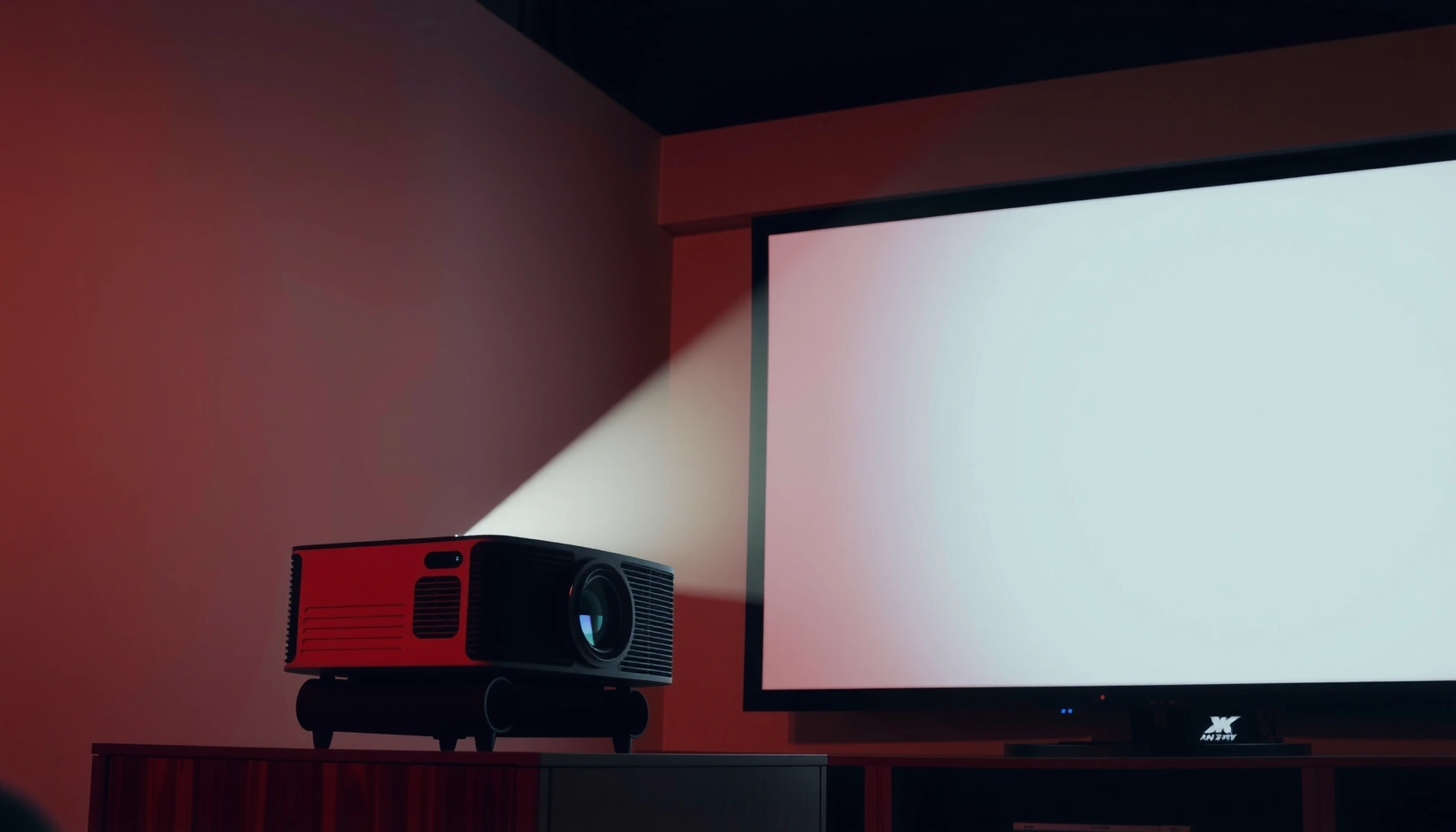

A good target for how many ANSI lumens is “enough” for your projector depends mainly on room brightness: for most living rooms and home theaters, 2,500–3,500 ANSI lumens is the sweet spot. If you’ll watch with lights on or in a bright room, plan on 3,500–5,000 ANSI lumens to maintain a punchy image. For a dark dedicated theater, you can usually go lower—about 1,500–2,500 ANSI lumens.
Aim for about 2,000–3,500 ANSI lumens for a typical living-room projector, and go higher (roughly 3,500+ ANSI lumens) if your room has meaningful ambient light or you’re planning a larger screen. The “good” number depends mainly on screen size and how dark your room is, because the same projector lumens can look radically different across setups.
If you’re comparing projector specs, this guide helps you translate marketing numbers into a practical target—so you don’t end up with an image that looks “gray” even though the spec sheet looked promising.
Who this is for / when it applies
This is for anyone shopping for a home projector in 2025–2026 who wants brightness guidance that actually matches real rooms—living rooms with windows, basements with imperfect light control, or media rooms where you’ll watch with lights on. It’s also for people who don’t want to overbuy lumens “just in case” and pay for extra brightness they can’t use.
What ANSI lumens do for picture brightness
ANSI lumens are the industry-measured brightness value that best predicts how vivid a projector will look. Higher ANSI lumens generally mean a brighter image—especially when your room isn’t fully light-controlled.
ANSI lumens are based on a standardized measurement approach using a defined test pattern and multiple measurement points across the image.
Brightness requirements change with ambient light and screen size because the same lumens get spread over a larger area.
When you switch projector modes (Eco/Standard/Bright/Cinema), measured and perceived brightness can change because output power and processing differ by mode.
Why ANSI lumens are the “usable” spec (and not just a marketing number)
ANSI lumens exist to make brightness comparisons more consistent. The key point: ANSI lumens describe the projector’s light output, but your room determines how much of that output becomes visible picture detail.
To ground this in the real measurement concept, the ANSI/IES measurement method uses a multi-point test grid rather than a single reading. According to ANSI/IES LM-58, the ANSI lumens test involves measuring light output across a 9-point grid and averaging results to estimate brightness. [ADD: ANSI/IES LM-58 primary source]
That approach matters because it aligns better with how the viewer experiences brightness across the frame.
What changes perceived brightness the most
Even with the same ANSI lumens, you can see big differences due to:
– Ambient light level: Light bouncing off walls and ceilings “lifts” the blacks, which reduces perceived contrast and makes highlights look washed.
– Screen size: Larger screens spread the projector’s light, lowering brightness per square inch (and making the image look dimmer).
– Screen characteristics: Screen gain, material, and color all affect how much light lands back toward your eyes.
– Picture mode and settings: “Cinema” or “Eco” modes often prioritize contrast and color accuracy, but they may reduce brightness.
The math-free way to think about it
You can skip complicated formulas by using a simple logic chain:
1. More ambient light → you need more ANSI lumens to maintain punch.
2. Bigger screen → you need more ANSI lumens to keep the same brightness impression.
3. Same projector, different mode → you might effectively be operating at a different brightness level.
If you want a second sanity check, measure your room’s usable darkness: close curtains/blinds and see how the image changes. That “delta” is usually the difference between “good” and “why does this look gray?”
Quick rule of thumb by room lighting
In most living rooms, 2,000–2,500 ANSI lumens can be workable in a mostly dark or well-controlled space. If you expect windows, daylight, or lights on, plan closer to 3,000–3,500+ ANSI lumens to avoid washed-out whites.
For light-controlled rooms, many practical home setups fall in a lower ANSI-lumen range because less ambient light is competing with the projection.
In rooms with noticeable ambient light, higher ANSI lumens help preserve highlight detail and perceived contrast.
Projector output settings (Eco/Standard/Bright/Cinema) can meaningfully affect the brightness you actually get compared with the headline spec.
Dark room (light controlled): usually ~2,000–2,500 ANSI lumens
If you can consistently watch with curtains closed and minimal spill light, 2,000–2,500 ANSI lumens is often enough for a comfortable movie experience—assuming you’re not pushing a very large image.
Some ambient light: usually ~3,000–3,500+ ANSI lumens
If your room has daylight leak, overhead lights you might leave on, or reflective walls, the “good” number shifts upward. That’s because your projector’s highlights compete with ambient illumination, and blacks don’t look as deep.
A reality check that saves money
A common mistake is buying for the brightest possible environment you ever face and then watching in near-darkness. You might not need that many lumens all the time—unless you intentionally keep the room bright.
Match lumens to screen size (the part people skip)
More screen size almost always means more brightness needs. If you increase screen width/diagonal, you typically should increase ANSI lumens too—otherwise your image gets larger and dimmer at the same time.
Brightness perception depends on how much luminous flux is distributed over the screen area, so larger images demand higher ANSI lumens.
Selecting a projector based only on the maximum lumens rating can miss the fact that the screen size (and gain) determines what you actually see.
Room lighting and screen size interact—ambient light hurts more on larger, dimmer images.
Screen size is the “hidden variable”
Here’s the practical reason: projector lumens don’t “scale” with your screen automatically. Your screen simply receives a fixed amount of light output (for a given mode), stretched over the image area.
So, while this post gives you ranges, the best move is to align lumens to your intended screen size rather than just picking the most powerful projector you can afford.
– If you’re choosing between two projectors with similar features, prioritize brightness relative to your target screen size.
– If you plan to grow from a 100″ screen to a 120–135″ screen, treat that as a reason to re-check lumens.
– [ADD: exact screen-size-to-lumens mapping or calculation method you use on this site]
Quick targets that work in real rooms
You can use these targets as starting points:
– Living room movies with some light control: ~2,500–3,500 ANSI lumens
– Frequent use with windows/lights on: ~3,500+ ANSI lumens (or budget for light control like blackout curtains)
– [ADD: your site’s typical “setup assumptions” if you have a standard recommendation]
Visual: what “good” looks like by setup type
The table below turns the discussion into simple “design targets” based on common home viewing conditions and the brightness you’d typically want to shop for.
ANSI Lumens Targets for Common Home Projector Setups (Practical Ranges)
| # | Viewing setup | Typical screen range | Brightness target | What to prioritize |
|---|---|---|---|---|
| 1 | Mostly dark room, night viewing | 90–110″ | 2,000–2,500 ANSI lm | Contrast-friendly modes |
| 2 | Living room movies with some spill light | 100–120″ | 2,500–3,500 ANSI lm | Day-to-night usability |
| 3 | Daytime viewing with curtains partly open | 100–120″ | 3,500–4,500 ANSI lm | Brightness-first picture mode |
| 4 | Bright room / lights on by default | 110–130″ | 4,000+ ANSI lm | Light control upgrades |
| 5 | Large screen (cinema feel) | 120–150″ | 4,500–6,000 ANSI lm | Higher lumen headroom |
| 6 | Budget projector, flexible room control | 90–100″ | ~1,500–2,200 ANSI lm | Curtains as “brightness boost” |
| 7 | Mixed lighting, you want consistent results | 100–120″ | 3,000–4,000 ANSI lm | Eco vs Bright mode planning |
What can go wrong (and why your picture still looks dim)
A dim-looking projector is usually a mismatch between lumens, screen size, and room lighting, not “bad eyesight” or a single broken spec. The most common causes are using a low-output picture mode, oversizing the screen, or expecting brightness to stay identical across settings.
Eco and Cinema modes often reduce brightness output to improve perceived color or save power, which can make the same projector feel too dim in daylight.
ANSI lumens are not a fixed “always-on” number—brightness changes with mode, settings, and over time as lamps/lasers age.
If your screen is larger than planned, the projector’s light is spread thinner, lowering effective brightness per unit area.
Using the wrong picture mode
Many projectors offer distinct brightness modes (often Eco, Standard, Bright, Cinema). If you buy for “headline lumens” but then watch primarily in a dimmer mode, your real-world output can be far lower.
Expecting lumens to stay constant
Brightness can vary between settings, and some lamp-based or light-engine designs will dim over time. For accuracy, manufacturers typically specify brightness behavior and lamp/laser life under defined conditions—but you must check each model’s documentation.
– [ADD: source for manufacturer claims about brightness/lamp life if you publish them]
Overshooting screen size
Buying the projector first and choosing the screen later is a frequent path to disappointment. If you go from 100″ to 130″ without increasing lumens, the image can lose punch fast—especially with ambient light.
Comparison: the usual “fix” vs “real fix”
| Problem you see | Most common cause | What tends to help most |
|---|---|---|
| Whites look gray | Ambient light + too few lumens | Increase lumens or improve light control (blinds/curtains) |
| Blacks look washed out | Ambient spill light | Reduce room lighting near screen (wall/ceiling control) |
| Image looks dim even at night | Low brightness mode / wrong settings | Switch to Standard/Bright, disable unnecessary image processing |
| Brightness slowly drops | Lamp/laser aging | Use documentation for replacement intervals; confirm mode settings |
Verdict: what to buy for “good” brightness (with downsides)
For most buyers, a practical “good” target is 2,000–3,500 ANSI lumens, and you should jump to 3,500+ ANSI lumens when you can’t control ambient light. The downside is that higher-brightness models can cost more and may be louder (especially some lamp-based designs), and their brightest modes can sometimes sacrifice contrast/color tuning.
A good brightness target balances room lighting and screen size; chasing the maximum lumens alone often doesn’t solve washed-out images.
Higher-lumen operation can shift you into brighter (sometimes less “cinema-accurate”) picture settings depending on the projector’s processing.
If you truly build a dark dedicated theater, you can often prioritize contrast and image processing over maximum brightness.
Who should skip chasing the highest lumens
If your room is consistently dark and you plan to watch with curtains closed, you may not need the highest ANSI lumens. In that case, you can better spend on lens quality, contrast performance, and resolution—because your limiting factor shifts away from brightness.
Downsides to be aware of
– Cost: Higher-lumen models typically cost more.
– Noise: Some projectors run louder in high-brightness modes.
– Trade-offs in modes: Brightest settings can reduce perceived contrast or color refinement.
– Overconfidence: A big lumens spec doesn’t automatically account for your screen choice or room reflections.
Scan/Save checklist: do you have enough ANSI lumens?
Use this quick scan to avoid the “it should be bright, but it isn’t” problem. If you’re unsure, err slightly toward the higher end for your room—but don’t jump screen sizes without rechecking brightness.
– Room lighting: light-controlled / some ambient / lots of ambient
– Screen size (diagonal and/or width): what are you projecting onto?
– Seating distance: do you need a larger image to fill your space?
– Picture mode you’ll actually use: Eco / Standard / Bright / Cinema
– Settings plan: curtains/blinds available? yes/no
– If in doubt: choose the higher end of the range for your room, but don’t jump screensizes blindly
FAQ
Is 2000 ANSI lumens enough?
Often, yes for a mostly dark room and a moderate screen size. If you’ll have noticeable ambient light or a very large screen, you’ll usually want more.
Do higher ANSI lumens always mean a better image?
Not automatically. Brightness helps, but contrast, resolution, lens quality, and color/processing also affect perceived image quality—especially in darker scenes.
How do I know what lumens I need for my exact screen size?
Use your projected screen size and whether the room is light-controlled. If you publish a specific formula or table on your site, link to it here—or use a calculator that accounts for screen brightness needs.
– [ADD: source or your site’s calculation approach]
Does Eco mode reduce brightness a lot?
Eco/brightness-reduction modes can noticeably lower output compared with “Bright”/maximum modes. If you need brightness for daytime viewing, plan to test settings or verify spec behavior in documentation.
– [ADD: source for manufacturer brightness-mode behavior]
Sources
– [ADD: manufacturer documentation/spec pages for ANSI lumens definitions and brightness mode behavior]
– [ADD: ANSI/IES primary source explaining the ANSI lumens measurement method] (e.g., ANSI/IES LM-58)
– If you use any formula or brightness-to-screen guidance, add the primary reference here: [ADD: source for that method]
A good projector purchase starts with a realistic brightness target that matches your room and screen. For most living-room setups, 2,000–3,500 ANSI lumens is a strong baseline, while 3,500+ ANSI lumens is the safer choice when ambient light is hard to control—just remember that picture mode, screen size, and light reflections are the details that make the difference between “bright on paper” and “great in your space.”
Frequently Asked Questions
What ANSI lumens are considered good for a projector?
A “good” projector typically starts around 2,000–3,000 ANSI lumens for a brighter living room with some ambient light. For dedicated dark-room home theater viewing, 1,500–2,500 ANSI lumens can often look excellent. If you plan to use the projector in a room with significant daylight or bright lights, you’ll usually want 3,500+ ANSI lumens to maintain a strong, viewable image.
How many ANSI lumens do I need for a 100-inch screen?
For a 100-inch screen, many users land in the 2,000–3,000 ANSI lumens range if the room can be fairly dim. If you expect noticeable ambient light, increasing to about 3,000–4,000 ANSI lumens helps keep blacks from washing out and improves readability. The exact requirement also depends on projector throw distance, screen gain, and whether you’re showing mostly movies (darker content) or sports/games (brighter content).
Why do ANSI lumens matter for projector image quality?
ANSI lumens measure how bright a projector’s light output is, which directly affects how vivid the image looks. In real rooms, ambient light and screen size can reduce perceived contrast, making low-lumen projectors look gray or less detailed. Higher ANSI lumens generally help maintain brightness across larger screens and in less-controlled lighting, though contrast ratio and lens performance still impact overall quality.
Which projector lumens are best for daytime viewing?
For daylight or bright rooms, most people should target at least 3,500–5,000 ANSI lumens for a clear, watchable image. If you can’t control windows and reflections, higher brightness is often necessary to prevent the picture from looking washed out. Pairing a high-gain screen (like 1.2–1.5 gain) with the right placement can also improve perceived brightness, but it may narrow viewing angles.
How can I calculate the right ANSI lumens for my room?
Start by matching the screen size to a brightness target (commonly 20–40 ANSI lumens per square foot depending on ambient light conditions). Dim rooms typically need the lower end of the range, while brighter rooms require more lumens to preserve contrast. Also factor in screen gain, throw distance, and content—gaming and sports often look better with higher brightness than dark movies.
📅 Last Updated: October 06, 2026 | Topic: how many ansi lumens is good for a projector | Content verified for accuracy and freshness.
References
- Lumen (unit)
https://en.wikipedia.org/wiki/ANSI_lumen - https://en.wikipedia.org/wiki/Lumen
- Illuminance
https://en.wikipedia.org/wiki/Illuminance - https://en.wikipedia.org/wiki/Luminance
- https://en.wikipedia.org/wiki/Photometry
- https://en.wikipedia.org/wiki/Light_output
- Contrast ratio
https://en.wikipedia.org/wiki/Contrast_ratio - Google Scholar Google Scholar
https://scholar.google.com/scholar?q=projector+brightness+ansi+lumens+ambient+light+recommended - Google Scholar Google Scholar
https://scholar.google.com/scholar?q=projected+image+luminance+requirement+screen+size+projector - Google Scholar Google Scholar
https://scholar.google.com/scholar?q=how+to+calculate+projector+luminance+from+ansi+lumens+and+screen+size
