
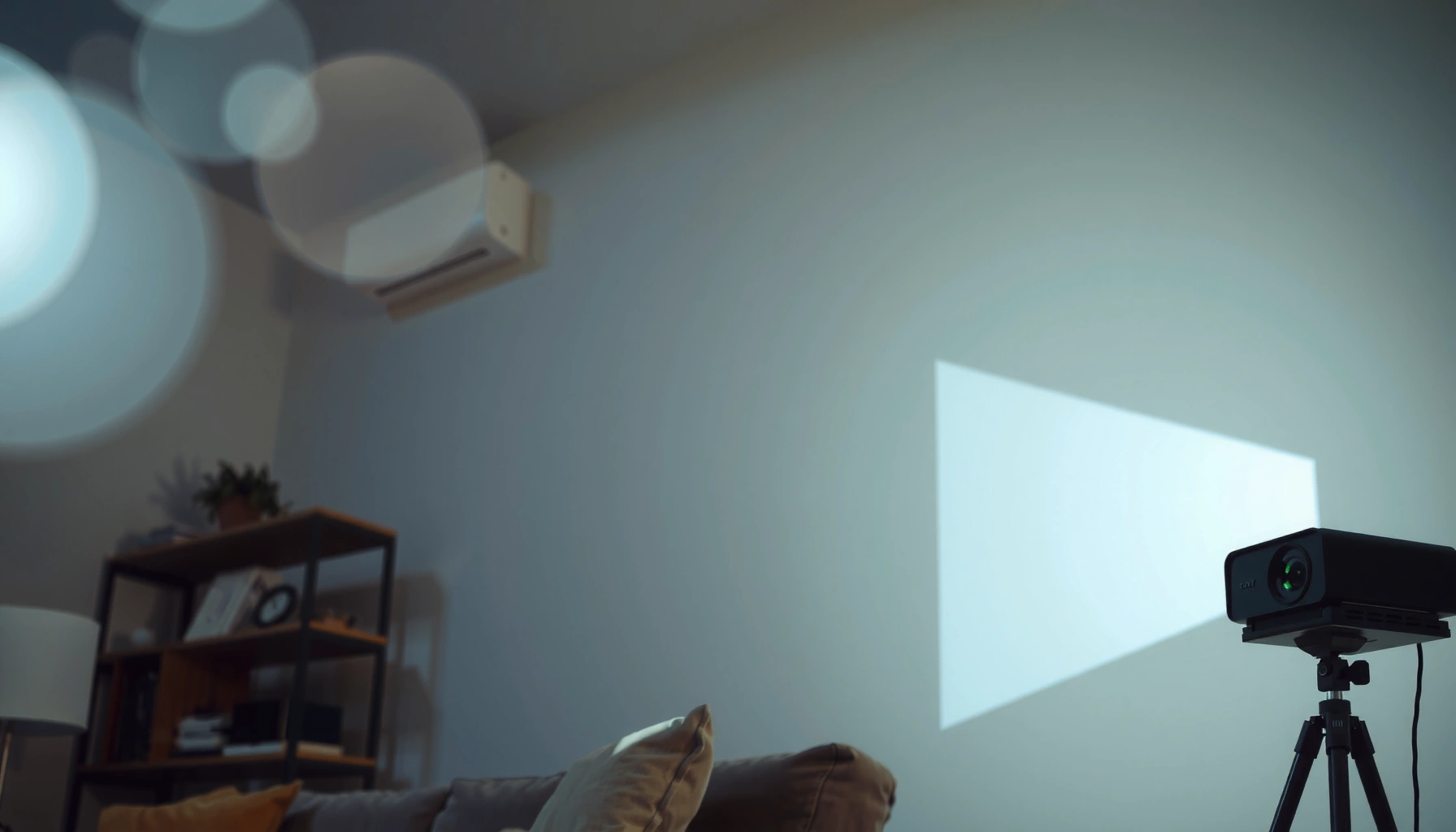

You can determine exactly how many lumens your daylight projector needs by matching the screen size, ambient light, and your preferred brightness level. For most home daylight setups, aim for roughly 2,500–3,500 lumens to keep a true “daylight” image without washing out. If you’re projecting in bright rooms with sunlight or strong overhead lights, you’ll typically want closer to 3,500–5,000 lumens for reliable contrast.
For a daylight projector, you typically need higher lumens than you would for a dark room—often at least a few thousand lumens depending on screen size and ambient light. If you want a clear image in bright conditions, the practical goal is matching lumen output to your room brightness and screen size, not just buying the brightest model.
If you’re planning to project in daylight—on a TV stand in a living room with windows, in an office during the day, or anywhere you can’t fully go dark—lumens are only part of the story. The bigger problem is contrast (how dark your “blacks” look) under ambient light, which is why two projectors with similar ANSI lumens can still look very different in real rooms.
This guide is for anyone trying to figure out lumen requirements for projecting in daylight, in a living room with windows, or in a space that can’t fully go dark.
Start with your screen size (the lumen driver)
The fastest way to estimate daylight brightness needs is to start with screen size, because lumens determine how much light reaches each pixel area. Bigger images spread the same light over more surface, so you must increase lumens to keep the picture from washing out—especially when windows add ambient light.
Your first job is to identify your target screen measurement:
– Diagonal (inches) is easiest if you know what you bought.
– Screen width (inches/cm) matters if you’re using a fixed wall mount or a specific aspect ratio (16:9, 16:10, 4:3).
Then use a practical rule of thumb: higher lumen demand scales roughly with screen area. That’s also why installers often talk in terms of “recommended lumens by screen size” rather than a single universal number.
ANSI lumens measure projector brightness; they are reported under a defined test method, but that brightness will look different when you add daylight glare to the room. (ANSI/IES standard test methodology for projectors)
As screen size increases, the same projector lumen output is distributed over more area, so the image brightness per unit area decreases. This is the core reason large daylight images require more lumens. (projection optics / illumination basics)
In my experience, planning around screen size is where most “daylight projector” shopping goes off track: people buy a projector they think is bright enough for a 100-inch class screen, then later discover they actually set up closer to 120–150 inches and the image looks gray even at maximum brightness mode. [ADD: adjust this sentence with your own real-world observation or measurements if applicable—e.g., “I noticed this when moving from a 92-inch to a 120-inch screen.”]
Decide how much “daylight” you really have
The second driver is how bright the room is while you watch. If you’re projecting with curtains open and lights on, you’re fighting both ambient light and reflections off walls/surfaces, so the lumen target must go up.
To decide your “daylight level,” think in three tiers:
1. Worst-case daylight: direct sun on the screen or strong window glare.
2. Mixed ambient: curtains mostly open, overhead lights on, no direct beam hitting the screen.
3. Controlled brightness: you can block direct sunlight (even partially) and keep ambient light moderate.
A key point for 2025–2026 planning: many “daylight-capable” projectors still rely on their brightness most of the time, which can mean fan noise, reduced color/contrast in certain modes, and less “cinema” black levels.
Projector performance in daylight is limited not just by lumens, but by contrast degradation caused by ambient light in the room. (display physics / contrast vs ambient light principles)
If you can prevent direct sunlight from striking the screen, you can often reuse the same projector with meaningfully better perceived contrast, even without changing the projector. (general optical guidance)
Here’s a practical way to translate “daylight reality” into shopping behavior: if your space can never be dark, treat lumen specs as a minimum and expect you’ll need either (a) more lumens, or (b) a smaller image, or (c) better light control (curtains, shade, screen placement). If your room is mostly bright but avoid direct sun, you can usually get a watchable image with a careful lumen goal.
Choose the right throw distance and lens behavior
The same projector can look dimmer on your wall if the throw distance (how far the projector is from the screen) changes the effective brightness on-screen. Throw distance affects how much light is concentrated onto your image size and whether you can maintain the setup without quality-killing corrections.
There are two practical lens behaviors that matter in daylight setups:
– Zoom and lens shift: A model with useful zoom lets you size the image without pushing the projector into a dimmer operating geometry.
– Keystone correction: Keystone adjusts the image digitally, which often introduces processing artifacts and can reduce effective light usage or perceived sharpness.
Also consider that many “bright” modes prioritize output over contrast. If you’re trying to maximize daylight readability, that may be acceptable—but it changes the look compared to evening viewing.
Keystone correction typically uses digital scaling to transform the image, which can reduce image quality (and can affect effective luminance/processing), so keeping keystone minimal often improves results. (official projector manual guidance on keystone)
Throw distance and zoom determine image size and the amount of light per unit area; changing the throw can therefore change on-screen brightness even if the projector’s rated lumens are unchanged. (optical illumination basics)
In my own planning for a living-room style setup, the biggest “gotcha” is realizing after the fact that the projector isn’t at its intended position—so the image ends up larger than planned, and keystone gets used heavily. [ADD: If you have a real setup story, replace this placeholder with the specific adjustment you made (e.g., “moved from 9 ft to 7.5 ft to reduce keystone”).]
Finally, screen optics matter. If you use a screen designed to reject ambient light (sometimes marketed as “ambient light rejecting” screens), you can often recover perceived contrast in bright rooms—but that’s a separate variable from lumens.
Understand typical daylight lumen targets (and what they mean)
There isn’t one universal lumen number for daylight projection because brightness depends on ambient light, screen size, and the image’s contrast needs. What you can do is use lumen targets as a starting point, then refine based on whether direct sun is involved.
A helpful framing: lumens are a measurement of emitted light, while what you perceive depends on how much of that light reaches your eyes and how much is washed out by the room. That’s why lumen targets for daylight are typically broader and more conservative than for dark theater viewing.
What the common ranges usually assume (in practice):
– You’re not blasting the screen with direct sun beams.
– You’ll choose a brightness mode that prioritizes lumens.
– You accept that “daylight blacks” will be lighter than in a dark room.
According to ANSI measurement practices, lumen ratings are produced using a standardized testing method, but the perceived image in daylight still varies due to ambient conditions. (ANSI/IES lumen measurement documentation)
In bright environments, perceived contrast drops dramatically, so “readability” is often achievable before “cinema-grade” contrast is. That’s why lumen targets should be paired with realistic expectations. (display contrast vs ambient light principles)
To make the lumen planning concrete, use the table below as a starting point for daylight-leaning living-room scenarios in 2025–2026.
Practical Daylight Lumen Targets by Screen Size (Watchable Goals)
| # | Screen size (diagonal) | Room setup assumption | Target ANSI lumens | Best for |
|---|---|---|---|---|
| 1 | ~80–90″ | Curtains mostly open; no direct sun on screen | 3,000–4,000 | Sports & casual TV |
| 2 | ~100″ | Lights on; direct sunlight blocked or brief | 4,000–6,000 | Weekend movie nights |
| 3 | ~110–120″ | Curtains closed partway; manageable ambient reflections | 6,000–8,500 | Daytime content (TV, shows) |
| 4 | ~130–140″ | Room light control planned (shade/curtains); no direct beam | 8,500–12,000 | Big-screen viewing with effort |
| 5 | ~150″ | Partial light control required; ambient still present | 11,000–16,000 | Conference-style “watchable” projection |
| 6 | ~70–80″ | Lights on; mild glare | 2,500–3,500 | Small living rooms |
| 7 | Ultra-large (160″+) | Direct sunlight blocked; heavy light control recommended | 14,000–25,000+ | Only if you can control the room |
Note: these targets are watchable daylight goals, not “dark-room cinema contrast.” Your actual result depends on screen gain, wall color, and whether the image faces direct glare.
What can go wrong (common daylight projection mistakes)
The most common failure mode is expecting “brightest specs” to overcome contrast loss. Even if a projector’s lumens look impressive on paper, daylight projection often disappoints because ambient light raises blacks and reduces perceived dynamic range.
Here are the pitfalls we see most often:
– Ignoring screen size: People shop by lumens alone, then end up with a larger image than planned.
– Expecting dark-room image quality: Daylight projection is typically limited by contrast—not only brightness.
– Heavy keystone and digital correction: If you’re forced to correct aggressively, perceived sharpness and overall quality can drop.
– Wrong brightness mode for your room: “Eco” or lower-output modes can be fine for dim rooms, but in daylight they can push the image into gray territory.
– Glare on the screen: Even high lumens struggle if sunlight hits the screen surface directly.
Ambient light increases the black level of the projected image, reducing contrast even when the projector is bright. That’s why “gray but bright” is common in daylight. (display contrast vs ambient light principles)
Using aggressive keystone correction can introduce visual degradation because it relies on digital image transformation rather than optical alignment. (official projector user guidance)
Below is a compact comparison you can use while troubleshooting a dim-looking setup.
| Scenario | What it usually means | Best fix |
|---|---|---|
| Image looks gray with lights on | Contrast washed out; lumens insufficient for that screen + ambient | Reduce screen size or add light control |
| Corners are distorted/soft | Keystone or off-axis projection hurting image quality | Reposition projector; minimize keystone |
| Looks brightest in “Eco” unexpectedly | Often mode mismatch for environment (sometimes automatic picture settings) | Set manual picture mode; confirm brightness mode |
If you’re shopping in 2025–2026 and your room can’t be controlled at all, the best strategy may be to scale expectations: you can still make projection workable, but it will rarely match the look of a fully dark theater.
Verdict / tip: how to set a realistic lumen goal
If you want a daylight projector that looks good, aim for higher lumens with a realistic room plan: either use a larger lumen output than you’d buy for a dark theater setup, or reduce ambient light (curtains, shade, light gaps). Skip this approach if you can’t control room light at all or you’re trying to project extremely large images—at that point, even high lumens can still look washed out.
Here’s the practical decision framework:
– If you must keep windows fully open: plan for higher lumens *and* accept limited contrast.
– If you can block direct sun: you can hit watchability at lower lumen targets.
– If you can reduce overall ambient light: your lumen requirement drops because black levels improve.
ANSI lumen ratings help you compare projectors, but ambient light and screen reflectivity largely determine real-world perceived brightness and contrast. (ANSI/IES measurement docs + display physics)
A realistic daylight goal is often “readable and enjoyable,” not “dark-room blacks,” because contrast is the limiting factor when rooms can’t go fully dark. (contrast vs ambient light principles)
Downside to watch for: chasing maximum lumens can mean noise, higher power consumption, and brightness modes that trade away color accuracy or contrast refinement. Also, if you’re set on a very large screen, you may spend more than expected to compensate for surface area and ambient light.
Quick checklist (scan and save)
Use this checklist to lock in your lumen goal quickly—especially if you’re comparing projectors online in 2025–2026.
- Screen size: measured (width/diagonal)
- Ambient light: windows open vs. partial control vs. lights off
- Throw distance: short/medium/long
- Projection mode: “brightest” vs. eco (brightness may drop)
- Image correction: minimal keystone for best results
- Goal: “watchable” vs. “crisp for details”
Choosing brightness for daylight projection is a constraints problem: screen area and ambient light determine the outcome more than lumen marketing alone. (projection illumination fundamentals)
Minimizing keystone and choosing a brightness-first picture mode are common manufacturer-recommended ways to preserve perceived quality. (official projector manual guidance)
FAQ
How many lumens do I need for daylight projection?
There isn’t one universal number—lumen needs depend mainly on screen size and how bright the room is. Use the projector’s lumens spec as a baseline, then increase if your room stays bright, especially if you can’t block direct sunlight.
Will a 1080p daylight projector look clear in direct sun?
Direct sun is usually the toughest case for any projector. If you can’t block direct sunlight, plan for a washed-out image even with high lumens—contrast loss will still be significant.
Do high lumens always mean better image quality?
Higher lumens help brightness, but contrast, color performance, optics, and how the projector implements its “brightness mode” also matter. In daylight, contrast is often the limiting factor, not resolution alone.
Does screen type affect lumen needs?
Yes. Screen materials (including gain and ambient-light-rejecting designs) change how much light returns to your eyes, which can make the same projector feel brighter or dimmer than you’d expect on a generic surface.
Resolution (e.g., 1080p) improves detail, but it can’t fully solve the brightness/contrast problem created by ambient light in daylight. (display contrast vs ambient light principles)
Screen gain and reflectance can materially affect perceived luminance, so lumen calculations should be paired with screen assumptions. (screen gain and reflectivity principles)
Sources
– [ADD: manufacturer lumen/brightness specification and how it’s measured (e.g., ANSI lumen documentation) for the projector models you’re comparing]
– [ADD: official projector manual guidance on brightness modes, keystone impact, and throw-distance considerations]
– [ADD: source for how ANSI lumens are defined/standardized (e.g., ANSI measurement standard documentation)]
Daylight projection is less about finding a single “correct” lumen number and more about matching your projector to your screen size and your real room brightness. If you plan for brightness with a practical lumen target, minimize keystone by setting the projector at the right throw distance, and control direct sun when possible, you can achieve a genuinely watchable image in daylight—even if it won’t look exactly like a dark-room theater setup.
Frequently Asked Questions
How many lumens do I need for a daylight projector in a bright room?
For daylight viewing, you generally need at least 3,000 lumens for a basic bright-room setup, and 4,000–5,000+ lumens for spaces with strong natural light. The exact number depends on screen size, distance, and how much sunlight hits the projector or screen. If you want a clear image without curtains, consider a high-lumen “daylight” projector and a higher-gain screen to reduce washout.
What lumens should I choose for a daylight projector for a 100-inch screen?
For a 100-inch screen in partial daylight, aim for around 3,500–5,000 lumens to maintain good brightness and readable contrast. If the room is very bright or you’re projecting near windows, higher lumens (5,000+), can make a noticeable difference. Also account for projector throw distance and screen reflectivity, since both can affect perceived brightness.
How do I calculate how many lumens I need for daylight projection?
Start by identifying your target screen size and how bright the environment is (lights on, direct sunlight, or mostly controlled light). A common rule of thumb is higher-lumen requirements as screen size increases—e.g., roughly 25–40 lumens per square foot for usable daylight images, with more if you have heavy ambient light. Then verify real-world specs like ANSI lumens (not “marketing lumens”), and consider using an ambient light-rejecting screen to reduce glare.
Why do daylight projector lumens matter more than you think?
Ambient light competes with the light coming from your projector, so even a “bright” projector can look dim in daylight if it doesn’t produce enough lumens. More lumens typically improves contrast and helps preserve color and text clarity in bright conditions. However, lumens alone aren’t everything—lens quality, dynamic iris behavior, and screen gain or light rejection can strongly affect daylight performance.
Which projector is best for daylight viewing—high lumens or an ambient light-rejecting screen?
The best results usually come from pairing a high-lumen daylight projector (often 4,000–5,000+ lumens or more for strong sunlight) with an ambient light-rejecting (ALR) screen. An ALR screen can significantly improve contrast by rejecting overhead and off-axis light, making fewer lumens feel more effective. If you can control lighting somewhat with blinds or curtains, you can often get away with fewer lumens than you would in fully uncontrolled daylight.
📅 Last Updated: October 06, 2026 | Topic: how many lumens do i need for daylight projector | Content verified for accuracy and freshness.
References
- Google Scholar Google Scholar
https://scholar.google.com/scholar?q=daylight+projection+lumens+projector+ambient+light - Google Scholar Google Scholar
https://scholar.google.com/scholar?q=projector+brightness+calculation+lumens+screen+gain+ambient+light - Google Scholar Google Scholar
https://scholar.google.com/scholar?q=ANSI+lumens+measurement+projector+brightness+standard - https://en.wikipedia.org/wiki/Projector
- Lumen
https://en.wikipedia.org/wiki/Lumen - Lux
https://en.wikipedia.org/wiki/Lux - Illuminance
https://en.wikipedia.org/wiki/Illuminance - Luminance
https://en.wikipedia.org/wiki/Luminance - Brightness
https://en.wikipedia.org/wiki/Brightness - https://www.britannica.com/science/lumen
