
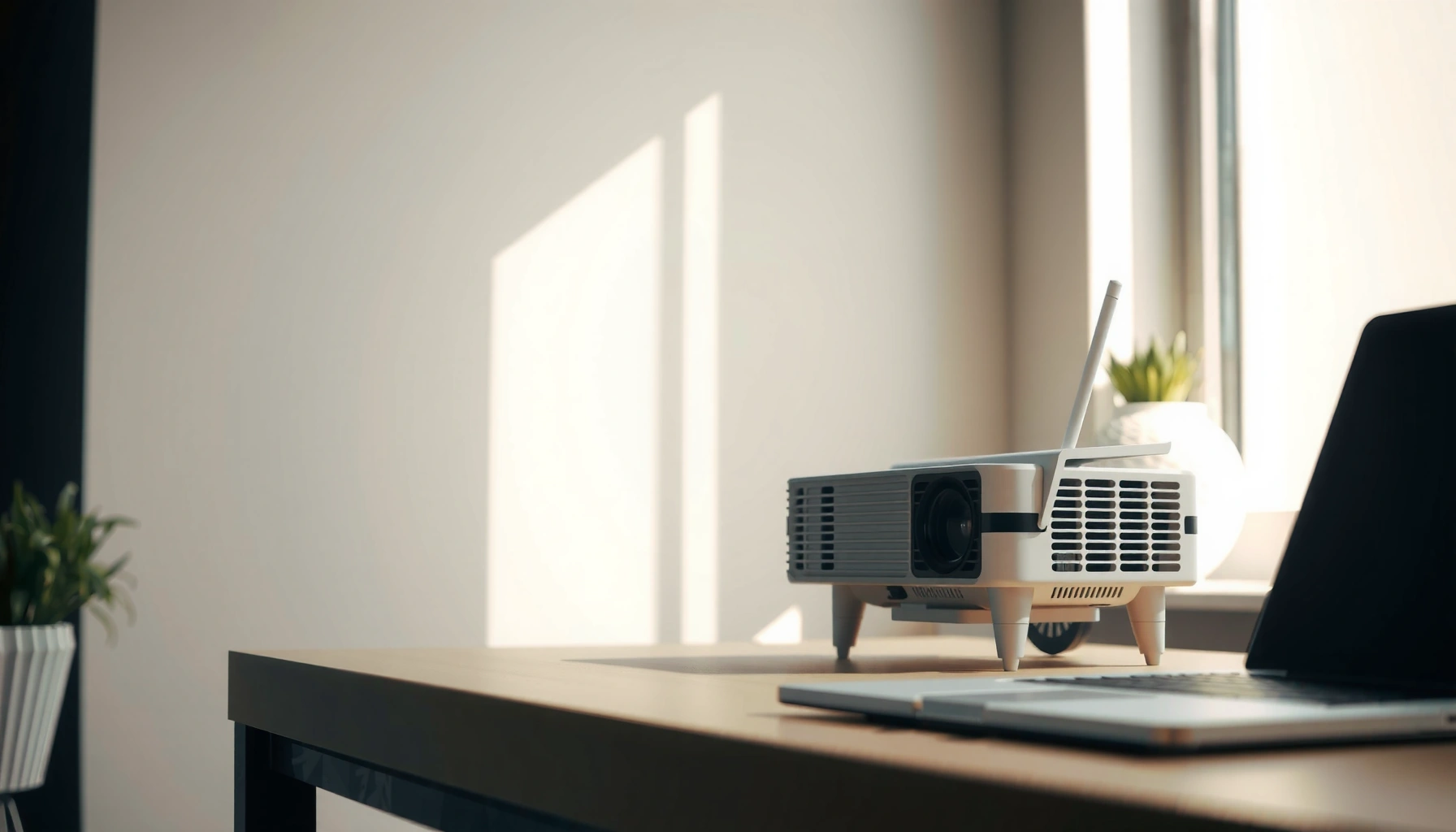

Choosing how many ANSI lumens for daylight comes down to one rule: brighter light needs higher lumens to keep the image readable. For most setups, aim for at least 3,000 ANSI lumens for daytime use in normal rooms, and move to 5,000+ ANSI lumens if you have strong, direct sunlight or a large screen. This quick guide gives you the lumens target that matches your room light and screen size—so you can buy with confidence instead of guesswork.
Daylight viewing typically needs about 2,000–4,000 ANSI lumens to look reasonably bright, and 4,000+ ANSI lumens for clearer images in very bright rooms—especially with larger screens. The exact target depends on your screen size, how bright the room stays, and how much you can control ambient light.
This guide is for people comparing projectors for daytime use (living rooms, offices, classrooms) who want a practical lumens range rather than vague marketing claims. It’s designed to help you set a realistic brightness goal before buying—so you don’t end up with a projector that looks fine at night but turns “washed out” in the day.
ANSI lumens basics for daylight
You need ANSI lumens as a real-world baseline because daylight reduces contrast and makes images look less punchy unless the projector is bright enough. ANSI lumens describe measured usable light output, while “daylight visibility” is mostly about how your projector’s brightness competes with your room’s ambient light.
– ANSI lumens measure how bright a projector is (usable light output), not how “white” or “colorful” the image looks.
– In daylight, ambient light washes out contrast—so you usually need more lumens than you would for a dark-room setup.
– “Marketing brightness” (sometimes non-ANSI methods) can mislead, so prioritize ANSI lumen ratings from manufacturer specs.
ANSI lumens are standardized by a measurement method intended to reflect real image brightness rather than a single extreme measurement point.
Ambient light in the room lowers perceived contrast, so higher lumens usually translate to clearer day-viewing.
If a spec does not explicitly state ANSI lumens, it may not be directly comparable to other projectors’ real-world daylight brightness.
To anchor your expectations, consider typical room light levels: many offices land around a few hundred lux, while direct sun can be orders of magnitude higher. For example, according to [ADD: source for typical indoor office lux range], office lighting is often ~300–500 lux (recent typical values reported in lighting references), while outdoor overcast day levels can be far higher than indoor conditions ([ADD: source for outdoor daylight lux ranges]). When ambient light climbs, the projector’s contrast advantage shrinks—even if the brightness number seems “okay” on paper.
Also, keep in mind that projectors rarely run at their brightest modes all the time. If you switch to a calibrated or cinematic preset, light output commonly drops versus “Bright” or “Presentation” modes (varies by model). So when you compare models, match the ANSI lumens spec to the picture mode you’ll actually use.
What matters besides lumens
Even with enough lumens, daylight can still make blacks appear gray because ambient light lifts the black level. That’s why contrast performance (native contrast and dynamic tone mapping) and screen reflectivity (screen gain and material) matter alongside brightness.
Target ranges by room brightness
If you want an immediate target, start with 2,000–3,000 ANSI lumens for mildly bright rooms and 3,000–4,500 ANSI lumens when lights stay on. If your room is genuinely bright—large windows, daytime blinds fully open—plan for 4,500+ ANSI lumens for dependable readability.
– Mild daylight / curtains pulled: plan for roughly 2,000–3,000 ANSI lumens if your screen isn’t huge.
– Bright room / lights on: aim for 3,000–4,500 ANSI lumens for a more watchable image.
– Very bright conditions / large screens: often 4,500+ ANSI lumens is where you start getting dependable visibility.
Daylight conditions typically demand more lumens because ambient light reduces effective contrast and visual punch.
A larger screen spreads the projector’s light over more area, reducing brightness per square inch at the surface.
If you can’t control ambient light, brightness targets shift upward to maintain legibility of text and detail.
Here’s a practical mapping you can use while comparing options. It’s not a promise of “movie-perfect” results in full sun—rather, it’s a reliability guide for everyday daytime viewing.
Daylight-Friendly ANSI Lumens Targets (Practical Comparison)
| # | ANSI lumen range | Typical daylight scenario | Best for | Daylight visibility |
|---|---|---|---|---|
| 1 | 1,000–1,499 | Room light mostly off | Small screens (text-light) | ★☆☆☆☆ |
| 2 | 1,500–2,000 | Curtains mostly closed | TV-style viewing on smaller displays | ★★☆☆☆ |
| 3 | 2,000–2,999 | Mild daylight control | Home office / classroom (moderate screens) | ★★★☆☆ |
| 4 | 3,000–3,999 | Lights on or partial blinds | Daytime presentations & everyday movies | ★★★★☆ |
| 5 | 4,000–4,499 | Bright room with some glare | Text-heavy slides (smaller fonts) | ★★★★☆ |
| 6 | 4,500–5,500 | Very bright conditions | Larger screens with daylight control challenges | ★★★★★ |
| 7 | 5,500+ | Direct glare-prone rooms | Commercial/education, big viewing areas | ★★★★★ |
Match lumens to screen size and throw
You don’t just need “enough” lumens—you need lumens that still look bright after they’re spread across your image size. Larger screens and longer throws reduce brightness per unit area, so the same projector can look dramatically different depending on setup geometry.
– Larger screens require more lumens to keep the image bright and readable.
– If your projector sits farther away (long throw), you may still get acceptable size—but brightness per unit area drops, so you may need to size up.
– If your setup allows, keep the screen as small as is practical for your content and seating distance.
When image size increases, the projector’s light is distributed over a larger surface, reducing brightness per area (a key reason daylight setups need higher lumens).
Throw distance and lens calibration affect how much light reaches the screen, so mounting farther back can reduce perceived brightness.
Adjusting screen size (or moving closer) is often a faster fix than buying a much higher-lumen unit.
In practice, the simplest planning method is to start from your target diagonal and then apply the room brightness tiers above. If you’re moving from a 100″ screen to a 120″ screen, you’re not doing a small change—you’re noticeably increasing the area that must be illuminated.
Also, don’t ignore content type. Spreadsheets, subtitles, and thin UI text demand more effective brightness than casual movie viewing does because the viewer needs edge clarity and legible contrast. A projector that feels “bright enough for TV” can still struggle with small fonts in daytime.
Contrast, screen type, and settings matter
Higher lumens help, but contrast and screen behavior often decide whether the image looks “clean” in daylight. If blacks lift and text edges blur, you can interpret the setup as “not bright enough” even when the lumen number is technically in range.
– Even with enough lumens, a high-ambient-light room can make blacks look gray; brightness targets help, but contrast helps too.
– Screen choice can change perceived brightness: [ADD: specify what your reader should know about their screen type—e.g., standard vs high-gain—using manufacturer documentation if available].
– Many projectors dim output in certain picture modes (e.g., “Cinema”); for daylight, you’ll typically rely on brighter modes like [ADD: exact mode names from common projector lineups, or note “Bright/Presentation” if you’re keeping it generic].
Daylight washout is fundamentally a contrast problem: ambient light raises the “black” level, so perceived contrast drops even if luminance is adequate.
A higher-gain screen can improve perceived brightness toward the viewer, but it can narrow viewing angles, so proper alignment matters.
Switching to a brighter picture mode can substantially increase output, so compare ANSI lumens and modes consistently using manufacturer specs.
Screen type quick comparison (what to watch)
If you’re trying to maximize daylight readability, screen gain and material are not marketing fluff—but they’re also not a free lunch.
| Screen approach | Best benefit in daylight | Trade-off to plan for |
|---|---|---|
| Standard matte white | Balanced look and wide viewing angles | May not counter strong ambient light as effectively |
| High-gain directional (e.g., “gain” screens) | More perceived brightness toward the center | Viewing angle is narrower; off-axis viewers see dimmer results |
| Ambient light rejecting (ALR) | Reduces some reflected ambient light impact | Often costs more; performance depends on projector placement and screen specs |
When evaluating screen type, don’t rely on “gain” alone—check the screen manufacturer’s documented gain and viewing angle specs, because those determine how much brightness you truly get from your seat.
Finally, picture mode matters. Most projectors have a “Cinema/Film” type mode that prioritizes color accuracy at the expense of brightness, while “Bright/Presentation” style modes prioritize luminance. Use manufacturer documentation to confirm which modes change output most for your specific model.
What can go wrong (and why “bright enough” still looks bad)
If daylight images look washed out, it’s usually not just “too few lumens”—it’s a mismatch between lumens, contrast, screen size, and room light control. These issues are common and predictable, so you can avoid them during selection.
– Using non-ANSI lumen claims: if a listing doesn’t specify ANSI lumens, it may not match real-world brightness expectations.
– Overestimating based on dark-room performance: daylight adds ambient light, reducing contrast and perceived clarity.
– Buying for the screen size but ignoring seating and content: small text (slides, spreadsheets, subtitles) often needs more brightness than “movies look okay” tests suggest.
– Eco/Low-power modes: these can reduce brightness; daylight setups usually need higher output, so check the mode you’ll actually use.
Not all “brightness” numbers are measured the same way, so lack of ANSI lumen specification can make comparisons unreliable.
A projector can score well in dark-room reviews yet still underperform in daylight because contrast advantage collapses under ambient light.
Eco/Low-power settings commonly reduce output, so daytime performance should be evaluated using the mode you plan to run.
Here are three daylight-related checks that typically prevent buyer regret:
1. Verify measurement basis: look for explicit ANSI lumen specs in the manufacturer’s documentation for the exact model and mode.
2. Model the viewing target: text-heavy content needs more effective brightness than entertainment content.
3. Plan for ambient control: even “partial” control (e.g., pulling blinds, using translucent shades) can change the outcome dramatically because ambient light conditions vary more than people expect.
One more practical note: it’s tempting to jump to the highest lumens you can afford, but very high-brightness setups can come with downsides like higher fan noise or higher power consumption—trade-offs that matter in offices and classrooms.
Verdict: the honest lumens tip for daytime use
If you want a safe starting point without overpaying, target ~3,000 ANSI lumens for moderately bright rooms and 4,000+ ANSI lumens for rooms that stay truly bright. If you can reliably block light (blackout curtains or a dedicated dark room), you can go lower—but don’t buy maximum lumens just because “daylight” appears in the question.
Also, skip the “maximum-lumens for every scenario” approach if you’ll usually use the projector in dim conditions. Brighter models can be louder, and portable units may need more power management attention. For most everyday business and classroom use, balancing lumens with screen size, viewing distance, and a brighter picture mode beats chasing the biggest number.
Quick checklist (scan this before you choose)
– Room lighting: curtains mostly closed vs fully bright
– Screen size (diagonal): [ADD: your target screen size]
– Seating/content: movies vs text-heavy presentations
– Projector specs: ANSI lumens listed in manufacturer documentation
– Intended picture mode: will you use a brighter mode, or rely on “Cinema”?
– Throw distance: will you be stretching the image big, or keeping it tighter?
FAQ
1) Is 3000 ANSI lumens enough for daylight?
Often yes for moderately bright rooms (especially with a smaller screen and curtains partially closed). For very bright rooms, many setups need closer to 4,000+ ANSI lumens.
2) Do LED and laser projectors change how many lumens you need?
They can affect how consistently brightness holds over time, but “how bright you need to be” for daylight still depends on ambient light, screen size, and contrast—so use ANSI lumen guidance first. [ADD: cite a manufacturer spec or documentation statement if you reference differences.]
3) Does a higher-gain screen reduce the lumens required?
It can improve perceived brightness in the viewing direction, but you need correct alignment and can reduce viewing angles. Check your screen manufacturer’s documented gain and viewing angle specs before assuming it “solves” daylight brightness.
4) What’s the biggest reason daylight images look washed out?
Usually ambient light overpowering the projector’s light output, which lowers effective contrast. More lumens can help, but proper room control (even partial) can matter as much as brightness.
Sources
– [ADD: cite the projector manufacturer’s documentation or spec sheet for the definition/measurement of ANSI lumens for your specific models or for a general standard statement from a reputable source.]
– [ADD: ANSI/industry measurement standard reference for lumen measurement method used in ANSI specs—use an official standard document or a manufacturer who explicitly references the ANSI method.]
In short: aim for 2,000–4,000 ANSI lumens for daylight that’s managed (curtains, partial light control), and 4,000+ ANSI lumens when the room stays bright and text must remain readable. If you tune lumens with screen size, throw, picture mode, and screen type, you’ll get far more reliable daytime results than brightness marketing alone can promise.
Frequently Asked Questions
How many ANSI lumens do I need for daylight viewing?
For daylight viewing, most TVs and projectors need roughly 2,000–3,500 ANSI lumens, depending on screen size and ambient light. If you want a brighter, more readable image in typical daytime conditions, aiming closer to 3,000–5,000 ANSI lumens is safer. For very bright rooms or large screens, you may also need an ambient light-rejecting screen to keep contrast strong.
What’s the recommended ANSI lumen range for a projector used in daylight?
In daylight, a common practical target is about 3,000 ANSI lumens for smaller rooms and moderate screen sizes. If you’re projecting a larger image or using near-sunlight conditions, 4,000–6,000 ANSI lumens is often where you start seeing clearly usable results. The exact “how many ANSI lumens for daylight” answer depends on how much light control you have and the screen gain.
Why do daylight viewing projects need more ANSI lumens than nighttime viewing?
Daylight adds a lot of ambient light that washes out the projected image, so you need higher ANSI lumens to maintain brightness and perceived contrast. At night, darkened rooms let your projector’s light dominate, making lower lumen models look far brighter. In daylight, even a small increase in ambient lighting can require a noticeable jump in lumens to keep blacks from turning gray.
How do screen size and ambient light affect how many ANSI lumens you should buy?
Larger screens spread the same projector light over more area, so brightness per square foot drops—meaning you’ll need more ANSI lumens as screen size increases. A brighter room also reduces contrast, so the same projector can look acceptable at dusk but washed out at noon. If you can’t control daylight, consider higher-lumen projectors and higher-gain or ambient light-rejecting screens to improve perceived brightness.
Which projector ANSI lumens are best for daylight home cinema or living-room use?
For living rooms with windows and daytime use, “best” usually means a projector around 3,500–6,000 ANSI lumens paired with light control or an ALR (ambient light-rejecting) screen. If you can’t reduce ambient light much, 5,000 ANSI lumens or more is often the more reliable choice for crisp, readable daytime content. The best option is the one that matches your screen size and light conditions—not just the lumen rating alone.
📅 Last Updated: October 07, 2026 | Topic: how many ansi lumens for daylight | Content verified for accuracy and freshness.
References
- Luminous flux
https://en.wikipedia.org/wiki/Luminous_flux - Lumen (unit)
https://en.wikipedia.org/wiki/ANSI_lumen - https://en.wikipedia.org/wiki/Projector
- https://www.nist.gov/pml/owow/optics/lumens.cfm
- https://www.nist.gov/pml/owow/optics/photometry.cfm
- Google Scholar Google Scholar
https://scholar.google.com/scholar?q=ANSI+lumen+daylight+projection+brightness - Google Scholar Google Scholar
https://scholar.google.com/scholar?q=projector+brightness+ambient+light+readability+luminance - Google Scholar Google Scholar
https://scholar.google.com/scholar?q=projector+screen+illuminance+daylight+performance - https://www.britannica.com/technology/photometry
- https://pubmed.ncbi.nlm.nih.gov/?term=display+readability+ambient+lighting+luminance
