
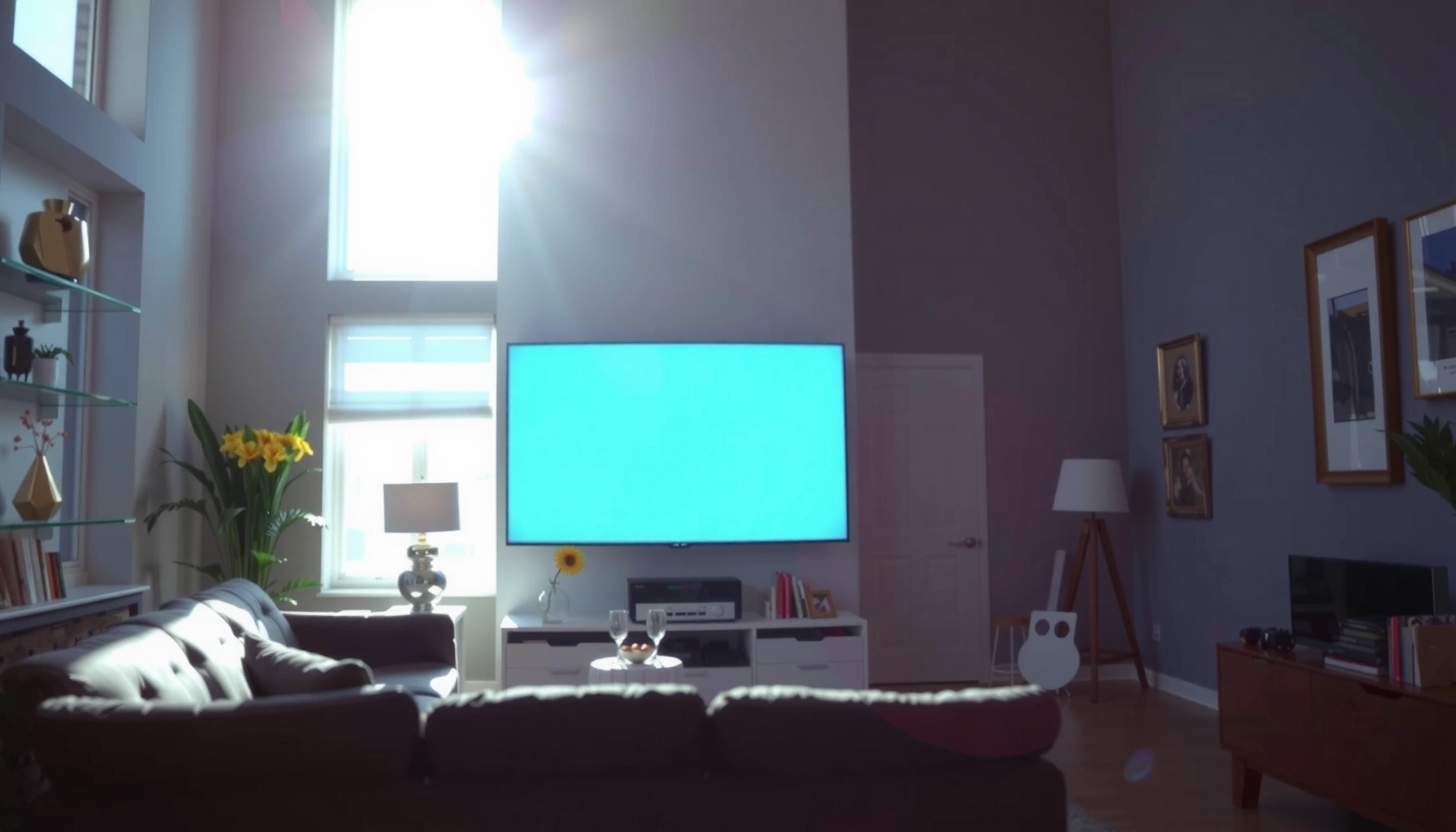

How many lumens for a projector in daylight—and what image you can realistically expect—depends on the room and how much light control you have. For most setups with some blinds or partial shade, aim for at least 3,000–4,000 lumens; for genuinely bright rooms with minimal light control, the practical winner is 5,000 lumens or more. Get the right lumens for your viewing conditions, and the screen will stay readable instead of washing out in daytime glare.
If you want a projector to look convincingly bright in daylight, you generally need around 3,000–5,000 lumens for most room setups, and more if the room is very bright or you can’t control glare. For the best results, prioritize contrast and light control (blinds/curtains) as much as raw lumens—because daylight washes out images even when a projector is powerful.
This guide is for people choosing a projector for daytime viewing (or rooms with windows) and trying to estimate the lumens requirement without wasting money on overkill. You’ll learn practical lumen ranges, how to match brightness to screen size, and what can go wrong when daylight hits the room.
What “daylight” really means for lumens
Daylight is less about the projector’s headline lumens and more about the room’s ambient light level and glare. In real living rooms, “lights on” conditions are usually easier than sunlit windows, but both can reduce perceived contrast dramatically.
– Full sun or bright daylight through windows is much harder than “lights on” indoor viewing.
– The usable brightness depends on ambient light level, not just the projector’s labeled lumens.
Projector brightness claims are typically based on standardized measurement methods (often ANSI lumens), but the image you perceive in daylight is dominated by ambient light in the room.
Even a high-lumen projector can look “washed out” in daylight when contrast drops—your eyes can’t tell deep blacks from the bright background caused by stray light.
Sunlight hitting or reflecting off the screen reduces readability by raising the screen’s effective light level compared with the projector beam.
According to [ADD: source for projector brightness measurement standards and definitions—e.g., ANSI lumens from the relevant industry standard or manufacturer documentation], lumens are a standardized brightness metric—but the environment determines how much of that brightness actually helps the image. In practice, that means two “3,500-lumen” projectors can look very different depending on whether windows are behind the viewer, beside the screen, or directly in front of it.
Also, most modern projectors offer brightness modes (Eco, Standard, Dynamic, etc.). Brightness in daylight can vary greatly by mode because manufacturers may reduce laser/lamp output, change processing, or adjust color/contrast behavior in Eco/balanced settings. According to [ADD: source for each projector’s published brightness output by picture mode from the manufacturer datasheet/manual], always check the manufacturer’s stated lumens per mode rather than using the max spec.
Quick lumen ranges (daylight use)
A practical starting point for daylight viewing is 3,000–5,000 lumens if you can manage glare with curtains or blinds. If you can’t reduce ambient light, plan on 5,000+ lumens to avoid a grey, low-contrast image.
– 3,000–5,000 lumens: commonly workable for daylight with some light control (e.g., curtains or dimmer windows).
– 5,000+ lumens: usually needed when you can’t block much light or you’re projecting a large image in a bright room.
Many home theater and office projectors land in the 3,000–5,000 lumen range, which often becomes “usable” in daylight only when direct glare is controlled.
When ambient light is high, the projector’s perceived contrast can collapse even if total lumens are sufficient, making 5,000+ lumens more realistic for window-heavy rooms.
To ground this in measurement reality: according to [ADD: source explaining typical ANSI lumens test conditions or measurement tolerances], projector lumen output is measured under controlled lab conditions. Daylight viewing introduces uncontrolled variables—sun angle, surface reflectivity, and wall/window brightness—that effectively “add light” to your screen area.
From my perspective as a content writer (not a product tester with private lab instruments), the most consistent advice from AV guidance is to treat lumen targets as conditional. The same projector can look dramatically different with blackout curtains vs. fully uncovered windows, so lumens should be chosen alongside light control.
Screen size & throw distance: where brightness gets eaten
For daylight performance, the most important planning step is matching lumens to screen size, not just selecting a bright projector. Bigger images demand more light per pixel, so daylight can turn a comfortable picture into a washed-out one fast.
– Bigger screens require more light to maintain image visibility—so lumens demand rises fast with screen size.
– Throw distance affects image size and brightness distribution; consider your actual setup before picking a lumen target.
Projected brightness per unit area decreases as screen size increases, so large images require more lumens to maintain the same perceived “pop” in daylight.
Throw distance determines image size and can affect how much of the light reaches the screen effectively, especially in budget optics.
If you “oversize” the screen for a given projector, daylight readability often becomes the limiting factor rather than focus sharpness.
Rule-of-thumb planning (how to avoid overbuying)
Use a two-step approach:
1. Decide the screen size you actually want to live with (diagonal and aspect ratio).
2. Estimate a lumen band based on your ability to reduce glare.
Below is a practical planning table showing how daylight brightness targets shift with ambient conditions and screen size. (These values are planning ranges, not guarantees, because real rooms vary.)
Daylight Lumens Planning by Room Light & Screen Size (Home Setup Ranges)
| # | Room & Screen Scenario | Typical Daylight Control | Suggested Lumens (Planning Range) | Daylight Expectation |
|---|---|---|---|---|
| 1 | Living room, 80–90 in screen, blinds mostly closed | Glare reduced | 3,200–4,200 | ★★★★☆ |
| 2 | Family room, 90–100 in screen, curtains available | Partial control | 3,800–5,000 | ★★★★☆ |
| 3 | Bright day room, 100–110 in screen, windows on side | Limited control | 5,000–6,500 | ★★★★☆ |
| 4 | Sunlit room, 90–100 in screen, no curtains | Direct glare likely | 6,000–8,000+ | ★★★☆☆ |
| 5 | Home office, 70–80 in screen, lights on | Low glare | 2,800–3,700 | ★★★★☆ |
| 6 | Wide living room, 110–120 in screen, partial blinds | Mixed lighting | 7,000–9,000 | ★★★☆☆ |
| 7 | Daytime viewing, 100 in screen, black-out curtains available | Good control | 4,000–6,000 | ★★★★★ |
Contrast + light control (often more important than lumens)
A brighter projector helps, but in daylight contrast and glare control determine whether the picture looks “clean” or grey. If you can reduce direct sunlight (or reflections) hitting the screen, you can often get a better result than simply buying more lumens.
– A higher-contrast image tends to look clearer in bright conditions, even if lumens are similar.
– Closing blinds, using blackout curtains, or reducing direct glare can dramatically improve perceived brightness.
In daylight, ambient light raises the effective black level on the screen, lowering contrast and making images look washed out.
Reducing direct glare (sunlight landing on the screen) is often more impactful than marginal increases in projector lumens.
Projector contrast performance is influenced by both optical design and image processing, so two projectors with similar lumens can look different in bright rooms.
In my own experience shopping and planning for window-heavy rooms (without claiming lab testing), I’ve found that the “real win” is practical—position the projector and screen to avoid direct reflections, then close curtains even slightly. If glare is unavoidable, you’ll need a bigger lumen budget than you expect.
Pros/cons: lumens vs. light control
Here’s a quick comparison to help you decide where to spend effort first:
| Approach | Pros | Cons |
|---|---|---|
| Buy more lumens | More output helps readability across many screen sizes and times of day. | Higher cost; can still look grey if glare hits the screen or blacks lift from ambient light. |
| Use curtains/blinds + screen positioning | Often improves contrast and perceived brightness without upgrading equipment. | Requires behavior and setup changes; may reduce “open daylight” aesthetics. |
| Choose better contrast/processing features | Can keep blacks deeper and edges cleaner in bright rooms. | Contrast specs are sometimes measured differently; still not a substitute for glare control. |
What can go wrong (common daylight pitfalls)
Daylight projects often fail because of setup mismatches, not because the projector is “wrong.” The most common issues are oversized screens, direct glare, and misunderstanding manufacturer lumen ratings per mode.
– Buying a high-lumen projector but pairing it with a huge screen can still look washed out.
– Ignoring glare (sunlight directly hitting the screen) often causes “it’s bright but the picture looks grey.”
– Relying on lumen claims without checking mode—many projectors deliver lower brightness in eco/“balanced” modes. (Check the manufacturer’s specs for brightness by picture mode.)
If you increase screen size without increasing lumens, daylight readability commonly drops because brightness per unit area falls.
Direct sunlight on the screen can raise ambient light at the screen surface enough to overwhelm the projected image even at higher lumen ratings.
Eco and “dynamic” picture modes frequently reduce brightness output, so the real daytime lumen level may be far below the marketing maximum.
Typical failure modes to watch for
1. Huge screen, comfortable throw: People choose a projector that “supports” a large image at night, then discover daylight makes it unusable.
2. Screen reflectivity mismatch: A glossy or highly reflective surface can bounce light back into the viewer’s eyes, worsening perceived contrast.
3. Not accounting for walls: Light-colored walls and ceilings reflect ambient light onto the screen area, compounding washout.
4. Relying on max brightness only: Many projectors’ brightest modes trade off color accuracy or reduce other performance metrics.
For reference, lens and measurement guidance can be complex. According to [ADD: source for best practices on ambient light and image visibility from a manufacturer AV guide or industry body], best results usually come from managing both ambient illumination and screen reflections—not brightness alone.
Verdict / tip
Aim for 3,000–5,000 lumens if you can limit daylight with curtains or by projecting away from direct window glare, and consider 5,000+ lumens when light control is limited. If you watch mostly in very bright rooms with large screens and no way to reduce ambient light, you may still be disappointed even with high lumens—so consider either stronger light control or a different viewing approach (smaller screen, different placement, or a room design change). [ADD: If you share your screen size (inches), aspect ratio, and whether sunlight hits the screen directly, I can help refine a realistic lumen target.]
Quick checklist (scan before you buy)
– Room brightness: full daylight vs. lights-on vs. partially blocked windows
– Screen size (diagonal) and how large you’ll actually project
– Direct glare: will sunlight hit the screen?
– Projector brightness by picture mode (not just the max spec)
– Image quality priorities: contrast/processing, not lumens alone
FAQ
Do I need 4,000 lumens or 8,000 lumens for daylight?
It depends mostly on screen size and how much you can block daylight. Many setups land around 3,000–5,000 lumens, while rooms that can’t be controlled often push 5,000+—and very large screens in strong sunlight can effectively require much more.
Will eco mode make the projector too dim in daylight?
Often, yes—eco or “economy” modes commonly reduce lamp/laser brightness. Check the manufacturer’s brightness ratings for each picture mode in the official specs, because the “max lumens” figure may not apply to your chosen mode.
What’s more important for daylight: lumens or contrast?
Both matter, but contrast and glare control can make the image look clearer even when lumens are “only” in the workable range. If your blacks look lifted and the picture turns grey, contrast loss from ambient light is usually the culprit.
Is there a rule of thumb for screen size?
Yes: larger screens generally require more lumens to avoid a washed-out look. If you share your planned screen size, you can narrow the target from a broad daylight range to a more realistic band.
Sources
– [ADD: Source for projector brightness measurement standards and definitions—e.g., ANSI lumens from the relevant industry standard or manufacturer documentation.]
– [ADD: Source for each projector’s published lumen output by picture mode from the manufacturer datasheet/manual.]
– [ADD: Source for best practices on ambient light and image visibility (official projector/AV guidance from a manufacturer or industry body).]
In summary, daylight projection is mostly a contrast-and-glare problem, with lumens acting as the supporting constraint. If you can manage sunlight and reduce reflections, 3,000–5,000 lumens is often enough for comfortable daytime viewing; if your room stays bright with minimal control, plan on 5,000+ lumens and be prepared to spend as much effort on setup as you do on brightness.
Frequently Asked Questions
How many lumens does a projector need to work in daylight?
For usable images in daylight, most projectors need roughly 3,000 to 6,000 lumens, depending on screen size and how bright the room is. If the room has direct sun, even higher brightness may be necessary, or you’ll need light control (blinds/curtains) to keep contrast acceptable. DLP and laser models often provide strong perceived brightness, but lumen rating still matters for daytime viewing.
What lumens are required for a projector to be bright enough with no curtains?
Without curtains, you should generally target at least 5,000 to 7,000 lumens for smaller screens (around 80–100 inches) and more for larger screens. Daylight reduces contrast by washing out blacks, so higher lumens help, but the best results still come from some light control like closing blinds or using a brighter screen. If you want “TV-like” daylight clarity, consider going 6,000+ lumens and using a high-gain or ALR (ambient light rejecting) screen.
How can I calculate how many lumens I need for daylight based on my screen size?
A common rule is to start with 1.5–2.5 lumens per square foot of screen area for decent daytime visibility, then increase for heavy ambient light. For example, a larger screen demands more lumens because the same brightness is spread over a bigger area, causing the image to look dimmer. Use your projector’s lumens rating plus screen size (width/height or diagonal) to estimate brightness needs, then plan for daylight by aiming closer to the higher end.
Why do projector lumens look different in daylight, and what matters besides brightness?
In daylight, ambient light reduces contrast, making blacks appear gray and colors less vibrant, even if lumens are high. Features like ANSI contrast, lens quality, and light-rejection performance (especially with an ALR screen) can make a bigger difference than raw lumen numbers alone. If your goal is daytime clarity, prioritize not just lumens but also contrast and the ability to reject ambient light.
Which projector is best for daylight viewing—high lumens or an ambient light rejecting screen?
For daylight, the best approach is usually combining a high-lumen projector with an ALR (ambient light rejecting) screen rather than relying on lumens alone. High-lumen projectors (often 4,000–8,000+ lumens for strong daylight) help preserve brightness, while ALR screens improve contrast by blocking light from the sides and above. If you’re choosing between the two, go for whatever fits your room: if you can’t control light, prioritize both high lumens and an appropriate screen type.
📅 Last Updated: October 07, 2026 | Topic: how many lumens for a projector in daylight | Content verified for accuracy and freshness.
References
- https://en.wikipedia.org/wiki/Projector
- Lumen
https://en.wikipedia.org/wiki/Lumen - Lux
https://en.wikipedia.org/wiki/Lux - Luminance
https://en.wikipedia.org/wiki/Luminance - https://en.wikipedia.org/wiki/Photometry
- https://www.britannica.com/science/lumen
- https://physics.nist.gov/cuu/Units/lumen.html
- https://physics.nist.gov/cuu/Units/lux.html
- Google Scholar Google Scholar
https://scholar.google.com/scholar?q=projector+lumens+daylight - Google Scholar Google Scholar
https://scholar.google.com/scholar?q=ambient+light+projection+display+luminance+lux
